Outdated Drivers Are Slowing You Down
One free scan finds every outdated or missing driver and matches the right update for your exact hardware.Free scan · exact hardware matchWindows Errors? Fix Them Before They Spread
Repair common Windows errors and clear accumulated junk for a smoother, more stable PC - no reinstall needed.Free scan · no reinstallYes—Dolphin can run Japanese-region GameCube and Wii games, but compatibility depends on the individual title. You need a legally created game dump, suitable controls, and sometimes a Japanese language setting in the emulated Wii. Dolphin does not translate games: its interface language, the game’s language, and the Wii’s system language are separate settings.
What you need
- A 64-bit device running a supported operating system: Windows 10 or newer, macOS 11 Big Sur or newer, Linux, or Android 5.0 or newer. Android also requires a 64-bit ARMv8/AArch64 environment. See the Dolphin FAQ for current requirements.
- A Japanese GameCube or Wii game dump that you are legally entitled to use. Laws on personal backups vary by country; this is general information, not legal advice.
- A controller suited to the game. Some Wii titles or specialty games need a Wii Remote, balance board, microphone, dance mat, steering wheel, or other hardware.
- Hardware capable of emulating that particular game. Dolphin’s guidance recommends at least 2 GB of RAM and a GPU supporting DirectX 11.1 and OpenGL 4.4, but these figures do not guarantee smooth performance. CPU architecture and clock speed, graphics drivers, the game, and enhancements all matter.
Dolphin emulates GameCube and Wii software, including Japanese releases. That does not mean every title runs perfectly: games may boot with graphics, audio, timing, or input problems, and some require peripherals that are difficult to reproduce. Check the Dolphin compatibility wiki for the exact game, version, known defects, and recommended settings.
Install Dolphin from its official source
- Visit the official Dolphin download page and choose the current release for your platform. The page offers stable releases and development builds; its listed versions change over time.
- Prefer a release if you are new to Dolphin or the game already works. Try a development build if the game’s wiki page or a known issue points to a newer fix. Development builds are newer, but less tested and can introduce regressions.
- Extract the downloaded archive before running Dolphin rather than launching it from inside the archive. On Windows, install the current Microsoft Visual C++ runtime if Dolphin reports missing runtime DLLs; use Microsoft’s installer, not a site offering individual DLL files.
A standard English-language Dolphin installation can load Japanese games. Changing Dolphin’s interface language to Japanese changes its menus, not a game’s dialogue, subtitles, or audio.
Dump and add your Japanese game
Use an original Japanese disc you own or are otherwise legally entitled to use, and create a dump with appropriate tools. Dolphin’s FAQ discusses dumping with a Wii and tools such as CleanRip. Do not download commercial game ISOs or ROMs from unauthorized sites; owning a disc does not make every downloaded copy lawful in every jurisdiction.
#1 Best Overall
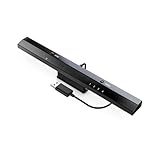
- Wireless sensor dolphin bar can connect your Wii remote plus controller to your PC by Bluetooth.
- Supports cursor anti-shake function, works as a normal keyboard and mouse.
- Allows you to play more quickly and precisely with your GC controllers, Light guns or Racing wheels.
- You can return or skip to the beginning of the current, previous or next chapter and supports Fast reverse, Fast forward, Pause playing, etc.
- Supports the G-sensor function that is the best choice for the Racing Games. Supports the Vibration Feedback.
- Save the resulting dump in a folder you can access easily, such as a dedicated games folder. For troubleshooting, avoid archives, cloud-sync locations, and complicated paths.
- Open Dolphin and add or browse to the folder containing the dump. Menu wording can vary by platform and revision. If the game does not appear, try opening the file directly or adding its containing folder again.
- Select the game in Dolphin’s list to launch it. If it is not listed or will not boot, confirm the format and verify or recreate the dump.
Dolphin supports GCM/ISO, GCZ, CISO, WBFS, WIA, RVZ, and NFS files for Wii games purchased from the Wii U eShop. Dolphin recommends RVZ for compressed dumps; WBFS and CISO remove unused disc data. Uncompressed dumps are approximately 1.4 GB for GameCube discs and 4.7 GB for Wii discs, while compressed file sizes vary. These format and size details are documented in the Dolphin FAQ.
Configure a controller for the game
Set up the input type the title expects before changing graphics or region options. Dolphin’s controller guide covers GameCube and Wii input; labels can vary slightly by platform or build.
Rank #2

- Switch to “Wii U” or “PC” mode by using the switch located on the side.
- The GameCube Controller Adapter allows you to connect up to four GameCube controllers (or wireless GameCube controllers) to a Wii U system, PC USB, Switch/Switch 2.
- Supports the built-in Vibration Feedback with no delays by plugging the two USB ports of the adapter into your Wii U system or PC USB connector ports.
- Compatible with Windows XP, Vista, Windows 7,Windows 8, 10, 11 and Mac OS under the PC mode.
- The driver is required if you need the vibration feedback on the PC mode.
GameCube games
- Open Options → Controller Settings, or use Dolphin’s Controllers button.
- Set the needed GameCube port to Standard Controller, then select and map your physical controller.
- Test the main stick, C-stick, triggers, buttons, D-pad, and rumble. A controller that works in Dolphin’s interface may still be mapped to the wrong emulated port.
Wii games
Choose an emulated Wii Remote arrangement that matches the game. A title designed for a sideways-held Remote needs that layout. Emulation can be adequate, but a real Wii Remote may be more reliable for demanding motion, pointer accuracy, speaker behavior, or accessories.
To pair a real Wii Remote, open Dolphin’s Wii Remote configuration window or run a game, then use the documented 1 + 2 or sync-button procedure. Bluetooth permissions and pairing behavior depend on the operating system and hardware. For a specialty title, check its compatibility page to find out whether it expects a real accessory or a particular controller type.
Rank #3

- Controller Adapter for Gamecube - Compatible with Nintendo Switch / Wii U / PC / Switch 2 works for nintendo gamecube controller, up to eight player for wii u or switch(need two adapter). Ideal gamecube controller adapter to play super smash bros ultimate.
- Support 4 NGC Controller - The gamecube adapter come with 4 gamecube controller input ports, and most up to 8 player at same time play with two adapter input. 180CM/5.9FT/70IN wired long USB A cable allows you to play no limit.
- Plug and Play No Driver Need - Just plug and then play your games. No lag and no drive install need on wii u/switch. Change the adapter button on WII U to play on WII U and Switch mode, Change the adapter button on PC to play on PC mode.
- Super Smash Bros Choice - You can play the super smash bros on Wii U and Switch, Plug the two usb into game console and then choice Mario or Luigi or what your want to battle with your friends. NOTE: you need enter ssb game by wii u remote control and only support ssb on wii u.
- 70 inch Long Cable - Play more freedom no more distance limited. Support turbo feature that What turbo actually does is replicates the same button pushed by the user over and over again at an extremely fast rate,Enhance your gaming experience.
Choose the right language and region settings
First launch the Japanese dump without changing your computer’s locale or the emulated Wii region. Games can select their language from their own settings, the disc’s region, or the emulated system configuration; the exact behavior varies by title.
- Dolphin interface language: Changes emulator menus only.
- Game language: Some Japanese releases offer English in the game’s own settings; others are Japanese-only. Dolphin does not translate text or audio.
- Emulated Wii system language: Some Wii titles consult this setting. If Japanese text is missing or garbled, try setting the Wii system language to Japanese in Dolphin’s Wii configuration, then restart the game. This is a title-dependent troubleshooting step, not a requirement for every import.
- Wii region and services: Particular channels or online features may depend on region or system data. Changing region casually is not a general fix for single-player games and can affect other system behavior.
For example, the Dolphin Region Select wiki page documents a region-selection path in Mario Kart Wii under Settings → Nintendo Wi-Fi Connection → Select Region. That concerns region-dependent services, not ordinary game launching. The wiki also notes online-related limitations, so a game booting does not establish that its original online features will work.
Rank #4

- Gamecube Controller Adapter-The switch gamecube adapter support nintendo switch and switch oled and new switch 2, compatible with PC and Wii U. Before play Please set up NS or PC mode, change button is loacated on the side.(For Wii U platform: only one game of "Greet Melee Smash Brothers X" is supported)
- Support 4 Of Gamecube Controllers:This Gamecube adapter with 4 ports support plug into 4 gamecube controllers or 4 GameCube Wavebird wireless controller at a time.Just plug and then play your games. No lag and no drive install need.
- Extra Long Of Gamecube Adapter-This Gamecube controller adapter with 6 FT(1.8M) cable allowing you and your family/friends to play games comfortably on the sofa. Keep your eyes away from the screen to prevent screen radiation.
- Vibration Feedback and Turbo Mode:This Gamecube support vibration feedback and turbo mode.Turbo mode:Turbo keys support buttons including (A.B.X.Y.L.R.Z.START);Start or turn off the turbo function: hold down the button that needs to be accelerated, then press the Turbo to start Turbo mode. Press again to close Turbo function.Pluging the two usb into your console if you need the vibration feedback on the PC mode
- About Gamecube Adapter:This Gamecube adapter for Switch:you can play multiple games, such as "Super Smash Bros" "Super Mario" "Kirby" etc;This gamecube adapter for wii u:you need enter ssb game by wii u remote control and only support ssb on wii u.This Gamecube adapter for pc:Compatible with some PC emulator(for example:Dolphin)and games(Not All).D-input is supported, Do not support the X-input
Get stable graphics and performance first
Start with Dolphin’s defaults and the game’s own recommendations. Use native resolution or a modest internal-resolution increase until you know the title works; add texture packs, anti-aliasing, widescreen hacks, or post-processing one at a time. Higher resolution can make a game clearer but increases GPU load and may expose title-specific issues.
Check the game’s wiki page before overriding graphics or accuracy settings. Dolphin uses per-game GameINI settings, and its FAQ cautions that manually changing graphics options can override title-specific defaults in some versions. A blanket “fastest” preset may trade accuracy for speed.
Quick wins for a faster PC:
Clear out junk files and repair common Windows errorsFree Scan →Fix the driver behind crashes, sound loss and screen glitchesFind Drivers →Repair Windows errors before they cause bigger problemsFix Now →Best Value
![Mcbazel Replacement Xbox Controller to PC USB Adapter Cable [NOT for Xbox 360 or Xbox One]](https://m.media-amazon.com/images/I/31wJpUW3QrL._SL160_.jpg)
- High quality Original Xbox Gen. 1 Controller to PC USB convert cable.
- Compatible with Windows XP/2000/ME/98. Drivers may be required (NOT incl.)
- For original Xbox controllers only (NOT Xbox 360 or Xbox One controllers)
- Cable length: approx 0.7M.
Japanese-region status alone does not usually make a game substantially harder to emulate; the title’s engine, timing, video behavior, and peripherals are more significant. Dolphin says performance is especially sensitive to CPU IPC and clock speed; four or more modern CPU cores are a practical target, but adding cores alone does not guarantee a faster result. Android performance also varies widely by chipset and graphics driver, and integrated graphics may not suit every enhancement or game.
Troubleshoot common problems
| Problem | Checks and recovery steps |
|---|---|
| Game does not appear | Confirm the file uses a supported format, add its containing folder again, and check that Dolphin can read the location. Try opening the file directly; if it still fails, verify or recreate the dump. |
| Black screen or crash on boot | Check the exact game and revision on the compatibility wiki, restore graphics defaults, disable enhancements, and verify the dump. Test the latest release, then a recent development build if a later fix is relevant. Search the Dolphin issue tracker by game ID for known defects. |
| Japanese text is garbled or missing | Try Japanese under Dolphin’s emulated Wii system language and restart the game. If that does not help, test a clean configuration and dump, then check the game’s wiki page and issue tracker. Changing Windows’ locale is not an established general fix. A Dolphin forum discussion describes the Wii-language setting helping one Japanese-text issue; it is not a universal requirement. |
| Controller does not respond in the game | Confirm that the title expects the controller type you configured and that the correct GameCube port is set to Standard Controller. For Wii games, check Remote mode, pairing, and accessory requirements. Dolphin’s FAQ also recommends checking whether the game supports the controller or multiplayer setup being used. |
| Slowdown or audio stutter | Audio stutter can indicate Dolphin is not maintaining full speed. Reduce internal resolution, disable costly enhancements, use the recommended graphics backend, close background applications, and check the computer’s power mode and active GPU. Adding CPU cores alone may not resolve a bottleneck. Time-stretched audio may help manage the sound, but can add latency. |
| Online feature fails | Do not assume a Japanese title’s original online service works because the game boots. Region-dependent features may require compatible system data or a NAND, and services may have limitations. Check the game’s wiki page and the Region Select documentation. |
| Save does not appear | GameCube saves normally use Dolphin’s emulated memory-card files. Confirm the configured card and game ID; Japanese and Western releases often have different IDs or revisions, so saves may not transfer cleanly. Back up Dolphin’s user directory before changing settings or importing a save. |
Use Netplay only with matching game copies
For local multiplayer titles, Dolphin Netplay may be an option instead of emulated Nintendo online services. Start it from Tools → Start Netplay Session. Each participant needs their own game copy, and the Netplay guide requires players to match the game’s region and revision. Netplay is not a universal replacement for Wii online services; motion controls and specialty peripherals can also complicate play.
Quick Recap
Keep the first setup simple
- Use Dolphin from its official download page and a lawful dump.
- Check the title’s compatibility page before changing settings.
- Configure the controller type the game expects.
- Leave graphics at defaults until the game boots and plays correctly.
- Set the emulated Wii language to Japanese only if the title needs it.
Product prices and availability are accurate as of the date/time indicated and are subject to change. Any price and availability information displayed on Amazon at the time of purchase will apply.



