To play The Elder Scrolls Online (ESO) with friends, make sure you’re on compatible platforms and the same megaserver region, add each other through the friends or social menu, then send a group invitation. You need the game, an ESO account and an internet connection. ESO Plus is not required.
Can you play ESO with friends on another platform?
ESO’s platform megaservers are separate. According to ESO support, PC and Mac players share a megaserver, while Xbox and PlayStation each use their own. PC/Mac players can play together, but players on those separate platform groups cannot interact under the documented arrangement.

Everyone also needs to select the same region, such as North America (NA) or Europe (EU). ESO’s friend instructions say players must share a megaserver to find and interact with one another.
In a November 2025 post, ZeniMax Online Studios community manager ZOS_Kevin said the team was exploring cross-play and called it a substantial undertaking. The post expressed interest in making cross-play available, but did not give a launch date or confirm a later rollout. It is not a reason to assume players on different platforms can currently join each other.
The Tool Desk
Outbyte PC Repair FREEClear out junk files and repair common Windows errorsFree Scan →Outbyte Driver Updater FREEScan for outdated or missing drivers - takes under a minuteDriver Scan →#1 Best Overall
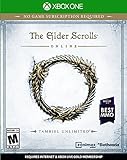
- Unlimited Adventures, No Subscription Required
- The Fight for Tamriel Begins: Three alliances vie for control of the Empire. As these powers battle for supremacy, darker forces move to destroy the world.
- Play the Way You Like: Battle, craft, fish, steal, siege, or explore. The choice is yours to make in a persistent Elder Scrolls world.
- A Multiplayer RPG: Adventure alone, quest with friends, or join an army of hundreds in epic PVP battles.
- Tell Your Own Story: Discover the secrets of Tamriel as you quest to regain your lost soul and save the world from Oblivion.
How do you add a friend in ESO?
- Check platform and region. Confirm that everyone is playing on a compatible platform group and has selected the same megaserver region.
- Open the friends or social menu. On PC/Mac, open the friends list. On console, use the Social or player menu and the platform-friend options available there.
- Find and add the player. On PC/Mac, ESO’s support instructions say to search by the player’s character name or UserID. Console players can use the Social/player menu or the relevant platform-friend options.
If you can’t find someone, check platform and region before troubleshooting the friend request: a different megaserver or incompatible platform group can prevent players from finding or interacting with each other.
Independent reader supportYour contribution helps us test, update, and keep practical guides available for everyone.How do you invite someone to your group?
Once you have connected with your friend, send a group invitation from the in-game group menus. When the invitation is accepted, choose an activity together in the game. Menu labels and activity flows can vary, so follow the options shown in your current game interface.
Quick Recap
Rank #4
Rank #3
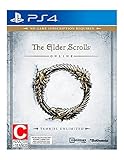
- Unlimited Adventures, No Subscription Required
- The Fight for Tamriel Begins: Three alliances vie for control of the Empire. As these powers battle for supremacy, darker forces move to destroy the world.
- Play the Way You Like: Battle, craft, fish, steal, siege, or explore. The choice is yours to make in a persistent Elder Scrolls world.
- A Multiplayer RPG: Adventure alone, quest with friends, or join an army of hundreds in epic PVP battles.
- Tell Your Own Story: Discover the secrets of Tamriel as you quest to regain your lost soul and save the world from Oblivion.
Rank #2

- Save Morrowind: Stop a meteor from crashing into Vivec City by helping a demi-god regain his lost powers.
- Become the Warden: Harness the nature-based magic of an all-new class with a War Bear battle companion at your side.
- Partner with an Assassin: Aid a legendary elite member of the Morag Tong who will guide you through deadly political intrigue.
- Fight Together in PvP Battlegrounds: Take the battle to the Ashlands with new 4v4v4 player vs. player combat set in competitive arena-style environments.
What do you need to play multiplayer?
- The game for your platform: The official Standard Edition listing is for PC/Mac; choose an edition for the platform you intend to use.
- An ESO account and persistent internet connection: Both are required according to the Standard Edition product page.
- A console account link: Console players need to link a PlayStation Network or Xbox account. ESO’s linked-accounts information says characters and progress are not shared between linked console accounts.
- Any required console online service: ESO Plus is optional, not a multiplayer requirement. The Xbox support answer reviewed specifies an active Xbox Game Pass membership for Xbox online play; check Xbox’s current requirements because subscription policies may change.
Product prices and availability are accurate as of the date/time indicated and are subject to change. Any price and availability information displayed on Amazon at the time of purchase will apply.




