You can’t join a friend’s ordinary Minecraft world while they’re offline: that world is hosted from their game and is available only after they start it. To play while they’re away, ask them to move the world to a Minecraft Realm and invite you. A Realm stays online for invited players, and you don’t need your own Realms subscription.
Why you can’t join a regular friend-hosted world
A normal world hosted by a friend is not an always-online server. The owner must be online and have started the world before others can join. In Bedrock Edition, open Play > Friends and look under Joinable Friends; that list shows friends who are currently online and hosting a joinable world. If your friend is offline, their local world won’t appear as joinable.
| # | Preview | Product | Price | |
|---|---|---|---|---|
| 1 |

|
Minecraft | Standard Edition | XBOX Digital Code | $19.99 | Buy on Amazon |
| 2 |

|
Minecraft - Xbox One (Renewed) | $35.57 | Buy on Amazon |
| 3 |
|
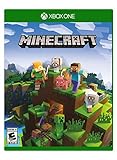
Minecraft – Xbox One | $84.96 | Buy on Amazon |
| 4 |

|
Minecraft: Starter Collection – Xbox One | $55.00 | Buy on Amazon |
| 5 |

|
Minecraft - Xbox One (Renewed) | $49.98 | Buy on Amazon |
That online-host requirement applies to LAN play too. LAN is for players on the same local network, and the host still has to start the game and world. It does not keep a friend’s save available after they leave. See Minecraft’s Bedrock world joining guide and Bedrock LAN guide.
Use a Realm to play while the owner is offline
Minecraft Realms is the straightforward option for persistent access: the owner puts the world on a Realm, invites you, and invited players can access it while the owner is away. Minecraft describes Realms as an always-online service and says invited friends can play the active world even when the owner is not online. The owner manages and pays for the Realm; invited guests do not need to buy a separate subscription. See the official Realms page.
#1 Best Overall
- CREATE YOUR WORLD — Build whatever you imagine in an infinite world that is unique in every playthrough.
- EXPLORE AND CRAFT — Discover biomes, resources, and mobs, then craft your way through a sandbox world full of surprises.
- SURVIVAL ADVENTURES — Face mysterious foes, travel across varied landscapes, and venture into perilous dimensions.
- PLAY TOGETHER — Play solo or join friends in local split-screen and cross-platform play across console, mobile, and PC. Online multiplayer supports up to 8 players.
- COMMUNITY PLAY — Connect with players on community servers, or subscribe to Realms Plus (sold separately) to play with up to 10 friends on a private server.
The owner must set up the Realm and invite you. For Bedrock setup, Minecraft’s purchase and setup guide explains the process. Realms plans and prices can change; check the official Realms page for current options and capacity before choosing one.
Check that you’re using the same Minecraft edition
You and the Realm owner must use the same edition. Java players join Java Realms; Bedrock players join Bedrock Realms. Bedrock supports cross-device play within the Bedrock ecosystem, while Java cross-play is between Windows, Linux, and macOS. Owning Minecraft on another edition does not by itself let you join that edition’s Realm.
Rank #2
- This renewed game has been cleaned, tested, and shows minimal wear. It may come repackaged in a generic case.
- Create and explore your very own world where the only limit is what you can imagine
- Play on your own, or with up to 4 players split screen, or 8 players online
- Import your favorite Xbox 360 worlds to the Xbox One Edition
- Play in Creative Mode with unlimited resources or mine deep into the world in Survival Mode, crafting weapons and armor to fend off the dangerous mobs
Accept the invitation and join the Realm
Bedrock Edition
- Ask the owner to invite your player account to their Bedrock Realm.
- In Minecraft, open your Inbox and accept the invitation under Invites. If you received an invitation link instead, open Play > Realms > + Add/join Realm > Join an existing Realm and follow the prompt.
- After accepting, open the Realm from the Realms screen.
Java Edition
- Ask the owner for a Realm invitation or join code.
- From the main menu, open Minecraft Realms and select the accepted Realm. If you have a join code, choose Join Realm and enter it.
For the Java join-code flow and invitation details, see Minecraft’s Java Realm joining guide.
Quick Recap
Best Value
Rank #4
- This collection includes: The Minecraft base game, 700 Minecoins and the Starter Pack DLC, an amazing selection of Mash-ups, Texture Packs, Skin Packs and other fun content to discover.
- Create your very own world and build to the limits of your imagination.
- Explore mighty mountains and living oceans of infinite worlds, amazing community-made maps, servers, thrilling minigames and more
- Survive online with friends who are on console, mobile, and Windows 10, or share the adventure at home in split-screen multiplayer.
Rank #3
- Create your very own world and build to the limits of your imagination
- Explore mighty mountains and living oceans of Infinite worlds, amazing community-made maps, servers, thrilling mini games and more!
- Survive online with friends on Console, mobile, and Windows 10, or share the Adventure at home in split-screen multiplayer
If the Realm does not appear or you cannot join
- Confirm the edition and version. Both players need the matching edition and compatible, current game versions.
- Check the invitation and account. Make sure the owner invited the account you’re signed into and that you accepted the invite.
- Review multiplayer permissions. Account privacy settings, especially child-account settings, can block multiplayer. Minecraft lists requirements in its multiplayer requirements guide.
- Check platform requirements. Console multiplayer may require the platform’s online service, and console or mobile players may need to be signed in with a Microsoft account.
- Check your connection. Use a stable internet connection and consult Minecraft’s multiplayer connectivity troubleshooting guide if the problem continues.
How the other hosting options compare
| Option | Can you play while the owner is offline? | What it requires |
|---|---|---|
| Ordinary hosted world | No | The owner must be online and start the world. |
| LAN | No | The host must start the world, and players must share a local network. |
| Realm | Yes, if invited | The owner sets up and manages a paid Realm; guests do not need their own subscription. |
| Dedicated server | Potentially | Separate hosting and setup. It is not automatically the owner’s offline local save; the world must be moved or configured for that server. |
Product prices and availability are accurate as of the date/time indicated and are subject to change. Any price and availability information displayed on Amazon at the time of purchase will apply.
Free tools Windows power users keep installed
One-click scans. No signup required.




