The Tool Desk
Outbyte PC Repair FREERepair Windows errors before they cause bigger problemsFix Now →Outbyte Driver Updater FREEFix the driver behind crashes, sound loss and screen glitchesFind Drivers →Physical games can still work on current consoles, but a disc or card is not a universal guarantee of compatibility or offline play. Check the exact console model and game first: PS5 supports most PS4 titles but not PS3 discs, Xbox Series S cannot play discs, and Switch 2 supports compatible Switch game cards. Even when a title works, installation or downloads may be required.
What a physical copy does—and does not—preserve
A disc or game card can carry a license that you can use with compatible hardware, but it does not necessarily contain every file needed to install and play a game. Current platform guidance explains compatibility and installation behavior; it does not establish that every retail edition works fully offline or includes all updates and content.
As an Amazon Associate I earn from qualifying purchases.
For example, Sony says PS4 disc games must be installed on PS5 and the disc must remain inserted to play. Xbox says supported backward-compatible disc games begin downloading to the console’s hard drive when inserted. The physical media can therefore serve as proof of entitlement while the game files live on console storage. Check release-specific publisher information for claims about account checks, patches, downloadable content or server dependence.
PlayStation: using PS4 discs on PS5
Sony says the PS5 plays the overwhelming majority of PS4 games—more than 4,000 titles—with some exceptions. Its PlayStation ecosystem page describes more than 99 percent of the 4,000-plus PS4 games as playable on PS5. These are Sony’s descriptions of its PS4 library, not guarantees for every title or future system state; consult the PS5 backward-compatibility list for a specific game. Sony also notes that some PS4 games may show errors or unexpected behavior on PS5.
#1 Best Overall

- Plug & Play. Easy to use, powered by USB port. No external driver or power adapter needed. Simply plug it into your USB port for automatic detection. For optimal performance on desktop computers, connect directly to a high-power USB port on the back of the motherboard. This hassle-free solution requires no technical setup, and if the drive isn't immediately recognized, trying a different USB port typically resolves most connection issues
- High Speed & Reliable Performance. Compatible with USB 3.0 (backwards compatible with USB 2.0), this drive delivers fast data transfer speeds up to 5Gbps. Engineered with strong fault tolerance, it minimizes freezing, skipping, and errors during disc playback or burning. The stable performance ensures smooth, reliable operation and reduces the risk of defective performance
- Intelligent Tech & Stable Connection. Features a physical eject button that safely releases discs even when your computer fails to recognize the drive—eliminating the common frustration of stuck media. Enhanced with copper mesh technology, this external component ensures consistently stable data transmission during all your reading and writing tasks
- Trendy & Practical Design. Features a brushed texture shell for modern visual and tactile appeal. The innovative embedded cable design keeps your USB cable securely stored and always accessible, eliminating worries about misplacement. This compact, all-in-one solution is perfectly suited for easy transport and organized storage
- Wide Compatibility. This external USB CD/DVD drive works with Windows 11/10/8.1/7/Vista/XP, Linux, and macOS 10.16+ (MacBook Pro/Air, iMac, Mac mini). Compatible with most laptops/desktops (HP, Dell, Lenovo, ASUS, Samsung). For optimal performance on desktops, connect to rear USB ports. Supported formats include CD-ROM/R/RW, DVD-ROM/R±RW/R±DL, and VCD. IMPORTANT: Not compatible with ChromeOS, smartphones, tablets, TVs, projectors, vehicles, or Blu-ray/4K discs. Please verify your device type before purchasing
Steps to play a PS4 disc
- Confirm that your PS5 model has a disc drive. PS4 discs do not work on PS5 Digital Edition models without a supported drive.
- Insert the disc and allow the game to install. Download any available updates you want to use.
- Leave the disc inserted whenever you play; Sony requires it as the license check for a disc-installed game.
- If the title has compatibility caveats, check Sony’s list and test the game before buying add-ons or relying on it.
Sony documents an add-on disc drive for certain PS5 Digital Edition model groups, not every disc-less PS5. Verify your console’s exact model against Sony’s compatibility information before purchasing a drive. PS5 does not support PS3 game discs.
Sony also reports that more than 99 percent of its 4,000-plus PS4 games are playable on PS5 on its PS4 and PS5 ecosystem page. Treat this as a statement about Sony’s PS4 catalog, not a promise that every physical edition or every future console configuration will work.
Rank #2

- 【PLUG & PLAY – EASY CONNECTION】 Simply connect the Amicool External DVD Drive to your computer’s USB or Type-C port, and it will usually be detected right away without the need for extra drivers. For stable operation and sufficient power, we recommend connecting it directly to a USB port on your computer (for desktops, use a rear motherboard port) and avoiding USB hubs or extension cables. This user-friendly design ensures quick setup for both beginners and professionals.
- 【FAST & STABLE DATA TRANSMISSION】 Featuring dual interfaces (USB 3.0 and Type-C), this optical drive supports data transfer speeds up to 5Gbps. To ensure a reliable connection, please connect it directly to your computer. The drive supports multiple disc formats such as DVD+R, DVD-R, CD-R, and CD-RW. Please note: It does NOT support DVD-RAM, Blu-ray (BD) discs, or certain proprietary formats. Maximum DVD read speed is 8x, and maximum CD read/write speed is 24x.
- 【UNIVERSAL COMPATIBILITY】 Compatible with Windows 11 / 10 / 8.1 / 7, Linux, and all macOS (Intel & Apple Silicon) for MacBook Air/Pro, iMac, Mac mini; NOT for iPad/iPhone/Apple TV/ChromeOS; for Mac, insert disc FIRST, connect directly to USB port (use a POWERED USB‑C hub for M1/M2/M3 to avoid insufficient power), and open media with VLC Player (Apple DVD Player not supported). Works with most computers from brands like Apple, Dell, HP, Lenovo, ASUS, Acer, and Samsung. 👉 Important: Designed specifically for computers. It is NOT compatible with TVs, tablets, game consoles (e.g., PlayStation, Xbox), car stereos, or standalone Blu-ray players.
- 【SLIM & PORTABLE DESIGN – BUILT-IN CABLE, READY TO GO】With an integrated cable design, slim body, and stylish matte finish, this lightweight CD/DVD drive is both durable and portable. Easily slip it into your laptop bag or backpack and use it anytime, anywhere—perfect for business, travel, or home use
- 【MULTIFUNCTIONAL & RELIABLE OPERATION】 Equipped with intelligent error correction and anti-shock technology, this drive supports reading, writing, and burning discs. If the drive is not recognized or a disc cannot be read, try restarting your computer or testing with a different, standard CD-R or DVD-R disc. The pop-up button and built-in cable design offer convenience and portability. For desktop PCs, connecting to a rear USB port is recommended for optimal power and performance.
Xbox: which discs work on Series X|S
For Xbox backward compatibility, Microsoft’s supported-games catalog is the starting point. If a supported disc-based game is inserted, the console starts downloading it to the hard drive. The disc remains relevant to the entitlement; insertion does not mean the complete game runs directly from the disc.
Recommended Free Tools
Series X and Series S are different for physical libraries
- Xbox Series X: Use a supported disc and check that the title is in the backward-compatibility catalog.
- Xbox Series S: It is digital-only and cannot play physical discs. An Xbox disc collection cannot be used on Series S through the disc drive because it has none.
In an August 26, 2026 Xbox Wire announcement, Microsoft said “most” Xbox One and Xbox Series X disc-based games can be used to claim a digital entitlement by inserting a supported disc into an Xbox One or Series X console and launching the game. Microsoft said the physical disc continues to work as before and described the feature as part of its broader commitment to game preservation. The announcement does not say every Xbox One or Series X disc qualifies, nor does it establish eligibility for every older Xbox or Xbox 360 disc. See Xbox Wire’s announcement and check the title’s support details.
Rank #3
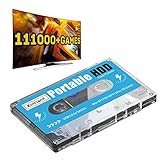
- 【Plug and Play】: No need for any drivers, just a data cable connection, the computer will instantly turn into a game console, you can enjoy the joy of games anytime, anywhere.
- 【111000+ Games】: 84 game collections and simulators are pre-installed, 111000+ games including 5000+ 3D games are built-in. You can also add games yourself, which is very convenient.
- 【Batocera 33 System】: The latest Batocera 33 system is pre-installed, which can be directly read in the Windows system, which is convenient for adding and deleting games.
- 【Wide Compatibility】: The 500G HDD is compatible with Windows XP, Windows Vista, Win7-10/Mac OS 10.2, suitable for PC, Laptop, etc.
- 【USB 3.0 High-speed Transmission】: USB 3.0 interface, fast transmission, save more time, backward compatible with earlier versions such as USB2.0, this HDD hard drive supports 26 languages, English, French, German, etc.
Nintendo: using Switch game cards on Switch 2
Nintendo says Switch 2 can play compatible physical and digital games originally released for Nintendo Switch. Switch game cards can be inserted into Switch 2, but Nintendo cautions that some titles may not be supported or fully compatible. Check Nintendo’s current Switch-to-Switch 2 game information for title-specific limitations and updates.
Switch 2 is designed exclusively for microSD Express cards. These are storage media, not substitutes for physical game cards; adding storage does not make an incompatible game card playable. Nintendo’s compatibility guidance explains the distinction.
Rank #4

- 13mm for ultra slim and light
- Mac/PC Support
- Includes USB 2. 0 and Type-C cables
- Nero BackItUp function for Android Devices
- DISC Encryption II for password-controls and hidden-file functionality
Choosing hardware for a physical game library
Before moving a collection to a newer console, compare the physical reader, title compatibility and what the console requires after inserting the media. A library’s portability depends on both the game format and a working compatible device.
Free tools Windows power users keep installed
One-click scans. No signup required.
Quick Recap
Best Value

- High-Speed Dual Connectivity external cd/dvd drive for laptop: USB 3.0 & USB-C ports enable 5 Gbps transfer speed, backward compatible with USB 2.0/1.1/1.0 for broad device support.
- Hassle-Free Plug & Play cd burner: No drivers required—simply connect to laptop/desktop for instant video playback, file burning, software installation, and backup.
- Wide System Compatibility CD DVD player for laptop: Works with Windows 11/10/8/7/XP/Vista, Linux, and all macOS versions (MacBook Air/Pro, laptops, desktops). Note: Incompatible with Win98, iPads, Chrome OS, TVs, Blu-ray/3D/4K discs, cars, phones, projectors, and game consoles; Win11 needs media player.
- Advanced Burning Performance external cd drive: Supports DVD+R/DVD-ROM/CD-ROM/CD-R/CD-RW; 8x DVD & 24x CD read/write speeds, with robust error correction for stable disc reading.
- Slim Portable & Stable Design usb dvd drive external: Quiet elegant appearance, ultra-thin for easy portability; integrated cable for neat storage, non-slip base prevents sliding.
| Console | Physical media support | Important limits | What happens after insertion |
|---|---|---|---|
| PS5 with disc drive | Compatible PS4 discs | Some PS4 titles have exceptions or unexpected behavior; PS3 discs are unsupported. | Install the game, download updates as needed, and keep the disc inserted to play. Source: Sony support. |
| PS5 Digital Edition | No PS4 disc use without a supported add-on drive | Sony documents a drive for certain model groups; verify the exact model. | Disc use depends on an eligible model and compatible drive. Source: Sony support. |
| Xbox Series X | Supported Xbox discs | Only games in the backward-compatibility catalog are supported; the 2026 digital-entitlement feature applies to “most” Xbox One and Series X discs, not all discs. | Supported backward-compatible games download to the hard drive. Source: Xbox catalog and Xbox Wire. |
| Xbox Series S | None; digital games only | Cannot play physical discs. | Not applicable. Source: Xbox. |
| Nintendo Switch 2 | Compatible Nintendo Switch game cards | Some Switch games may not be supported or fully compatible. microSD Express is storage, not a game card. | Consult Nintendo’s title compatibility information; exact installation behavior varies by game. Sources: Nintendo game information and Nintendo compatibility guidance. |
Practical steps to protect a physical collection
- Store discs in their cases and cards in protective cases. Handle optical discs by the edges, and protect them from scratches, direct sunlight and heat. Follow the relevant console manual for platform-specific care.
- Record each game’s title, region and edition, whether it comes on disc or card, and which console model you have tested it on. For a disc-less PS5, confirm model-group support before buying an add-on drive.
- Install available updates while the publisher’s download remains available. An installed update or physical copy is not a guarantee that account services, servers or future downloads will remain available indefinitely.
- Keep a working disc-capable console if you own discs and a newer console omits a drive, or if a game’s compatibility is uncertain. A physical copy cannot make an unsupported format playable.
- For an individual game, check the publisher’s instructions and edition-specific evidence before assuming it installs or plays offline without an account, patch or server connection.
Product prices and availability are accurate as of the date/time indicated and are subject to change. Any price and availability information displayed on Amazon at the time of purchase will apply.




