Quick wins for a faster PC:
Clear out junk files and repair common Windows errorsFree Scan →Fix the driver behind crashes, sound loss and screen glitchesFind Drivers →For a short promotional code in Idle Huntress, the reported route is Events > Mysterious Code. A separate profile/settings field is intended for 14-digit codes, so entering a short code there can lead to an invalid-code message or a request for 14 digits. The game-specific directions come from a third-party guide and historical community posts; check the labels in your current game version if they differ.
Where to enter an Idle Huntress code
There are two reported in-game redemption routes, distinguished by code format:
| # | Preview | Product | Price | |
|---|---|---|---|---|
| 1 |

|
Visa Physical Gift Card $200 (plus $6.95 Purchase Fee) | $206.95 | Buy on Amazon |
| 2 |

|
$25 Apple Gift Card—Email Delivery | $25.00 | Buy on Amazon |
| 3 |

|
Visa Physical Gift Card $100 (plus $5.95 Purchase Fee) | $105.95 | Buy on Amazon |
| 4 |

|
Visa Physical Gift Card $50 (plus $4.95 Purchase Fee) | $54.95 | Buy on Amazon |
| 5 |
|
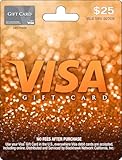
Visa Physical Gift Card $25 (plus $3.95 Purchase Fee) | $28.95 | Buy on Amazon |
| Code type | Reported route | What to do |
|---|---|---|
| Short alphanumeric Mysterious Code | Events > Mysterious Code | Enter the code in the Mysterious Code screen and submit or claim it. |
| 14-digit code | Profile/settings code field | Use this route only if you have a 14-digit code. |
The distinction is described in a third-party game guide and is consistent with historical community posts. A June 2022 community announcement gave the short-code instruction as “Event->Mysterious Code->input the code and claim your rewards.” That announcement’s example, IHUNTRESS, expired on July 31, 2022, and was limited to one redemption per player; it is not a current code.
Redeem a short Mysterious Code
- Open Idle Huntress and reach the main game screen.
- Open Events, then select Mysterious Code.
- Enter the short code as published, keeping its capitalization and characters, then submit or claim the reward.
These labels reflect reported directions; if the current interface has changed, follow the in-game labels and announcements rather than entering a short code into the 14-digit field.
Do these 3 things before closing this tab:
1Clear out junk files and repair common Windows errors2Fix the driver behind crashes, sound loss and screen glitches3Repair Windows errors before they cause bigger problems#1 Best Overall
- Gift Cards are shipped active and ready for use.
- This card is non-reloadable. No cash or ATM access. Funds do not expire. If available funds remain on your card after the valid thru date has passed, please call customer service for a replacement card. A one-time purchase fee applies at the time of checkout. No fees after purchase.
- To access your card information safely, type the complete website address shown on your Gift Card (MyGift.GiftCardMall.com) directly into your browser's address bar. Don't use search engines or shortened versions of the website address, as these may lead you to fake or fraudulent sites. Do not provide any Gift Card details (example: Card Number) to someone you do not know or trust. If you believe you've reached an illegitimate website, contact cardholder service at 1-888-524-1283. Be cautious of phishing sites, there are a variety of scams in which fraudsters try to trick others into paying with gift cards.
- To report your Lost or Stolen Physical Visa Card, call Customer Service 24/7 at 1 (888) 524-1283 to cancel your Gift Card as soon as you can. You will be asked to provide the Gift Card number and other identifying information.
- Use your Visa Gift Card in the U.S. everywhere Visa debit cards are accepted, including online.
Fix an invalid-code error
Check the most likely causes in this order:
- Confirm the field matches the code format. A short Mysterious Code belongs in Events > Mysterious Code, not the profile/settings route for 14-digit codes. If the game asks for 14 digits, you are likely in the other redemption field.
- Check whether the offer has expired or was already redeemed. Promotional codes can have offer-specific end dates and one-use restrictions. The one-use and July 31, 2022 expiry terms applied to the June 2022 IHUNTRESS announcement only; they do not establish universal rules for all codes.
- Re-enter the exact characters. Copy the code carefully, including capitalization. A March 2023 community discussion reported case-sensitive codes, but that is old anecdotal evidence, not confirmation of a current universal rule.
- Do not assume a current game bug. Players discussed configuration errors and a maintenance fix in a 2023 thread. That is a historical report, not evidence of an ongoing issue. If the code, field, and offer terms check out, try again later and check current in-game announcements for maintenance information.
Are any Idle Huntress codes working now?
Current validity is not established by the available code roundup. Pocket Gamer’s roundup was updated September 6, 2026, but the codes it listed carried a May 31 validity date. As of October 4, 2026, that date had passed, so the roundup does not verify those codes as active. Check the game’s current official channels or in-game announcements for newly published offers; no up-to-date official working-code status page was identified in the sources available for this article.
Independent reader supportYour contribution helps us test, update, and keep practical guides available for everyone.Contact support if the error persists
The Apple App Store and Google Play listings identify BluStar Games Limited as the developer and provide [email protected] as a support contact. When writing, include the code name, the exact error text, your game version, and a screenshot if possible. These are practical troubleshooting details, not published official evidence requirements.
Quick Recap
Best Value
- Gift Cards are shipped active and ready for use.
- This card is non-reloadable. No cash or ATM access. Funds do not expire. If available funds remain on your card after the valid thru date has passed, please call customer service for a replacement card. A one-time purchase fee applies at the time of checkout. No fees after purchase.
- To access your card information safely, type the complete website address shown on your Gift Card (MyGift.GiftCardMall.com) directly into your browser's address bar. Don't use search engines or shortened versions of the website address, as these may lead you to fake or fraudulent sites. Do not provide any Gift Card details (example: Card Number) to someone you do not know or trust. If you believe you've reached an illegitimate website, contact cardholder service at 1-888-524-1283. Be cautious of phishing sites, there are a variety of scams in which fraudsters try to trick others into paying with gift cards.
- To report your Lost or Stolen Physical Visa Card, call Customer Service 24/7 at 1 (888) 524-1283 to cancel your Gift Card as soon as you can. You will be asked to provide the Gift Card number and other identifying information.
- Use your Visa Gift Card in the U.S. everywhere Visa debit cards are accepted, including online.
Rank #4
- Gift Cards are shipped active and ready for use.
- This card is non-reloadable. No cash or ATM access. Funds do not expire. If available funds remain on your card after the valid thru date has passed, please call customer service for a replacement card. A one-time purchase fee applies at the time of checkout. No fees after purchase.
- To access your card information safely, type the complete website address shown on your Gift Card (MyGift.GiftCardMall.com) directly into your browser's address bar. Don't use search engines or shortened versions of the website address, as these may lead you to fake or fraudulent sites. Do not provide any Gift Card details (example: Card Number) to someone you do not know or trust. If you believe you've reached an illegitimate website, contact cardholder service at 1-888-524-1283. Be cautious of phishing sites, there are a variety of scams in which fraudsters try to trick others into paying with gift cards.
- To report your Lost or Stolen Physical Visa Card, call Customer Service 24/7 at 1 (888) 524-1283 to cancel your Gift Card as soon as you can. You will be asked to provide the Gift Card number and other identifying information.
- Use your Visa Gift Card in the U.S. everywhere Visa debit cards are accepted, including online.
Rank #3
- Gift Cards are shipped active and ready for use.
- This card is non-reloadable. No cash or ATM access. Funds do not expire. If available funds remain on your card after the valid thru date has passed, please call customer service for a replacement card. A one-time purchase fee applies at the time of checkout. No fees after purchase.
- To access your card information safely, type the complete website address shown on your Gift Card (MyGift.GiftCardMall.com) directly into your browser's address bar. Don't use search engines or shortened versions of the website address, as these may lead you to fake or fraudulent sites. Do not provide any Gift Card details (example: Card Number) to someone you do not know or trust. If you believe you've reached an illegitimate website, contact cardholder service at 1-888-524-1283. Be cautious of phishing sites, there are a variety of scams in which fraudsters try to trick others into paying with gift cards.
- To report your Lost or Stolen Physical Visa Card, call Customer Service 24/7 at 1 (888) 524-1283 to cancel your Gift Card as soon as you can. You will be asked to provide the Gift Card number and other identifying information.
- Use your Visa Gift Card in the U.S. everywhere Visa debit cards are accepted, including online.
Rank #2
- For all things Apple - products, accessories, apps, games, music, movies, TV shows, iCloud+, and more.
- Perfect for App Store purchases and subscriptions—get apps, games, music, movies, TV shows, and more.
- The perfect gift to say happy birthday, thank you, congratulations, and more.
- Available in $15 - 500, Card delivered via email or SMS
- Use it for purchases at any Apple Store location, on the Apple Store app, apple.com, the App Store, iTunes, Apple Music, Apple TV, Apple News+, Apple Books, Apple Arcade, iCloud+, Fitness+, Apple One, and other Apple properties in US only
Product prices and availability are accurate as of the date/time indicated and are subject to change. Any price and availability information displayed on Amazon at the time of purchase will apply.




