PC Slower Than It Used to Be?
A free scan shows the junk files, broken settings and background clutter dragging Windows down - then fixes them in one click.Free scan · Windows 10 & 11Outdated Drivers Are Slowing You Down
One free scan finds every outdated or missing driver and matches the right update for your exact hardware.Free scan · exact hardware matchTo report a player in a Supercell game, use the in-game Report option on the offending chat message or, where available, on the player’s profile or name. If the game does not show a report option for the behavior, contact Help & Support in the game and provide details and screenshots. A report prompts a review; it does not guarantee a penalty.
Report a disruptive chat message
- Open the relevant in-game chat and find the message.
- Select the message and choose Report. In some games, you may need to press and hold the message to reveal the option.
Supercell says chat messages can be reported in all its games, though the exact gesture and menu can differ. See Supercell’s reporting guidance and its Parent’s Guide.
| # | Preview | Product | Price | |
|---|---|---|---|---|
| 1 |
![$20 Nintendo eShop Gift Card [Digital Code]](https://m.media-amazon.com/images/I/41XOVFRcBIL._SL160_.jpg)
|
$20 Nintendo eShop Gift Card [Digital Code] | $20.00 | Buy on Amazon |
| 2 |

|
Fortnite Physical Gift Card | $50.00 | Buy on Amazon |
| 3 |

|
GameStop Physical Gift Card | $25.00 | Buy on Amazon |
| 4 |

|
Fortnite Physical Gift Card | $30.00 | Buy on Amazon |
| 5 |
|
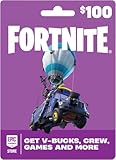
Fortnite Physical Gift Card | $100.00 | Buy on Amazon |
Report a player or group name
Some games let you report a player or group name from its profile or information screen. Open the relevant profile, tap the name if needed, and choose Report if the option appears. The route varies by game: Supercell’s Parent’s Guide describes a gear-menu route in Clash Royale and a warning icon beside the name in mo.co. Certain games also allow reports of group names or descriptions.
If there is no Report button
- Open the game’s settings and select Help & Support.
- Describe what happened and when, and identify the player as clearly as you can.
- Attach screenshots that show the behavior or relevant context.
Supercell recommends contacting Support with screenshots and a few details when disruptive behavior cannot be reported with an in-game button. Offensive Clash of Clans join requests are one example for which Supercell directs players to Support; see Offensive Members in Clan.
#1 Best Overall
- This item can be redeemed on eShop only. This item cannot be redeemed on the Wii Shop
- The perfect gift for anyone who loves to play—including you. Choose from over 1,000 new, classic and indie games – delivered directly to your Nintendo Switch, Wii U or Nintendo 3DS family of systems.
- Nintendo eShop Digital Cards are redeemable only through the Nintendo eShop on the Nintendo Switch, Wii U, and Nintendo 3DS family of systems.
- Digital Card balances can be shared across Nintendo Switch, Wii U and Nintendo 3DS family of systems, but may only be used on a single Nintendo eShop account.
How Brawl Stars reports work
After Trophy and Ranked battles, Brawl Stars provides a Report control at the top right. Its listed categories distinguish disruptive or dishonest conduct from ordinary performance:
- Bad Random: poor aim or lack of skill.
- Grief Play: standing still, not attacking, sabotaging teammates, or giving up.
- Cheating: hacks, bots, exploits, or takedown trading.
The game’s Reputation & Reporting guidance says Ranked reports and reputation are separate from Trophy Game reputation. Repeated reports or reputation loss can lead to temporary play restrictions. A category such as Bad Random does not make poor play in another Supercell game a general reportable offense.
Rank #2
- An Epic Games account is required to redeem an Epic Games Store Card code
- If playing on a console platform (PlayStation Network, Xbox Live, Nintendo Switch or Mobile) you need to link your Epic Games account to that gaming platform (one time) to redeem your gift card code
- The 16 digit code on the back of the card WILL NOT work if redeemed directly through your gaming platform (PlayStation Network, Xbox Live, Nintendo Switch, Mobile, etc.)
- Note: Nintendo devices do not support Fortnite Shared Wallet, so V-Bucks purchased using your account balance will not show up on your Nintendo device. However, if you purchase items in the web Item Shop — or another platform where you play Fortnite — those items will be available in your Locker across all platforms.
- Redemption: Online
What happens after you report someone?
Supercell says moderators manually review reports, and review may take up to 72 hours because of report volume. Reporting does not automatically issue a penalty, and the official guidance does not guarantee that the person who reported will receive a case update. The Parent’s Guide says reporter identity remains confidential.
Do not submit false or retaliatory reports. Supercell warns that misuse can delay urgent cases and that abusive reporting may itself result in an account penalty. Penalties for disruptive behavior or cheating depend on severity or repetition; Supercell’s account-penalty guidance describes a range of possible consequences.
Do these 3 things before closing this tab:
1Clear out junk files and repair common Windows errors2Scan for outdated or missing drivers - takes under a minute3Repair Windows errors before they cause bigger problemsQuick Recap
Best Value
- An Epic Games account is required to redeem an Epic Games Store Card code
- If playing on a console platform (PlayStation Network, Xbox Live, Nintendo Switch or Mobile) you need to link your Epic Games account to that gaming platform (one time) to redeem your gift card code
- The 16 digit code on the back of the card WILL NOT work if redeemed directly through your gaming platform (PlayStation Network, Xbox Live, Nintendo Switch, Mobile, etc.)
- Note: Nintendo devices do not support Fortnite Shared Wallet, so V-Bucks purchased using your account balance will not show up on your Nintendo device. However, if you purchase items in the web Item Shop — or another platform where you play Fortnite — those items will be available in your Locker across all platforms.
- Redemption: Online
Rank #4
- An Epic Games account is required to redeem an Epic Games Store Card code
- If playing on a console platform (PlayStation Network, Xbox Live, Nintendo Switch or Mobile) you need to link your Epic Games account to that gaming platform (one time) to redeem your gift card code
- The 16 digit code on the back of the card WILL NOT work if redeemed directly through your gaming platform (PlayStation Network, Xbox Live, Nintendo Switch, Mobile, etc.)
- Note: Nintendo devices do not support Fortnite Shared Wallet, so V-Bucks purchased using your account balance will not show up on your Nintendo device. However, if you purchase items in the web Item Shop — or another platform where you play Fortnite — those items will be available in your Locker across all platforms.
- Redemption: Online
Rank #3
- Redeemable at US GameStop, EB Games, Babbage's, Electronic Boutique, EBX, Planet X, and Software Etc. stores. Also redeemable online at and GameStop.com and EBGames.com.
- Over 6,100 stores located throughout the United States.
- GameStop. Power to the Players.
- Redemption: Instore and Online
- No returns and no refunds on gift cards.
Product prices and availability are accurate as of the date/time indicated and are subject to change. Any price and availability information displayed on Amazon at the time of purchase will apply.




