On a PS3, Restore File System is a Safe Mode repair attempt for file-system or damaged-file problems. It is not a guaranteed recovery, and files the console cannot recover may be erased. Do not confuse it with Restore PS3 System, which deletes content stored on the system and resets system software to its default settings.
What Restore File System does
The PS3’s Restore File System option attempts to repair damaged files or areas of the hard drive used to store files. It may help when the console reports that its file system is corrupted, but it cannot promise that every file or save will survive. Secondary troubleshooting guidance warns that data the system cannot recover may be erased.
Sony does not publish a success rate or data-recovery rate for this operation in the sources cited here. Treat it as a repair attempt, not a backup or a dependable way to recover important data.
Restore File System versus Restore PS3 System
| Safe Mode option | Purpose and effect | Key risk |
|---|---|---|
| Restore File System | Attempts to repair file-system or damaged-file problems. | Recovery is not guaranteed; unrecoverable corrupted data may be erased. iFixit troubleshooting guidance and GameFAQs community guidance describe this risk. |
| Restore PS3 System | Deletes all content in system storage and restores system software to default settings. | This is a destructive reset, not a file-system repair. Sony warns that interrupting it may damage system software and require service or exchange. Sony PS3 user guide. |
If your goal is to address a corruption message while retaining your data where possible, do not select Restore PS3 System as a substitute for Restore File System.
Crashes, No Sound, or Screen Glitches?
Random freezes, missing sound and display glitches usually trace back to one bad driver. Find and replace yours safely.Free scan · under a minutePC Slower Than It Used to Be?
A free scan shows the junk files, broken settings and background clutter dragging Windows down - then fixes them in one click.Free scan · Windows 10 & 11#1 Best Overall

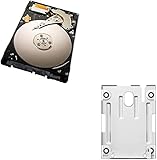
- 1TB Capacity, 9.5mm High, Rotation Speed of 5400RPM
- 8MB Buffer, SATA 3.0Gb/s Interface, 2.5inch Hard Drive
- Works for PS3 / PS4 Game Console HDD replacement / upgrade
- PS3 / PS4 Hard Drive installation & Playstation firmware download instruction included
- Backed by a 3-year warranty from Reseller
Back up what you can before troubleshooting
If the console still starts and you can access its menus, use the PS3 Backup Utility to copy supported system-storage data to storage media or a USB mass-storage device. Sony notes that a USB hard disk must be formatted as FAT32 for the PS3 to recognize it. Backup Utility does not back up trophy information; synchronize trophies to the network separately. Some data may not back up or restore correctly, and copy-protected data has limitations. See Sony’s Backup Utility instructions.
Do not assume a backup covers everything you care about. Check Sony’s limitations and, where possible, confirm that important files are present on the backup device before proceeding.
Run Restore File System from Safe Mode
Select Restore File System from the PS3 Safe Mode menu and follow the prompts shown on your console. Detailed instructions for entering Safe Mode are available in secondary, model-era guidance, but the sources cited here do not establish a current official Sony PS3 button-sequence page. The currently surfaced Sony Safe Mode support page covers PS4 and PS5, not PS3; follow your console’s on-screen directions rather than assuming those newer-console instructions apply.
Allow the repair attempt to finish and observe any on-screen result. Do not treat a completed attempt as proof that all files were repaired or preserved.
Rank #3

- 2.5inch Notebook HDD, 7mm Height (Slim)
- 1TB Capacity, 5400RPM, 64MB Cache, SATA 6.0Gb/s
- Works for PlayStation gaming systems (PS3 / PS4 Original, PS4 Slim, PS4 Pro)
- Massive 1TB capacity can store up to 80 × 25GB games.
- 2 Years Warranty from Reseller
If the PS3 keeps showing a corrupted-file-system message
A repeated message such as “file system is corrupted and will be restored,” a PS3 stuck in an endless corrupted file system loop, continued inability to access storage, or failure to boot after recovery can have more than one cause. A faulty hard drive is one possibility identified in troubleshooting guidance, but one unsuccessful repair attempt does not prove the HDD has failed.
- If the console remains usable, back up supported data before trying more destructive recovery steps.
- If the same symptoms persist, seek diagnosis of the console and drive rather than assuming a reset will fix the problem.
- Consider HDD replacement only if diagnosis points to a drive fault. Replacement compatibility depends on the PS3 model.
Before considering Restore PS3 System
Restore PS3 System is an escalation with a different consequence: it deletes all content in system storage and returns system software to default settings. Sony’s user guide states, “Data loss or corruption is the responsibility of the user.” Sony also warns not to turn off the PS3 during this restore; cancelling before completion can damage system software and may require service or exchange. Read Sony’s Restore PS3 System instructions carefully before choosing it.
Quick Recap
Rank #4

- Size 2.5" Speed: 5400 RPM, Capacity 320GB , Type Internal, Interface S-ATA, Warranty 1 year with Bipra Limited
- MDT Recertfiied Brand New 320gb Hard Drive MDT Means WD Recertified Hard Drive with Brand Name MDT Recertified Brand New 0 Hours Hard Drives Reliable and Sealed Unit Factory Recertified
- Warranty 1 year with Bipra Limited
Product prices and availability are accurate as of the date/time indicated and are subject to change. Any price and availability information displayed on Amazon at the time of purchase will apply.




