
Yes, you can lend a physical PlayStation game, but the disc must stay in the borrower’s compatible console whenever the game is played. The same copy cannot be used by two people at once because one disc cannot be inserted into two consoles. Reselling is a separate question: check the terms and law for your country before listing a disc, because Sony’s published rules differ by region and distinguish physical goods from digital licenses.
What happens when you lend a PlayStation disc?
A disc-based PS4 or PS5 game installs its playable data to the console’s storage, but installation does not turn the disc into an unrestricted digital copy. PlayStation’s disc-game guidance says to insert the game disc, complete installation, and keep the disc inserted every time you play the game.
| # | Preview | Product | Price | |
|---|---|---|---|---|
| 1 |

|
Marvel's Wolverine PS5 | $69.00 | Buy on Amazon |
| 2 |

|
Resident Evil 4 - PS5 | $15.99 | Buy on Amazon |
| 3 |

|
METAL GEAR SOLID Δ: SNAKE EATER TACTICAL ED – PS5 | $37.49 | Buy on Amazon |
| 4 |

|
Metal Gear Solid: Master Collection Vol.1 (PS5) | $33.99 | Buy on Amazon |
| 5 |
|
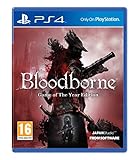
Bloodborne - Game of the Year (PS4) | $39.91 | Buy on Amazon |
As an Amazon Associate I earn from qualifying purchases.
In practical terms, lending means handing the physical copy to another person for temporary use. The borrower can install and play it on compatible hardware while holding the disc. You cannot start that same copy on your own console until the disc is returned. The installed files may remain on either console, but the physical check still applies at launch and during play.
What the borrower needs
- A console with a compatible disc drive.
- The correct game disc, inserted during every play session.
- Enough console storage for the installation and any required updates.
- Any title-specific add-ons or disc-selection prompts completed during installation.
- The complete set of discs if the release uses separate data and play discs.
Why one disc cannot support simultaneous play
The one-console-at-a-time limitation is a direct practical consequence of the insertion requirement. Even if the game data has already been installed on both consoles, each console still expects the physical disc as the play authorization. Copying installed data, leaving the disc with one person, or trying to share account credentials does not create two playable licenses. If you want both people to play at the same time, each person needs a separately licensed copy.
#1 Best Overall
- Marvel’s Wolverine is a new action-packed adventure from Insomniac Games
- Play as Wolverine and Ravage enemies with explosive brutality and unleash razor-sharp adamantium claws to deploy fast, fluid attacks and overcome impossible odds
- An Original, Emotionally Charged Story. Beneath Wolverine’s gruff exterior and violent temperament is a man fighting for a cause greater than himself
- A Global, Adrenaline-Fueled Journey where you slice into enemies across detailed locales such as the frosted Canadian Wilderness, the narrow streets of Tokyo, and the high and low districts of the island nation of Madripoor
Games that use two discs
Some physical releases contain a data disc and a play disc. The data disc is used for installation; after that, the play disc is the one that must remain inserted during play. Give the borrower both discs and the case instructions so the installation is not interrupted by using the wrong disc. If you sell the game, list both discs explicitly and identify any missing disc before the buyer pays.
What lending does—and does not—transfer
A loan transfers temporary possession of the physical copy. It does not transfer your PlayStation account, downloaded games, saved data, trophies, PlayStation Plus subscription, or account-linked downloadable content. A borrower may need to use their own user profile and may need their own access to online services. Do not provide your account password as a substitute for handing over the disc.
How to lend a physical PS4 or PS5 game safely
- Identify the exact edition. Check whether the case contains a PS4 disc, a PS5 disc, or a two-disc release. Confirm the borrower’s console has the required drive.
- Check compatibility before handing it over. A PS4 disc is usable on a PS5 only when that title is supported and the PS5 model has a disc drive. A PS5 Digital Edition cannot read a PS4 disc.
- Include every required disc. For a two-disc game, label which disc installs the data and which disc is used to play.
- Let the borrower install from the disc. Installation may use substantial storage and may offer optional add-on selections. The borrower should follow the prompts for that edition.
- Allow time for updates. The disc supplies the base installation, while updates can require additional storage and download time. The borrower should not assume the first installation is the only setup step.
- Explain the continuing disc requirement. The game may appear in the console’s menu after installation, but the disc still has to be inserted for every play session.
- Set a return arrangement. Since you cannot use the copy while it is away, agree when and how the disc will be returned and keep the case, artwork, and any included discs together.
Before the handoff, photograph the discs and note the edition if the game is valuable or difficult to replace. On return, check that the same number of discs came back and that the case and disc surfaces are undamaged. These simple steps prevent confusion when several games are being lent among friends.
Physical-disc lending versus PS5 Console Sharing and Offline Play
PS5 Console Sharing and Offline Play is an account feature, not a method for sharing a disc. When enabled on a PS5, other users of that console can play games and media that the account holder purchased and downloaded. They can also receive some PlayStation Plus benefits, such as online multiplayer, subject to PlayStation’s account and feature rules.
The feature does not remove the disc check for disc-based software. A downloaded purchase can be available to other users on the enabled console; a physical game still requires its disc whenever it is played. Enabling the feature on a second console therefore does not let a friend launch your installed disc game remotely, and it does not let two consoles authenticate one physical copy.
| Question | Physical disc | PS5 Console Sharing and Offline Play |
|---|---|---|
| What is being shared? | The disc copy, lent by handing over the disc. | Access on the enabled console to games and media purchased and downloaded by the account holder. |
| What must be present to play? | The disc remains inserted each play session. | The purchased and downloaded game is available on the enabled console; the disc requirement still applies to disc-based games. |
| Can one copy be used by the owner and borrower at once? | No. The same disc cannot be in two consoles simultaneously. | The feature lets other users play the account holder’s downloaded games, subject to PlayStation’s account rules. |
| What affects compatibility? | Console generation, disc drive, and title compatibility. | Account and console-sharing activation; it is not a disc-compatibility workaround. |
| What about resale? | Check region-specific terms and local law. | US terms describe a PlayStation Store purchase as a personal license that is generally non-transferable, subject to applicable law. |
Can you play PS4 discs on a PS5?
Many PS4 games work on PS5, but backward compatibility is not universal. PlayStation notes that some titles have exceptions, errors, or unexpected behavior. Check the current compatibility information for the exact game before buying, lending, or giving away a disc. A title being available digitally on PS5 does not by itself prove that its PS4 disc is supported.
Rank #2
- Reawaken a Classic – Resident Evil 4 preserves the essence of the original game, now reconstructed using Capcom’s proprietary RE Engine to deliver realistic visuals and additional narrative depth to the iconic story that was not possible at the time of the original release.
- Modernized Gameplay – The team from 2019’s Resident Evil 2 returns to build upon the series’ modern approach to survival horror. Engage in frenzied combat with the Ganados villagers, explore a European village gripped by madness, and solve puzzles to access new areas and collect useful items for Leon and Ashley’s constant struggle to survive.
- Overwhelming Hordes – Face hordes of rabid enemies that threaten to overwhelm Leon with even more diverse methods of attack than in the original release.
- Survive on a Knife’s Edge – Years of intense training have taught Leon new ways to use his knife, helping to even the odds against the unrelenting onslaught of enemies. By parrying enemy attacks, you can avoid debilitating damage and evade lunging enemies seeking to grab Leon and hold him in place. Make smart use of scavenged knives to deliver precise finishing moves on vulnerable enemies, and even use the element of surprise to quietly dispatch unsuspecting foes before they break.
- Survive on a Knife’s Edge – Years of intense training have taught Leon new ways to use his knife, helping to even the odds against the unrelenting onslaught of enemies. By parrying enemy attacks, you can avoid debilitating damage and evade lunging enemies seeking to grab Leon and hold him in place. Make smart use of scavenged knives to deliver precise finishing moves on vulnerable enemies, and even use the element of surprise to quietly dispatch unsuspecting foes before they break.
PS5 models that can read PS4 discs
A supported PS4 disc requires a PS5 with a disc drive. The PS5 Digital Edition has no disc drive, so it cannot install or authenticate a PS4 game disc. A compatible external drive is conditional on the exact Digital Edition model; verify model support before buying an accessory. Owners of a standard disc-drive PS5 do not need an additional drive. Confirm the console model rather than relying only on the product name, because hardware revisions can differ.
Recommended Free Tools
PS3 discs on PS5
PS5 consoles do not support PS3 game discs. A PS3 disc therefore cannot be lent for native PS5 play, even though some older titles may be available through a separate digital release or streaming service. Those alternatives are different products and do not change the physical-disc compatibility rule.
Compatibility checklist before a loan
- Read the game’s platform label: PS4, PS5, or both.
- Confirm the recipient’s console has a disc drive.
- For a PS4-to-PS5 loan, verify that the specific title is on the current supported list.
- Check whether the release uses two discs and bring both.
- Expect updates and storage use after installation; the disc is still needed afterward.
- Do not assume a downloadable upgrade changes the physical disc’s hardware requirements.
Can you resell used physical PlayStation games?
Do not assume one worldwide PlayStation resale rule. The legal and contractual position depends on your country, the type of product, and the terms in force there.
Sony Interactive Entertainment’s Software Usage Terms document labeled October 2020 covers Europe, the Middle East, Africa, India, Russia, and Oceania. Section 7.1 states: “You must not resell either Disc-based Software or Digital Software, unless expressly authorised by us and, if the publisher is another company, additionally by the publisher.” That clause is tied to those listed regions and that document; it should not be presented as a universal rule for the United States or every other jurisdiction.
Before listing a game, read the PlayStation and publisher terms that apply where you live and consider local consumer and property law. Terms can change, and a contractual restriction is not the same question as what local law permits. If you are uncertain, obtain advice appropriate to your jurisdiction rather than treating a general online listing practice as legal guidance.
The Tool Desk
Outbyte PC Repair FREEClear out junk files and repair common Windows errorsFree Scan →Outbyte Driver Updater FREEScan for outdated or missing drivers - takes under a minuteDriver Scan →What the US PlayStation terms say about digital and physical products
The current US PlayStation Terms of Service describe PlayStation Store purchases as personal licenses for private, non-commercial use. The license is not transferable unless applicable local law requires otherwise. Those terms distinguish digital items from physical purchases, including boxed games, which are covered by separate physical-goods purchase terms.
Rank #3
- The story, characters, voice acting, gameplay, and music that made the original a sensation return, remade for modern consoles
- This evolutionary leap breathes new life into every cutscene, and rebuilds every corner of the world
- Incredible new graphics bring the wild growth of the jungles, forests, and swamps to life in exquisite detail
- Characters are rendered in fine detail so that facial wrinkles, pores, & separate eye & iris movements are visible, allowing for rich animations
- Any injuries to his actual body will leave their mark permanently, telling a story of each player's unique journey
That distinction explains why selling a digital account or attempting to transfer a digital license is not equivalent to handing over a physical disc. It does not, by itself, answer every question about reselling a disc in every US state or country. Use the terms and laws for your own location rather than importing the October 2020 regional clause into another market.
A practical process for listing a physical game
Once you have confirmed that resale is permitted for your situation, make the listing accurate enough that the buyer can verify compatibility before paying. Clear information also reduces returns caused by a buyer who owns a PS5 Digital Edition or expects a PS5 version from a PS4 disc.
- Identify the platform and region shown on the packaging. State whether the item is a PS4 disc, PS5 disc, or a release containing both versions. Do not describe a PS4 disc as a PS5 game merely because it may run through backward compatibility.
- Inventory the contents. Count every disc and note whether the case, cover art, manuals, download codes, or other inserts are included. A used code may be expired or already redeemed; never promise that it works unless you can verify it.
- Describe the condition plainly. Mention visible scratches, cracks, damaged cases, missing artwork, or writing on the disc. Keep the disc in its original case when possible to reduce handling damage.
- Check the buyer’s console requirements. Tell buyers that a disc-drive console is required and that a PS5 Digital Edition cannot use a PS4 disc. If the title is a PS4 game intended for PS5 use, point out that compatibility is title-specific.
- Photograph the identifying details. Show the front and back of the disc, the case, and any edition or region markings. Avoid displaying personal information on receipts or labels.
- State what the sale transfers. The transaction is for the physical item described in the listing. It does not include your account, saved games, trophies, or unrelated digital purchases.
- Agree on the condition and included items before accepting payment. If a code is redeemed, say so prominently; if a second disc or manual is missing, say so in the title or first description lines.
- Package the disc securely. Use the case’s hub or a protective disc sleeve, prevent movement inside the parcel, and retain dispatch or delivery evidence appropriate to the marketplace and local law.
No particular retailer, marketplace, price, stock level, or commission is universal. Compare the current rules and fees of the service you choose, and do not imply that a listing guarantees a particular sale price.
What’s actually slowing this PC down?
Pick the symptom - the matching free tool is one click away.
Common mistakes and how to avoid them
“It installed, so I can play without the disc.”
Installation copies data to storage; it does not remove the disc check. Keep the correct disc inserted for every session.
“Console Sharing lets my friend use my disc.”
Console Sharing and Offline Play applies to games and media purchased and downloaded through the account on the enabled PS5. It is not a mechanism for authenticating a disc on another console.
“Every PS4 game works on PS5.”
Many do, but PlayStation lists exceptions and possible errors or unexpected behavior. Verify the exact title and use a PS5 with a disc drive.
Rank #4
- This innovative game series was born from the idea of avoiding combat and infiltrating enemy territory undetected
- Title line up: Metal Gear, Metal Gear 2, Metal Gear Solid, Metal Gear Solid 2, Metal Gear Solid 3, Metal Gear (NES/FC version), and Snake’s Revenge
- Digital books: Metal Gear Solid, Metal Gear Solid 2, Metal Gear Solid 3, Metal Gear, and Metal Gear; Screenplay and Master Books included
- Video: Metal Gear Solid; Digital Graphic Novel and Metal Gear Solid 2; Digital Graphic Novel
- Includes Metal Gear Solid: Digital Soundtrack
“A PS5 Digital Edition can read any PS4 disc if the game is compatible.”
Compatibility software cannot substitute for missing hardware. A PS5 Digital Edition cannot use a PS4 game disc. Only an exact model that officially supports a compatible drive can change that hardware limitation.
Crashes, No Sound, or Screen Glitches?
Random freezes, missing sound and display glitches usually trace back to one bad driver. Find and replace yours safely.Free scan · under a minuteWindows Errors? Fix Them Before They Spread
Repair common Windows errors and clear accumulated junk for a smoother, more stable PC - no reinstall needed.Free scan · no reinstall“The regional resale clause applies everywhere.”
The quoted section is from an October 2020 document for Europe, the Middle East, Africa, India, Russia, and Oceania. Check the current terms and law for your own jurisdiction instead of treating that clause as global advice.
“A download code comes with the disc forever.”
Codes can be one-time items and may already be redeemed or expired. Treat the code’s status separately from the condition of the disc and disclose what you know.
Independent reader supportYour contribution helps us test, update, and keep practical guides available for everyone.Decision guide: lend, sell, or use account sharing?
- Lend the disc when another person needs temporary access and you are willing to be without the copy until it is returned.
- Sell the disc only after checking the rules that apply in your region, then disclose the exact platform, edition, condition, and console requirements.
- Use PS5 Console Sharing and Offline Play when the goal is to let other users on one enabled PS5 access your downloaded purchases. It does not make a physical disc playable without the disc.
- Buy a digital edition instead only if the recipient needs account-based access rather than a transferable physical object; digital purchases remain governed by personal-license terms.
What happens to saves, trophies, and downloadable content?
Lending or selling the disc does not move your local save files or trophies to another person. Those are associated with the console user and account, not with the plastic disc itself. Likewise, downloadable content and account purchases are separate from possession of the boxed game. If a particular edition included a one-time code, treat that code as a separate item and disclose its redemption status. A buyer should not be promised access to content that was redeemed on the original owner’s account.
Final checklist before handing over a game
- Confirm the recipient’s console generation and disc-drive hardware.
- Verify PS4-to-PS5 support for the exact title when relevant.
- Include all discs in a multi-disc release.
- Explain that the disc must stay inserted for every play session.
- Do not share account credentials or promise access to your digital library.
- For a sale, check the current regional terms and local law first.
- Describe edition, region, condition, included items, and known code status accurately.
- Keep a record of what was handed over and arrange a return date for a loan.
Frequently Asked Questions
Can I lend my PS5 game to a friend?
Yes, if the friend has a compatible PlayStation with a disc drive. They must install the game from the disc and keep that disc inserted each time they play. You cannot use the same copy while the disc is away.
Can you share PS4 disc games?
You can lend the physical disc, but lending transfers temporary possession rather than creating a second license. The borrower needs the disc for every play session, and the owner must wait for its return.
Best Value
- A Terrifying New World: Journey to a horror-filled gothic city where deranged mobs and nightmarish creatures lurk around every corner.
- Strategic Action Combat: Armed with a unique arsenal of weaponry, including guns and saw cleavers, you'll need wits, strategy and reflexes to take down the agile and intelligent enemies that guard the city's dark secrets.
- A New Generation of Action RPG: Stunningly detailed gothic environments, atmospheric lighting, and advanced new online experiences showcase the power and prowess of PlayStation 4.
Does PS5 Console Sharing work with disc games?
No. Console Sharing and Offline Play is for games and media purchased and downloaded through the account on an enabled PS5. It does not remove the disc requirement for physical software.
Can you play PS4 discs on PS5?
Many PS4 games are supported, but not every title. Check the current compatibility information for the exact game, and use a PS5 model with a disc drive.
Can I use a PS4 disc on PS5 Digital Edition?
No. The PS5 Digital Edition cannot read or authenticate a PS4 disc. A compatible drive is relevant only to an exact model that officially supports one; verify the model first.
Free tools Windows power users keep installed
One-click scans. No signup required.
Can a PS5 play PS3 discs?
No. PS5 consoles do not support PS3 game discs. A separate digital or streaming version, where available, is not the same physical-disc product.
Can I sell my used PlayStation games?
Check the terms and local law for your jurisdiction. Sony’s October 2020 Software Usage Terms for Europe, the Middle East, Africa, India, Russia, and Oceania include a clause restricting resale unless expressly authorized. Do not assume that regional clause applies everywhere.
Is selling a digital PlayStation game the same as selling a disc?
No. Current US terms describe PlayStation Store purchases as personal, generally non-transferable licenses, while boxed games are physical purchases covered by separate terms. Local law may affect the result.
What should I disclose in a used-game listing?
State the platform, edition, disc count, region markings, condition, case and artwork status, code redemption status, and the need for a compatible disc-drive console. Clarify whether the item is a PS4 disc that may work on PS5 rather than a native PS5 release.
Do saves, trophies, or DLC transfer with the disc?
No. Saves and trophies are associated with user profiles and accounts, while downloadable content and redeemed codes are separate from possession of the disc. Do not promise account access or unused codes unless their status is known.
The Bottom Line
A physical PlayStation game can be lent, but the borrower must keep the disc in a compatible disc-drive console for every play session, so one copy cannot support simultaneous play. PS5 Console Sharing is a separate feature for downloaded account purchases and does not authenticate discs. Many PS4 discs work on a disc-drive PS5, no PS3 discs work on PS5, and a PS5 Digital Edition cannot use a PS4 disc. For resale, check the current terms and local law where you live; the October 2020 Sony clause applies only to the regions it names.
Quick Recap
Product prices and availability are accurate as of the date/time indicated and are subject to change. Any price and availability information displayed on Amazon at the time of purchase will apply.

