In Silver Pines, getting stuck usually means you need to identify what a puzzle or obstacle requires—not keep trying random solutions. Inspect the mechanism, search nearby for clues, review notes and documents, check your inventory, and mark blocked routes to revisit after finding new tools. The game combines environmental puzzles with tool-gated exploration, so not every obstacle is meant to be solved the moment you find it.
How to solve Silver Pines puzzles
Start by identifying the kind of problem in front of you. A keypad calls for a code; a physical lock may require a key; a sequence puzzle needs an order; an electrical puzzle may depend on nearby components; and an item-use obstacle may be waiting for a tool you have not found yet.


- Inspect the mechanism. Note what it accepts or what appears to be missing. A keypad and a boarded opening are different problems, even if both block progress.
- Search the immediate area. Look for signs, paintings, documents, objects, or environmental details that point to a number, sequence, direction, or item.
- Review collected notes and documents. Clues may have been recorded earlier rather than placed beside the puzzle.
- Check your inventory. Consider whether a key or tool matches the obstacle. If nothing fits, move on and remember the location.
- Return after finding new tools. A newly acquired item can open an earlier route, making backtracking part of progression rather than a sign you missed something.
GamerMovil’s guide puts the clue-first approach this way: “Before you try a combination at random, ask yourself: ‘Where did the game give me the information I need to obtain this answer?’” That is a useful question for combination puzzles in particular: search your notes and surroundings before testing guesses.
Demo example: the shotgun door
In the demo solution documented by GamerMovil, the shotgun door code is 4–1–2–3. The guide connects it to the “Four Remain” file and references to hospital rooms 101–104. If you want to solve it without using the code, look for that file and connect the clue to the room references.
#1 Best Overall
How do I progress when I’m stuck?
Think of the map as a set of routes that can open over time, not a checklist where every barrier must be cleared on first contact. GamerMovil describes blocked areas, alternate paths, and returns to earlier locations after finding tools. GamesRadar’s launch-period review likewise notes that tools open new parts of the map and describes regular inventory rearrangement and photographing the map to track points of interest. Those are review observations, not official instructions, but they suggest a practical routine:
- Mark obstacles you cannot solve. Use the map or a camera photo, or keep a short note of the location and what seems to block it.
- Follow another available route. A locked door or boarded opening may be a future connection rather than a dead end.
- Recheck old obstacles after acquiring a tool. The crowbar, for example, can pull down wooden panels and also serve as a melee weapon, according to GamesRadar’s review.
- Manage supplies instead of fighting everything. GamerMovil advises against trying to eliminate every enemy or solve every obstacle immediately. When a route is blocked, consider whether moving on preserves resources.
- Use storage boxes to adjust your loadout. GamesRadar reports that storage boxes allow inventory swaps and that key items often remain available rather than being consumed. Treat these as review-reported behaviors, and check the item and game context before relying on them.
Full-game example: Sheriff’s Station safe
For a spoiler-light launch-period example, Gamer Social Club’s October 6, 2026 guide explains that the Sheriff’s Station safe combines numbers at the bottoms of four paintings with two instruction notes that establish direction and order. The reported sequence is:
Rank #2
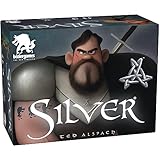
- Get rid of the Werewolves in your Village faster than your opponents
- Every card has a special power
- Claim the silver amulet and get a bonus the following round
- The first in a series of silver games - mix and match more decks The second deck: silver bullet coming later in 2019
- Turn right to 15 (bones).
- Turn left to 7 (spirit).
- Turn right to 3 (body).
- Turn left to 10 (evil).
The safe contains an Evidence Locker key; the guide then directs the player to the Evidence Locker for the crowbar. The paintings and notes provide the intended clue chain if you would rather work out the combination yourself.
Why doesn’t anyone call me after the concert? The tunnel is empty
If you are following the demo route and the expected call does not arrive after the concert, NPC Tips’ walkthrough offers a specific check: return to the Rabbit Hole basement and pick up the key on the desk. It reports that leaving without this key may prevent the next call and leave the tunnel empty.
What’s actually slowing this PC down?
Pick the symptom - the matching free tool is one click away.
Rank #3

- FORTUNE AWAITS: Embark on a treasure-filled adventure with the Silver and Gold card game, where distant islands and golden treasures become your reality.
- RACE AGAINST TIME: Challenge yourself and friends to rain X's down in rapid-fire fashion, creating the right configurations to close out island cards and seize valuable bonuses.
- ENDLESS REPLAY: Every card in this clever game is writeable and erasable, ensuring countless rounds of fun and excitement as you strive to outscore your rivals.
- DRY-ERASE DELIGHT: Enjoy the convenience of a dry-erase card game that's not only fast-paced but also incredibly easy to learn for players of all ages.
- FAMILY AND FRIENDS: With its simple rules and lightning-fast gameplay, Silver and Gold delivers an exhilarating experience that's perfect for family gatherings and game nights with friends.
This is a walkthrough report for the demo route—not a universal fix for every version or playthrough. NPC Tips checked its guide against demo build 23642600 on October 3, 2026. It also mentions a Ferry Office Key but says it is unresolved whether that is the same item as the basement-desk key, so do not assume the two are identical.
Independent reader supportYour contribution helps us test, update, and keep practical guides available for everyone.Which solutions are confirmed, and what should I do with a blocked route?
The examples above cover a documented demo code, a demo progression stall, and one launch-period full-game safe. They are not a complete solution index. If a puzzle does not match one of these locations, use the mechanism-and-clue method rather than assuming a code or route from another build applies.
Rank #4

- WEREWOLF UNIVERSE: Based on the classic characters from Ultimate Werewolf and One Night Ultimate Werewolf! Experience the Ultimate Werewolf Universe as never before!
- SIMPLE AND FUN: Quick and easy game play that’s perfect for families.
- START IN SECONDS: Takes only seconds to set up and start playing! Deal five cards face down to each player, flip 1 card over to start the discard pile, and you’re ready to start playing!
- FIFTH IN THE SERIES: Silver Eye is a stand alone expansion. You do not need any other game to play Silver.
- LOTS OF VARIETY: Combine Silver Eye with other games in the Silver Series and create your own unique village deck. There’s over 10 BILLION combinations!
GamesRadar lists the game’s release date as October 8, 2026, with PC, PS5, Xbox Series X, Nintendo Switch 2, and Nintendo Switch versions. Availability and puzzle details can change after launch updates, so exact steps should be treated as version-sensitive where a source identifies a demo build or launch-period guide.
Quick Recap
Best Value
Product prices and availability are accurate as of the date/time indicated and are subject to change. Any price and availability information displayed on Amazon at the time of purchase will apply.




