Recommended Free Tools
In the documented Chubby Chipmunk event, you started Nutty Fever by submitting fruit or plants to Nuts, the NPC at Center Island. These steps are historical: current availability has not been confirmed, so check whether Nuts and the submission prompt are present in your game.
How to trigger Nutty Fever
- Go to Center Island. Find Nuts in the event area at the center of the map. The Grow a Garden Wiki’s Nuts entry documents his location there.
- Interact with Nuts. The documented options let you submit the fruit you are holding or submit all fruits in your inventory. Choose carefully: the second option submits all fruits in your inventory.
- Submit crops until the progress bar fills. The bar above Nuts is the historical indicator of progress toward triggering the weather. The available guides do not establish an exact crop count or point threshold.
- Wait for Nutty Fever to begin. The archived Update 1.26.0 notes, dated October 4, 2025, associate Nutty Fever with the Chubby Chipmunk event and say the chipmunk uses its ability every 30 seconds during the weather.
What if Nuts or the progress bar is missing?
The activation instructions describe the event as it appeared historically, not a confirmed live-game feature. The current Roblox listing for Grow a Garden displays newer Fall Finale content and an October 4, 2026 update, but does not confirm whether Nutty Fever is available. A third-party page reports that the event was unavailable as of a January 2026 event; that does not establish its status now. If Nuts or his progress bar is absent, current availability remains unverified.
Why submit plants to Nuts?
Nuts is the NPC tied to triggering Nutty Fever. His documented dialogue says to bring him enough plants to trigger the weather, after which the Chubby Chipmunks eat more. The event guide describes the progress bar as the cue to keep submitting crops, but gives no verified threshold.
Quick Recap
Rank #3

- 【High-Quality Material】This plush made of soft PP cotton and short plush, is comfortable, elastic and skin-friendly. It resists deformation after compression, is washable, and offers a nice, cozy touch.
- 【Unique Design】These cute plush toys is highly restore game pets. It is colorful and cute, and perfectly captures the essence of game pets characters.
- 【Gifts and Party Decorations】Its cute look makes it a favorite among fans. Perfect as a kids' gift, it fits bedrooms, living rooms, offices—great for decor, collecting, playing, or displaying on shelves.
- 【Quality Assurance】We offer 100% satisfactory service. Any questions? Contact us—we'll solve it within 24 hours.
- 【Purchase Note】Made with premium fabric and high-quality PP cotton. Due to vacuum shipping, it may arrive slightly flat—no need to worry! Simply knead gently after opening, and it will fluff back to its original shape within 1-2 days.
Rank #2

- 【High-Quality Material】This plush made of soft PP cotton and short plush, is comfortable, elastic and skin-friendly. It resists deformation after compression, is washable, and offers a nice, cozy touch.
- 【Unique Design】These cute plush toys is highly restore game pets. It is colorful and cute, and perfectly captures the essence of game pets characters.
- 【Gifts and Party Decorations】Its cute look makes it a favorite among fans. Perfect as a kids' gift, it fits bedrooms, living rooms, offices—great for decor, collecting, playing, or displaying on shelves.
- 【Quality Assurance】We offer 100% satisfactory service. Any questions? Contact us—we'll solve it within 24 hours.
- 【Purchase Note】Made with premium fabric and high-quality PP cotton. Due to vacuum shipping, it may arrive slightly flat—no need to worry! Simply knead gently after opening, and it will fluff back to its original shape within 1-2 days.
#1 Best Overall
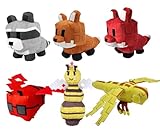
- 【High-Quality Material】This plush made of soft PP cotton and short plush, is comfortable, elastic and skin-friendly. It resists deformation after compression, is washable, and offers a nice, cozy touch.
- 【Unique Design】These cute plush toys is highly restore game pets. It is colorful and cute, and perfectly captures the essence of game pets characters.
- 【Gifts and Party Decorations】Its cute look makes it a favorite among fans. Perfect as a kids' gift, it fits bedrooms, living rooms, offices—great for decor, collecting, playing, or displaying on shelves.
- 【Quality Assurance】We offer 100% satisfactory service. Any questions? Contact us—we'll solve it within 24 hours.
- 【Purchase Note】Made with premium fabric and high-quality PP cotton. Due to vacuum shipping, it may arrive slightly flat—no need to worry! Simply knead gently after opening, and it will fluff back to its original shape within 1-2 days.
Product prices and availability are accurate as of the date/time indicated and are subject to change. Any price and availability information displayed on Amazon at the time of purchase will apply.




