The short answer: Xbox and PC game data sync automatically only when the game supports a compatible cloud-save or cross-progression system. The clearest case is an Xbox Play Anywhere game played through the Xbox ecosystem. Sign in to the same Microsoft/Xbox account on both devices, use the supported version of the game, connect to Xbox network services, and allow synchronization to finish before switching devices.
There is no universal switch that copies every Xbox save to every PC version. A game purchased or installed through Steam, the Epic Games Store, or another PC storefront may use a separate save system unless its publisher explicitly supports cross-save.
As an Amazon Associate I earn from qualifying purchases.
The supported Xbox-to-PC sync method
For an Xbox Play Anywhere title, your progress, compatible add-ons, and achievements can follow your Xbox account between an Xbox console and a Windows 10 or Windows 11 PC. Supported Windows gaming handhelds can also participate in the same ecosystem.
Windows Errors? Fix Them Before They Spread
Repair common Windows errors and clear accumulated junk for a smoother, more stable PC - no reinstall needed.Free scan · no reinstallOutdated Drivers Are Slowing You Down
One free scan finds every outdated or missing driver and matches the right update for your exact hardware.Free scan · exact hardware matchUse this sequence:
- Verify that the game supports Xbox Play Anywhere or documented cross-progression. Look for the Xbox Play Anywhere badge in the Xbox or Windows Store. If the game does not have the badge, check the publisher’s support documentation for a separate Xbox-to-PC cross-save feature.
- Sign in with the same Microsoft/Xbox account. The account must be the one that owns the digital game, has access through an eligible subscription, or is otherwise entitled to play it.
- Install the supported PC edition. The Xbox app or Microsoft Store version may use Xbox Game Saves, while a Steam or Epic version may have its own cloud-save system. Do not assume that two PC editions share files merely because they have the same game title.
- Connect the Xbox or PC to the internet and Xbox network services. The game needs to check ownership, the active device, and the available cloud-save data.
- Launch the game and wait for synchronization. Do not start playing until any visible syncing process has completed.
- End the session normally before changing devices. Close the game, remain online, and give it time to upload the latest progress. For games using the Xbox Game Saves system, Microsoft’s developer guidance describes an upload attempt roughly 10–30 seconds after the title ends, with periodic uploads also possible during longer sessions.
Then launch the game on the other device. The newer cloud save should download or become available automatically.
#1 Best Overall

- Compatible Model: Compatible with Playstation 5/Playstation 5 Pro/ Compatible with Xbox Series X/S controller /Switch Pro controller /Switch Console. Coming with 2 pack replacement Type-C Ports charging cable. If the cable can't charge after connecting the controller, please plug in the charging cable in reverse. (Important Note: 1:Please use front usb port for the PS5 console to achieve the fastest charging, the back usb port will cause your charging speed to be very slow. 2:Please use 5V/2A above power adapter). Power Adater for PS4 Controller
- Safe and Fast Charging: Built-in short-circuit and overload protection, provide stable and safe charging for you. PTC(internal power protection) keeps for PS5/PS5 Pro and XSX controller safe, avoids overrunning or overcharging when connected to it power. The cable also support transfer data. Power Adater for PS4 Controller
- Perfect Connection: This cable distinguished from the common USB cables, can withstand at least 10,000 cycles of 90 degree bend test. Compact connector heads slot in easily and steadily, won't get loose or fall out of your devices. Just enjoy the best gaming experience.
- Conveniently Length: 3m/10ft long charging cable provides you with convenient use and the flexibility you need, especially when you are lying on sofa or bed. With this special designed charging cable, you can carry on and making it handy for you to charge your controller.
- Support Multiple Devices: The charger cord design with Type-C and USB port. One charging cable solves the charging requirement of your multiple controllers, so you don't need to buy the charging cable of other controllers separately, save money and space.
How to tell whether a game supports Xbox-PC saves
1. Look for the Xbox Play Anywhere badge
The Xbox Play Anywhere badge is the most reliable quick indicator for games participating in Microsoft’s shared Xbox and Windows gaming program. For participating digital games, Microsoft describes shared access across supported Xbox consoles, Windows 10/11 PCs, and supported Windows gaming handhelds. The shared experience includes game saves and achievements, and may include compatible add-ons.
A Play Anywhere game normally provides the strongest Xbox-to-PC continuity because the Xbox and Windows versions are designed around the same Xbox account and save ecosystem. However, the badge applies to the participating Xbox/Windows versions—not automatically to every edition sold on every storefront.
2. Check the publisher’s documentation when there is no badge
Some games provide their own cross-progression system. A publisher may link progress to an account created for that game, such as a publisher profile, rather than relying entirely on Xbox Game Saves. In that situation, follow the publisher’s account-linking and cross-save instructions.
The Tool Desk
Outbyte Driver Updater FREEScan for outdated or missing drivers - takes under a minuteDriver Scan →Outbyte PC Repair FREEClear out junk files and repair common Windows errorsFree Scan →Cross-play is not enough. A game can let Xbox and PC players join the same multiplayer matches while keeping campaign saves or local progression separate. Likewise, a game may share an online character or inventory but not its local settings or story saves.
The storefront matters
The same game can have different save behavior depending on where the PC copy came from.
| PC version | What to expect |
|---|---|
| Xbox app or Microsoft Store version | May participate in Xbox Play Anywhere and Xbox Game Saves if the title supports them. |
| Steam version | May use Steam Cloud or a publisher account. It should not be assumed to share saves with the Xbox or Microsoft Store version. |
| Epic Games Store or another PC storefront | May have a separate cloud-save container or publisher-based progression system. |
| Publisher launcher version | Behavior depends on the publisher’s account and cross-progression implementation. |
Microsoft’s Game Saves documentation treats Xbox, PC, cloud, Steam, and other platforms as possible parts of a cross-platform design, but the game developer has to implement and configure that support. Xbox cloud saves do not automatically convert arbitrary PC save files into a compatible format.
Rank #2

- 【Core Dropout Solution】Prevents loose connections during gaming. Built with precision stainless steel latching pins, our micro USB head locks firmly into DualShock 4 controller ports with a click-lock fit. Slim stepped housing bypasses thick protective cases, maintaining continuous power feed without sudden disconnections during motion gaming.
- 【Chew Resistant Braided Cable】Protects against wire fraying and pet damage. Constructed with a heavy-duty triple-braided nylon jacket and reinforced aramid fiber core, this 10ft micro USB charger cord endures over 10,000 90-degree bend tests. Laser-welded aluminum casing safeguards internal joints from stretching and daily wear.
- 【High-Gauge Copper Construction】Delivers steady 2.4A fast charging and 480Mbps data transfer. Made with thick 25 AWG low-impedance pure copper wire and a ferrite bead anti-interference shield to maintain signal integrity and stable power delivery without voltage drop over the full 3-meter distance.
- 【10FT Couch Gaming Reach】Includes 2-pack extra long 10-foot micro USB cords designed for living room setups. Provides ample distance to play while charging simultaneously from your couch or bed without staying tethered close to the console or TV screen.
- 【Legacy Micro USB Compatibility】Designed for PlayStation 4 (PS4, PS4 Slim, PS4 Pro) and Xbox One (Xbox One S, Xbox One X) controllers. Works with legacy Micro USB devices including Kindle Paperwhite, Fire tablets, Roku sticks, and Android devices. (Note: Fits Micro USB ports only. NOT compatible with USB-C devices).
What data syncs—and what usually does not?
For supported Xbox Play Anywhere games, Microsoft identifies these categories as part of the shared experience:
Recommended Free Tools
- Game saves and progress
- Achievements
- Compatible add-ons
Add-ons can include items such as season passes, consumables, or in-game unlocks, but exact behavior is title-specific. The game’s store listing and publisher documentation take precedence if an add-on has platform restrictions.
Do not interpret cloud-save support as a promise that every file associated with the game will roam. The following may remain local to the PC or console:
- Graphics and control settings
- Screenshot and video-capture files
- Mods and mod loaders
- Manually edited configuration files
- Local backups and unrelated files in the game’s installation folder
Only the data the game registers with its supported save system is covered by Xbox Game Saves. Manually copying a PC save folder can also create compatibility problems, especially when the console and PC builds use different formats.
Account, ownership, and simultaneous-use requirements
Both devices should use the same Microsoft/Xbox account. That account must have access to the game through an applicable digital purchase, subscription, or supported sharing arrangement.
Xbox Play Anywhere applies to digital games. Having a physical Xbox disc does not by itself create a PC entitlement or make a separately purchased PC edition a Play Anywhere copy.
Rank #3

- Charger for Xbox Series X S and PS5 Controller : USB C Type-C Charger Cord specially made for Xbox Series X Controller, Series S Controller,PS5 Controller. This usb c cable can bear 10000+ bending test,Service life much longer than normal PS5 controller charger cord.
- Perfect Long: With the perfect 10ft length, you can lie on the couch or sofa and play games while you are charging at the same time. and you can also pose in a variety of positions without worrying about your PS-5 Charger Cables are not long enough.Make it easy to stay in the game.
- Perfect Connection: The stainless steel connector heads slot in your PS5 controllers Console easily and steadily, and won't get loose or fall out from your PS5 Controller. Just enjoy the best gaming experience.
- Simultaneously Charge and Play: SCOVEE PS5 charging cable allows you to play playstation-5 games while Charge. No need to stop and recharge,allow you to take charge of your games.
- Universal Compatibility: USB type c to USB C Cable compatible with Xbox Series X Controller,Series S controler,compatible with Playstation-5,PS5 controller and more devices with usb c port.
Microsoft also limits simultaneous use of the same Play Anywhere game: the same player can be signed into that game on only one Xbox console, one Windows PC, or one supported handheld at a time. If the game is still active on the first device, close it fully before trying to use the same account on the second.
How to switch safely from Xbox to PC
- Save your progress in the game using its normal save or exit process.
- Return to the title screen or close the game rather than shutting down the device while it is writing data.
- Keep the console connected to the internet.
- Wait for the game’s save or synchronization indicator to finish.
- Start the supported Xbox/Windows PC version with the same account.
- Wait for the PC to finish downloading the cloud save before loading the game.
The reverse process—PC to Xbox—is the same. Close the PC game normally, make sure it is online, allow the upload to finish, and then launch the Xbox version.
Playing offline: why progress may be delayed
A supported game may allow you to continue playing while the console or PC is offline. Any progress made in that session is local until the device reconnects and the game performs its next synchronization.
What’s actually slowing this PC down?
Pick the symptom - the matching free tool is one click away.
For the safest handoff:
- Reconnect the device to the internet before closing the game if possible.
- Close the game normally after reconnecting.
- Wait for the save upload or synchronization message to finish.
- Do not launch the same game on another device while the first device still has unsynchronized offline progress.
If both devices have changed since their last successful sync, Xbox may show a save-conflict prompt.
What to do when Xbox asks which save to use
A message such as “Which save do you want to use?” usually means that the local save and the cloud save both changed after their last common synchronization point.
In general:
- If only the local copy changed, the system can upload it.
- If only the cloud copy changed, the system can download it.
- If both copies changed, the system needs you to choose which version to retain.
Do not choose randomly. First work out which copy contains the progress you want:
Rank #4
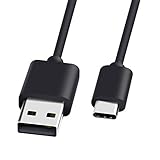
- 1.🎮[COMPATIBILITY] Professional charging cable for Xbox Series S/X and Xbox Elite Controller Series 2.PS5 Controller PS5 Dual Sense,,Switch/Pro/Lite Controller,Steam Deck ( !!! IMPORTANT NOTE: This is NOT compatible with controller older than those stated above. Not for Micro-USB Devices !!! )
- 2.🎮SIMULTANEOUSLY CHARGE & PLAY - There's nothing worse than your controller dying in the middle of hunting a Thunderjaw. Luckily with our type-c USB charging cable, you can enjoy a seamless gaming experience. Charge and Sync cable to allow continued play even while charging the Xbox Elite Controller Series 2.
- 3.🎮Using high quality materials, high quality copper core wire, safe and fast charging your equipment.
- 4.🎮USB2.0 ↔ USB-C jack Silver-plated connectors: Thickened cable shell and high quality copper core, 2A current, the cable charging speed is faster than ordinary USB cable.
- 5.🎮After-sale policy: The charging cable is sold under strict quality control. Please rest assured to purchase. If there is any quality problem, please contact us and we will refund for you.
- Identify which device you played most recently.
- Consider whether either device was offline when you played.
- Compare the timestamps, device names, progress descriptions, or other details shown in the conflict dialog.
- Choose the local or cloud version that contains the desired progress.
Xbox’s newer synchronization experience provides clearer source information, timestamps, progress indicators, and error details in supported situations. If the dialog does not provide enough information to make a safe choice, stop rather than overwrite a potentially valuable save.
Quick wins for a faster PC:
Scan for outdated or missing drivers - takes under a minuteDriver Scan →Repair Windows errors before they cause bigger problemsFix Now →Fix the driver behind crashes, sound loss and screen glitchesFind Drivers →Troubleshooting Xbox-to-PC synchronization
The game starts with an old save
- Confirm that the Xbox and PC use the same Microsoft/Xbox account.
- Confirm that the PC edition is the Xbox app or Microsoft Store version when Play Anywhere is required.
- Reconnect the device that has the newest progress and launch the game there first.
- Close the game normally and wait for synchronization to finish.
- Only then launch the game on the other device.
The game does not appear on the PC
Check whether the account owns the digital Play Anywhere version or has access through an eligible subscription. An Xbox disc entitlement alone does not guarantee a PC copy. Also confirm that the game is available on the Windows version and that the PC meets its requirements.
The game is on Steam, but the Xbox save is missing
This may be expected. A Steam edition can use Steam Cloud or a separate publisher account instead of the Xbox Game Saves container. Check the game’s official cross-progression documentation. If the publisher does not explicitly support Xbox-to-Steam save sharing, there may be no supported transfer route.
Synchronization appears stuck
- Do not immediately delete local or cloud saves.
- Keep the device connected and wait for the displayed synchronization process to complete.
- Read the error details and follow the recommended recovery action.
- Close and relaunch the game only after noting which device contains the newest progress.
- If the issue continues, check the game publisher’s support page and Xbox service status.
Deleting data can remove the copy you were trying to preserve. Microsoft’s PC save-management utilities are developer tools, not a general consumer repair method; importing data through such tools does not necessarily synchronize it with the cloud immediately.
What cannot be fixed with a generic cloud-save setting
Turning on cloud storage for Windows, enabling Steam Cloud, or copying a save folder does not make an unsupported game cross-save with Xbox. The title must support the relevant service, and its Xbox and PC builds must use compatible identity, title, and save configurations.
There is also no reliable universal procedure for transferring arbitrary console save files to a PC. Even if a file can be located, it may be encrypted, tied to an account, stored in a different format, or rejected by the PC version.
Best Value

- Official Microsoft Xbox Series X/S USB Type C Charging Cable
- 2.7 Meter Length Cable
- Compatible with all Xbox Series X/S Controllers
- Will NOT work with Xbox One controllers, as they use a mini USB cable
- This is the same charge cable that comes with the play & charge set and the one that comes packaged with some of the brand new controllers
Quick checklist
- Does the game display the Xbox Play Anywhere badge?
- If not, does the publisher explicitly promise Xbox-PC cross-save or cross-progression?
- Are both devices signed in with the same Microsoft/Xbox account?
- Does the account own or otherwise have access to the supported digital version?
- Are you using the compatible Xbox/Windows storefront version?
- Did you close the game normally on the first device?
- Was the first device online long enough to upload its latest progress?
- Did you wait for synchronization to finish before switching devices?
- If a conflict appeared, did you compare timestamps and progress before choosing a save?
Frequently Asked Questions
Do all Xbox games automatically sync to PC?
No. Syncing is title-dependent. Xbox Play Anywhere games are the clearest supported case, while other games may provide publisher-specific cross-progression or no Xbox-to-PC save sharing at all.
Can I use an Xbox save with the Steam version of the same game?
Not necessarily. The Steam edition may use a separate save system. Use it only when the publisher explicitly confirms Xbox-to-Steam cross-save or cross-progression.
Does Xbox Game Pass automatically sync every PC save?
No. A subscription can provide access to a game, but it does not make every PC edition compatible with Xbox saves. The game and storefront still need to support the same save system.
Will my Xbox settings, screenshots, and mods appear on PC?
Usually not. Supported cloud saves cover the data registered by the game; settings, captures, mods, and manually managed files can remain local to the original device.
What should I do if I accidentally choose the wrong save?
Stop playing immediately so you do not create more changes. Recovery options depend on the game and its cloud-save behavior. Avoid repeatedly switching devices or deleting data, then consult the game’s official support documentation.
The Bottom Line
To sync an Xbox game with a PC, use a supported Xbox Play Anywhere or publisher cross-progression title, sign in with the same account, install the compatible PC edition, and let the cloud synchronization complete before changing devices. If the game is unsupported—or the PC copy comes from a separate storefront such as Steam—there may be no supported way to share the save.
Quick Recap
Product prices and availability are accurate as of the date/time indicated and are subject to change. Any price and availability information displayed on Amazon at the time of purchase will apply.
Free tools Windows power users keep installed
One-click scans. No signup required.




