To tame a llama in Minecraft, repeatedly try to mount it until it stops bucking you off. Once tamed, you can mount it again to ride—but the reviewed guidance does not establish that a ridden llama can be steered. Use a lead to guide it; a chest adds storage, and a carpet changes its appearance. A saddle is not a llama upgrade.
How to tame a llama
- Find a llama. Minecraft’s official guide lists savanna plateau, windswept hills, windswept gravelly hills, and windswept forest biomes. It says llamas usually appear in groups of four to six and can be brown, cream, white, or gray. Bedrock’s vanilla data also lists regular savanna and windswept savanna as locations, so biome availability can differ by edition or version. Minecraft’s llama guide
- Try mounting it. Approach the wild llama and interact to ride it. It may buck you off; keep trying until it accepts you. Minecraft’s guide puts it simply: “To tame a llama, you’ll need to ride it.”
- Offer food if your edition allows it. Wheat may help, according to Minecraft. Bedrock’s documented vanilla entity data lists wheat and hay blocks as feed items that increase temper and speed taming. The data assigns wheat a temper modifier of 3 and hay blocks 6; those exact values are Bedrock-specific and should not be assumed for Java or every release. Bedrock feed behavior reference · Bedrock llama entity data
How riding a llama works
After taming it, mount the llama to ride. Mounting and steering are separate questions: the official and technical references reviewed here document riding, but do not describe player-controlled directional steering. If you want to choose where the llama goes, attach a lead and guide it instead. This is a practical distinction based on the cited guidance, not a claim that every edition and version has identical controls.
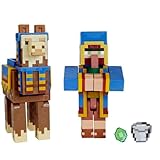
Choose equipment for the job
| Goal | Use | What it does |
|---|---|---|
| Carry items | Chest | Minecraft states that storage capacity ranges from 3 to 15 slots, depending on the llama’s strength. Bedrock data likewise describes inventory size that scales with strength. Minecraft’s llama guide · Bedrock llama entity data |
| Change its appearance | Carpet | Minecraft says carpet colors produce different patterns; Bedrock data lists carpet as accepted equipment. Minecraft’s llama guide · Bedrock llama entity data |
| Guide it or move a group | Lead | A lead lets you guide a llama. Minecraft says up to nine nearby llamas may follow a leashed llama in a caravan. Minecraft’s llama guide |
| Add a saddle | Do not use one | Bedrock’s llama entity data lists a saddle among the items rejected during taming interactions; it is not a supported llama upgrade. Bedrock llama entity data |
Move several llamas together
Attach a lead to one llama and nearby llamas can form a caravan behind it. Minecraft’s guide says the train can include up to nine followers. Lead the first llama to guide the group over distance; the caravan is useful for transport, not a way to steer a llama while riding. Minecraft’s llama guide
Edition and version notes
The official Minecraft guide provides general instructions, while the technical entity and feed references cited above describe Bedrock’s vanilla implementation. Their specific item behavior and temper values should not be generalized to every Java or Bedrock release. If an interaction differs in your game, check guidance for your edition and version.
Quick Recap
Best Value

- Officially Licensed Minecraft Mega SquishMe Series 2 – Authentic characters in soft, collectible form.
- Collect Them All! – Complete your Minecraft Mega SquishMe Series 2 set with all four iconic characters: Chicken, Llama, Tuxedo Cat, and Tabby Cat. Perfect for collectors, fans, and anyone who loves squishy stress relief toys.
- Perfect Party Favors & Rewards - Whether you are a young learner enjoying a school party or celebrating an adult birthday gathering, these colorful MineCraft toys make great party favors or fidget toys for classroom.
- Extra‑Soft Slow‑Rise Foam - The soft, squishy material of the Mega SquishMe makes it perfect for relieving stress anytime. These are perfect minecraft gifts for all ages. These squishys are perfect minecraft toys for girls.
- Great for Stress Relief & Fidgeting - Use these squishy toys to decorate shelves and desks or as a fidget toy while meeting, studying, or watching television! This minecraft toy provides endless fun to squish and play.
Rank #4
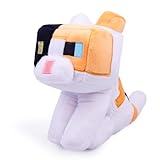
- Fans can create snuggles and stories with plush figures inspired by favorite characters from the video game universe!
- Each soft doll is made with premium fabrics, making them fun to hold and cuddle
- They wear their iconic costumes so they're easily recognizable and ready for dreams of adventure!
- Pixelated details give them an extra element of collectability!
- The selection of plush makes a great gift for kids and collectors ages 3 years old and up (each sold separately, subject to availability).
Rank #3
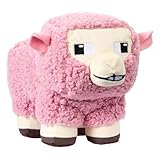
- Pink Sheep is 8-inch scale, measuring about 6 inches tall, 4.5 inches wide, and 9 inches long.
- From the world of Minecraft, these plush toys let fans bring favorite characters through the portal and into the real world!
- Each soft doll is 8 inch scale and made with a mix of premium fabrics, making them fun to hold and cuddle!
- They wear their iconic costumes so they’re easily recognizable and ready for gaming adventure!
- Recreate stories during playtime, enjoy snuggles at naptime or display any time with favorite characters from A Minecraft Movie and the video game!
#1 Best Overall

- Minecraft fans can create snuggles and stories with plush figures inspired by favorite characters from the video game universe!
- Each soft doll is 8 inches tall and is made with premium fabrics, making them fun to hold and cuddle.
- They wear their iconic costumes so they're easily recognizable and ready for dreams of adventure!
- Pixelated details give them an extra element of collectability!
- The selection of Minecraft plush makes a great gift for kids and collectors ages 3 years old and up (each sold separately, subject to availability).
Product prices and availability are accurate as of the date/time indicated and are subject to change. Any price and availability information displayed on Amazon at the time of purchase will apply.
Independent reader supportYour contribution helps us test, update, and keep practical guides available for everyone.



