If you mean trading Pokémon with other people, use the Pokémon HOME mobile app’s Wonder Box, GTS, Room Trade, or Friend Trade. If you mean moving Pokémon from a game into HOME, use the transfer steps for that source: a compatible Nintendo Switch game, Pokémon GO, or Pokémon Bank. These are separate workflows.
Choose the right Pokémon HOME workflow
| What you want to do | Where to start | Key requirement or limitation |
|---|---|---|
| Trade with another Trainer through HOME | Pokémon HOME mobile app | Use Wonder Box, GTS, Room Trade, or Friend Trade; Room Trade room creation requires Premium. |
| Move Pokémon from a supported Switch game into HOME | Pokémon HOME on Nintendo Switch | Only Pokémon compatible with the destination game can be used there. |
| Move Pokémon from Pokémon GO into HOME | Pokémon GO, with HOME linked to the same Nintendo Account | Uses GO Transporter Energy and cannot be reversed back to GO. |
| Move Pokémon from Pokémon Bank into HOME | Pokémon Bank and HOME | Requires HOME Premium; the service and transfers are scheduled to end February 26, 2027, at 03:00 UTC. |
Pokémon Support’s guides cover connecting HOME to different games and trading using the mobile app.
| # | Preview | Product | Price | |
|---|---|---|---|---|
| 1 |

|
Pokémon Legends: Arceus - US Version | $54.25 | Buy on Amazon |
| 2 |

|
Pokémon Violet - US Version | $51.99 | Buy on Amazon |
| 3 |
|
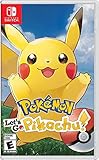
Pokémon: Let's Go, Pikachu! | $53.30 | Buy on Amazon |
| 4 |
|
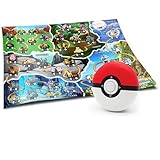
Pokémon Zanzoon Trainer Mission Electronic Detector 40 Missions, 65 Catches | $31.68 | Buy on Amazon |
| 5 |

|
Pokémon: Let's Go, Eevee! - Nintendo Switch | $53.87 | Buy on Amazon |
Trade with other Trainers in the mobile app
The four HOME trade methods are features of the mobile app. They do not move Pokémon out of another game’s save data; use the relevant transfer workflow below for that.
Wonder Box
Place Pokémon in the Wonder Box and they can be traded automatically while you are not using HOME. You can select multiple Pokémon. The particular Pokémon you receive is not guaranteed in advance.
Free tools Windows power users keep installed
One-click scans. No signup required.
#1 Best Overall
- Action meets RPG in this new take on the Pokémon series
- Study Pokémon behaviors, sneak up on them, and toss a well-aimed Poké Ball to catch them
- Unleash moves in the speedy agile style or the powerful strong style in battles
- Travel to the Hisui region—the Sinnoh of old—and build the region’s first Pokédex
- Learn about the Mythical Pokémon Arceus, the key to this mysterious tale
GTS
Offer a Pokémon and specify what you want in return. HOME matches your request with a Trainer whose Pokémon meets the criteria. You can request a Pokémon that is not yet registered in your HOME National Pokédex, but a match is not guaranteed.
Room Trade
Join a room with up to 20 Trainers and trade with others in it. You will not know which Pokémon you receive until the trade completes. Creating a room requires a paid Pokémon HOME Premium Plan.
Rank #2
- Embark on a new Pokémon adventure
- Catch, battle, and train Pokémon in the Paldea Region, a vast land filled with lakes, towering peaks, wastelands, small towns, and sprawling cities.
- Choose either Sprigatito, Fuecoco, or Quaxly, to be your first partner Pokémon before setting off on your journey through Paldea.
- Embark on an independent study called the Treasure Hunt to gain new experiences, meet new people, and find your very own treasure.
Friend Trade
Trade with Trainers who are friends in Pokémon HOME. Friend Trade has restrictions; consult the app and Pokémon Support’s trade instructions for the current details.
Move Pokémon from a Nintendo Switch game into HOME
On Switch, HOME’s Pokémon screen can connect to save data for Pokémon Sword, Pokémon Shield, Pokémon: Let’s Go, Pikachu!, and Pokémon: Let’s Go, Eevee!. A paid Nintendo Switch Online membership is not required for Pokémon HOME functions.
Rank #3
- Don the role of a Pokémon Trainer as you travel through Kanto
- Discover a new species of Pokémon with the Pokémon Lets Go series
- Catch Pokémon in the wild using a gentle throwing motion with either a Joy-Con controller or a Poké Ball Plus accessory, which will light up, vibrate, and make sounds to bring your adventure to life
- See the world in style by customizing Pikachu and your Trainer with a selection of outfits
- Connect to Pokémon GO* to transfer caught Kanto-region Pokémon, including Alolan and Shiny forms, as well as the newly discovered Pokémon, Meltan, from that game to this one!
- Open Pokémon HOME on Nintendo Switch and choose Pokémon.
- Select the game whose save data you want to access, then choose which user’s save data to use.
- Select the Pokémon to move and choose a destination Box in HOME. Pokémon that cannot be moved are marked with an icon.
- Press + to save your changes.
Before moving a Pokémon onward, note the Let’s Go exception: once a Pokémon has been moved from HOME into Sword or Shield, it cannot be moved back to Let’s Go, Pikachu! or Let’s Go, Eevee!, even if it originally came from one of those games.
Check whether a Pokémon can travel to a destination game
HOME compatibility varies by Pokémon and destination title. In the mobile app, open the Pokémon’s details and check Games it can travel to. On Switch, select the Pokémon and choose Check Summary, then Connected Games. A grayed-out game means that Pokémon cannot be used in that game. See Pokémon Support’s compatibility guidance.
Rank #4
- Voice and light guidance for immersive play. Follow real time audio prompts and bright directional LEDs to track targets, react fast, and complete exciting search quests in any room.
- Advanced motion detection boosts active fun. Built in sensors respond when you move up down turn or shake, converting movement into actions that help you snag speedy virtual creatures.
- 40 missions and 65 catches deliver big replay value. Tackle varied objectives, unlock harder challenges, and steadily grow your electronic collection with every successful capture.
- Trainer map for clear progress tracking. Mark missions, plan smart routes, and visualize achievements as you explore, encouraging strategy, focus, spatial awareness, and confidence.
- Kid friendly handheld design for ages 5 plus. Durable, easy to carry, and simple to start; uses 3 AAA batteries not included for portable indoor or outdoor adventure and family play.
Transfer Pokémon from Pokémon GO
Link the mobile version of HOME to a Nintendo Account, then link Pokémon GO to that same account. Transfers begin in Pokémon GO, not in HOME.
- In Pokémon GO, open Settings > Pokémon HOME.
- Choose Send Pokémon and select the Pokémon you want to transfer.
- Confirm the transfer using GO Transporter Energy. The energy cost varies by Pokémon and recharges over time; PokéCoins can be used to charge it immediately.
- Open Pokémon HOME on mobile and receive the sent Pokémon before it will appear in your Boxes.
GO-to-HOME transfers are one-way: a transferred Pokémon cannot return to Pokémon GO, and certain special Pokémon cannot be transferred. Pokémon Support says these transfers do not require HOME Premium or Nintendo Switch Online. See the official GO transfer instructions.
Best Value
- Don the role of a Pokémon Trainer as you travel through Kanto
- Discover a new species of Pokémon with the Pokémon Lets Go series
- Catch Pokémon in the wild using a gentle throwing motion with either a Joy-Con controller or a Poké Ball Plus accessory, which will light up, vibrate, and make sounds to bring your adventure to life
- See the world in style by customizing Pikachu and your Trainer with a selection of outfits
- Connect to Pokémon GO* to transfer caught Kanto-region Pokémon, including Alolan and Shiny forms, as well as the newly discovered Pokémon, Meltan, from that game to this one
Transfer Pokémon from Pokémon Bank
Bank is the legacy Nintendo 3DS route. Transferring from Bank requires Pokémon HOME Premium. Pokémon Support’s article, updated August 18, 2026, says Pokémon Bank service and Bank-to-HOME transfers are scheduled to end February 26, 2027, at 03:00 UTC. If you want to preserve Pokémon in Bank, complete the transfer before that deadline and check the official status near the date.
If you have a Nintendo 3DS
- In Pokémon Bank, select the boxes you want to move.
- In HOME, start the Move process and display the Moving Key.
- Enter that key in Pokémon Bank within three minutes.
If you do not have a Nintendo 3DS
Link the Nintendo Network ID used with Bank to the Nintendo Account used with HOME, then use HOME’s Move process. This route transfers all Pokémon in Bank at once. Pokémon moved from Bank into HOME cannot be returned to their original 3DS game. See Pokémon Support’s Bank and HOME information.
Quick Recap
Product prices and availability are accurate as of the date/time indicated and are subject to change. Any price and availability information displayed on Amazon at the time of purchase will apply.




