To unlock Borderlands 4 Twitch Drops, link the Twitch account you’ll watch on to the correct SHiFT account, watch a participating Drops-enabled stream during an active campaign, claim each earned Drop on Twitch within 24 hours, then collect it in-game at Inventory > Equipment > Reward Center. The campaign determines which rewards are available and how long you must watch, so check Twitch’s Drops Inventory or the official campaign page for live details.
How to unlock Borderlands 4 Twitch Drops
Follow these steps for each active campaign. Watching by itself is not enough: you must claim the Drop on Twitch, and rewards are delivered to the SHiFT account linked to the Twitch account you used.
| # | Preview | Product | Price | |
|---|---|---|---|---|
| 1 |
![Borderlands 3 Ultimate Edition (PS5) [video game]](https://m.media-amazon.com/images/I/510vIObt2KL._SL160_.jpg)
|
Borderlands 3 Ultimate Edition (PS5) [video game] | $34.01 | Buy on Amazon |
| 2 |

|
PRAGMATA - PlayStation 5 | $59.88 | Buy on Amazon |
| 3 |
|
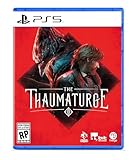
The Thaumaturge PS5 | $29.98 | Buy on Amazon |
| 4 |

|
Borderlands 4 - PlayStation 5 | $27.99 | Buy on Amazon |
| 5 |

|
Marvel's Wolverine PS5 | $69.00 | Buy on Amazon |
- Link the accounts. Sign in to the SHiFT account that should receive the rewards. Open Gaming Platforms, choose Sign In under Twitch, and log into the Twitch account you will use to watch. Check the connection status on the SHiFT side; Twitch may still display a Connect button even when the accounts are linked.
- Find an eligible stream. During an active Borderlands 4 Drops campaign, choose a stream displaying the Drops enabled! callout and watch while signed into the linked Twitch account. Follow the campaign’s stated viewing requirement. Being in the Borderlands 4 category alone does not mean a stream qualifies. Twitch progress is limited to one participating livestream at a time.
- Claim the reward on Twitch. When Twitch says the Drop is earned, claim it from the notification or from Twitch’s Drops Inventory. The Borderlands support guide says to claim within 24 hours of the notification.
- Collect the reward in Borderlands 4. In the game, open Inventory > Equipment > Reward Center and redeem the available reward. Delivery to SHiFT can take up to 24 hours after claiming on Twitch. Golden Keys earned through Drops are added to inventory automatically, without an in-game message.
Which Drops are available now?
Borderlands 4 Twitch Drops are campaign-based: reward names, campaign dates, eligible streams, and watch-time requirements can change. The official Borderlands Twitch Drops campaign page is the place to check campaign details, and Twitch’s Drops Inventory shows active campaigns and viewing progress. A past reward mention does not establish that the reward is available in a current campaign. Check the live campaign before watching; no complete current reward list or deadline is confirmed here.
Where rewards go, and which character gets them
Twitch Drops are delivered to the SHiFT account linked to Twitch. The official guide lists Steam, Epic Games Store, PlayStation 5, Xbox Series X|S, and Nintendo Switch 2 for in-game delivery when linked through SHiFT. It also states that each Twitch account is limited to one redemption.
What’s actually slowing this PC down?
Pick the symptom - the matching free tool is one click away.
#1 Best Overall
- Cosmetics: Skins, paint jobs, and heads can be used across Vault Hunters.
- Equipment: Guns, ordnance, shields, and similar rewards are redeemed on one Vault Hunter. Deleting that character can mean losing the item.
- Account linkage: Twitch Drop and SHiFT-code content is tied to the SHiFT account. Unlinking a platform account can remove access.
These rules are described in the Borderlands 4 bonus-content FAQ.
Why are my Borderlands 4 Twitch Drops missing?
- Verify the account link. Make sure the Twitch account that watched is connected to the SHiFT account you are checking. Confirm from SHiFT rather than relying on Twitch’s Connect button.
- Check that you claimed the Drop. Watching until the progress is complete does not replace the Twitch claim. Look in Twitch’s Drops Inventory.
- Allow for delivery time. The support guide says SHiFT delivery may take up to 24 hours after the Twitch claim.
- Try restarting the game. Borderlands support suggests a restart may resynchronize Twitch and SHiFT, but it is not guaranteed.
- Contact 2K Support if it remains missing. Provide your platform, platform ID, reward name, how you acquired it, and whether it was previously available.
Do I need to buy anything to earn Drops?
The official instructions establish no need for a paid Twitch subscription, accessory, or guide to earn Drops. Buying Borderlands 4 is not required simply to watch streams or earn rewards, though you need access to the game to redeem and use them in-game.
Quick Recap
Best Value
- Marvel’s Wolverine is a new action-packed adventure from Insomniac Games
- Play as Wolverine and Ravage enemies with explosive brutality and unleash razor-sharp adamantium claws to deploy fast, fluid attacks and overcome impossible odds
- An Original, Emotionally Charged Story. Beneath Wolverine’s gruff exterior and violent temperament is a man fighting for a cause greater than himself
- A Global, Adrenaline-Fueled Journey where you slice into enemies across detailed locales such as the frosted Canadian Wilderness, the narrow streets of Tokyo, and the high and low districts of the island nation of Madripoor
Rank #4
- BE A BADASS: Become an unstoppable force of battle, blasting through enemies with an all-new arsenal of outrageous weaponry. Move across the Borderlands like never before—double jumping, gliding, dodging, grappling, and more—dealing death from every direction. Explode each encounter with devastating Action Skills that unleash your Vault Hunter's unique abilities. Craft your perfect build with branching skill trees and a deep, rewarding loot chase full of wild weapons and powerful gear.
- FIGHT SOLO OR CO-OP: Wreaking havoc across Kairos is awesome alone and even better with friends in 2-player splitscreen or up to 4-player online co-op.* Borderlands 4 is designed for co-op from the ground up; whether you're hunting for loot, tackling missions, or wandering freely, level scaling and individual difficulty keeps the party together and having fun.
- LESS BORDERS, MORE LANDS: Freely explore a vast and dangerous world rife with warring factions. Hop on your hover bike and ride through lush fields, towering peaks, and deadly deserts full of fearsome enemies, dynamic events, and engaging quests with unforgettable characters. Unite the people of Kairos and ignite a revolution, tackling this adventure however you see fit in a seamless Borderlands experience.
Rank #3
- Shape your story – as a full-fledged RPG, it allows you to alternate your choices and make you deal with the aftermath
- Develop your character – creating your own version of the Thaumaturge will allow you to approach situations in different ways
- Experience unique turn-based combat and defeat your foes using human attacks and skills as well as psychic strikes delivered by Salutors
- Influence and manipulate the temperaments of other characters to bend their will to your liking
- Tame the power of Salutors – use the unique set of their skills to gain an advantage while exploring the world
Rank #2
- Out-of-This-World Adventure – Stranded on a lunar space station, Hugh encounters Diana, a mysterious android resembling a young girl. While searching for a way back to Earth, they fight to survive against Bots directed to “neutralize” intruders.
- Hack & Shoot – Use each character’s distinct abilities to take down enemies. In combat, Diana can hack foes to expose weaknesses so Hugh can blast them with weapons. This unique fusion of gameplay offers an action-packed experience like no other.
- Space Exploration – Teamwork also extends to traversing the station. Utilize the thrusters in Hugh’s futuristic suit to dash and hover around while Diana hacks security systems to solve puzzles. Only together can they overcome all obstacles.
- Collect and Customize – Gather materials while exploring the station to unlock upgrades, build out a diverse arsenal of weapons, obtain new outfits, and more. Once you’re ready, use the new gear in battle and take on even greater challenges!
Product prices and availability are accurate as of the date/time indicated and are subject to change. Any price and availability information displayed on Amazon at the time of purchase will apply.




