Free tools Windows power users keep installed
One-click scans. No signup required.
If you own Fallout 4 on PS4, you can claim its digital PS5 version at no extra cost according to the US PlayStation Store listing. Digital owners claim it through the PS5 game hub while signed in to the owning account. Disc owners need a PS5 with a disc drive and must keep the PS4 disc inserted to download or play the upgraded version.
Check which upgrade route applies to you
| Your copy | What you need | What to know |
|---|---|---|
| Digital PS4 purchase | The PlayStation account that owns Fallout 4 | Find the PS5 version in PlayStation Store or Search and claim the upgrade offer. The US Store listing describes the PS5 digital version as available to PS4 owners at no extra cost. PlayStation Store listing (US) |
| PS4 disc | A PS5 with a disc drive, the disc, and a matching account/disc region | Claim the offer with the disc inserted. Keep the disc inserted each time you download or play the PS5 digital version. PlayStation upgrade guidance |
| PlayStation Plus-only entitlement | The account that redeemed or holds the entitlement | PlayStation’s general guidance says PS Plus games are not eligible for a PS5 upgrade unless indicated otherwise. The Fallout 4 listing does not explicitly settle the Plus-only case, so check whether an upgrade offer appears on the account holding the entitlement. PlayStation upgrade guidance |
The no-extra-cost statement is from the US Store listing; availability and offer details can vary by region. A disc from a different country or region than the PlayStation account may not qualify. A PS5 Digital Edition without a disc drive cannot use a PS4 disc to claim this upgrade.
| # | Preview | Product | Price | |
|---|---|---|---|---|
| 1 |

|
Fallout 4 - PlayStation 4 | $26.88 | Buy on Amazon |
| 2 |

|
Fallout 4 Game of the Year Edition | $49.97 | Buy on Amazon |
| 3 |
|
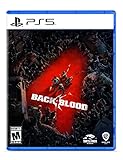
Back 4 Blood - PlayStation 5 | $9.21 | Buy on Amazon |
| 4 |

|
HITMAN: World of Assassination - PlayStation 5 | $29.90 | Buy on Amazon |
Upgrade a digital copy on PS5
- Sign in to your PS5 using the PlayStation account that owns Fallout 4.
- Open PlayStation Store or Search and find Fallout 4.
- Open the game hub, select the PS5 upgrade offer, and review it.
- Select Download.
If both PS4 and PS5 versions appear in your library, open Game Library, highlight Fallout 4, press X, open the ellipsis menu, and choose the version you want to download or play. The PS5 version appears without a PS4 label. PlayStation’s version-selection instructions
Upgrade a PS4 disc copy
- Check that your PS5 has a disc drive and that the disc region matches your PlayStation account’s country or region.
- Sign in to the account you use for PlayStation, then insert the Fallout 4 PS4 disc.
- Open the PS4 game’s hub and select the PS5 upgrade offer.
- Review the offer and select Download.
- Leave the disc inserted whenever you download or play the PS5 digital version.
The disc-free PS5 Digital Edition cannot use the disc-based entitlement. The US Store listing also specifies that the disc must be inserted each time the upgraded version is played. PlayStation Store listing (US)
#1 Best Overall
- Next generation of open-world gaming
- Developed by Bethesda Game Studios Under the Direction of Todd Howard
- Fallout 4 Is the Follow Up to the 2008 ‘Game of the Year’ Fallout 3
- First title from the world-renowned studio since the release of Elder Scrolls V: Skyrim
What changes in the PS5 version?
Bethesda’s April 2024 update made Fallout 4 available as a native PS5 application and added Performance and Quality display modes, alongside stability improvements and fixes. Bethesda’s published targets are:
- Performance mode: targets 60 FPS with dynamic resolution scaling.
- Quality mode: targets 30 FPS, or a 40 FPS target when connected to a 120 Hz display.
These are Bethesda’s targets, not a guarantee of a fixed frame rate in every scene or setup. Bethesda’s April 11, 2024 announcement and April 25, 2024 patch notes describe the update and display modes.
Independent reader supportYour contribution helps us test, update, and keep practical guides available for everyone.What about PS4 save data?
The official PlayStation upgrade instructions explain how to claim the game and switch versions, but Bethesda’s cited update announcement and patch notes do not document a Fallout 4 PS4-to-PS5 save migration procedure. If you need to preserve a particular save, check current in-game guidance or official Bethesda support instructions before relying on it; automatic transfer is not established by these sources.
Quick Recap
Rank #4
- ENTER THE WORLD OF THE ULTIMATE ASSASSIN - HITMAN World of Assassination brings together the best of HITMAN, HITMAN 2 and HITMAN 3 including the main campaign, contracts mode, escalations, elusive target arcades and featured live content.
- BECOME AGENT 47 - Suit up for a spy-thriller adventure where all your deadly abilities are put to the test across more than 20 locations.
- FREEDOM OF APPROACH - Your deadliest weapon is creativity. Unlock new gear and up your game on highly replayable missions.
- WORLD OF ASSASSINATION - Travel a living, breathing world, filled with intriguing characters and lethal opportunities.
- HITMAN FREELANCER - A new way to play on your own terms, that combines rogue-like elements and deep strategic planning with a persistent and infinitely replayable gameplay experience.
Rank #3
- Fight your way through a perilous world In a 4-player co-op story campaign where you must work together to survive increasingly challenging missions
- Choose from 8 customizable cleaners and a range of lethal weapons and items
- Play with or against friends in PvP
- A new Roguelike card system creates different experiences each and every time
- A PlayStation Plus subscription is required to play Back 4 Blood on PlayStation or Xbox consoles.
Product prices and availability are accurate as of the date/time indicated and are subject to change. Any price and availability information displayed on Amazon at the time of purchase will apply.




