Quick wins for a faster PC:
Scan for outdated or missing drivers - takes under a minuteDriver Scan →Clear out junk files and repair common Windows errorsFree Scan →Fix the driver behind crashes, sound loss and screen glitchesFind Drivers →You can use a real Wii Remote with Dolphin without a sensor bar. Buttons and motion controls work without infrared tracking; for on-screen pointer control, use a Wii Remote with MotionPlus connected as an emulated controller and select Dolphin’s Wii Remote with MotionPlus Pointing (Stock) profile. Its Pointer Simulation uses the remote’s motion sensors instead of the sensor bar’s infrared lights.
Connect your Wii Remote to Dolphin
-
In Dolphin, open Controllers. Under Wii Remotes, choose an Emulated Wii Remote and open Configure.
-
Use the available option to connect a real Wii Remote for the emulated controller. Dolphin’s controller configuration guide documents this connection method.
-
Choose the Wii Remote with MotionPlus Pointing (Stock) profile for a connected MotionPlus remote. Dolphin’s September 2020 progress report says the profile maps the controls, including Pointer Simulation.
Recommended Free Tools
Special offer. See more information about Outbyte and uninstall instructions. Please review EULA and Privacy policy.#1 Best Overall
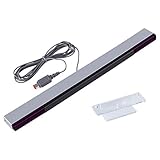 Motion Sensor Bar for Wii, Sensor Bar for Nintendo Wii and Wii U Console
- Compatible: premium quality wired infrared sensor bar for Nintendo Wii and Wii U Consoles
- Feature: includes stand with adhesive for easy attachment to tv, monitor or any smooth surface
- Size: 6.6 ft/200 cm cable ensures convenient placement of sensor bar, sensor bar length: 9.5 inches
- Easy to use: plug and play, perfect replacement or extra sensor bar for Wii or Wii U Consoles, works just like the original sensor bar, and has the same port
- Enhance gaming experience: the sensor bar is perfect for Nintendo Wii remote controller, Wii remote plus controller, and Wii U consoles. LED infrared arrays on both sides provide an excellent gaming experience
-
Start the game and test the controls there. Recenter or adjust the motion input if the pointer drifts or does not reach the part of the screen the game expects.
Dolphin connects a real Wii Remote over Bluetooth. For a Real Wii Remote slot, open the Wii Remote window, select Refresh, then press 1+2 on the remote; on -TR models, use the Sync button. Dolphin advises against pairing through your computer’s normal Bluetooth settings, which can interfere with the connection. Follow the instructions for the controller mode you chose: the emulated-controller profile above is distinct from connecting a remote to a Real Wii Remote slot.
Rank #2

- Designed to receive signals from the device, for WII/WIIU.
- Simply connect the sensor connector to the Wii console for easy operation.
- Comes with a stand, it is easy to mount the receiver above or under the TV or monitor.
Do you need a pointer?
If the game only needs buttons or motion controls, you do not need a sensor bar for those inputs. The sensorless pointer method is relevant when a game needs on-screen pointing and your remote has MotionPlus. The emulated-controller profile uses motion sensors to estimate pointer movement; it does not track the sensor bar’s infrared reference lights.
What changes when you point without infrared
Motion-based pointer simulation is not identical to IR tracking. Dolphin’s 2024 project report notes that gyro pointing can struggle when aiming far off-screen. Some games also use the spacing between the two IR light clusters as a distance cue, which the simulated pointer does not reproduce by itself. Games with precision pointing or push-and-pull interactions may therefore behave differently or need control remapping.
Rank #3
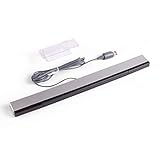
- Wired infrared sensor Bar for Nintendo Wii and Wii U consoles Includes stand with adhesive for easy attachment to TV, monitor or any smooth surface. Wii system is not included
- More than 6.5ft cable ensures convenient placement of sensor Bar, sensor Bar length: 9.4 inches. Perfect replacement or extra sensor for Wii or Wii U
- Compatible with all Wii controllers including Wii U controllers, motion plus controllers and other Wii controller addons
- It works Just like the original sensor bar with simple plug and play installation and does not require batteries or any power adapter
- Easy to set up and start playing out of the box. Color: Silver / Black
Examples of game-specific complications
-
Super Paper Mario: Dolphin’s report describes its pointer demands and notes that using gyro pointer simulation can require a hide-pointer hotkey.
-
Skyward Sword: The game’s own gyro recalibration can interact with gyro aiming and make the simulated pointer behave erratically.
Rank #4
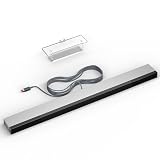 LA NREUCETS Wii Wired Infrared Ray Sensor Bar Replacement Video Game Accessories Compatible with Wii and Wii U Console, Includes Clear Stand
- 【Upgraded Sensor Bar for Wii】Specifically designed for Wii/Wii U consoles, this wired infrared sensor bar delivers enhanced compatibility as essential Wii accessories.
- 【Wired Motion Sensor Bar for Wii】LED infrared array ensures precise tracking of your Wii Remote, ideal for high-intensity games. Functions identically to original Wii sensor bar with plug-and-play simplicity for Wii U and Wii.
- 【Easy Setup & Portability】Designed for effortless installation: plug-and-play operation requires zero configuration. Includes adhesive mount for TVs/monitors. 8.2ft cable and 9.4in bar enable flexible placement.
- 【Enhanced Gaming Experience】Elevate gameplay with precise Wiimote tracking via LED infrared array.
- 【Robust Build Quality】Crafted from high-grade ABS plastic with reinforced wiring, ensuring longevity and daily gaming resilience. Ideal replacement for worn-out original sensor bars.
-
Trauma Center, Another Code R, and WarioWare: Smooth Moves: Dolphin cites these as examples of games where IR cluster separation supports distance interactions.
These are examples of limitations, not a complete compatibility list; behavior depends on the game and how it uses pointing.
Best Value

- Work Out of the Box, Plug & Use - This Wii motion sensor bar is USB-powered. Simply plug and play, no extra setup required
- Upgraded Sensor Bar for Wii - Perfectly designed for Nintendo Wii / Wii U consoles. This wired infrared sensor bar delivers full compatibility and works as a must-have replacement accessory. NOTE: Not compatible with Wii Mini
- Enhanced Gaming Experience - Equipped with an LED infrared array for precise Wiimote tracking, bringing you better gaming immersion. Ideal for classic games like Resident Evil 4, Metroid Prime 3 and Super Mario Galaxy. Great as a replacement or spare sensor bar for Wii and Wii U
- Easy Setup & Portability - The usb sensor bar comes with an adhesive mounting stand for easy attachment to TVs, monitors and any smooth surfaces. The 6.6ft cable and 9.4in sensor bar enable flexible placement anywhere
- Package Included - 1 × Wii Sensor Bar. (Note: Wii console and controller are not included.) If you have any issues with installation or usage, feel free to contact us for a quick solution
Choose the setup that fits the game
-
Buttons or motion only: Use the Wii Remote without a sensor bar; no pointer simulation is needed.
-
Pointer control, with a MotionPlus remote: Connect it as an emulated controller and try the stock MotionPlus pointing profile.
-
Pointer-dependent game with distance or precision interactions: Try the simulated pointer, but expect behavior to differ where the game relies on IR. Remapping or an actual IR bar may be necessary.
If sensorless pointing does not work for your game
An IR sensor bar is an alternative when a game needs the behavior of infrared pointer tracking. Dolphin’s 2014 Mayflash DolphinBar review describes a USB-powered device that combines a sensor bar with Wii Remote connection hardware. It is a fallback, not a sensorless solution, and that review is not a guarantee about current product revisions.
Free tools Windows power users keep installed
One-click scans. No signup required.
Exact menus and available profiles can vary with your operating system, Dolphin build, and Wii Remote revision. If a named profile or connection option is missing, check the controller options in your installed build and Dolphin’s current controller guide.
Quick Recap
Product prices and availability are accurate as of the date/time indicated and are subject to change. Any price and availability information displayed on Amazon at the time of purchase will apply.




