Outdated Drivers Are Slowing You Down
One free scan finds every outdated or missing driver and matches the right update for your exact hardware.Free scan · exact hardware matchPC Slower Than It Used to Be?
A free scan shows the junk files, broken settings and background clutter dragging Windows down - then fixes them in one click.Free scan · Windows 10 & 11hp8500gt.dll is an HP printer-driver component, not a Windows, DirectX, Visual C++, .NET, or game runtime file. If Windows reports that hp8500gt.dll is missing or could not be loaded, repair or reinstall the legacy HP Officejet Pro 8500 driver package instead of downloading a loose DLL.
Identify hp8500gt.dll first
Public file metadata associates this DLL with HP VAYU UI Application, using the internal name VayuUI. It is connected most strongly with the HP Officejet Pro 8500 All-in-One Printer series, especially the A909g Wireless model.
As an Amazon Associate I earn from qualifying purchases.
| Detail | Identified value |
|---|---|
| File | hp8500gt.dll |
| Company | Hewlett-Packard |
| Product | HP VAYU UI Application |
| Internal name | VayuUI |
| File version | 0.3.3790.1830 |
| Product version | 70.082.16.00 |
| Approximate size | 1.6 MB |
| Category | HP printer application or driver component |
The file is not normally something you install separately. It should arrive as part of the complete HP printer software or driver package. Microsoft Update Catalog packages identify the HP Officejet Pro 8500 A909g driver and list HP Inc. as the provider, but Windows Update carrying the package does not make this DLL a Microsoft-owned system file.
Public records disagree about whether this particular binary should be treated as 32-bit or AMD64. Related HP packages exist in both x86 and AMD64 forms, so do not use a “32-bit” file listing as proof that the DLL belongs in System32 or that it can be copied into a 64-bit driver directory.
#1 Best Overall

- Automatic
- These cartridges work with: HP OfficeJet Pro 8020, 8020e, 8025, 8028, 8030e, 8035
- Cartridge yield (approx.): 825 pages black, 315 pages per color
- Up to 2x more prints with Original HP Ink vs. non-Original HP Ink
- 82% of HP ink cartridges are manufactured with recycled plastic
What the error means
You may see one of these messages:
- “The program can’t start because hp8500gt.dll is missing from your computer.”
- “There was a problem starting hp8500gt.dll. The specified module could not be found.”
- “Error loading hp8500gt.dll.”
- “The code execution cannot proceed because hp8500gt.dll was not found.”
- “hp8500gt.dll is either not designed to run on Windows or it contains an error.”
“Specified module could not be found” does not always mean that the named DLL itself is absent. Windows may find hp8500gt.dll but fail to load a dependency required by it. A damaged binary, wrong architecture, incomplete driver installation, or a missing dependency can all produce a similar message.
The safest repair is therefore to restore the complete HP package, not to replace one file in a Windows folder.
Fix 1: Remove and reinstall the HP Officejet package
This is the most likely solution, particularly after a failed Windows Update, an interrupted HP installation, or manual removal of the printer.
Free tools Windows power users keep installed
One-click scans. No signup required.
Uninstall the HP software
- Disconnect the USB printer cable. If the printer is connected over Wi-Fi, turn the printer off temporarily.
- Right-click Start and select Installed apps on Windows 11, or Apps and features on Windows 10.
- Search for HP Officejet, HP Printer Software, or another HP entry associated with the Officejet Pro 8500.
- Select the entry and choose Uninstall.
- Follow the HP removal wizard.
- Restart Windows.
Do not skip the restart. Old print monitors, services, and driver files can remain loaded until Windows starts again.
Remove the remaining printer entry
After restarting:
- Open Settings > Bluetooth & devices > Printers & scanners on Windows 11, or Settings > Devices > Printers & scanners on Windows 10.
- Select every remaining Officejet Pro 8500 entry.
- Choose Remove and confirm.
- Open Control Panel.
- Select View devices and printers.
- If the old printer still appears, right-click it and choose Remove device.
If the printer is not listed in Settings but the error continues, continue with the driver cleanup below.
Remove the old driver package
- Press
Win+R. - Type:
text

   printui.exe /s /t2
- Press Enter.
- In the Print Server Properties window, open the Drivers tab.
- Select an HP Officejet Pro 8500 or A909-series driver.
- Choose Remove.
- Select Remove driver and driver package when Windows offers that choice.
- Restart Windows again.
If Windows says the driver is in use, remove all Officejet printer queues, restart, and repeat this step.
Install the correct package
Use HP’s official Officejet Pro 8500 A909 driver page and select the exact Windows release and architecture shown for your installation. Search HP Support for Officejet Pro 8500 All-in-One Printer series — A909, then choose the model that matches your printer.
Do these 3 things before closing this tab:
1Scan for outdated or missing drivers - takes under a minute2Clear out junk files and repair common Windows errors3Fix the driver behind crashes, sound loss and screen glitchesAlternatively, search the Microsoft Update Catalog for:
Rank #2

- HP Ink Cartridges for HP printers are engineered to provide consistent quality, reliability and value
- Works with these HP Printers: OfficeJet 8122e; OfficeJet Pro 8135e, 8138e, 8139e
- Cartridge yield (approx.): 500 pages black, 400 pages per color
- Trusted HP Printer Ink Cartridges for every printing need: HP 923 Ink Cartridges are perfect for everyday home, office, and small business printing needs
- HP has kept over 2,300 metric tons of plastic out of our world’s oceans to be upcycled into HP 923 color ink cartridges for HP printers and other everyday products
HP Officejet Pro 8500 A909g
Relevant Catalog entries include packages named:
Officejet Pro 8500 A909g (DOT4) Windows 7, Windows 8, Windows 8.1 DriversOfficejet Pro 8500 A909g (DOT4) Windows 10 and later driversOfficejet Pro 8500 A909g (DOT4PRT)
Choose the package that matches your Windows version, device model, and architecture. The Catalog includes related x86 and AMD64 packages, so do not install the first result merely because its name contains “8500.”
Reconnect or power on the printer only when the installer requests it. When installation completes, print a Windows test page from Settings > Printers & scanners > HP Officejet Pro 8500 > Printer properties. The repair worked if the test page prints and the hp8500gt.dll message no longer appears.
For the manual process of identifying the right model, architecture, and package among old driver entries, Outbyte Driver Updater can show outdated or mismatched drivers in its free scan; the repair or driver installation is performed by the full version. Reinstalling the exact HP Officejet package remains the definitive fix for this file.
Fix 2: Check Windows architecture and package compatibility
A driver built for one architecture is not interchangeable with a driver built for another.
To check your system:
- Press
Win+I. - Open System > About.
- Find System type.
- Note whether Windows is listed as 64-bit operating system or 32-bit operating system.
On Windows 11, the operating system is normally 64-bit, but confirm rather than assuming. Select the corresponding package in HP Support or Microsoft Update Catalog.
A wrong-architecture error may say that the file is “not designed to run on Windows” or that it contains an error. That message points toward a damaged or incompatible binary, not a missing registry entry. Remove the mismatched package and install the correct A909-series package instead.
Fix 3: Check whether Defender quarantined the DLL
Security software may remove a driver component if it considers the file suspicious or if the package was damaged.
What’s actually slowing this PC down?
Pick the symptom - the matching free tool is one click away.
- Open Windows Security from the Start menu.
- Select Virus & threat protection.
- Choose Protection history.
- Look for an item involving
hp8500gt.dll, HP printer software, or the Officejet installer. - Expand the item and review its location, detection name, and source.
Do not restore the file automatically. Restore it only if you can confirm that it came from the genuine HP driver package and that the package has a valid HP digital signature. Otherwise, remove the incomplete installation and download the driver again from HP Support or use the matching Microsoft Update Catalog package.
After reinstalling, run Virus & threat protection > Scan options > Full scan. If Defender repeatedly quarantines the same file, stop reinstalling it and investigate the detection before allowing the file back.
Rank #3

- Package Contents: 63XL ink cartridge combo pack for HP ink 63 63XL (1× 63XL black ink cartridge , 1× 63XL color ink cartridge)
- High Page Yield: Up to 750 pages for HP ink 63 XL black , Up to 450 pages for HP ink 63 XL color (at 5% coverage of A4 paper)
- Compatible with OfficeJet Series:HP OfficeJet 3830 3832 3831 3833 3834 4650 4652 4654 4655 4656 4657 4658 5200 5255 5258 Printer Ink Cartridges
- Compatible with DeskJet Series: HP DeskJet 1110 1111 1112 2130 2131 2132 2133 2134 2136 3630 3631 3632 3633 3634 3635 3636 3637 Printer Ink Cartridges
- Compatible with ENVY Series: ENVY 4510 4511 4512 4513 4516 4517 4520 4522 4523 4524 4525 4526 4527 4528 Printer
Fix 4: Repair Windows components with DISM and SFC
hp8500gt.dll is a third-party HP component, so System File Checker is not the primary repair. SFC normally repairs protected Windows files, not files inside an HP printer package. These commands are useful when the error appeared alongside broader Windows corruption or several unrelated missing-file errors.
- Right-click Start.
- Select Terminal (Admin), Windows PowerShell (Admin), or Command Prompt (Admin).
- Approve the User Account Control prompt.
- Run:
text

   DISM.exe /Online /Cleanup-Image /RestoreHealth
- Wait for DISM to finish.
- Then run:
text

   sfc /scannow
- Restart Windows.
A successful result reports that no integrity violations were found or that corrupted Windows files were repaired. Test the printer afterward. If the hp8500gt.dll message remains, reinstall the HP package rather than repeating SFC.
When manually running DISM and SFC, the difficult part is knowing which component changed and whether the remaining problem is Windows or the printer package. Outbyte PC Repair can scan for system issues and show what its free scan identifies; repairs are performed by the full version, and reinstalling the HP software is still the definitive fix for this specific DLL.
Fix 5: Check Windows Update and the Update Catalog
Windows Update may have replaced, partially installed, or removed an old HP printer driver.
First check the normal update history:
- Open Settings.
- Select Windows Update.
- Open Update history.
- Review Driver updates for a recent HP printer entry.
- If the problem began immediately afterward, restart once and test the printer.
- If the error remains, remove the old HP package and install the matching package manually.
For the Catalog:
- Open Microsoft Update Catalog.
- Search for
HP Officejet Pro 8500 A909g. - Compare the product description, Windows version, architecture, and driver model.
- Download the matching package.
- Open the downloaded file or extract it if the Catalog provides a cabinet package.
- Follow the package instructions, then restart.
The Catalog lists related Dot4Print packages, including a Windows 10-and-later package and older Windows packages. Select by model and operating-system compatibility, not by file size or a loose DLL filename.
The Tool Desk
Outbyte Driver Updater FREEScan for outdated or missing drivers - takes under a minuteDriver Scan →Outbyte PC Repair FREERepair Windows errors before they cause bigger problemsFix Now →Fix 6: Repair a stale startup entry after uninstalling HP software
If you removed the printer but Windows still displays the error at logon, the printer may be gone while an old HP utility, scheduled task, print queue, or driver package still calls the DLL.
- Open Settings > Apps > Installed apps.
- Uninstall remaining HP Officejet utilities.
- Open Settings > Bluetooth & devices > Printers & scanners and remove old Officejet entries.
- Use
printui.exe /s /t2to remove the remaining Officejet driver package. - Open Task Manager with
Ctrl+Shift+Esc. - Select Startup apps.
- Disable an obsolete HP Officejet startup item if it clearly belongs to the removed printer.
- Restart.
If the message remains, identify the caller instead of deleting random files. Check Event Viewer, Reliability Monitor, or Process Monitor for the executable or service that attempts to load hp8500gt.dll.
Open Reliability Monitor by pressing Win+R, entering:
Rank #4

- Original HP Ink is engineered to work with HP printers to provide consistent quality, reliability and value
- These cartridges work with: HP OfficeJet 6954, 6958, 6962; HP OfficeJet Pro 6968, 6975, 6978
- Cartridge yield (approx.): 750 pages black, 315 pages per color
- Up to 2x more prints with Original HP Ink vs. non-Original HP Ink
- 82% of HP ink cartridges are manufactured with recycled plastic
perfmon /rel
Look at failures recorded at the time of the message. If the printer works and the error appears only during logon, the remaining caller is probably an obsolete HP utility rather than the active print path.
Recommended Free Tools
Fix 7: Use System Restore after a recent driver change
System Restore is appropriate only when the failure began after a recent driver or system change and a restore point exists from before that change.
- Press
Win+R. - Enter:
text

   rstrui.exe
- Press Enter.
- Choose Next.
- Select a restore point dated before the first
hp8500gt.dllerror. - Select Scan for affected programs.
- Review the changes.
- Choose Finish and allow Windows to restart.
System Restore may remove a recently installed driver, but it does not guarantee recovery of an HP package. If the message returns, perform the clean uninstall and reinstall procedure.
Independent reader supportYour contribution helps us test, update, and keep practical guides available for everyone.What not to do
Do not download a loose DLL
Random DLL download sites can provide malware, an altered file, the wrong version, or the wrong architecture. Even a genuine copy may not fix the dependency or driver package that caused the error.
Use HP Support or Microsoft Update Catalog instead. A manual copy is reasonable only when extracting the exact file from the same official, signed HP package and placing it in the package’s intended driver directory.
Do not copy it to System32 or SysWOW64
Those folders are not universal repair locations. Windows uses a defined DLL search order, and placing an unrelated copy in a system directory can cause version conflicts, dependency failures, or DLL-hijacking exposure.
Do not run regsvr32 as a general repair
regsvr32 is for DLLs that provide registration entry points such as DllRegisterServer. There is no verified HP instruction establishing that hp8500gt.dll is a COM server. Running:
regsvr32 hp8500gt.dll
is therefore not an appropriate fix and may simply produce another error.
Best Value
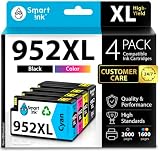
- Compatible with HP OfficeJet 8702 OfficeJet Pro 7720 7730 7740 8200 8210 8216 8218 8700 8710 8714 8715 8716 8717 8718 8719 8720 8724 8725 8726 8727 8728 8730 8732M 8734 8735 8736 8740 8743 8744 8745 8746 8747 printers series
- Package Contents: 1 x Black 952 XL, 1 x Cyan 952 XL, 1 x Magenta 952 XL, 1 x Yellow 952 XL (4 cartridges in total)
- Print More with XL. Page yield: Up to 2,000 pages per XL Black, 1,600 pages per XL color cartridges (Cyan, Magenta, Yellow)
- Customer Care 24/7: We provide exceptional Customer Live Support daily (even on holidays). Call or write to us if you need manufacturer support
- No updates - No headaches: Printer auto-updates may interrupt your printing with compatible cartridges when most needed; we recommend turning off the auto-updates to avoid unpleasant surprises (read the instructions in the photo slides)
Do not install Visual C++, DirectX, or .NET first
This file is associated with legacy HP Officejet software. Reinstalling unrelated Microsoft runtimes is unlikely to restore it unless a separate diagnostic specifically identifies a missing runtime dependency.
FAQ
Is hp8500gt.dll a Windows system file?
No. It is associated with Hewlett-Packard’s HP VAYU UI Application and legacy Officejet printer software.
Which printers use it?
The strongest association is the HP Officejet Pro 8500 All-in-One Printer series, particularly the A909g Wireless model. Public evidence does not establish that every Officejet variant uses the same binary.
Should I search System32 or SysWOW64?
Not as the first step. The correct location depends on the official HP package and its architecture. Restore the package rather than choosing a Windows folder manually.
The message says the specified module could not be found. Is the DLL definitely missing?
No. The named DLL may be present while one of its dependencies is missing. Reinstalling the complete HP package addresses both possibilities more safely than copying one file.
Quick wins for a faster PC:
Fix the driver behind crashes, sound loss and screen glitchesFind Drivers →Repair Windows errors before they cause bigger problemsFix Now →What if the printer still prints?
If the error appears only at startup, remove stale HP software, startup entries, queues, and driver packages. If it continues, use Reliability Monitor or Event Viewer to identify the calling process.
What if the error persists after reinstalling?
Confirm the printer model, Windows architecture, and package type. Then check Defender Protection History and identify the calling executable. If several unrelated files fail, run a full malware scan and investigate disk or Windows corruption.
Quick Recap
Product prices and availability are accurate as of the date/time indicated and are subject to change. Any price and availability information displayed on Amazon at the time of purchase will apply.




