What’s actually slowing this PC down?
Pick the symptom - the matching free tool is one click away.
ibmsgnet.dll is a legitimate, obsolete IBM file, not a standard Windows DLL. If ibmsgnet.dll is missing, Windows is usually trying to start an old IBM networking component, Token-Ring service, or leftover IBM entry from a migrated installation.
The safest fix is to identify the IBM software that requested the file and repair or remove that software. Do not download a replacement DLL from a random file site. A copied file can have the wrong version or architecture, contain malware, or leave the damaged IBM installation unresolved.
What ibmsgnet.dll belongs to
The file is described as IBM NIC Message DLL and was published by IBM Corporation. IBM documentation identifies it as the message-resource DLL used by the IBMTRP Token-Ring service and legacy integrated xSeries server environments.
IBM documentation references the Event Viewer message registration as:
#1 Best Overall
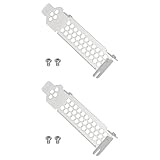
- Compatible with Dell PERC H330 H730p H740p Boss 7HYY4, Compatible with MegaRAID 9361-4i, Compatible with LSI 9361-8i RAID 12G, 9361 SAS 12G RAID, Compatible with MegaRAID SAS9340-8i 12G RAID.
- Also compatible with Lenovo IBM M1215 SAS Controller 46C9114 46c9115, Compatible with IBM M1215 46C9115 46C9112 46C9114, M5210 00AE852 46C9111 12GB SSD/SATA.
- Made of steel, sturdy, durable, and resistant to deformation.
- Used for replacing the low-profile bracket when installing a RAID controller card in a chassis. Provides a secure hold, ensuring the controller card is firmly attached to the PCIe slot.
%SystemRoot%System32netevent.dll;%SystemRoot%System32ibmsgnet.dll
The same documentation discusses IBM iSeries line-device drivers and integrated xSeries server models. This is historical networking software, not a current Windows 10 or Windows 11 runtime.
Older Windows XP installations may have contained the file in:
C:WindowsSystem32dllcache
alongside IBM network driver files such as ibmtrp.sys and ibmtok.sys. That location points to a legacy protected-file and driver installation.
Historical third-party metadata describes the file as a 32-bit Win32 DLL. Treat that information as identification guidance rather than a current IBM package specification. It does not prove that every copy with the same name is genuine.
Windows Errors? Fix Them Before They Spread
Repair common Windows errors and clear accumulated junk for a smoother, more stable PC - no reinstall needed.Free scan · no reinstallCrashes, No Sound, or Screen Glitches?
Random freezes, missing sound and display glitches usually trace back to one bad driver. Find and replace yours safely.Free scan · under a minuteStart by identifying what is calling the file
Before repairing Windows, find out whether an IBM component still exists on the computer. A missing DLL message can come from an active IBM service, a startup entry, or a stale reference left behind after hardware was removed.
Check the full error path
Read the error carefully and record:
- The complete path shown for
ibmsgnet.dll - The program or process named in the message
- Whether the error appears during startup or only when opening an application
- The Windows version and system architecture
- Any status code in a “not designed to run on Windows” message
A path under an IBM program folder suggests an incomplete IBM installation. A reference to System32 may indicate an old service or Event Viewer registration. A file found in a download folder, temporary folder, or unrelated application directory deserves extra suspicion.
Check Event Viewer for IBMTRP
- Press
Win + R. - Type
eventvwr.msc. - Press Enter.
- Expand Windows Logs.
- Select System.
- Choose Filter Current Log in the Actions pane.
- Search for sources containing
IBMTRP, IBM networking, Token-Ring, or a related device name. - Open a matching event and note the source, service, and executable path.
Do not delete an Event Viewer registry entry simply because it mentions a missing file. First establish whether the IBM hardware or service is still required.
Fix 1: Repair the original IBM networking package
Time needed: 15–45 minutes, depending on the installer
Do these 3 things before closing this tab:
1Repair Windows errors before they cause bigger problems2Scan for outdated or missing drivers - takes under a minute3Clear out junk files and repair common Windows errorsThis is the most likely solution when the computer still uses IBM networking or integrated-server software.
Rank #2

- High Storage Capacity of 18TB and up to 45 TB compressed capacity
- Supports transfer speeds of 400 MB/s (native), 1,000 MB/s (2.5:1) with Generation
- Barium Ferrite (BaFe) technology
- Support for tape drive hardware encryption
- Compatible with Linear Tape File System (LTFS)
- Open Settings.
- Select Apps.
- Open Installed apps on Windows 11, or Apps & features on Windows 10.
- Search for IBM networking, IBM iSeries, integrated server, Token-Ring, NIC, or a related hardware package.
- Select the IBM entry.
- Choose Modify, Change, or Repair if the option is available.
- Follow the installer prompts.
- Restart Windows.
- Reopen the application or check whether the startup error has disappeared.
If there is no repair option, use the original IBM installation media or the product-specific IBM support package. IBM’s current support direction is product-specific, and no current official standalone IBM download for ibmsgnet.dll has been verified.
If the IBM software is listed but cannot be repaired, uninstall it, restart, and reinstall it from the matching IBM package. Do not install a DLL by itself. The installer needs to place the message file, drivers, service registration, and related components together.
If the IBM hardware is no longer present, skip to the stale-service section instead of reinstalling obsolete networking software.
The Tool Desk
Outbyte Driver Updater FREEFix the driver behind crashes, sound loss and screen glitchesFind Drivers →Outbyte PC Repair FREERepair Windows errors before they cause bigger problemsFix Now →Check IBM’s product support channel
Use IBM support or IBM Fix Central only after identifying the relevant product, hardware, or integrated-server package. Select the exact IBM product and platform before downloading anything. The correct package may require product entitlement or support access.
A generic search for the filename is not enough to identify the correct IBM installer.
Fix 2: Check antivirus quarantine
Time needed: 5–15 minutes
Security software may remove or quarantine a genuine legacy file, particularly when it is located in an unusual old driver directory. Restore it only when the original path and surrounding IBM installation are trustworthy.
- Open Windows Security.
- Select Virus & threat protection.
- Click Protection history.
- Look for an entry mentioning
ibmsgnet.dll. - Expand the detection details.
- Confirm the original file path and detection reason.
- If the file was part of a known IBM installation and the detection is a false positive, choose Restore or Allow on device, depending on the available action.
- Restart Windows.
- Test the affected program or inspect Event Viewer again.
Do not restore a file that came from a download site, an email attachment, a temporary folder, or an unknown replacement package. Microsoft warns that restoring a quarantined file can make it active again.
If antivirus removed the file from a genuine IBM installation, reinstalling the original IBM package is preferable to restoring a lone DLL. Run a full security scan before restoring anything.
Fix 3: Repair Windows protected files
Time needed: 15–30 minutes
Use this step when the error occurs on an older Windows installation, when the file was stored in a protected-file cache, or when other Windows files also appear damaged. On Windows 10 and Windows 11, run DISM before SFC.
Rank #3

- 1U Profile: 1U Universal Rack Mount Rails occupy one rack unit of vertical space; supports 1U servers and fixed-mount network hardware in standard four-post cabinets
- Adjustable Depth: Our server rack rails telescoping rail pair extends from 16 to 30 inches; adapts to shallow wall cabinets and deeper floor-standing server racks
- Four-Post Fit: This rack mount rails engineered for square-hole and round-hole 4-post frames; pairs with common 19-inch EIA-310-D rack layouts
- Broad Model Use: These server rails work with APC, HP, IBM, Dell, and Compaq cabinet configurations as a generic support rail; not a manufacturer-branded original part
- Tool-Free Length Lock: Thumb screws secure depth setting without extra tools; numbered scale on inner rail eliminates guesswork during cabinet fit-up
- Open Start.
- Type
Command Prompt. - Right-click Command Prompt.
- Select Run as administrator.
- Run:
DISM /Online /Cleanup-Image /RestoreHealth
- Wait for the command to complete.
- Run:
sfc /scannow
- Wait until verification reaches 100 percent.
- Restart the computer.
- Test the program again.
Microsoft documents the same commands using the executable form:
DISM.exe /Online /Cleanup-image /Restorehealth
sfc /scannow
Success means DISM completes without an unrepaired error and SFC reports that it repaired files or found no integrity violations. If SFC reports that it could not fix some files, restart and run it once more. If the missing file is third-party IBM software, SFC may correctly report that Windows has no corruption to repair.
When repeatedly hunting through Windows repair logs and trying to determine which component changed, Outbyte PC Repair can scan for reported system-file issues; its free scan shows what it finds, while repair requires the full version. It is optional, and reinstalling the original IBM package remains the definitive fix when that package owns the file.
On Windows XP or Windows 2000
On a legacy system, run:
sfc /scannow
Windows may request the matching installation CD or installation source. Use media that matches the installed Windows edition and service-pack level as closely as possible.
If ibmsgnet.dll exists in C:WindowsSystem32dllcache but not in C:WindowsSystem32, Windows File Protection may restore it or request installation media. That behavior does not prove that the file belongs to modern Windows.
Fix 4: Reinstall or update the related driver
Time needed: 10–30 minutes
Use this path when Device Manager shows an IBM network adapter or an unknown device, or when the error began after a driver removal.
Free tools Windows power users keep installed
One-click scans. No signup required.
- Press
Win + X. - Select Device Manager.
- Expand Network adapters.
- Also check Other devices and System devices.
- Look for an IBM adapter, Token-Ring device, integrated-server device, or a device with a warning icon.
- Right-click the device and select Properties.
- Open the General tab and record the device status.
- Open the Driver tab and record the provider, date, and version.
- If the device is still required, obtain its matching driver from the hardware manufacturer or IBM support package.
- In Device Manager, right-click the device and choose Uninstall device only when you have the correct replacement package ready.
- Restart Windows.
- Install the matching driver as administrator.
- Restart again and test the IBM application.
Do not use a random network driver because it has a similar device name. Legacy IBM hardware may require an installer that also registers a service and message DLL.
If you are manually comparing many old driver packages and cannot tell which device is stale, Outbyte Driver Updater can scan and identify reported driver issues; its free scan shows the findings, while driver installation requires the full version. It is optional, and the IBM installer is still the authoritative source for this specific component.
Check 32-bit and 64-bit compatibility
Historical metadata identifies ibmsgnet.dll as a 32-bit Win32 file. That is consistent with old IBM networking software.
A 32-bit application can run on 64-bit Windows through Windows compatibility components, but the application, driver, and installer must be compatible with one another. Do not copy the file into both of these folders:
C:WindowsSystem32
C:WindowsSysWOW64
Despite the names, System32 is commonly used for 64-bit system files on 64-bit Windows, while SysWOW64 contains many 32-bit system components. The correct location depends on the original installer and the calling application.
Rank #4

- Used Book in Good Condition
A wrong-architecture or damaged manual replacement can cause a “Bad Image” or “not designed to run on Windows” error. Capture the complete status code instead of guessing what it means.
Fix 5: Remove a stale IBM service or startup reference
Time needed: 10–25 minutes
If the IBM hardware was removed years ago and the error appears on every boot, restoring the DLL may be the wrong repair. Windows may still be trying to start an orphaned IBM service.
- Press
Win + R. - Type
services.msc. - Press Enter.
- Review services with IBM, IBMTRP, Token-Ring, NIC, or integrated-server names.
- Double-click a suspected service.
- Record its Service name, Path to executable, and Startup type.
- Confirm that the related IBM hardware and software are no longer needed.
- Open Settings > Apps > Installed apps.
- Uninstall the related IBM application if it is present.
- Restart Windows.
- Check whether the error has stopped.
Do not disable or delete an IBM service solely because its name is unfamiliar. If the service is not listed in Installed apps, ask the system manufacturer or IBM support for the correct removal procedure.
Quick wins for a faster PC:
Clear out junk files and repair common Windows errorsFree Scan →Scan for outdated or missing drivers - takes under a minuteDriver Scan →If you must investigate a registry reference, back up the registry first and search only for the exact value or path. IBM documentation associates the file with an EventMessageFile registration for the IBMTRP service. Do not delete registry keys blindly.
Fix 6: Use System Restore after a recent change
Time needed: 15–30 minutes
System Restore is useful when the error started immediately after removing hardware, installing a driver, or running cleanup software.
- Press
Win + R. - Type:
rstrui.exe
- Press Enter.
- Select Choose a different restore point if available.
- Select a restore point from before the change.
- Review the affected programs.
- Click Finish and allow Windows to restart.
System Restore rolls back system files, registry settings, drivers, and installed programs. It normally does not remove personal documents, but review the restore point carefully before confirming.
If the error returns after the restore, the underlying IBM package may still be incomplete or a startup reference may still be active.
Recommended Free Tools
Do not use regsvr32 for this file
regsvr32 is intended for self-registering COM or ActiveX DLLs that export DllRegisterServer. IBM documentation treats ibmsgnet.dll as an Event Viewer message-resource DLL, not as a COM component.
Do not run:
regsvr32 ibmsgnet.dll
unless the original IBM installer explicitly instructs you to do so. For this file, the command will not normally repair a missing service dependency and may return an error stating that DllRegisterServer was not found.
Best Value

- 1U Profile: 1U Universal Rack Mount Rails occupy one rack unit of vertical space; supports 1U servers and fixed-mount network hardware in standard four-post cabinets
- Adjustable Depth: Our server rack rails telescoping rail pair extends from 16 to 30 inches; adapts to shallow wall cabinets and deeper floor-standing server racks
- Four-Post Fit: This rack mount rails engineered for square-hole and round-hole 4-post frames; pairs with common 19-inch EIA-310-D rack layouts
- Broad Model Use: These server rails work with APC, HP, IBM, Dell, and Compaq cabinet configurations as a generic support rail; not a manufacturer-branded original part
- Tool-Free Length Lock: Thumb screws secure depth setting without extra tools; numbered scale on inner rail eliminates guesswork during cabinet fit-up
Why manual DLL copying is unsafe
Manual copying does not recreate:
- The IBM network driver
- The related Windows service
- Event Viewer registration
- Required dependencies
- Correct permissions
- The installer’s architecture and version checks
It can also hide the actual problem. If the IBM hardware was removed, copying the file may make Windows proceed to the next missing component instead of removing the obsolete service.
The safe sources are the original IBM installer, IBM product support, IBM Fix Central, a verified antivirus quarantine restore, or matching Windows installation media when Windows protected-file repair is appropriate. No current official IBM standalone download for ibmsgnet.dll has been verified.
Visual C++ packages and DirectX do not provide this file. Installing vc_redist.x86.exe, vc_redist.x64.exe, or the DirectX End-User Runtime will not replace an IBM NIC message DLL.
Common causes and the correct response
| What changed | Likely cause | Best response |
|---|---|---|
| IBM networking setup stopped partway through | Incomplete IBM installation | Repair or reinstall the original IBM package |
| Antivirus recently detected the file | Quarantine or deletion | Verify the path, scan the package, and restore only a trusted copy |
| Error began after removing IBM hardware | Stale service or startup entry | Uninstall the IBM software or remove the component through its supported procedure |
| Error appears after copying a DLL | Wrong architecture or damaged replacement | Remove the replacement and reinstall the matching package |
| SFC and DISM report no problem | Third-party file is missing | Repair the IBM software rather than Windows |
| Error appears on an old XP installation | Protected-file or legacy driver issue | Run SFC with matching installation media and repair the IBM package |
FAQ
Is ibmsgnet.dll malware?
The filename itself is legitimate IBM software, and IBM documentation associates it with the IBMTRP Token-Ring service. A file with that name is not automatically safe. Verify its original path, publisher information, surrounding IBM installation, and antivirus status.
Is it part of Windows 10 or Windows 11?
Generally no. It is associated with historical IBM networking software and old Windows environments. A modern Windows installation may display an error because it is still trying to launch a migrated IBM service, not because Windows 11 requires this file.
Which IBM product installed it?
Public IBM documentation connects it with IBM iSeries networking, integrated xSeries environments, and the IBMTRP Token-Ring service. The exact original installer is not identified in current public IBM download pages, so identify the hardware and service before choosing a package.
Do I need this file if the IBM network hardware is gone?
Usually the correct action is to remove the obsolete IBM software or service rather than restore the DLL. Confirm that no application or hardware still depends on it before uninstalling anything.
What if SFC and DISM say everything is fine?
That result can be expected. These tools repair Windows components, not necessarily obsolete third-party IBM files. Repair the IBM package, check quarantine, and inspect Event Viewer for a stale service reference.
What if another DLL is also missing?
Diagnose that dependency separately. Files such as vcruntime140.dll, msvcp140.dll, and DirectX components belong to different runtime packages and do not explain or replace ibmsgnet.dll.
When should I contact IBM support?
Contact IBM or the system manufacturer when you have the full error path, Windows version, IBM hardware model, Event Viewer source, service name, and requesting process. Escalate when the original media is unavailable, the hardware is still required, or every repair attempt fails.
Recommended Free Tools
Quick Recap
Product prices and availability are accurate as of the date/time indicated and are subject to change. Any price and availability information displayed on Amazon at the time of purchase will apply.



