Do these 3 things before closing this tab:
1Repair Windows errors before they cause bigger problems2Scan for outdated or missing drivers - takes under a minute3Clear out junk files and repair common Windows errorsYes. Goat Simulator 3 supports online co-op, but who can join and how many people can play depend on platform. It also has local split-screen co-op. Online play is invitation-based through friends rather than a public matchmaking service, and crossplay works only for certain platform pairings.
How many players can play online?
The player limit varies by version. The Steam store listing says players can invite up to three friends, for four players total. The current Xbox Store listing specifies one to four players on Xbox Series X|S and one to two on Xbox One. The developer FAQ lists two-player online multiplayer for PS4, Xbox One, Nintendo Switch and mobile.
| # | Preview | Product | Price | |
|---|---|---|---|---|
| 1 |
|
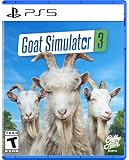
Goat Simulator 3 - PlayStation 5 | Buy on Amazon | |
| 2 |
|
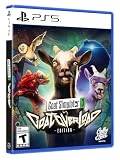
Goat Simulator 3: GOAT Overload Edition - PlayStation 5 | $48.99 | Buy on Amazon |
| 3 |

|
Goat Simulator 3 - For Xbox Series X | $38.28 | Buy on Amazon |
| 4 |

|
Koch Media Goat Simulator 3 (Switch) | $48.93 | Buy on Amazon |
| 5 |

|
Goat Simulator 3 /Switch | $46.53 | Buy on Amazon |
| Platform | Online co-op | Notes |
|---|---|---|
| Steam | Up to four players | Invite up to three friends, according to the Steam listing. |
| Xbox Series X|S | One to four players | The current Xbox Store listing also identifies local co-op. |
| Xbox One | One to two players | The Xbox Store listing specifies this limit; the developer’s 2024 announcement also describes two-player online and local play. |
| PS4 | Two players | The developer describes online play with others on the same platform. |
| Nintendo Switch | Two players | As stated in the developer FAQ. |
| Mobile | Two players | As stated in the developer FAQ; iOS and Android can play together. |
| PS5 | Online co-op supported | The support guide explains invitations and says PS Plus is required; the cited support information does not state a player cap. |
These are platform-specific limits, not one universal cap. Subscription requirements can change, so check the current store listing for your platform before playing online.
Does Goat Simulator 3 support crossplay?
Yes, but only for combinations named by the developer: Steam with Epic Games Store, iOS with Android, and Xbox Series X|S with the Microsoft Store version. The developer’s support page describes those pairings and their invitation methods.
#1 Best Overall
- You can be a goat
- No really, there are so many goats - If you want to be fancy you can wear the skins of tall goats, stripey goats, and many more
- Or dress up your goat in all kinds of nonsense, from rolls of toilet paper to tea trays - Put on a jetpack for all we care
- This time we actually hired ‘game designers’ and we’re told they’ve added ‘an ok amount of content’ - events, NPCs to mess with, physics, status effects, collectables, easter eggs, lies, betrayal, heartbreak
- They’ve added mini-games too, lots of mini-games (seven is a lot, right?)
Do not assume that owning the game on two different console generations enables crossplay. The developer FAQ says PS4 and PS5, Xbox One and Xbox Series X|S, and PlayStation, Xbox and Switch combinations are not supported for crossplay. Cross-generation ownership and crossplay are separate questions.
Steam and Epic Games Store
To play across Steam and Epic, Steam players must create or sign in to an Epic account, link their Steam account to Epic, and add the other players as Epic friends. Invitations are handled through the game’s Friends menu. The developer’s crossplay instructions cover the setup.
Rank #2
- You can be a goat
- Three of your friends can be goats too, and join you in local or online co-op
- No really, there are so many goats. If you want to be fancy you can wear the skins of tall goats, stripey goats, and many more. There's a goat for everyone!
- Dress up your goat in all kinds of nonsense, from toilet rolls to tea trays. Put on a jetpack for all we care
- We have actual 'game designers' who have worked to create 'an okay amount of content'; including events, NPCs to mess with, physics, status effects, collectables, easter eggs, lies, betrayal, heartbreak
iOS and Android
Use the in-game session code: one player selects “Invite Friend” and shares the generated code; the other selects “Join Friend” and enters it.
Xbox Series X|S and Microsoft Store
The developer lists Xbox Series X|S and the Microsoft Store version as a supported crossplay pairing. This does not mean Xbox One is included in that cross-generation pairing.
Rank #3
- You can be a goat.
- Three of your friends can be goats too, and join you in local or online co-op.
- No really, there are so many goats. If you want to be fancy you can wear the skins of tall goats, stripey goats, and many more. There’s a goat for everyone!
- Or dress up your goat in all kinds of nonsense, from toilet rolls to tea trays. Put on a jetpack for all we care.
- This time we actually hired ‘game designers’ and we’re told they’ve added ‘an ok amount of content’; events, NPCs to mess with, physics, status effects, collectables, easter eggs, lies, betrayal, heartbreak.
How to start an online co-op session
- Update the game. Make sure everyone has the same current game version and an internet connection.
- Add one another as friends. Use the platform’s friend system. For Steam–Epic play, link Steam to Epic and add one another as Epic friends.
- Open the in-game Friends menu. The host selects the friends to invite and sends invitations. On Xbox, an eligible Xbox subscription is required for online play; the Xbox Store currently lists Game Pass Essential, Premium or Ultimate for console multiplayer. On PS5, the developer says PS Plus is required.
- For mobile crossplay, share a session code. The host uses “Invite Friend”; the joining player uses “Join Friend.”
Official invitation guidance for Xbox and PS5 is available from the developer’s support page.
Can you play locally instead?
Yes. Local split-screen co-op is a separate way to play and does not require online invitations. The Steam listing describes local as well as online co-op. Developer guides for Xbox and PS5 explain adding players with extra controllers from the title screen.
Rank #4
- You can be a goat - three friends can also be goats and play with you locally or online
- If you want to be chic, you can wear the skins of large, striped and many other goats
- This time we actually hired "game designer" and we've been told they added "tons of content"
- Contents: In addition to the game, a download code for the "downgrade" DLC is included in the box
What to check if multiplayer will not connect
Error code 17
Error code 17 means players are running different game versions. Update everyone’s game to the same current version, then try again.
“Connection Failed (GS3-NF-40)”
The developer associates this error with NAT or router issues. Its guidance says router port forwarding may be needed and lists TCP and UDP port 8571. Router settings vary, so this is a troubleshooting step rather than a guaranteed fix. See the developer’s connection troubleshooting guidance before changing network settings.
The Tool Desk
Outbyte PC Repair FREERepair Windows errors before they cause bigger problemsFix Now →Outbyte Driver Updater FREEScan for outdated or missing drivers - takes under a minuteDriver Scan →Best Value
- Goat Simulator 3 /Switch
A friend is missing from the Friends menu
- Confirm that every PC player owns the game.
- Make sure you are already friends through the relevant platform or, for Steam–Epic crossplay, through Epic.
- Refresh the Friends page or restart the game and check again.
The developer’s multiplayer troubleshooting page recommends these checks.
Is this the same as Goat Simulator: Remastered?
No. The developer FAQ distinguishes Goat Simulator 3 from Goat Simulator: Remastered: Remastered supports four-player local split-screen but does not have online multiplayer. Make sure you are checking the correct game’s listing if online co-op is the deciding feature.
Quick Recap
Product prices and availability are accurate as of the date/time indicated and are subject to change. Any price and availability information displayed on Amazon at the time of purchase will apply.




