Yes. Need for Speed Heat supports cross-play multiplayer between PC, PlayStation 4, and Xbox One. To race or form a party with someone on another platform, both players must enable cross-play and add each other through the in-game player search.
Which platforms can play Need for Speed Heat together?
EA lists cross-play for PC (including Origin and Steam), PlayStation 4, and Xbox One. Players on those systems can race together when cross-play is enabled. The official compatibility information cited here does not identify other platform families.
| # | Preview | Product | Price | |
|---|---|---|---|---|
| 1 |

|
PS4 NEED FOR SPEED HEAT (US) | $40.49 | Buy on Amazon |
| 2 |

|
Need for Speed Heat NFS HEAT PS4 VIDEO GAME (USED) ($35.00) | $35.00 | Buy on Amazon |
| 3 |
|
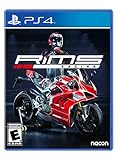
Rims Racing (PS4) - PlayStation 4 | $42.26 | Buy on Amazon |
How to turn cross-play on or off
- At first launch, choose Enable when asked about cross-play.
- To change the setting later, leave your current Party, then open Lobby → Settings → Privacy.
- Toggle cross-play on or off. With it disabled, EA says you will race only against players on the same system.
These steps follow EA’s cross-play setup instructions.
How to add and invite a friend on another platform
- In the game’s player search, look up your friend using the identifier for their platform: EA ID on PC, PlayStation Online ID on PlayStation, or Xbox gamertag on Xbox.
- Add them to your EA Friends list.
- Make sure both players have cross-play enabled, then create a Party and send the invite.
EA’s update notes specify that both players must opt in to create a Party and invite one another. If the invite does not work, first confirm both cross-play settings are enabled and that neither player is trying to change the setting while still in a Party.
Recommended Free Tools
#1 Best Overall
- PS4 NEED FOR SPEED HEAT (US)
What cross-play does not include
Cross-play lets players on supported systems race together, but it does not make every social feature cross-platform. EA says players on different systems cannot:
- Join the same Crew.
- Inspect each other’s Profile or Crew.
- Share Community wraps or screenshots.
- See another player’s pre-order wraps in All Drive.
What to check if cross-play is not working
- Confirm both platforms are supported: PC, PS4, or Xbox One.
- Check both opt-in settings: each player needs cross-play enabled to party up.
- Use the right player identifier: search by EA ID, PlayStation Online ID, or Xbox gamertag, depending on the friend’s platform.
- Leave the Party before changing the setting: EA’s instructions require this before toggling cross-play.
EA’s documentation confirms the feature and setup steps; it does not establish that live servers are available in every region at any particular time.
Rank #2
- Need for Speed Heat NFS HEAT VIDEO GAME
- CASE IS INCLUDED
- USED VIDEOGAME
- PLAYSTATION 4 VIDEOGAME
- VERY GOOD CONDITION
When cross-play was added
EA introduced cross-play in a June 2020 update. Matt Webster, then General Manager of Criterion Games, described it as a way for players “regardless of their platform” to join together in Palm City. EA’s announcement named PC, PlayStation 4, and Xbox One.
Quick Recap
Rank #3
- A dream garage: you can ride the world's 8 most powerful European and Japanese motorcycle providing a highly accurate and realistic riding experience
- Optimize your motorbike: with a mechanics management system never before seen in a motorbike simulation, you can dismantle all your motorbike's parts to maintain them after each race or upgrade them and boost your performance
- Analyze your performance: just like for a real rider, your motorbike's configuration can be adapted to your riding style and how you race will affect the gradual wear of each component and the effects on performance that follows
- Accurate and realistic physics: the level of accuracy and details provided by the mechanics management is matched by realistic motorbike physics that will thrill the most demanding of track racers
- Manage your career and team: build your rider by managing their race calendar, choose which R&D areas to invest in and upgrade the team's skills, taking advantage of other manufacturers and partnership opportunities that become available as you progress
Product prices and availability are accurate as of the date/time indicated and are subject to change. Any price and availability information displayed on Amazon at the time of purchase will apply.




