Free tools Windows power users keep installed
One-click scans. No signup required.
The Surface Pro 9 is good for casual, older, lightweight, and cloud gaming, but it is not a strong choice for modern AAA games because the Intel model uses integrated Iris Xe graphics rather than a dedicated GPU. The Intel/Wi-Fi version is better for local Windows games; the 5G/SQ 3 version needs separate ARM compatibility checks.
The Surface Pro 9’s strongest gaming advantages are portability, a sharp 13-inch 120Hz-capable touchscreen, and official Xbox Cloud Gaming support. The decisive limitation is graphics performance, not the Windows operating system or processor branding.
As an Amazon Associate I earn from qualifying purchases.
Key takeaways
- The Intel/Wi-Fi Surface Pro 9 is suitable for casual, older, indie, browser, and less-demanding games, but integrated Intel Iris Xe graphics make the tablet a poor choice for modern AAA gaming.
- Notebookcheck recorded approximately 12.8 fps in The Witcher 3 on a reviewed i7-1255U/Iris Xe configuration in 2023, which is a configuration-specific warning rather than a universal score.
- The 5G Surface Pro 9 uses Microsoft SQ 3, Adreno graphics, and Windows 11 for ARM-based PCs, so Steam games, launchers, and anti-cheat systems require title-specific compatibility checks.
- Microsoft officially supports streaming select games to Surface Pro 9 through Xbox Cloud Gaming, with Xbox Game Pass Ultimate activation required.
- The 13-inch 2880×1920 display supports refresh rates up to 120Hz, but a high-refresh display cannot compensate for limited integrated graphics.
Which Surface Pro 9 model is best for gaming?
The Intel/Wi-Fi Surface Pro 9 is the better model for local Windows gaming because the Intel Core i5-1235U and i7-1255U versions use Intel Iris Xe graphics and standard Windows 11. The 5G model is materially different: Microsoft SQ 3 and Adreno graphics run Windows 11 for ARM-based PCs, which can create compatibility differences across games, launchers, drivers, and anti-cheat systems. Microsoft’s official Surface Pro 9 specifications identify the processor, graphics, memory, operating-system, and connectivity differences.
| Model | Processor and graphics | Memory options | Gaming verdict |
|---|---|---|---|
| Intel/Wi-Fi | 12th Gen Intel Core i5-1235U or i7-1255U with Intel Iris Xe graphics | 8GB, 16GB, or 32GB LPDDR5 | Best Surface Pro 9 choice for local Windows games, but not a serious AAA gaming machine |
| 5G | Microsoft SQ 3 with Adreno graphics | 8GB or 16GB LPDDR4x; storage options up to 512GB | Better suited to mobile connectivity and cloud gaming; check every PC game for ARM compatibility |
Does the Surface Pro 9 have a dedicated graphics card?
The Intel Surface Pro 9 does not have a discrete gaming GPU. The Intel Core configurations use integrated Intel Iris Xe Graphics, meaning the graphics processor shares the system’s thermal and power limits rather than providing the dedicated hardware found in a conventional gaming laptop. Microsoft lists the Intel Iris Xe graphics directly in its official technical specifications.
#1 Best Overall
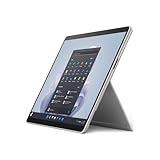
- The 1.94 lb light weight saves you from the physical strain of carrying this tablet
- 13" screen size with PixelSense resolution allows a great view of movies and TV shows and yet is small enough to easily carry
- Core i7 processor offers maximum productivity in a timely efficient manner
- 15.50 Hours battery run time helps you stay unwired and work longer non-stop
- Deca-core (10 Core) core processor offers maximum productivity in a timely efficient manner
The integrated GPU is the main limitation for demanding 3D games. Choosing an i7 can improve multitasking and some processor-limited workloads, but an i7 Surface Pro 9 remains an integrated-graphics device. An i7 upgrade should not be treated as a replacement for a discrete gaming GPU.
How well does the Surface Pro 9 run demanding games?
The Surface Pro 9 is a poor fit for new graphically demanding AAA games. In a 2023 review, Notebookcheck reported approximately 12.8 fps in The Witcher 3 on the reviewed Microsoft Surface Pro 9 i7-1255U/Iris Xe configuration. That result belongs to a particular review unit, settings profile, game version, and testing method; the 12.8-fps figure is not a guaranteed score for every Surface Pro 9.
The result is still useful because the result illustrates the device’s graphics ceiling. Lowering resolution and graphics quality may make some demanding games more responsive, but buyers should not purchase the Surface Pro 9 expecting modern AAA performance comparable to a gaming laptop with a discrete GPU.
What’s actually slowing this PC down?
Pick the symptom - the matching free tool is one click away.
What games is the Surface Pro 9 suitable for?
The Intel Surface Pro 9 can make sense for games with modest graphics requirements. Older PC games, lightweight 2D titles, browser games, turn-based strategy, many indie games, and less-demanding esports games may be workable at reduced settings. Actual performance depends on the game’s requirements, resolution, thermal conditions, memory configuration, and selected graphics settings.
Fortnite, Steam games, older Windows games, and games that use third-party launchers or anti-cheat systems should be checked individually. The dossier does not establish a universal Fortnite result or a complete Steam compatibility list, and the 5G/SQ 3 model adds a separate ARM compatibility question. Compatibility for a specific title is therefore more important than the Surface Pro 9 name alone.
| Game category | Expected fit on Intel model | What to do |
|---|---|---|
| Browser and lightweight 2D games | Generally the most appropriate local-gaming use case | Use native resolution or moderate settings as needed |
| Older PC games and many indie games | Often workable, depending on requirements | Check the game’s current system requirements and reduce settings if necessary |
| Less-demanding esports games | Potentially workable at reduced resolution or quality | Prioritize stable frame pacing over the 120Hz display maximum |
| New graphically demanding AAA games | Poor fit; integrated graphics are the limiting factor | Choose a gaming laptop or desktop with a discrete GPU |
| Games on the 5G/SQ 3 model | Uncertain without a title-specific compatibility check | Verify ARM support, launcher behavior, and anti-cheat requirements before buying |
Is the Surface Pro 9 good for Xbox Cloud Gaming?
The Surface Pro 9 is more compelling as a portable cloud-gaming screen than as a high-performance local gaming computer. Microsoft says select games can be streamed to Surface Pro 9 through Xbox Cloud Gaming, and Microsoft’s product material references Xbox Game Pass Ultimate activation for the service. Microsoft’s support documentation and the official Surface Pro 9 product page provide the relevant cloud-gaming guidance.
Cloud gaming moves most game rendering to a remote service, so the local Iris Xe or Adreno GPU matters much less. Cloud gaming still requires a suitable internet connection, and latency can affect aiming, timing, and competitive play. Supported games, regions, service requirements, and subscription availability can change, so Xbox Cloud Gaming should be evaluated as a streaming service rather than an offline gaming solution.
Outdated Drivers Are Slowing You Down
One free scan finds every outdated or missing driver and matches the right update for your exact hardware.Free scan · exact hardware matchPC Slower Than It Used to Be?
A free scan shows the junk files, broken settings and background clutter dragging Windows down - then fixes them in one click.Free scan · Windows 10 & 11Rank #2

- Intel 12th Gen i5 Fast processor, 256GB SSD Drive, 16GB RAM
- 13" Touchscreen 2880 x 1920, Wi-Fi 6: 802.11ax compatible, Bluetooth 5.1
- Ports: Full-size USB 3.0; microSD card reader; Headphone jack; Mini DisplayPort; Cover port; Charging port, Camera: 5MP front-facing and 8MP rear-facing cameras with 1080p HD video recording
- 13" Touchscreen 2880 x 1920, Stereo speakers with Dolby Audio-enhanced sound
- Operating System: Windows 11 Home, Intel Iris Xe Graphics
Does the display make the Surface Pro 9 good for gaming?
The Surface Pro 9 has a 13-inch PixelSense Flow display with 2880×1920 resolution, 267 pixels per inch, a 3:2 aspect ratio, and a refresh rate of up to 120Hz, according to Microsoft’s current specifications. The sharp touchscreen and high refresh-rate option are attractive for portable gaming and can make supported games and Windows navigation feel smoother.
The display specification does not create extra rendering power. A demanding game may need a lower resolution or reduced graphics settings to reach a playable frame rate, and a game producing fewer than 120 frames per second cannot take full advantage of the panel’s maximum refresh rate. The 3:2 shape also provides more vertical workspace than many gaming laptops, although some games may show side borders or use a less conventional aspect ratio.
How portable is the Surface Pro 9 for gaming?
The Intel/Wi-Fi Surface Pro 9 starts at 1.94 pounds, or 879 grams, without the optional keyboard and pen, according to Microsoft’s official specifications. The tablet form factor is a genuine advantage for travel, couch use, and carrying a gaming-capable Windows device alongside work or study equipment.
The kickstand-and-detachable-keyboard design is less natural for lap gaming than the fixed keyboard and larger cooling system of a conventional gaming laptop. Buyers should also account for the optional keyboard when comparing total weight and price. The keyboard improves keyboard-based gaming and general Windows usability, but the Surface Pro Signature Keyboard is an input accessory, not a performance upgrade.
Can you use an eGPU with the Surface Pro 9?
Intel Surface Pro 9 models include Thunderbolt 4 support, and an external GPU is a possible enthusiast route to substantially higher gaming performance. Notebookcheck identifies an external GPU as an expansion path for users who need more graphics performance.
An eGPU setup requires additional hardware, desk space, cables, and expense, and exact compatibility depends on the enclosure, graphics card, drivers, monitor arrangement, and game. An eGPU also weakens the Surface Pro 9’s main portability advantage because the setup is most practical at a desk. Treat a Thunderbolt 4 eGPU enclosure or external GPU for Surface Pro 9 as an enthusiast option, not as a simple upgrade that turns the tablet into a gaming laptop.
Independent reader supportYour contribution helps us test, update, and keep practical guides available for everyone.Surface Pro 9 versus a gaming laptop: which should you buy?
A gaming laptop is the better purchase when modern AAA gaming is the primary goal. A gaming laptop typically offers a discrete GPU, a fixed keyboard, more substantial cooling, and a form factor designed around sustained high-performance workloads. The Surface Pro 9 is the better fit when portability, tablet use, touchscreen quality, Windows productivity, and occasional gaming matter more than maximum frame rates.
Rank #3

- Features a slate design for providing you with the ultimate portability and comfortable usability
- 13" (2880 x 1920) screen allows a great view of movies and TV shows and yet is small enough to easily carry
- 15.50 Hours battery run time helps you stay unwired and work longer non-stop
- Core i7 processor offers maximum productivity in a timely efficient manner
- Experience responsive, fast performance, built-in security, and remote management capabilities with the Deca-core (10 Core) core processor
| Decision factor | Surface Pro 9 | Typical gaming laptop |
|---|---|---|
| GPU class | Integrated Intel Iris Xe on Intel models; Adreno on the SQ 3 model | Usually a discrete gaming GPU, depending on model |
| Local AAA gaming | Not the main strength; demanding games may perform poorly | Usually the stronger choice when the GPU is adequately specified |
| Portability | Tablet form factor; Intel/Wi-Fi model starts at 1.94 lb / 879 g without keyboard and pen | Generally heavier, but with a fixed keyboard and larger cooling system |
| Display | 13-inch 2880×1920 3:2 touchscreen, up to 120Hz | Varies; often optimized around gaming aspect ratios and refresh rates |
| Input and thermals | Detachable keyboard and kickstand; compact thermal design | Fixed keyboard and chassis designed for sustained performance |
| Cloud gaming | Officially supports streaming select games through Xbox Cloud Gaming | Also supports cloud gaming, while retaining stronger local-gaming potential |
| Total cost | Include the device, optional keyboard, games, subscription, and possible eGPU accessories | Compare the complete laptop configuration and any required accessories |
What is the final gaming verdict?
The Surface Pro 9 is good for gaming only within a defined use case: casual local gaming, older or lightweight PC titles, and Xbox Cloud Gaming. The Intel/Wi-Fi model is the safest choice for local Windows games because the Intel model uses standard x86 Windows and Iris Xe graphics. The 5G/SQ 3 model is better chosen for connectivity and cloud gaming than for conventional PC-game compatibility.
Buy a Surface Pro 9 if portability, the sharp 3:2 touchscreen, tablet flexibility, and occasional or streamed gaming are priorities. Choose a gaming laptop instead if modern AAA games, high settings, consistent frame rates, or competitive local gaming are central requirements. The Surface Pro 9’s up-to-120Hz display and optional Thunderbolt 4 eGPU path are useful features, but neither feature removes the integrated-GPU limitation of the base device.
Frequently Asked Questions
Can the Surface Pro 9 run Steam games?
The Intel/Wi-Fi Surface Pro 9 is the better option for local Steam gaming because the Intel model uses standard Windows 11 and Intel Iris Xe graphics. Individual Steam games still need to meet their system requirements, and the 5G/SQ 3 model requires an additional ARM compatibility check for games, launchers, and anti-cheat software.
Can you play Fortnite on the Surface Pro 9?
The Surface Pro 9 can support some Fortnite configurations, but the dossier does not establish a universal Fortnite performance or compatibility result. Check the exact model, current Fortnite requirements, graphics settings, and any anti-cheat or launcher requirements before buying specifically for Fortnite.
Is the Surface Pro 9 Intel or 5G better for gaming?
The Intel/Wi-Fi Surface Pro 9 is better for local PC games, while the 5G/SQ 3 model is better viewed as a connected cloud-gaming device. The Intel model has Iris Xe graphics; the 5G model uses Adreno graphics and Windows 11 for ARM-based PCs.
Recommended Free Tools
Is the Surface Pro 9 good for Xbox Cloud Gaming?
The Surface Pro 9 supports streaming select games through Xbox Cloud Gaming, and Microsoft references Xbox Game Pass Ultimate activation. Cloud gaming reduces the importance of the local GPU, but internet quality, latency, supported games, regions, and subscription requirements still matter.




