After roughly a week with the ASUS ROG Swift PG27UCDM, the most striking upgrade was not the 240Hz refresh rate. It was the sharpness. At 26.5 inches, 4K produces about 166 pixels per inch—far denser than a 27-inch 1440p monitor and sharper than a 32-inch 4K display.
That density, combined with OLED black levels, saturated color and near-instantaneous pixel response, makes dense game scenes look unusually clean. Path of Exile 2 and Marvel Rivals benefited immediately. But this is not a universal upgrade: a 32-inch 4K OLED can be more cinematic, a 27-inch 1440p OLED can deliver better value, and 4K at 240Hz demands serious hardware.
As an Amazon Associate I earn from qualifying purchases.
The monitor behind the impression
The ASUS ROG Swift PG27UCDM is a 26.5-inch 3840×2160 Tandem QD-OLED gaming monitor with a 240Hz refresh rate and ASUS’s claimed 0.03ms GTG response time. The original hands-on experience was conducted in January 2025 on a preproduction sample, and it was explicitly not a full review. Brightness measurements, long-term durability and final firmware behavior were not established by that week of use.
Recommended Free Tools
The current ASUS US listing identifies the retail model as a 4K Tandem QD-OLED display with DisplayPort 2.1a UHBR20, two HDMI 2.1 ports, USB-C with 90W power delivery, OLED Care Pro, Dolby Vision and a Neo Proximity Sensor. ASUS’s product page is the best place to check current specifications and availability: PG27UCDM specifications and where to buy.
#1 Best Overall

- High-Performance Display Specifications: 26.5-inch 4K (3840 x 2160) QD-OLED gaming monitor with 240Hz refresh rate and 0.03ms response time for ultra-smooth gameplay
- Advanced 4th-Generation QD-OLED Technology: Latest QD-OLED technology delivers sharper imagery and crystal-clear text, with a longer lifespan over previous-gen OLEDs
- OLED Anti-Flicker 2.0 Technology: Includes a new luminance compensation algorithm that reduces flicker by 20% compared to previous-gen panels, ensuring comfortable viewing
- ASUS OLED Care Pro with Neo Proximity Sensor: New functions with Neo Proximity Sensor that precisely detects when the user is away, switching to a black screen to reduce the risk of burn-in
- Professional-Grade Color Accuracy: VESA DisplayHDR 400 True Black compliance, 99% DCI-P3 gamut, true 10-bit color, and Delta E < 2 color difference for astonishing HDR performance for photo and video editing
Why 27-inch 4K looks so sharp
A 27-inch 1440p monitor has roughly 109 pixels per inch. A 32-inch 4K monitor has about 138 PPI. The PG27UCDM’s 26.5-inch viewable 4K panel reaches approximately 166 PPI.
| Display format | Approximate pixel density | What it prioritizes |
|---|---|---|
| 27-inch 1440p | 109 PPI | Lower GPU demand and high frame rates |
| 32-inch 4K | 138 PPI | Larger, more cinematic image |
| 26.5-inch 4K | 166 PPI | Maximum sharpness at desk distance |
The difference is easy to notice in fine foliage, distant geometry, thin weapon sights, wires, particle effects and small interface elements. Text and desktop applications also look crisp, although 4K does not eliminate every OLED text-rendering issue. The panel’s subpixel layout, operating-system scaling, font rendering and viewing distance still matter.
Windows scaling is a normal part of using a display this dense. At 100 percent, some interface elements may feel small; increasing scaling can make the desktop comfortable without giving up the panel’s underlying clarity.
OLED makes the resolution upgrade feel bigger
Resolution provides more detail, but OLED changes how that detail is presented. Each pixel can switch off independently, producing true black instead of the gray glow that can appear behind dark objects on an LCD. Bright highlights therefore stand out more strongly against shadows, and saturated colors retain their impact in dark scenes.
The combination is particularly effective in games with high contrast: a bright effect, illuminated sign or muzzle flash can appear dramatically isolated against a dark environment. Fast pixel response also keeps motion clean, while 240Hz can make camera movement and aiming feel more immediate when the game and GPU deliver sufficiently high frame rates.
That does not mean OLED automatically wins every HDR comparison. A small bright object against black can look spectacular while a large bright scene may be less impressive than it is on a high-end LCD with stronger sustained full-screen brightness. The original hands-on report described preliminary brightness testing as promising but did not publish hard measurements, so it cannot establish a definitive HDR brightness verdict.
The games that made the case
Path of Exile 2
This was one of the clearest demonstrations of 27-inch 4K’s advantage. Dense environments, overlapping effects and large amounts of simultaneous visual information benefit from extra pixel density. Small objects and distant details remain easier to distinguish rather than blending into a softer mass.
Rank #2

- High-Performance Display Specifications: 26.5-inch 4K (3840 x 2160) QD-OLED gaming monitor with 240Hz refresh rate and 0.03ms response time
- Advanced QD-OLED Technology: Latest 4th-gen QD-OLED technology delivers sharper imagery and crystal-clear text, a longer lifespan over previous-gen OLEDs
- Enhanced Viewing Comfort: OLED Anti-Flicker 2.0 technology includes a new luminance compensation algorithm that reduces flicker by 20% compared to previous-gen panels, ensuring comfortable viewing
- Intelligent Burn-In Protection: New ASUS OLED Care Pro functions with Neo Proximity Sensor that precisely detects when the user is away, switching to a black screen to reduce the risk of burn-in
- Comprehensive Connectivity Options: Extensive connectivity options include DisplayPort 2.1a UHBR20 with full 80Gbps bandwidth, USB-C (90W PD), HDMI 2.1, and a tripod socket
Marvel Rivals
Fast action made the OLED response and high refresh rate more apparent. Rapid camera movement felt clean, and the display had the speed to keep up when the system produced high frame rates. The benefit is practical rather than magical: the monitor cannot create frames that the GPU does not render.
Forza Motorsport
Racing games profit from both clarity and motion. Fine track details, signage and distant scenery are sharper at 4K, while high refresh rates help preserve a smooth view during fast movement. Whether the result is worth the price still depends on the hardware driving it.
Silent Hill 2
This was the useful counterexample. For a cinematic single-player game, I preferred the larger physical image of a 32-inch display. The 27-inch panel was sharper, but the 32-inch screen felt more immersive. That distinction is central: 27-inch 4K is about density, not maximum screen size.
The format is especially convincing for strategy games, RPGs, action games, simulations and competitive titles played close to the screen. It is less obviously ideal if most of your time is spent in cinematic games viewed from farther away.
Do these 3 things before closing this tab:
1Fix the driver behind crashes, sound loss and screen glitches2Repair Windows errors before they cause bigger problems3Scan for outdated or missing drivers - takes under a minuteIs 4K at 240Hz realistic?
There are three separate questions:
- Can the monitor accept a 4K/240Hz signal? Yes. ASUS lists DisplayPort 2.1a UHBR20 with full 80Gbps bandwidth, allowing 4K at 240Hz without Display Stream Compression under the appropriate connection and hardware conditions.
- Can the game render 240 frames per second? That depends on the GPU, game engine, settings, ray tracing, upscaling and frame-generation options.
- Will you benefit from 240Hz? Competitive games and very high frame rates make the refresh ceiling more meaningful than slower, cinematic titles.
The PG27UCDM’s connection is valuable because it removes a major signal-bandwidth limitation. It does not turn a typical gaming PC into a 4K/240fps machine. Reaching the ceiling may require a powerful GPU, reduced settings, upscaling, frame generation or a less demanding competitive game.
If your library consists mostly of slower single-player games, HDR quality, contrast and physical screen size may matter more than the difference between 165Hz, 240Hz and anything above it. Treat 240Hz as headroom, not an expected universal frame rate.
Why choose 27 inches instead of 32?
A 27-inch monitor makes sense when desk space is limited, your viewing distance is short or you prefer keeping the whole image within your central field of view. It can also be easier to scan in competitive games, particularly when the display sits close to your eyes.
Rank #3
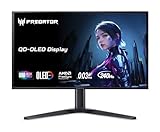
- OLED Makes All the Difference: With a display of these mammoth-like proportions, everything must look good. The 4K UHD quantum dot OLED display with true 10Bit is obligated to offer stunning contrast, cinematic color. Image retention refresh keeps the images from sticking.
- Brilliant Colors: Boasting a DCI-P3 99% color gamut, Delta E<2 and VESA DisplayHDR True Black 400, vibrant colors leap from the screen. Revel in the finest visuals your games can deliver!
- AMD FreeSync Premium Pro Technology: Get in the game with the AMD FreeSync Premium Pro display. Each display is validated by AMD to bring you a smooth, variable refresh rate (VRR) gaming experience that eliminates tearing, stuttering, artifacts, and flicker.
- Fast and Furious: If you want seamless gameplay at ridiculous levels of speed, you’ve come to the right place. With a 240Hz refresh rate and 0.03ms (G to G) response time, your sessions will be fluid, unbroken and unmatched – with little to no ghosting
- Port Haven: Do you stream? Do you have multiple consoles in addition to your PC and want them all plugged in at once? Well, now you can! No more fiddling with cables as the X27 includes a USB Type-C port, two HDMI 2.1 ports and two Display Ports 1.4.
A 32-inch 4K monitor shows the same resolution across a larger physical area. Its image is less dense but more imposing. For story-driven games, racing and relaxed controller play, that size may be preferable.
Crashes, No Sound, or Screen Glitches?
Random freezes, missing sound and display glitches usually trace back to one bad driver. Find and replace yours safely.Free scan · under a minutePC Slower Than It Used to Be?
A free scan shows the junk files, broken settings and background clutter dragging Windows down - then fixes them in one click.Free scan · Windows 10 & 11Neither format is objectively superior. The simplest summary is:
- 27-inch 4K: sharper, denser and often better for desk-distance detail.
- 32-inch 4K: larger, more relaxed and often more cinematic.
Features that matter beyond the panel
- DisplayPort 2.1a UHBR20: the most important connectivity feature for high-refresh 4K PC gaming.
- HDMI 2.1: useful for modern consoles and compatible PCs.
- USB-C with 90W power delivery: convenient if the same monitor serves a gaming desktop and a laptop.
- OLED Care Pro: important rather than decorative. OLED owners need panel-protection features to reduce static-image risk.
- OLED Anti-Flicker 2.0: designed to help manage flicker behavior in variable-refresh situations.
- Dolby Vision and HDR10: potentially useful for compatible games and video, but not a guarantee that every HDR title will look better.
- Neo Proximity Sensor: a convenience and power-saving feature. In the original hands-on use, the display woke within roughly one or two seconds after the user returned.
- USB hub and DisplayWidget Center: practical for desk management, settings and firmware-related functions.
ASUS also lists VESA DisplayHDR True Black 400 certification, 99% DCI-P3 coverage and true 10-bit color. Those specifications describe capability; they are not substitutes for independent measurements of brightness, calibration, uniformity or HDR behavior.
The OLED ownership tax
OLED requires more attention than a conventional IPS display. Static taskbars, browser controls, desktop windows and game HUDs can contribute to image retention or, over much longer periods, permanent burn-in. Temporary retention and permanent burn-in are not the same thing, and a week of gaming cannot prove long-term resistance.
Use the monitor’s pixel-refresh and panel-protection routines. Allow the display to sleep, use a screensaver, enable logo-dimming or similar protection options, vary the content on screen and avoid leaving a static image displayed unnecessarily. Check the current manufacturer warranty and retailer return policy before buying; coverage terms can vary by region and product.
Quick wins for a faster PC:
Fix the driver behind crashes, sound loss and screen glitchesFind Drivers →Clear out junk files and repair common Windows errorsFree Scan →Scan for outdated or missing drivers - takes under a minuteDriver Scan →Brightness is another qualification. Peak HDR brightness is not sustained full-screen brightness. Results can vary with picture mode, test pattern, firmware and thermal behavior. A glossy or semi-glossy surface may improve perceived contrast in controlled lighting while reflecting windows and lamps in a bright room.
Independent reader supportYour contribution helps us test, update, and keep practical guides available for everyone.What the price means in 2026
On ASUS’s US store pages crawled on August 18, 2026, the PG27UCDM showed a regular price of $1,099 and a promotional price of $999. Prices, stock and promotions change, so treat those figures as date-stamped US manufacturer-store observations rather than permanent pricing.
Rank #4
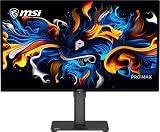
- 27" 4K UHD QD-OLED for Stunning Visuals - Experience ultra-sharp 3840 x 2160 resolution with advanced QD-OLED technology, delivering deeper blacks, vibrant colors, and exceptional contrast for professional-grade productivity and content creation
- True-to-Life Color Accuracy (△E < 2 - Engineered for precision, this monitor offers △E < 2 color accuracy and VESA DisplayHDR True Black 400 certification, ensuring consistent and accurate colors for design, editing, and creative workflows
- Smooth 120Hz Performance with Adaptive-Sync - Enjoy fluid visuals with a 120Hz refresh rate and Adaptive-Sync support, reducing motion blur and screen tearing for a seamless experience across work and entertainment
- USB-C Connectivity for Modern Workflows - Streamline your setup with USB-C connectivity featuring 15W power delivery, alongside HDMI and DisplayPort for flexible multi-device compatibility, including Mac systems
- Ergonomic Design with Eye Care Technology - Work comfortably with a height-adjustable stand and TÜV-certified eye care features that reduce blue light and flicker, complemented by built-in speakers and a sleek black design
At roughly $1,000, this is an enthusiast purchase. It makes the most sense when you specifically want the unusual combination of 27-inch sharpness, 4K, OLED contrast, 240Hz and full-bandwidth DisplayPort 2.1. It makes less sense if your GPU struggles at 4K, if you mainly display static desktop content or if a larger screen matters more than pixel density.
Which type of monitor fits you?
| Choose | When it makes sense | Main compromise |
|---|---|---|
| ASUS PG27UCDM | You want the sharpest desk-distance image, OLED contrast and 4K/240Hz headroom. | High price, OLED precautions and demanding GPU requirements. |
| 32-inch 4K OLED | You prioritize physical size and cinematic immersion. | Lower pixel density at the same resolution. |
| 27-inch 1440p OLED | You prioritize value, competitive frame rates and OLED response. | Less desktop and game detail than 4K. |
| Fast IPS or other LCD | You want lower cost, strong sustained brightness or less concern about static content. | Weaker black levels and OLED-style contrast. |
There are also more specific alternatives. ASUS lists the ROG Strix OLED XG27UCDMG as another 26.5-inch 4K/240Hz Tandem QD-OLED model, with a US price signal of $899 on its product-filter page. The available information does not establish that it matches the PG27UCDM in every feature, calibration detail, port configuration or warranty term, so compare the individual product pages rather than assuming equivalence.
What’s actually slowing this PC down?
Pick the symptom - the matching free tool is one click away.
For competitive players who value refresh rate above resolution, LG’s UltraGear 27GX790A-B offers 27-inch 1440p OLED at up to 480Hz. It is a different proposition, not a 4K alternative. For a cheaper 4K LCD route, ASUS’s ROG Strix XG27UCG-W/XG27UCG uses a 27-inch Fast IPS panel with 4K at 160Hz or Full HD at 320Hz. It sacrifices OLED contrast but can make more sense for buyers who want sharpness and speed without a roughly $1,000 OLED budget.
Who should buy the PG27UCDM?
- Buy it if you sit relatively close, value maximum sharpness and play detailed games.
- Buy it if your GPU can make meaningful use of 4K and high refresh rates.
- Buy it if OLED blacks, color and motion response matter more to you than sustained full-screen brightness.
- Choose a 32-inch 4K OLED if you want a larger, more cinematic image or sit farther away.
- Choose a 27-inch 1440p OLED if competitive performance and value matter more than 4K detail.
- Choose a fast IPS display if you spend long days on static desktop content or do not want OLED maintenance.
The verdict
The 27-inch 4K OLED format is genuinely exciting. Its 166-PPI image makes foliage, interfaces, distant objects and texture detail look substantially cleaner than they do on a typical 27-inch 1440p display. OLED contrast and rapid response make that extra detail feel more vivid and immediate.
The PG27UCDM is most compelling for an enthusiast with a powerful PC, a close viewing position and a genuine preference for sharpness over screen size. It is not automatically a better buy than a cheaper 1440p OLED or a larger 32-inch 4K OLED. The original week-long experience was an impressive hands-on impression—not proof of long-term burn-in resistance, final firmware quality or class-leading brightness.
At the ASUS US price seen in August 2026, the monitor is worth considering when its specific combination of features is what you want. It is not worth paying for merely to own “4K/240Hz” if your games and hardware will rarely use either the resolution or the refresh-rate headroom.
The Tool Desk
Outbyte Driver Updater FREEScan for outdated or missing drivers - takes under a minuteDriver Scan →Outbyte PC Repair FREEClear out junk files and repair common Windows errorsFree Scan →Quick Recap
Product prices and availability are accurate as of the date/time indicated and are subject to change. Any price and availability information displayed on Amazon at the time of purchase will apply.




