Free tools Windows power users keep installed
One-click scans. No signup required.
iw5m.dll is not a Windows file or Visual C++ runtime; it is associated with older unofficial Call of Duty: Modern Warfare 3 multiplayer clients such as TeknoMW3 and FourDeltaOne. The safest fix for an iw5m.dll missing or not found error is to repair or reinstall the exact MW3 client that originally supplied it, rather than copying a DLL into System32.
What this file actually does
The IW5 name refers to Modern Warfare 3’s internal game identifier, while the M commonly identifies a multiplayer component. Public inventories place iw5m.dll near files such as iw5mp.exe, iw5sp.exe, iw5mp_server.exe, TeknoMW3.dll, and LaunchIW5M.exe.
| # | Preview | Product | Price | |
|---|---|---|---|---|
| 1 |
|
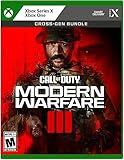
Call of Duty Modern Warfare III - Xbox | $41.18 | Buy on Amazon |
| 2 |

|
Call of Duty: Modern Warfare 3 - Playstation 3 | $27.50 | Buy on Amazon |
| 3 |

|
Call of Duty: Modern Warfare 3 - Xbox 360 (Renewed) | $12.25 | Buy on Amazon |
| 4 |

|
Call of Duty Modern Warfare III - PS4 | $68.92 | Buy on Amazon |
As an Amazon Associate I earn from qualifying purchases.
That makes iw5m.dll an application file loaded by a particular game client. It is not:
- A Windows component
- A Microsoft system DLL
- A Visual C++ Redistributable file
- A DirectX system file
- A standard display, audio, or network driver
- A file that normally belongs in
C:WindowsSystem32orC:WindowsSysWOW64
The exact publisher, signing status, current supported release, and official version history for this file are not verified. Treat any copy outside a trusted, complete game distribution with caution.
#1 Best Overall
- Call of Duty: Modern Warfare III - Cross-Gen Bundle
- Pre-Order and Receive Early access to the Open Beta*
- Some features may require an internet connection and an online subscription
Causes and symptoms
| What you see | Most likely cause | Best response |
|---|---|---|
The game says iw5m.dll is missing |
Incomplete or damaged MW3 client | Repair or reinstall that client |
| The file disappeared after a scan | Antivirus quarantine or deletion | Check Protection history and verify the client |
| The file exists but will not load | Wrong client revision or missing dependency | Rebuild the matching installation |
| “Specified module could not be found” | A dependency of the DLL may be missing | Check the full error and install only the named runtime |
| The error began after mixing game folders | Incompatible files from different clients | Remove the mixed installation and start clean |
| The game starts only as administrator | Permissions or working-directory problem | Correct folder permissions and launcher settings |
| The error returns after deletion | The launcher or mod package restores it | Identify and repair the package that recreates it |
Fix the exact MW3 client first
This is the most likely solution. Do not begin by searching Windows folders for a replacement DLL.
1. Identify which client is launching
Look at the shortcut or launcher that produces the error.
- Right-click the shortcut.
- Select Properties.
- Open the Shortcut tab.
- Read Target and Start in.
- Note the installation folder and executable name.
Look for names such as LaunchIW5M.exe, iw5mp.exe, iw5sp.exe, or a TeknoMW3 or 4D1 launcher. Also check Apps > Installed apps in Windows Settings for an associated entry.
Recommended Free Tools
Do not assume that the copy of Modern Warfare 3 installed through one distribution is compatible with an older multiplayer client. Mixing files from Steam, an old mod package, and a separate launcher can create exactly this kind of loading failure.
2. Use the launcher’s repair function
If the launcher has Repair, Verify files, Update, or a similar option:
- Close the game and launcher.
- Right-click the launcher.
- Select Run as administrator.
- Open its settings or maintenance menu.
- Run the repair, update, or file verification operation.
- Let it finish without manually replacing files.
- Start the game from the same launcher.
A successful repair should restore the complete matching file set, not just iw5m.dll. Test the game from the launcher rather than by double-clicking the DLL or a copied executable.
3. Reinstall the complete client
If repair is unavailable or fails:
- Back up saved games or configuration files if the client stores them separately.
- Uninstall the affected launcher or mod through Settings > Apps > Installed apps.
- Remove leftover launcher and mod files from the old installation folder.
- Restart Windows.
- Install the game or client again from its legitimate, trusted source.
- Use a new folder rather than reusing a partially damaged directory.
- Start it once before restoring custom modifications, overlays, injectors, or configuration files.
This is more reliable than downloading one DLL because the executable, DLL, configuration, and supporting libraries must usually come from the same client revision.
Check antivirus quarantine
Unofficial game clients, modified executables, loaders, injectors, and old cheat-related packages can trigger security detections. That does not prove every copy of iw5m.dll is malicious, but it does mean you should not automatically whitelist it.
Rank #2
- New point streak system that rewards players both for landing kills and completing objectives
- Weapons proficiency system that allows you to customize your favorite weapons, making them more effiecent in any map or mode
- Online/offline 2 player co op special ops survival mode that earns you experience through 16 frantic objective based missions
- New play modes, including: Kill confirmed mode, team defender mode and user generated match modes
- Integration with 'call of duty: Elite,' an online multiplayer oriented service launched simultaneously with call of duty: Modern warfare 3
In Windows Security:
- Open Start and search for Windows Security.
- Select Virus & threat protection.
- Open Protection history.
- Find the event involving
iw5m.dllor the MW3 installation. - Expand it and record the detection name and affected path.
- Do not choose Allow on device until you have verified the complete client and its source.
Microsoft warns that restoring a detected file can put the system at risk. If the client is unknown, modified, or obtained from an untrusted source, remove the entire package and scan the computer instead.
If the file came from a trusted original distribution and the detection is a false positive, reinstall the complete package after reviewing the detection. Restoring only the DLL can leave the installation mismatched.
Check the client revision and architecture
Older MW3 multiplayer distributions were often revision-sensitive. A DLL from one release may not work with an executable from another.
The Tool Desk
Outbyte PC Repair FREEClear out junk files and repair common Windows errorsFree Scan →Outbyte Driver Updater FREEFix the driver behind crashes, sound loss and screen glitchesFind Drivers →Check that:
- The launcher and executable came from the same distribution.
- You did not copy files from a different MW3 folder.
- The launcher is pointing to the intended installation directory.
- The game is not being started from an old shortcut.
- Third-party overlays and injectors are disabled for testing.
A 32-bit game needs 32-bit dependencies even on 64-bit Windows. Installing only x64 runtime packages does not satisfy a 32-bit application.
To check Windows architecture:
- Open Settings.
- Select System > About.
- Read System type.
This does not prove the architecture of iw5m.dll, and it does not make a random replacement safe. It only helps explain why an old 32-bit game may fail on a 64-bit installation.
Install a runtime only when the error names it
iw5m.dll is not replaced by Visual C++ Redistributable. Install a Microsoft runtime only when the actual error identifies one, such as MSVCP, VCRUNTIME, or api-ms-win-crt.
Use Microsoft’s latest supported Visual C++ Redistributable downloads. For an older 32-bit game, the x86 package may be required even when Windows itself is 64-bit.
After installation:
- Restart Windows.
- Start the MW3 client again.
- If the error still names
iw5m.dll, return to the client repair or reinstall step. - If it names a different missing runtime, address that specific dependency instead of installing packages blindly.
Do not register or copy the DLL
regsvr32 is normally inappropriate for iw5m.dll. Game DLLs are generally loaded by their application and do not expose the COM registration function that regsvr32 expects.
Rank #3
- Disc only. Original case and manual not included. Will come packaged in a generic case.
- This renewed game has been cleaned, tested, and shows minimal wear.
Do not run commands such as:
regsvr32 iw5m.dll
Do not copy the file into:
C:WindowsSystem32
C:WindowsSysWOW64
That can create version conflicts, expose unrelated programs to an untrusted binary, and hide the real problem. Keep the file in the MW3 or mod installation directory beside the executable that loads it.
Avoid random DLL download websites. A downloaded file may contain malware, belong to a different client revision, use the wrong architecture, or fail because another dependency is missing. The safe source is the original trusted game or mod distribution, restored as a complete installation.
Repair Windows components only as a secondary check
System File Checker repairs protected Windows files. It normally will not restore an application DLL such as iw5m.dll. Use these commands when Windows itself shows broader corruption or several unrelated applications are failing.
Do these 3 things before closing this tab:
1Scan for outdated or missing drivers - takes under a minute2Repair Windows errors before they cause bigger problems3Fix the driver behind crashes, sound loss and screen glitches- Open Start.
- Type
Command Prompt. - Right-click it and select Run as administrator.
- Run:
DISM.exe /Online /Cleanup-image /Restorehealth
- Wait for it to complete.
- Then run:
sfc /scannow
- Restart Windows and test the game.
Success means DISM or SFC reports that component or system-file corruption was repaired. It does not mean Windows has supplied iw5m.dll. If both commands complete without fixing the game, rebuild the MW3 client rather than repeating them.
When manually hunting through Windows components and repeating SFC or DISM does not show what changed, Outbyte PC Repair can scan for broader issues; its free scan identifies problems, while repair requires the full version. Reinstalling the MW3 client remains the definitive fix when this specific game file is missing.
Update drivers only for a related graphics or device error
A graphics-driver update is not a normal fix for a missing iw5m.dll. Consider it only if the game also reports display initialization failures, crashes in another application, or a device problem.
To check drivers manually:
- Right-click Start.
- Select Device Manager.
- Expand Display adapters, Sound, video and game controllers, or the device category named by the error.
- Right-click the device.
- Select Update driver.
- Choose Search automatically for drivers.
- Restart Windows if a driver is installed.
Do not delete or replace a working driver simply because iw5m.dll is missing. If several devices need checking, Outbyte Driver Updater can show which drivers are stale; the free scan identifies them, while driver installation requires the full version. This remains secondary to repairing the game client.
Check permissions and the working directory
An old launcher may fail when its files are present but it starts from the wrong folder.
- Right-click the launcher.
- Select Properties.
- Open Compatibility.
- Enable Run this program as an administrator temporarily for testing.
- Select Change high DPI settings only if the launcher has display problems.
- Return to the Shortcut tab and verify Start in points to the installation folder.
- Select Apply, then OK.
- Launch the game again.
If this works, the problem may be permissions or an incorrect working directory. Do not permanently run unknown modified clients as administrator without first verifying their source.
Clean-install fallback
If the error survives repair, quarantine recovery, and dependency checks:
Rank #4
- Call of Duty: Modern Warfare III - Cross-Gen Bundle
- Pre-Order and Receive Early access to the Open Beta - first on PlayStation*
- Some features may require an internet connection and an online subscription
- Uninstall the affected launcher or mod.
- Remove leftover files from its old folder.
- Check Protection history again for repeated detections.
- Run a Windows Security scan.
- Disable third-party overlays and injectors.
- Install a legitimate MW3 copy or trusted client in a new folder.
- Test the untouched installation before adding modifications.
If iw5m.dll keeps returning after you delete it, identify which launcher or package is restoring it. Windows does not normally recreate an arbitrary game DLL by itself.
Quick wins for a faster PC:
Fix the driver behind crashes, sound loss and screen glitchesFind Drivers →Repair Windows errors before they cause bigger problemsFix Now →FAQ
Is `iw5m.dll part of Windows?
No. It is associated with older unofficial MW3 multiplayer and mod distributions, not with Windows.
Is it a Visual C++ file?
There is no reliable evidence that it is. Visual C++ packages can fix a separately reported MSVCP, VCRUNTIME, or api-ms-win-crt dependency, but they do not supply iw5m.dll.
Where should `iw5m.dll be located?
Normally in the relevant MW3 or mod installation directory, beside the executable that loads it. It should not be copied to System32 or SysWOW64.
Should I use regsvr32?
Normally no. The file is expected to be loaded by the game, not registered as a COM component.
Is every copy of the file malware?
No such conclusion is justified. However, unofficial clients and modified game files require additional scrutiny. Preserve antivirus detection details and do not whitelist an unknown copy.
Will SFC restore it?
Usually no. SFC repairs protected Windows files, not arbitrary third-party game files.
Can Steam files be mixed with an old TeknoMW3 or 4D1 client?
Do not mix them unless the specific client documentation explicitly supports it. Mismatched executables and DLLs can produce loading errors.
What if the file exists but the error remains?
Check the exact error text, client revision, launcher path, working directory, antivirus logs, architecture, and adjacent dependencies. “The specified module could not be found” can mean that a dependency of iw5m.dll is missing even when the file itself is present.
What’s actually slowing this PC down?
Pick the symptom - the matching free tool is one click away.
Quick Recap
Product prices and availability are accurate as of the date/time indicated and are subject to change. Any price and availability information displayed on Amazon at the time of purchase will apply.




