Quick wins for a faster PC:
Repair Windows errors before they cause bigger problemsFix Now →Scan for outdated or missing drivers - takes under a minuteDriver Scan →Clear out junk files and repair common Windows errorsFree Scan →kbdkaz.dll is a Windows keyboard-layout component, not a game runtime or Visual C++ library. If Windows says kbdkaz.dll is missing, was not found, or could not be loaded, restore the Kazakh keyboard layout first, then repair Windows if the file is damaged.
Do not download a replacement DLL from a random website. A mismatched, modified, or wrong-architecture file can create a second problem while leaving the original Windows servicing issue unresolved.
As an Amazon Associate I earn from qualifying purchases.
What is kbdkaz.dll?
kbdkaz.dll is the Kazak_Cyrillic Keyboard Layout component from Microsoft Windows Operating System. It provides the scan-code and character-mapping information Windows uses for Kazakh Cyrillic input.
Windows loads keyboard-layout DLLs through the window manager when an installed layout is needed. This is different from an application loading a normal runtime DLL. The file is associated with the Kazakh keyboard identifier 0000043F, also shown as kk in Microsoft’s keyboard identifier documentation.
#1 Best Overall
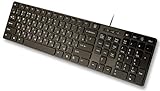
- Slim and Lightweight Desktop Design: Features a compact and portable design that saves desk space while providing full-size keyboard functionality
- Water Resistant Construction: Protects against accidental spills and liquid damage, ensuring durability and longevity in everyday use
- USB Connection: Simple plug-and-play connectivity through standard USB interface for easy setup with your computer
- Complete Russian Character Set: Includes ALL Russian letters and commonly missed Cyrillic characters for authentic Russian typing experience
- Laser Etched Letters: Durable laser-etched characters ensure long-lasting visibility of both English and Russian letters that won't fade over time
| Property | Expected identity |
|---|---|
| File | kbdkaz.dll |
| Description | Kazak_Cyrillic Keyboard Layout |
| Product | Microsoft Windows Operating System |
| Company | Microsoft Corporation |
| Function | Kazakh Cyrillic keyboard mapping |
| Keyboard identifier | 0000043F |
| Usual Windows directory | %windir%System32, depending on the installed build and architecture |
The exact version, size, architecture, and deployment details vary between Windows builds. Do not use a reported file size or version as the only test of authenticity.
What the error means
You may see wording such as:
kbdkaz.dll was not foundThe program can't start because kbdkaz.dll is missing from your computerkbdkaz.dll could not be loadedkbdkaz.dll is either not designed to run on Windows or it contains an error
These are generic Windows loader forms. The wording depends on whether Windows is loading the keyboard layout itself or an application is incorrectly requesting the file.
A missing file can result from:
- A damaged or incomplete Windows update
- A removed or incorrectly installed Kazakh language component
- Component-store or filesystem corruption
- Antivirus quarantine
- A cleanup utility or manual deletion
- A failed language-pack change
- An application incorrectly trying to load a Windows keyboard-layout file
If only one game or program reports the error, do not immediately assume that Windows is missing a system file. The application may have a broken installation or an incorrect DLL reference.
Check the file before repairing anything
1. Check the expected Windows path
Press Windows key + R, enter:
%windir%System32
Press Enter, then search for kbdkaz.dll.
Do not assume that every installation uses the same visible location. Windows architecture, build, and system redirection can affect how files are deployed. On a 64-bit system, a 32-bit program may interact with the 32-bit system directory through Windows file-system redirection. Do not copy the file between System32 and SysWOW64 manually.
If the file is present, right-click it, select Properties, and review:
- General: confirm the filename and location
- Details: check the description, product, and company
- Digital Signatures: check for a valid Microsoft signature
A Microsoft-signed copy in the Windows directory is expected. A copy with the same name elsewhere is not automatically malware, but it needs a legitimate explanation and signature check.
2. Check whether the layout is installed
Open:
Start > Settings > Time & language > Language & region
Free tools Windows power users keep installed
One-click scans. No signup required.
Under Preferred languages, look for Kazakh. Select its three-dot menu and choose Language options. Check whether a Kazakh keyboard is listed under Keyboards.
If Kazakh is absent, or the keyboard is listed but fails to load, reinstall the layout using the steps below.
Fix 1: Re-add the Kazakh keyboard layout
This is the safest first repair because it restores the component through Windows rather than copying an unknown binary.
- Open Start > Settings.
- Select Time & language.
- Select Language & region.
- Under Preferred languages, select Add a language.
- Search for Kazakh.
- Select Kazakh, then choose Next.
- Leave the relevant language features selected.
- Select Install.
- After installation completes, select Kazakh in the language list.
- Choose Language options.
- Under Keyboards, select Add a keyboard.
- Add the Kazakh keyboard layout if it is not already present.
- Restart Windows.
A full Windows display-language change is not required just to add a keyboard layout. Microsoft’s keyboard settings guidance explains how to add input layouts independently from the display language.
Rank #2

- 【SPECIALLY DESIGN FOR】The Universal Russian Keyboard Stickers with Transparent Backgrounds with White Lettering are compatible with Almost all desktops keyboard, laptops keyboard, Notebooks keyboard, Wired keyboards, wireless keyboard Stickers
- 【Product specifications】 Whole Piece Product Size: 7.09" x 2.56" (180mm x 65mm), Each Small Sticker Key Size: 0.51" x 0.43" (11mm x 13mm)
- IDEAL FOR 2-LANGUAGE NEEDS】This keyboard sticker is well suited for different language communication, education, or language self-learning
- 【EASY TO USE AND REMOVE】Simple to apply, blend well with your keyboard, you can easily convert your keyboard keys to another language, and no glue is left when you remove them.
- 【RENEW WORN-OUT KEYBOARD】 It’s a great way to update your keyboard with worn-out letter keys with a different fresh new look. 3-layer design, wear-resistant material, can be used for 5 years
After restarting, select the language indicator on the taskbar and choose the Kazakh keyboard. Test input in Notepad. If the layout works and the original error does not return, the repair is complete.
If Kazakh was already installed, remove the Kazakh keyboard from Language options, restart, and add it again. If Windows refuses to remove or reinstall the feature, continue with Windows Update and component repair.
Fix 2: Install pending Windows updates
A failed update or incomplete language-component installation can leave Windows with an inconsistent keyboard-layout registration.
Windows 11
- Open Start > Settings.
- Select Windows Update.
- Select Check for updates.
- Install all available updates.
- Restart when Windows requests it.
- Return to Windows Update and check again.
Windows 10
- Open Start > Settings.
- Select Update & Security.
- Select Windows Update.
- Select Check for updates.
- Install the available updates.
- Restart Windows.
After the restart, add the Kazakh keyboard again and test it. If Windows Update reports an error, follow Microsoft’s update troubleshooting guidance rather than downloading kbdkaz.dll separately.
Fix 3: Repair Windows with DISM and SFC
Use this step when the file is absent from the Windows directory, its signature is invalid, Windows reports corruption, or reinstalling the keyboard layout did not help.
DISM repairs the Windows component store. SFC then checks protected system files against that repaired source. Run DISM first.
Run DISM
- Open Start.
- Type
Command Prompt. - Right-click Command Prompt.
- Select Run as administrator.
- Approve the User Account Control prompt.
- Enter:
DISM.exe /Online /Cleanup-Image /RestoreHealth
- Press Enter.
- Wait for the operation to finish.
The scan can appear to pause for a while. Do not close the window simply because the percentage has not changed recently. When it completes, note whether DISM reports that the restore operation completed successfully or that it could not repair the component store.
Run System File Checker
In the same elevated Command Prompt, enter:
sfc /scannow
Press Enter and wait until verification reaches 100 percent.
PC Slower Than It Used to Be?
A free scan shows the junk files, broken settings and background clutter dragging Windows down - then fixes them in one click.Free scan · Windows 10 & 11Outdated Drivers Are Slowing You Down
One free scan finds every outdated or missing driver and matches the right update for your exact hardware.Free scan · exact hardware matchPossible results include:
- Windows Resource Protection did not find any integrity violations: no protected-file corruption was found.
- Windows Resource Protection found corrupt files and successfully repaired them: restart Windows and test the layout.
- Windows Resource Protection found corrupt files but was unable to fix some of them: restart, run DISM again, then repeat SFC once.
- Windows Resource Protection could not start the repair service: restart Windows and try again from an administrator Command Prompt.
Restart after a successful repair, then open Settings > Time & language > Language & region and test the Kazakh keyboard.
Running these commands manually is useful, but it can be difficult to identify which component changed when you are repeating repairs without clear feedback. Outbyte PC Repair can scan for the underlying Windows issues and show what needs attention; its repair functions require the full version, and it is not required for this fix.
If SFC still cannot repair the file, do not keep downloading replacement DLLs. Record the exact SFC result and review the CBS log for the affected component.
Fix 4: Check Windows Security quarantine
Microsoft Defender or another antivirus product may have quarantined a file after a false detection or after detecting a modified copy.
What’s actually slowing this PC down?
Pick the symptom - the matching free tool is one click away.
Rank #3

- Russian English (Cyrillic) Letters:This USB wired keyboard adopts advanced laser engraving technology, which will not fade when typing for a long time, allowing you to clearly see letters and symbols, bidding farewell to the trouble of character wear and tear causing unclear reading
- Waterproof and anti slip: The keyboard is waterproof, comfortable to the touch, Reduce finger pressure.with a wire length of 1.6 meters and anti slip silicone pad on the back, making the keyboard work efficiently,The space bar has a crisp sound, not silent
- Russian QWERTY English 104 key keyboard layout with numeric keypad,Has all Russian letters including commonly missed ones (see pics), suitable for offices and work. There are uppercase lock indicator lights and numeric lock indicator lights in the upper right corner of the keyboard
- Efficient office work: The wired keyboard has 12 multimedia shortcut key combinations for instant access to music, volume, computer, email, and more.The space bar has a normal tapping sound, not a quiet keyboard
- Plug and play: wired USB interface, no need to download programs, saving the trouble of replacing batteries or charging, suitable for Windows, Android, smart TV and Mac (Note:Mac systems may not be compatible with multimedia buttons)
- Open Start.
- Search for Windows Security.
- Open it.
- Select Virus & threat protection.
- Select Protection history.
- Review recent detections.
- Open any item that identifies
kbdkaz.dll. - Check the reported path and detection details.
Restore a quarantined file only when all of these are true:
- It is located in the expected Windows directory.
- Its digital signature is valid and belongs to Microsoft.
- The detection is clearly a false positive.
- You have confirmed the file came from Windows servicing or an official installation.
Do not disable Defender merely to copy an unknown DLL into System32. Microsoft notes that restored items can be detected again. If malware is a possibility, run a full scan or Microsoft Defender Offline scan before restoring anything.
If Defender removed a legitimate system component, run DISM and SFC after dealing with the quarantine. Windows servicing is safer than manually restoring an isolated file.
Fix 5: Investigate disk or filesystem corruption
If DISM and SFC repeatedly fail, the problem may be broader than kbdkaz.dll.
The Tool Desk
Outbyte Driver Updater FREEFix the driver behind crashes, sound loss and screen glitchesFind Drivers →Outbyte PC Repair FREEClear out junk files and repair common Windows errorsFree Scan →First, restart Windows and run the repair commands again. If the same protected file cannot be repaired, review the CBS log referenced by SFC. The log can show whether the failure is isolated to the keyboard component or affects multiple Windows files.
Also check:
- Whether Windows recently reported disk errors
- Whether the system shut down unexpectedly
- Whether other system files are missing
- Whether updates fail repeatedly
- Whether applications are experiencing unrelated corruption
Do not replace system files from another computer or another Windows release. Keyboard-layout binaries are build-specific components, and a file that looks identical may not belong to your installation.
Fix 6: Repair the application that reports the error
If Windows itself can switch to the Kazakh keyboard but one game or application still reports kbdkaz.dll, the application may be referencing the file incorrectly.
Try this order:
- Restart Windows.
- Start another application, such as Notepad, and test the Kazakh layout.
- If only one application fails, update it through its official launcher or vendor.
- Use the launcher’s Verify, Repair, or Scan files function if available.
- Uninstall and reinstall the application if repair fails.
- Check whether the error returns only when that application starts.
Do not copy kbdkaz.dll into the game or application folder. A normal keyboard-layout DLL belongs to Windows, and placing a system binary beside an executable can create version, search-path, and security problems.
Recommended Free Tools
No particular game or application is established as a routine source of this specific error. Treat the application name in the message as a clue about the caller, not proof that the program owns the file.
Fix 7: Test with a new Windows user profile
A damaged user profile can preserve stale language or keyboard-layout settings even after the system component is repaired.
To test:
- Open Settings.
- Select Accounts.
- Select Other users.
- Choose Add account.
- Create a local test account.
- Sign out of your current account.
- Sign in to the test account.
- Add Kazakh under Settings > Time & language > Language & region.
- Test the keyboard and the application.
If the problem exists only in the original account, the Windows component may be intact and the issue may be limited to user-specific language settings. Move personal data to a new profile only after confirming that the test account works.
Rank #4

- Arabic English Letters:This USB wired keyboard adopts advanced laser engraving technology, which will not fade when typing for a long time, allowing you to clearly see letters and symbols, bidding farewell to the trouble of character wear and tear causing unclear reading
- Waterproof and anti slip: The keyboard is waterproof, comfortable to the touch, Reduce finger pressure.with a wire length of 1.6 meters and anti slip silicone pad on the back, making the keyboard work efficiently,The space bar has a crisp sound, not silent
- Arabic QWERTY English 104 key keyboard layout with numeric keypad,Has all Arabic letters including commonly missed ones (see pics), suitable for offices and work. There are uppercase lock indicator lights and numeric lock indicator lights in the upper right corner of the keyboard
- Efficient office work: The wired keyboard has 12 multimedia shortcut key combinations for instant access to music, volume, computer, email, and more.The space bar has a normal tapping sound, not a quiet keyboard
- Plug and play: wired USB interface, no need to download programs, saving the trouble of replacing batteries or charging, suitable for Windows, Android, smart TV and Mac (Note:Mac systems may not be compatible with multimedia buttons)
Fix 8: Use System Restore when the timing is clear
System Restore is appropriate when the failure began immediately after a Windows update, language-pack change, driver installation, or other system change and a suitable restore point exists.
Do these 3 things before closing this tab:
1Fix the driver behind crashes, sound loss and screen glitches2Repair Windows errors before they cause bigger problems3Scan for outdated or missing drivers - takes under a minute- Press Windows key + R.
- Enter:
rstrui.exe
- Press Enter.
- Select Next.
- Choose a restore point created before the problem began.
- Select Scan for affected programs if available.
- Review the changes.
- Select Next, then Finish.
System Restore rolls back system state and recent changes. It does not replace personal documents, but applications, updates, and drivers installed after the selected restore point may be affected.
Independent reader supportYour contribution helps us test, update, and keep practical guides available for everyone.Do not use regsvr32 for this repair
Do not run:
regsvr32 kbdkaz.dll
as a normal fix.
regsvr32 is intended for DLLs that expose registration entry points such as DllRegisterServer. Keyboard-layout DLLs are loaded by Windows as layout components and are not repaired by ordinary self-registration. Running the command may produce an entry-point error and does not restore a missing language component.
Use Settings, Windows Update, DISM, and SFC instead.
What not to do
Do not download kbdkaz.dll from a DLL website
Random DLL sites can provide:
- Malware or modified files
- The wrong Windows build
- The wrong architecture
- A file with an invalid signature
- A file that does not match the component store
Even a clean-looking download may not repair the underlying language registration or Windows corruption.
The safe sources are Windows itself, Windows Update, Microsoft language features, and Microsoft’s built-in repair tools.
Do not copy the file from another computer
Different Windows releases can contain different versions, sizes, architectures, and servicing relationships. Copying a file from another machine can make system integrity checks less reliable.
Do not install unrelated runtimes
kbdkaz.dll is not evidence that you need:
- Visual C++ Redistributable
- DirectX
- .NET
- A game-specific runtime
Install those packages only when a separate, verified error requires them.
Do not use Device Manager as the primary DLL repair
Device Manager manages hardware drivers. It does not normally reinstall Windows keyboard-layout DLLs.
You can still check a physical keyboard if the problem is hardware-related:
- Right-click Start.
- Select Device Manager.
- Expand Keyboards.
- Right-click the affected hardware.
- Select Properties and review its status.
A keyboard driver problem may prevent keystrokes, but it does not explain a missing kbdkaz.dll component by itself.
Best Value
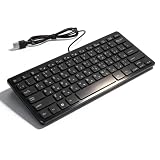
- [Premium Durability]: The Mini Keyboard is skillfully crafted with superior craftsmanship to ensure outstanding durability. Its sturdy design guarantees long lasting performance, while the legible text on the keys will not fade over time. This keyboard is built to withstand the test of time and provide reliable typing for years to come
- [Effortless Convenience]: Experience the convenience of plug and play with this Mini Keyboard. It requires no complicated installation process, allowing you to quickly connect it to your device and start typing without any hassle. Enjoy the simplicity and ease of use, making it ideal for both beginners and advanced users
- [Enhanced Typing Comfort]: Designed for comfort, this Mini Keyboard offers a satisfying typing experience. Whether you're using it for office or home use, or even with your laptop or desktop, the keys are ergonomically positioned for optimal comfort and efficiency. Say goodbye to wrist strain and enjoy long hours of comfortable typing
- [Multilingual Support]: Choose the version that suits your language preferences with the Mini Keyboard's three available versions in Russian, French, and German. With a total of 78 keys, this keyboard ensures seamless typing and communication in your desired language. It is perfect for users who require specific language support and greatly enhances convenience and efficiency
- [Universal Compatibility]: Versatility is key with this Mini Keyboard. It is universally applicable to various models, making it a reliable choice for a wide range of devices. Whether you're using a PC, laptop, or desktop, this keyboard guarantees compatibility across the board. Enjoy its consistent performance and exceptional typing experience, regardless of your device
If a physical keyboard driver is clearly damaged, use Update driver or uninstall the device and restart Windows. This is separate from restoring the Kazakh layout.
Driver hunting can be tedious when several devices have stale packages and Windows does not clearly identify the offending version. Outbyte Driver Updater can scan and identify driver issues, while the actual driver installation requires the full version; it is not necessary for a kbdkaz.dll repair unless a separate hardware-driver problem is confirmed.
Do these 3 things before closing this tab:
1Scan for outdated or missing drivers - takes under a minute2Clear out junk files and repair common Windows errors3Fix the driver behind crashes, sound loss and screen glitchesFAQ
Is kbdkaz.dll malware?
Not when it is a valid Microsoft-signed Windows component in the expected Windows directory. A copy outside the Windows directory is not automatically malicious, but verify its signature and installation context before trusting it.
Is kbdkaz.dll part of Windows?
Yes. It is the Microsoft Windows keyboard-layout DLL for Kazakh Cyrillic input. It is not a separately installed application runtime.
Does it support the Kazakh keyboard?
Yes. It is associated with the Kazakh Cyrillic layout and keyboard identifier 0000043F.
Should I register kbdkaz.dll?
No. regsvr32 is not the normal repair method for a keyboard-layout DLL. Re-add the layout and use DISM followed by SFC if Windows files are damaged.
Does every copy have the same version or size?
No. Windows builds can use different versions, sizes, and architectures. There is no universal size or version that proves a copy is correct.
What if the file is missing from System32?
Re-add Kazakh through Settings > Time & language > Language & region, install pending updates, and run DISM followed by SFC. Do not download the file manually.
What if SFC cannot repair it?
Restart and run DISM followed by SFC again. If repair still fails, inspect the CBS log, check for disk or update problems, and consider System Restore if the failure has a clear recent cause.
What if only one program reports the error?
Repair or reinstall that program and use its file-verification feature if available. Do not place kbdkaz.dll in the program’s folder.
Quick wins for a faster PC:
Fix the driver behind crashes, sound loss and screen glitchesFind Drivers →Repair Windows errors before they cause bigger problemsFix Now →Is this a 32-bit or 64-bit problem?
The correct deployment depends on the Windows build and architecture. Do not choose a DLL based only on whether the affected application is 32-bit or 64-bit, and do not manually move files between system directories. Let Windows language installation and servicing place the correct component.
Will adding Kazakh always fix the problem?
It often restores a missing or incomplete layout registration, but it is not guaranteed to repair component-store corruption. If the layout installation fails or the file remains damaged, use Windows Update, DISM, and SFC.
Quick Recap
Product prices and availability are accurate as of the date/time indicated and are subject to change. Any price and availability information displayed on Amazon at the time of purchase will apply.




