
Do these 3 things before closing this tab:
1Scan for outdated or missing drivers - takes under a minute2Repair Windows errors before they cause bigger problems3Fix the driver behind crashes, sound loss and screen glitches“The code execution cannot proceed because lang0.dll was not found. Reinstalling the program may fix this problem.”
lang0.dll is a Zoo Tycoon game file, not a Windows system file. It is named “Zoo Tycoon Localizable Resources” and belongs in the Zoo Tycoon installation folder.
| # | Preview | Product | Price | |
|---|---|---|---|---|
| 1 |

|
Zoo Tycoon Complete Collection - PC | $89.99 | Buy on Amazon |
| 2 |

|
Zoo Tycoon - PC | $26.99 | Buy on Amazon |
| 3 |

|
Zoo Tycoon 2: Ultimate Collection - PC | $49.00 | Buy on Amazon |
| 4 |
|
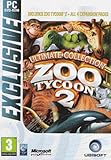
Zoo Tycoon 2 Ultimate Collection PC | $79.99 | Buy on Amazon |
| 5 |

|
Ubi Soft - Zoo Tycoon Complete Collection | $87.99 | Buy on Amazon |
As an Amazon Associate I earn from qualifying purchases.
Which fix applies to you
Use this list to choose the safest repair path:
- The file is missing from the Zoo Tycoon folder: restore it from the original disc, a legitimate installer backup, or reinstall the complete game.
- The error started after installing a translation or language patch: undo that patch or restore the original file from the game media.
- The file is in the folder but the game still will not start: check whether the file belongs to the same Zoo Tycoon edition and language, then use a clean reinstall.
- Your antivirus quarantined the file: review Protection history and restore it only if the file came from trusted, legitimate media.
- The error names another DLL: troubleshoot that named dependency instead.
lang0.dllis not a replacement for a missing Visual C++ or DirectX file. - Several unrelated programs fail: investigate Windows component corruption with DISM and SFC.
- The problem began after a system or software change: try System Restore after preserving your game saves.
Do not begin by copying a downloaded DLL into System32, SysWOW64, or another Windows folder. Do not run regsvr32 against lang0.dll.
Quick wins for a faster PC:
Clear out junk files and repair common Windows errorsFree Scan →Fix the driver behind crashes, sound loss and screen glitchesFind Drivers →What lang0.dll does
The original Zoo Tycoon was developed by Blue Fang Games and published by Microsoft. lang0.dll provides localized text and language resources used by the base game.
#1 Best Overall
- ZOO TYCOON COMPLETE COLLECTION
It should normally be alongside the Zoo Tycoon executable and other game data. It is not part of Windows, DirectX, .NET, Microsoft Visual C++ Redistributable, or a graphics-card driver.
Expansion packs use additional numbered language files. Community documentation identifies lang100.dll with Dinosaur Digs and lang200.dll with Marine Mania. Those files are not interchangeable with lang0.dll.
The correct file also depends on the Zoo Tycoon release, language, and any legitimate translation or modification installed. There is no single verified file size or version number that applies to every copy, so do not use an advertised size as proof that a replacement is correct.
Windows Errors? Fix Them Before They Spread
Repair common Windows errors and clear accumulated junk for a smoother, more stable PC - no reinstall needed.Free scan · no reinstallOutdated Drivers Are Slowing You Down
One free scan finds every outdated or missing driver and matches the right update for your exact hardware.Free scan · exact hardware matchFix 1: Restore the file from legitimate Zoo Tycoon media
This is the most direct repair when only Zoo Tycoon reports the error.
Find the installation folder
- Close Zoo Tycoon.
- Right-click the shortcut you normally use.
- Select Properties.
- Open the Shortcut tab.
- Read the Start in field or select Open File Location.
- Look for the folder containing the Zoo Tycoon executable and other game files.
If the shortcut no longer works:
- Open Start.
- Search for
Zoo Tycoon. - Right-click the result and select Open file location.
- Right-click the shortcut shown there and select Open file location again if necessary.
The exact folder name varies by edition and installation method. The important point is that lang0.dll belongs in the game directory, not in a Windows system directory.
Copy the original file
Use one of these sources:
- The original Zoo Tycoon CD or DVD
- A complete installer you obtained legitimately
- Your own verified backup of the game
- A legitimate launcher’s Repair, Verify, or Verify integrity function, if that option is available
Search the original media or installer contents for lang0.dll. Copy it into the Zoo Tycoon installation directory. Do not copy lang100.dll, lang200.dll, or a file from Zoo Tycoon 2.
If Windows asks for administrator approval while copying into the program folder, confirm the prompt only when you are certain that the source is trusted.
Start Zoo Tycoon again. If it opens normally, the missing-file problem is resolved. If it reports another missing file, record the exact filename and address that file separately.
Check the match
A replacement is safest when it comes from the same:
- Zoo Tycoon edition
- Base-game installation
- Display language
- Installer or physical release
A translation patch may intentionally replace lang0.dll. Restoring the original file can return the base game language, but it may also remove the translation’s intended behavior. If you want to keep the translation, reinstall the patch only after confirming that it supports your exact game release.
Fix 2: Repair or reinstall Zoo Tycoon
Reinstall when you do not have a known-good copy of lang0.dll, when the file is damaged, or when several game files are missing.
The Tool Desk
Outbyte Driver Updater FREEFix the driver behind crashes, sound loss and screen glitchesFind Drivers →Outbyte PC Repair FREEClear out junk files and repair common Windows errorsFree Scan →Rank #2
- Start building & managing your zoo right from the start -- plan out your exhibits and design a layout
- Do your very best to please customers and the animals
- Inhabit your zoo with the right animals to draw in the big crowds
- Over 200 animals to exhibit, plus all kinds of new & interesting plant life to help make your zoo more exotic
- Manage your zoo wisely -- meet the needs of both the people and the animals without losing all your money
First preserve saved games
Before uninstalling:
- Close Zoo Tycoon.
- Search File Explorer for folders named
Zoo Tycoon,Saved Games, or files associated with your saved parks. - Copy your save files to a separate folder or external backup.
- If you installed a fan-made translation or modification, save its installer and documentation separately.
Do not assume that uninstalling will preserve every save file.
Uninstall the game
- Open Settings.
- Select Apps.
- Select Installed apps on Windows 11, or Apps & features on Windows 10.
- Search for Zoo Tycoon.
- Select the three-dot menu or the program entry.
- Choose Uninstall.
- Follow the installer’s instructions.
If Zoo Tycoon does not appear there, open Control Panel:
- Press Windows key + R.
- Type
appwiz.cpl. - Press Enter.
- Select Zoo Tycoon.
- Choose Uninstall.
Afterward, check whether the old game folder remains. Remove it only after backing up saves and confirming that no other edition or expansion uses it.
Install cleanly
- Restart Windows.
- Run the legitimate Zoo Tycoon installer from the original media or your complete installer backup.
- Install the base game first.
- Start it once before installing expansions, translations, or fan-made modifications.
- Confirm that
lang0.dllis present in the game folder. - Add expansions or modifications one at a time, testing the game after each change.
If the clean base installation starts, the original problem was probably a missing, damaged, or replaced game file. If it fails immediately, record the complete error text rather than replacing random DLLs.
Free tools Windows power users keep installed
One-click scans. No signup required.
Fix 3: Check antivirus quarantine
Security software can remove or quarantine old game files, particularly after a reinstall or when a modified translation is present.
Review Windows Security
- Open Start.
- Type Windows Security.
- Open the app.
- Select Virus & threat protection.
- Select Protection history.
- Look for an event involving the Zoo Tycoon folder or
lang0.dll. - Open the event to inspect its details.
If the file came from original media or a trusted installer and the detection is demonstrably a false positive, use the available Restore or Allow on device action. Microsoft’s Protection History guidance explains the available actions.
Do not disable antivirus protection merely to install an unknown DLL. Do not allow a file just because its name matches the missing filename. If the file came from an unofficial patch, investigate that patch before restoring it.
After restoring a legitimate file, start the game. If it disappears again, check Protection history for a new event and contact the security vendor or use a clean original installation rather than repeatedly downloading replacements.
Fix 4: Remove or reverse a language patch
Language patches often replace the base game’s language resource. If lang0.dll disappeared or the game stopped working immediately after applying one:
- Open the patch’s installer or read its included instructions.
- Look for an Uninstall, Restore original files, or backup option.
- Use that option while the game is closed.
- If the patch created a backup of
lang0.dll, restore that backup to the Zoo Tycoon directory. - If no backup exists, reinstall the base game from legitimate media.
- Test the unmodified game before applying the patch again.
Do not mix a file from one language patch with files from another release. If the patch overwrote lang0.dll, reinstalling only an expansion may not restore the base-game resource.
Fix 5: Verify files through the installation source
Some legitimate game launchers provide Verify, Repair, or Verify integrity of game files.
Rank #3
- Includes Zoo Tycoon 2 and four expansion packs: Extinct Animals, Marine Mania, Endangered Species and African Adventure
If your installation source provides that function:
- Open the launcher.
- Open your library.
- Select Zoo Tycoon.
- Open its properties or management menu.
- Choose the available verification or repair option.
- Wait for the process to finish.
- Start the game without applying modifications.
The exact menu names depend on the launcher and release. Do not assume that every Zoo Tycoon edition supports automated verification.
If verification reports that files were replaced, test the game before restoring translations or other modifications. A verification process may replace altered files with the release’s original versions.
Fix 6: Determine whether another dependency is actually missing
A game can show a DLL error even when lang0.dll is present. Read the filename in the dialog carefully.
Visual C++ is relevant when the message names files such as MSVCP140.dll or VCRUNTIME140.dll. Use Microsoft’s latest supported Visual C++ Redistributable downloads, selecting the package appropriate for the application and Windows installation.
DirectX is relevant when the error names a DirectX component such as d3dx9_*.dll. Microsoft provides the DirectX End-User Runtime Web Installer.
Neither package is the primary repair for a missing lang0.dll. Installing runtimes at random can add unnecessary software while leaving the Zoo Tycoon file missing.
Check the game’s architecture
The original game is generally treated as an older 32-bit Windows application, but the architecture of every lang0.dll release has not been authoritatively established. The safest match is the file supplied with the same Zoo Tycoon edition and language.
Do not substitute a 64-bit DLL because your Windows installation is 64-bit. A 64-bit version of Windows can run many 32-bit applications, but that does not make arbitrary DLLs interchangeable.
Recommended Free Tools
Fix 7: Use Windows repair commands only for wider system problems
SFC and DISM repair protected Windows components. They do not normally restore an ordinary game file from the Zoo Tycoon folder.
Use them when multiple unrelated Windows applications are failing or Windows itself reports component corruption.
Rank #4
- Zoo Tycoon 2 - original game
- African Adventure expansion pack: (African animals, Jeep Vehicle tours, safari themed items)
- Endangered Species expansion pack: (Help house and breed endangered species, Sky Tram Tours, Elevated Paths)
- Marine Mania expansion pack: (Marine animals, Train Animal to perform in shows, Swim with Animals)
- Extinct Animals expansion pack: (step into a bit of fantasy by digging for fossils, doing research, and eventually creating living animals from long extinct species, such as the cute Dodo Bird, the ferocious Saber-Toothed Cat, even a massive American Mastodon)
- Open Start.
- Type
Command Prompt. - Right-click Command Prompt.
- Select Run as administrator.
- Select Yes at the User Account Control prompt.
- Run:
DISM.exe /Online /Cleanup-Image /RestoreHealth
- Wait for it to finish.
- Then run:
sfc /scannow
Microsoft recommends running DISM before SFC. Instructions are available in Microsoft’s System File Checker guidance.
Restart Windows and test Zoo Tycoon. If only Zoo Tycoon still fails, return to the game repair or reinstall steps. SFC is not expected to recreate lang0.dll.
Running these commands repeatedly without checking what changed is not a substitute for reinstalling the program. Outbyte PC Repair can reduce the manual work of hunting through Windows repair results: its free scan shows what it identifies, while repair is performed by the full version. Reinstalling Zoo Tycoon remains the definitive fix when its own game file is missing.
Fix 8: Check compatibility settings without changing game files
Compatibility settings can help an old game start, but they do not recreate lang0.dll.
- Right-click the Zoo Tycoon executable or shortcut.
- Select Properties.
- Open the Compatibility tab.
- Select Run this program in compatibility mode for only if you are testing compatibility.
- Choose an older Windows version from the list.
- Select Apply, then OK.
- Start the game and compare the result.
Use Run this program as an administrator only as a controlled test. If it changes the result, the problem may involve permissions on the installation folder. It still does not justify copying the DLL into a system directory.
You can also inspect Windows’ optional legacy components:
What’s actually slowing this PC down?
Pick the symptom - the matching free tool is one click away.
- Press Windows key + R.
- Type
optionalfeatures. - Press Enter.
- Review the available Legacy Components options.
- Enable a component only when a separate, documented error identifies it as necessary.
- Select OK and restart if Windows requests it.
Enabling an optional Windows feature will not replace lang0.dll.
Fix 9: Consider drivers only when the error points to graphics or hardware
A missing lang0.dll is not a graphics-driver problem. Do not update drivers as the first response to this filename.
Driver troubleshooting is appropriate when the game starts but shows display corruption, crashes with a graphics-related message, or Windows reports a device problem.
- Right-click Start.
- Select Device Manager.
- Expand Display adapters.
- Right-click the graphics device.
- Select Update driver.
- Choose Search automatically for drivers.
- Restart Windows if a driver is installed.
For a recently updated driver, open the device’s Properties, select the Driver tab, and use Roll Back Driver if that option is available and the timing matches the failure.
Manually identifying the correct driver across multiple hardware models can be tedious. Outbyte Driver Updater can scan for outdated drivers; its free scan shows what it finds, while driver installation is handled by the full version. A driver update will not replace a missing Zoo Tycoon lang0.dll, so repair or reinstall the game when that is the named error.
Why regsvr32 is not the fix
regsvr32 is intended for registering DLLs that expose registration entry points such as DllRegisterServer. It is not a general-purpose command for repairing every DLL.
lang0.dll is a game resource DLL, not normally a COM component that needs registration. Running a command such as:
Best Value
- Play with all of your favorite land, aquatic, and prehistoric animals.
- Zoo Tycoon Strategy Guide (electronic on CD-ROM – Learn fascinating animal facts.
- More than 100 animals in total.
- Over 500 objects including exhibits, attractions and animal toys.
- 30 challenging scenarios, test your inner zookeeper.
regsvr32 lang0.dll
is therefore inappropriate and may produce another error without changing the game’s files. Microsoft documents the command’s registration scope in its regsvr32 documentation.
Do not download a standalone replacement
Random DLL download sites can provide malware, a modified file, the wrong language, the wrong architecture, or a file from a different Zoo Tycoon release. Even a clean file may not fix the underlying issue if the installer removed several game files or an antivirus product is quarantining it.
Use the original disc, your own verified backup, a complete legitimate installer, or a supported repair function from the installation source. Never place lang0.dll in C:WindowsSystem32 or C:WindowsSysWOW64.
If the file exists but Zoo Tycoon still fails
Check these points in order:
- Confirm that the file is in the same folder as the Zoo Tycoon executable.
- Confirm that the dialog names
lang0.dll, not another dependency. - Check whether the file was modified by a translation or fan-made patch.
- Restore the matching original file from legitimate media.
- Check antivirus Protection history.
- Test a clean reinstall before adding expansions or modifications.
- Review the exact error text for architecture or corruption wording.
- If the issue began after a Windows or software change, consider System Restore.
A message such as “not designed to run on Windows” can indicate a damaged or incompatible copy, but generic Windows loader wording is not proof of one specific cause. Replace the file with a known-good matching copy rather than relying on its filename or an advertised file size.
What to include in a support request
Provide:
- The complete error text
- Your Zoo Tycoon edition
- The game’s installation path
- Whether
lang0.dllexists in that folder - The Windows version
- Any recent translation, mod, cleanup, antivirus, or reinstall activity
- Antivirus Protection history results
- Whether the base game starts after a clean reinstall
- Any additional DLL named by a second error
That information distinguishes a missing game resource from a separate Windows, runtime, driver, or permissions problem.
FAQ
Is lang0.dll a Windows file?
No. It is a Zoo Tycoon language-resource file and should normally remain in the game’s installation directory.
Can I copy it into System32?
No. The game should load its resource from its own folder. Copying it into a Windows system directory is incorrect and can create confusion.
Will Visual C++ or DirectX fix lang0.dll?
Not normally. Install those components only when the error names a Visual C++ or DirectX file.
Are lang100.dll and lang200.dll replacements?
No. They are additional language files associated with Zoo Tycoon expansions and are not interchangeable with lang0.dll.
Do these 3 things before closing this tab:
1Repair Windows errors before they cause bigger problems2Fix the driver behind crashes, sound loss and screen glitches3Clear out junk files and repair common Windows errorsShould I register the file with regsvr32?
No. A game resource DLL is not normally a registerable COM component.
Can SFC restore this file?
No. SFC repairs protected Windows files, not ordinary files in a game directory. Reinstall or restore Zoo Tycoon instead.
What is the safest final fix?
Restore lang0.dll from the same Zoo Tycoon release and language, or perform a clean reinstall from legitimate media. Test the unmodified game before applying patches or translations.
Quick Recap
Product prices and availability are accurate as of the date/time indicated and are subject to change. Any price and availability information displayed on Amazon at the time of purchase will apply.
Quick wins for a faster PC:
Scan for outdated or missing drivers - takes under a minuteDriver Scan →Repair Windows errors before they cause bigger problemsFix Now →
