Verdict: The Lenovo Legion 5i 16 Gen 9 is a capable mid-range gaming laptop, especially in its Core i7/RTX 4060 configuration with 1TB storage. It has a sharp, color-accurate 16-inch display, an excellent keyboard, useful ports, strong cooling, and enough power for excellent 1080p and good 1440p-class gaming. However, it is heavy, loud under load, and has poor unplugged endurance. It is a good buy during a substantial sale—not at an inflated launch-era price.
What is the Lenovo Legion 5i 16 Gen 9?
The Legion 5i Gen 9 is Lenovo’s conventional, performance-focused 16-inch gaming laptop with Intel processors. The “i” identifies the Intel version; it should not be confused with AMD-powered Legion 5 models, thinner Legion Slim 5 laptops, or generally more expensive Legion Pro 5i systems.
As an Amazon Associate I earn from qualifying purchases.
It sits above Lenovo’s cheaper LOQ range and below the company’s more premium Legion Pro machines. That makes it a practical desk-based gaming laptop rather than a genuinely lightweight model. The platform is commonly identified as the Legion 5 16IRX9, but the family contains many different retail configurations.
Quick wins for a faster PC:
Clear out junk files and repair common Windows errorsFree Scan →Scan for outdated or missing drivers - takes under a minuteDriver Scan →Depending on the region and SKU, it may ship with a Core i5-13450HX, Core i7-13650HX, Core i7-14650HX, Core i7-14700HX, or Core i9-14900HX processor; an RTX 4050, RTX 4060, or RTX 4070 Laptop GPU; 16GB or 32GB of DDR5 memory; and a 512GB or 1TB PCIe 4.0 SSD. Lenovo’s full platform specifications are listed in its Legion 5 16IRX9 PSREF.
#1 Best Overall

- EXPLORE YOUR PASSION, ELEVATE YOUR GAME – The Lenovo Legion 5i empowers university gamers to explore their latest passions. With a thinner, lighter design and a Lenovo PureSight OLED display, it excels in gaming, streaming, and coursework on the go.
- GAME WITHOUT COMPROMISE – The Intel Core i7-14700HX processor features newly optimized hybrid architecture and industry leading technology that enables you to go beyond gaming and creation. With Intel, you can do it all.
- GAME CHANGER – Powered by NVIDIA Blackwell, the GeForce RTX 5070 graphics bring game-changing capabilities to gamers and creators. Equipped with incredible AI horsepower, prepare to unleash your creativity and experience next-level graphics fidelity.
- 3-MONTHS PC GAME PASS – Play hundreds of high-quality PC games with your new Lenovo Legion device and 3 months of PC Game Pass, including EA Play. With new games added all the time, there’s always something new to play.
- EXPERIENCE INTELLIGENT DESIGN –Lenovo AI Engine+ enhances FPS in today’s top AAA games while also reducing render times in today's premier creation apps. Easily managed through Legion Space, you can enjoy AI-tuned performance effortlessly.
Specifications and the reviewed configuration
| Component | Laptop Mag review unit | Family range |
|---|---|---|
| Processor | Intel Core i9-14900HX | Core i5-13450HX through Core i9-14900HX |
| Graphics | GeForce RTX 4060 Laptop GPU | RTX 4050, RTX 4060, or RTX 4070 |
| Memory | 32GB DDR5 | 16GB or 32GB DDR5 |
| Storage | 1TB SSD | 512GB or 1TB PCIe 4.0 SSD |
| Display | 16-inch, 2560×1600, 165Hz IPS | 165Hz or 240Hz panels |
| Battery | 80Wh platform battery | |
| Weight | Approximately 5.33 pounds, excluding the charger | |
The reviewed configuration matters. Laptop Mag tested the high-end i9/RTX 4060 model with 32GB of memory and a 1TB SSD—not the least expensive version. Its reported list price was $2,044.99, with a sale price of approximately $1,759 at the time. Those are historical figures, not a verified September 2026 US price; current value depends on the exact listing and promotion. Laptop Mag’s review was published on November 24, 2024.
Price and which configuration to buy
The best default choice is a Core i7 with an RTX 4060, 16GB or 32GB of RAM, and a 1TB SSD. For gaming, the RTX 4060 is more important than paying extra for a Core i9. A Core i7 is already sufficient for modern games and everyday productivity, while the i9 makes the most sense for sustained video editing, compiling, 3D work, rendering, or heavy multitasking.
RTX 4050
The RTX 4050 model is reasonable when it is substantially cheaper. It suits 1080p gaming, esports, and older AAA games, particularly with DLSS enabled. Its 6GB of VRAM is less comfortable for long-term high-resolution gaming than the RTX 4060’s 8GB, so do not choose it merely because the product name is identical.
Free tools Windows power users keep installed
One-click scans. No signup required.
RTX 4060
This is the value sweet spot. It delivers excellent 1080p performance and good 1440p-class performance, while its 8GB of VRAM gives it more room for demanding games. Buy it at a clear discount and check the exact GPU power rating: Lenovo’s platform documentation lists up to 140W, but some retail configurations list 115W.
RTX 4070
The RTX 4070 is worthwhile only if the price difference is modest. It remains an 8GB GPU, so it is a useful performance step rather than a transformative upgrade for every workload. Compare it with newer-generation laptops before paying premium pricing.
165Hz versus 240Hz
The 165Hz display is the sensible option for most buyers. It is already fast enough for general gaming and pairs well with competitive titles. The 240Hz panel is mainly worthwhile for esports players who can consistently produce very high frame rates. A higher refresh rate does not mean demanding AAA games will run at 240 frames per second.
Rank #2

- Powered by Intel Core Ultra 9 275HX, a 24-core CPU (8P+16E) reaching up to 5.4 GHz, built for top-tier gaming, multitasking, and creative workflows.
- Equipped with NVIDIA GeForce RTX 5060 8GB GDDR7 GPU, delivering advanced ray tracing, DLSS acceleration, and excellent performance in modern AAA titles.
- 16" WQXGA (2560×1600) IPS display with 240Hz refresh rate, 500 nits brightness, HDR 400, Dolby Vision, and 100% DCI-P3 color for vivid and fluid visuals.
- High-speed 32GB DDR5-5600 memory and 1TB PCIe Gen4 SSD ensure rapid load times and smooth multitasking across demanding applications.
- Next-gen Wi-Fi 7 and Bluetooth 5.4 connectivity deliver ultra-fast, stable wireless performance for gaming, streaming, and seamless device connections.
Before buying, verify the complete model number, GPU power limit, display refresh rate, brightness, RAM arrangement, SSD capacity, webcam resolution, keyboard lighting, warranty, and return policy. Lenovo’s broad platform specification does not guarantee that every retail SKU includes the same parts.
The Tool Desk
Outbyte PC Repair FREERepair Windows errors before they cause bigger problemsFix Now →Outbyte Driver Updater FREEScan for outdated or missing drivers - takes under a minuteDriver Scan →Gaming performance: strong at 1080p, more complicated at 1600p
The RTX 4060 configuration is a strong match for 1080p gaming and performs well at 1440p-class settings. It can handle high settings in many demanding games, and competitive games are an especially good fit for the high-refresh display.
The 2560×1600 native resolution is both a strength and a limitation. It looks sharper and provides more vertical workspace than a conventional 1080p panel, but it requires substantially more rendering power. In demanding modern games, ultra settings at native 1600p can fall below 60 fps even on the RTX 4060 configuration tested by Laptop Mag.
The practical approach is to use native 1600p with high or medium-high settings when performance allows, enable DLSS where supported, and reduce the render resolution or use 1080p in particularly demanding titles. The laptop’s 165Hz panel is most useful in esports and lighter games; it is not a promise of 165-fps AAA gaming.
The RTX 4070 improves the situation but does not guarantee ultra-quality native-resolution performance in every new release. GPU power limits, cooling, game engine, settings, and driver versions all affect results.
CPU performance: the Core i9 is often unnecessary
The reviewed Core i9-14900HX has 24 cores, 32 threads, up to a 5.8GHz turbo frequency, and 36MB of cache. It is a powerful mobile processor, but pairing it with an RTX 4060 is difficult to justify for gaming alone.
Rank #3
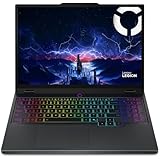
- Processor: Intel Core Ultra 9 275HX Processor (E-cores up to 4.60 GHz P-cores up to 5.40 GHz)
- Operating system: Windows 11 Home 64; Graphics: NVIDIA GeForce RTX 5070 Laptop GPU 8GB GDDR7, Boost Clock 2497MHz, TGP 115W, 572 AI TOPS
- Brilliant 15.1" WQXGA (2560x1600) OLED 500nits glossy, 100% DCI-P3, 165Hz, Dolby Vision, DisplayHDR True Black 600
- Memory: 32 GB: 2 x 16 GB SO-DIMM DDR5-5600; Two DDR5 SO-DIMM slots, dual-channel capable; Up to 32GB DDR5-5600 offering each; Storage: 2 x 1 TB SSD M.2 2280 PCIe 4.0x4 NVMe; Up to two drives, Two M.2 2280 PCIe 4.0 x4 slots;
- Wi-Fi 7, 802.11be 2x2 + BT5.4; 10/100/1000Mbps LAN. 1x USB 3.2 Gen 2 Type-C support Power Delivery / DisplayPort / 10Gbps, 1x USB 3.2 Gen 2 Type-C support DisplayPort / 10Gbps, 1x USB 3.2 Gen 1 Type-A support Always On / 5Gbps, 3x USB 3.2 Gen 1 Type-A support 5Gbps, 1x HDMI v2.1, 1x Headphone/Microphone Combo Jack; 1x RJ-45 LAN, 1x Rectangle plug Power Jack
In most games, moving from a capable Core i7 to the i9 will not produce a proportional frame-rate increase because the GPU is usually the limiting component. The i9 can also add cost, heat, and fan noise. Choose it when your workload includes sustained CPU-heavy work such as video production, software compilation, 3D applications, or large multitasking sessions. For gaming and school or office work, the Core i7 is usually the better value.
Display quality
The common 165Hz panel is one of the Legion 5i’s strongest features. Its 16-inch 16:10 layout provides more vertical space than a 16:9 gaming screen, while the 2560×1600 resolution makes games, documents, and media look crisp.
Lenovo lists 100% sRGB coverage, G-SYNC support, Dolby Vision on supported configurations, low-blue-light certification, and X-Rite calibration features for listed panels. Laptop Mag measured about 346 nits of brightness, 112% sRGB coverage, 79.2% DCI-P3 coverage, and a strong 0.22 Delta-E color-accuracy result on its review unit. Measured percentages can exceed an advertised 100% sRGB target because of differences in testing and gamut reporting.
Do these 3 things before closing this tab:
1Clear out junk files and repair common Windows errors2Scan for outdated or missing drivers - takes under a minute3Repair Windows errors before they cause bigger problemsPanel specifications vary. The optional 240Hz screen may differ in brightness and HDR behavior, so do not assume that every Legion 5i has the same display simply because it has the same resolution and product-family name.
Design, keyboard, and portability
The chassis is sturdy and practical rather than luxurious. The reviewed unit measured approximately 10.33 × 14.16 × 0.78–0.99 inches and weighed about 5.33 pounds. Add the large high-wattage power adapter and it becomes a substantial load for a daily commute.
This is best described as a transportable performance laptop. It is manageable for occasional trips between home and school or work, but it is not the right choice for someone who regularly carries a laptop all day or wants ultrabook-like portability.
Rank #4

- Intel Core Ultra 9 275HX, 24C Processor
- 16" WQXGA (2560x1600) IPS 500nits Anti-glare, 240Hz
- 32GB DDR5-5600 RAM, 1TB SSD
- NVIDIA GeForce RTX 5060 8GB GDDR7
- Wi-Fi 7 + Bluetooth 5.4
The keyboard is a highlight. Its approximately 1.5mm key travel, anti-ghosting, and clicky feel make it comfortable for long typing sessions as well as gaming. Listed configurations may include white backlighting or four-zone RGB with Lenovo Legion Spectrum support, and some offer swappable keycaps. Lighting and keycap features vary by SKU, so confirm them before ordering.
Recommended Free Tools
The touchpad is suitable for ordinary navigation and productivity, but most gamers will naturally use an external mouse.
Ports and connectivity
The Legion 5i has a useful selection for a gaming laptop, including USB-A, USB-C, HDMI 2.1, RJ45 Ethernet, a 3-in-1 microSD card reader, and a dedicated DC-in charging port. Rear-facing connections are convenient for a permanent desk setup, while side ports remain useful for temporary accessories.
The platform supports up to four independent displays in total: the built-in screen plus up to three external monitors through HDMI and USB-C. However, Thunderbolt 4 is not guaranteed on every configuration. If you need high-speed docking, external PCIe devices, or a professional peripheral that specifically requires Thunderbolt, verify the exact SKU or plan on an adapter.
Independent reader supportYour contribution helps us test, update, and keep practical guides available for everyone.Thermals and fan noise
Cooling is a positive part of the design. Laptop Mag measured approximately 96°F in its general heat test and about 102°F during gaming, although surface temperatures vary by location and depend on ambient conditions, firmware, and fan mode. Notebookcheck also highlighted effective cooling while noting the noise trade-off in performance operation.
Performance mode is not quiet. Expect prominent fan noise during sustained gaming, and headphones are advisable. Balanced or Quiet mode can reduce noise for lighter work, but may reduce performance. A raised stand or ventilated cooling platform can improve airflow, but it will not turn this into a silent laptop.
Best Value

- Intel Core i9 14th Gen 14900HX 1.6GHz Processor, NVIDIA GeForce RTX 5070 8GB GDDR7, 32GB DDR5-5600 RAM
- 1TB PCIe Gen4 x4 NVMe M.2 SSD
- 15.1" WQXGA OLED Glossy Display
- Gigabit LAN, 2x2 WiFi 7 (802.11be), Bluetooth 5.4
- 4.19 lbs. (1.90 kg),Windows 11 Home
Battery life is the major weakness
Lenovo lists an 80Wh battery and an “up to 6.5 hours” target under its specified test conditions, plus charging to approximately 70% in about 30 minutes. That estimate should not be treated as typical gaming endurance.
In Laptop Mag’s independent testing, the laptop lasted 3 hours and 36 minutes in its battery test and approximately 45 minutes in its PCMark 10 gaming-battery test. Gaming and demanding work should therefore be done near an outlet. It is adequate for short classroom, office, or travel sessions, but it is a poor substitute for an all-day productivity laptop.
Upgradeability, webcam, audio, and software
The platform includes two SO-DIMM slots for DDR5 memory and M.2 PCIe 4.0 SSD storage. That gives buyers a useful upgrade path, particularly if a discounted model ships with 16GB of RAM or a 512GB drive.
Windows Errors? Fix Them Before They Spread
Repair common Windows errors and clear accumulated junk for a smoother, more stable PC - no reinstall needed.Free scan · no reinstallOutdated Drivers Are Slowing You Down
One free scan finds every outdated or missing driver and matches the right update for your exact hardware.Free scan · exact hardware matchCheck whether the exact laptop uses one or two memory modules, whether the second M.2 slot is occupied, and whether the installed SSD is 2242 or 2280 length before buying parts. Follow Lenovo’s service documentation, use the correct screwdriver and connector procedure, and check local warranty terms before opening the chassis.
Webcam resolution varies between 720p and 1080p configurations. An electronic privacy shutter is included. Nahimic software provides audio controls, while Lenovo Vantage offers performance modes, fan controls, battery settings, and system management. Depending on region and SKU, the laptop may also include McAfee LiveSafe, a Microsoft 365 trial, Xbox Game Pass trial access, and X-Rite color software. These are promotional or region-dependent inclusions, not permanent ownership.
Who should buy the Legion 5i 16 Gen 9?
- Buy it if the RTX 4060 model is heavily discounted, you mostly play at 1080p or 1440p-class settings, and you want a sharp 16:10 screen, good keyboard, broad connectivity, and strong CPU performance.
- Buy it if you are comfortable carrying more than five pounds and using the laptop near a power outlet.
- Consider the RTX 4050 only when it is meaningfully cheaper and your target is primarily 1080p or esports gaming.
- Consider the RTX 4070 only when the price gap is small and a newer-generation alternative is not better value.
- Skip it if you need all-day battery life, genuinely light portability, guaranteed Thunderbolt 4, or native 1600p ultra gaming at consistently high frame rates.
- Skip the i9 unless your work is genuinely CPU-heavy or the configuration is unusually discounted.
Final verdict
The Lenovo Legion 5i 16 Gen 9 is a strong mid-range gaming laptop when its sale price is right. The Core i7/RTX 4060/1TB configuration is the clearest recommendation: it balances gaming capability, storage, productivity performance, and cost better than the i9/RTX 4060 model.
Its excellent display, comfortable keyboard, upgradeable memory and storage, capable cooling, and useful ports justify choosing it over cheaper machines when discounted. Its weight, loud performance mode, weak battery life, and the RTX 4060’s limits at native 1600p prevent it from being an all-purpose recommendation. Compare its current street price with newer RTX 5070-class or other current-generation laptops before purchasing, and verify every specification on the exact listing.
What’s actually slowing this PC down?
Pick the symptom - the matching free tool is one click away.
Check the current Lenovo Legion 5i listing and compare the full SKU rather than relying on the family name alone.
Quick Recap
Product prices and availability are accurate as of the date/time indicated and are subject to change. Any price and availability information displayed on Amazon at the time of purchase will apply.




