libdivx.dll missing errors usually appear when an old DivX program, browser plug-in, or leftover startup entry tries to load the file. You may see messages such as:
- “This application has failed to start because LIBDIVX.dll was not found.”
- “The program can’t start because libdivx.dll is missing from your computer.”
- “Error loading libdivx.dll. The specified module could not be found.”
- “libdivx.dll is either not designed to run on Windows or it contains an error.”
The 60-second answer
libdivx.dll is a historical 32-bit Windows DLL associated with old DivX software, including DivX Player and DivX Web Player. It is not a normal Windows component, and installing Visual C++, DirectX, .NET, or modern OpenSSL is not a reliable substitute.
![Today You Die [DVD]](https://m.media-amazon.com/images/I/51t-2kWa1wL._SL160_.jpg)
As an Amazon Associate I earn from qualifying purchases.
Start by identifying the program named in the error. Then repair or reinstall that exact DivX product from the official DivX legacy package. Do not download libdivx.dll from a random DLL site, copy it into C:WindowsSystem32, or register it with regsvr32.
If you no longer need the old DivX software, uninstalling it and removing its obsolete browser plug-in or startup entry is usually safer than restoring the file.
#1 Best Overall
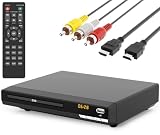
- 🌷【HIGH DEFINITION PICTURE QUALITY】This DVD player adopts 1080P technology, allowing you to experience higher definition picture quality and perfect sound.
- 🌷【MULTIMEDIA SUPPORTED】Direct play in formats: CD,DVD,VCD,CD-R/RW,DVD-R/+R,DVD+RW/-RW, MP3,JPEG,SVCD(Blu-ray DVD not supported);It is Region free.
- 🌷【DVD PLAYER HDMI】This region-free DVD player easily inserts and plays MP3/WMA digital audio and JPEG picture files recorded on a USB flash drive,Upgraded to support up to 128GB (FAT32 format only, NTFS/exFAT not supported.) making it a high-quality DVD player for all your entertainment needs!
- 🌷【IMPORTED MOVEMENT】This all-region DVD player with hdmi is equipped with an original imported movement with fast reading, error correction and anti-shock functions, which can load the discs in advance to enhance your movie watching experience
- 🎁【PERFECT GIFT】This dvd player for tv is made of high quality material, well made, stylish and generous appearance, it is the best gift for your relatives and friends.
What libdivx.dll belongs to
The filename is confusing because its embedded product description is commonly reported as “OpenSSL Shared Library.” That describes library metadata inside an old build. It does not mean that a standalone OpenSSL installation is the correct repair.
The practical owner was old DivX software. Historical DivX packages included components such as:
- DivX Player
- DivX Web Player
- DivX browser plug-ins
- DivX DirectShow filters
- DivX Converter
The old Web Player was designed for browser plug-in systems that current browsers no longer support. DivX documents that Web Player stopped working in Chrome, Chromium-based browsers, and Opera after NPAPI support was removed.
Do these 3 things before closing this tab:
1Repair Windows errors before they cause bigger problems2Scan for outdated or missing drivers - takes under a minute3Clear out junk files and repair common Windows errorsHistorical installers placed related files in application directories, system locations, and browser plug-in directories, including old Firefox plug-in locations. Therefore, finding a copy under System32 does not automatically prove that it is malware. It also does not make that location the correct place for a replacement file.
There is public evidence for an x86, or 32-bit, build. No verified modern 64-bit libdivx.dll build should be assumed. Exact historical size, version, hash, and embedded metadata can vary between old builds.
First identify the program requesting the file
The program name is more important than the DLL filename. A missing-DLL message may appear during startup even when the original DivX application has already been partially removed.
Check when the error appears:
- Immediately after signing in to Windows: an old startup entry may still point to DivX.
- When opening an old media application: that application may have an incomplete DivX installation.
- When launching an old browser or browser plug-in: the DivX Web Player may be involved.
- When launching a game: verify that the game actually owns the file before treating it as a game dependency. Do not assume a generic DLL error page has identified the owner.
- After antivirus activity: Windows Security may have quarantined or deleted the file.
If the dialog identifies an executable, write it down. Open Task Manager with Ctrl + Shift + Esc, select Startup apps, and look for an entry related to DivX or the named program. Do not enable an unknown entry simply to test it.
What’s actually slowing this PC down?
Pick the symptom - the matching free tool is one click away.
Fix 1: Repair or reinstall the original DivX program
This is the most likely fix for a genuinely missing or damaged libdivx.dll.
Rank #2

- HDMI Connection: DVD Video Player w/ HDMI connection. 1080P Upconvert enhances playback of DVD from 480P up to 1080P resolution. RV DVD Player for smart TV with HDMI brings audio and video to life! It is Portable and simple to set up for all elderly.
- All Region DVD Player: This DVD-player is a universal DVD Player. Multi Zone 1,2,3,4,5,6. Play virtually any disc you want with this Multi Region CD Player. Compatible with DVD : CD, (S),VCD,DVD,DVD+R/RW,DVD-R/RW, or MP3.
- Remote Control: The USB DVD remote control player combo is conveniently used to link PCs, peripherals. It has AV Output/ USB Input. With USB Media Link all you have to do is plug in your USB device select the movie, music, photo and play away!
- Screen Fit: Whatever you're watching on your compact DVD Player for TV, Screen Fit ensures that the picture fills the whole screen. Simply press the Screen Fit button and enjoy your movie in full screen. The perfect CD players for home stereo system.
- Dolby: 10-bit/108 video DAC is superior Digital to Analogue Converter on DVD Players blu ray and regular that preserves every detail of authentic picture quality. The Built-in Dolby decoder chip provide you with the most immersive audio experience.
Repair a registered Windows app
- Press
Windows+Ito open Settings. - Select Apps.
- Select Installed apps.
- Find DivX or the application named in the error.
- Select the three-dot menu.
- Choose Advanced options.
- Select Repair.
- Restart Windows and launch the program again.
If the error remains, return to the same screen and choose Reset only if you are prepared for the app to lose its local settings. Reset is not available for every desktop application.
Repair a classic desktop installation
- Press
Windows+R. - Type
appwiz.cpland press Enter. - Select the DivX product.
- Choose Repair, Change, or Modify, if available.
- Complete the installer and restart Windows.
If no repair option exists:
- In Programs and Features, select the old DivX product.
- Choose Uninstall.
- Restart Windows.
- Download the matching legacy package from DivX’s official legacy downloads page.
- Install the complete package rather than copying individual DLL files.
- Restart Windows and test the original program.
The official legacy collection includes historical DivX Web Player and DivX bundle releases. Do not assume that a current DivX download contains this obsolete file. Use a legacy package only when the application specifically requires it.
A successful repair normally means the original application opens without the libdivx.dll message. If the error changes to another DLL, the installation may still be incomplete. Reinstall the complete package again rather than downloading each named file separately.
Fix 2: Check Windows Security before restoring anything
Antivirus software may have quarantined or deleted libdivx.dll. This can happen after a malware incident, during cleanup, or because an old binary is considered suspicious. A quarantine event is not proof that every copy of the file is malicious, but it is also not proof of a false positive.
Check the event:
- Open Start and search for Windows Security.
- Select Virus & threat protection.
- Select Protection history.
- Open the event involving
libdivx.dll. - Note the detection name, original path, and action taken.
Do not select Restore merely because an application requests the file. Microsoft warns that restoring a quarantined threat places it back on the device.
If the file came from a verified DivX installer and the detection is demonstrably a false positive, follow your security provider’s false-positive process. Otherwise:
- Leave the file quarantined.
- Run Virus & threat protection updates.
- Run a Full scan.
- Remove suspicious software or startup entries.
- Reinstall the original DivX package from its official source.
If the error appeared after a broader infection, reinstalling DivX alone may not be enough. Treat unexplained copies in application folders or system directories as suspicious until scanned.
Quick wins for a faster PC:
Scan for outdated or missing drivers - takes under a minuteDriver Scan →Repair Windows errors before they cause bigger problemsFix Now →Fix the driver behind crashes, sound loss and screen glitchesFind Drivers →Fix 3: Check 32-bit and 64-bit compatibility
A 32-bit DLL must normally be loaded by a 32-bit application. A 64-bit application cannot use an x86 DLL as a drop-in replacement.
Rank #3

- Playable disc types - DVD-Video, CD-DA, CD-R, CD-RW, DVD-RAM, DVD-R, DVD-RW, DVD+RW, DVD+R, VCD
- Progressive out
- Video DAC - 10-bit/54 MHz
- Video Upconversion - 720p/1080i/1080p
- Y/C separation
To check the application:
- Open Task Manager.
- Select the Details tab.
- Start the affected application if possible.
- Right-click the application process and choose Properties.
- Check its installation path.
Older 32-bit software is commonly installed under:
C:Program Files (x86)
The application’s own folder is normally the correct location for its private DLLs. Do not copy the file into C:WindowsSystem32 as a generic fix. On 64-bit Windows, System32 is primarily used for 64-bit system files, while 32-bit compatibility files are handled separately by Windows.
If the program is 64-bit, obtain a matching vendor build or a newer replacement application. Do not force an old x86 libdivx.dll into a 64-bit program.
Fix 4: Repair the complete dependency set
“The specified module could not be found” does not always mean that libdivx.dll itself is absent. Windows may be reporting that a dependency required by libdivx.dll cannot be loaded.
Crashes, No Sound, or Screen Glitches?
Random freezes, missing sound and display glitches usually trace back to one bad driver. Find and replace yours safely.Free scan · under a minuteWindows Errors? Fix Them Before They Spread
Repair common Windows errors and clear accumulated junk for a smoother, more stable PC - no reinstall needed.Free scan · no reinstallOld DivX installations used related private files, including ssldivx.dll and other components. Copying only libdivx.dll can leave the application unable to start.
The safe procedure is:
- Uninstall the affected DivX product.
- Restart Windows.
- Reinstall the complete matching DivX package.
- Start the application from its normal shortcut.
- If it still fails, record the new error and the executable named in it.
Do not rename another OpenSSL DLL to libdivx.dll. Different builds can export different functions, use different architectures, or require different companion files.
Fix 5: Repair Windows components only if other programs also fail
libdivx.dll is not a Windows-owned component, so System File Checker will not normally download or restore it. Use DISM and SFC when other Windows programs are also failing, Windows features are damaged, or the problem began after wider system corruption.
- Open Start.
- Type
Command Prompt. - Right-click Command Prompt.
- Select Run as administrator.
- Run:
DISM.exe /Online /Cleanup-Image /RestoreHealth
- Wait for it to finish.
- Run:
sfc /scannow
- Restart Windows.
- Test the affected application again.
Microsoft’s repair guidance is available through its System File Checker and DISM instructions.
The Tool Desk
Outbyte PC Repair FREERepair Windows errors before they cause bigger problemsFix Now →Outbyte Driver Updater FREEScan for outdated or missing drivers - takes under a minuteDriver Scan →Repeating SFC and DISM will not recreate a third-party DivX DLL. If Windows reports that it repaired system files but the same DivX error remains, return to the DivX repair or reinstall step.
Rank #4
When manually hunting through Windows components and trying to determine what changed, Outbyte PC Repair can show issues through its free scan; repairs are performed by the full version. It is optional, and reinstalling the DivX program remains the definitive fix when that program owns the file.
Fix 6: Reinstall a driver only when the failure is broader
A graphics-driver problem is not a direct cause of a missing libdivx.dll, but it can matter if the error appears with wider video failures, crashes, or several media applications.
Check Device Manager:
- Press
Windows+X. - Select Device Manager.
- Expand Display adapters.
- Right-click the graphics device.
- Select Properties.
- Open the Driver tab.
- Use Update Driver to search automatically, or install a driver supplied by the computer or graphics-card manufacturer.
- Restart Windows.
Do not uninstall a working driver solely because libdivx.dll is missing. Driver work is a secondary check, not a replacement for reinstalling the application that requested the DLL.
If checking every device manually is the problem, Outbyte Driver Updater can identify stale drivers with its free scan; driver installation is handled by the full version. It is optional, and it does not replace reinstalling the DivX software that owns libdivx.dll.
Fix 7: Undo a recent system change
If the error began immediately after installing software, a driver, or an update, System Restore may remove the change without normally affecting personal files.
- Press
Windows+R. - Type
rstrui.exe. - Press Enter.
- Select Next.
- Choose a restore point dated before the error began.
- Select Scan for affected programs if available.
- Select Next, then Finish.
- Restart Windows and test the application.
You can also open Control Panel, select Recovery, and choose Open System Restore. Microsoft documents the process in its System Restore guidance.
Do not register or randomly copy the DLL
Do not run:
regsvr32 libdivx.dll
regsvr32 is intended for self-registering COM or ActiveX DLLs that provide the DllRegisterServer entry point. libdivx.dll is treated as a private DivX/OpenSSL-related dependency, not an established self-registering component. Registration commonly produces another error and does not repair the owning application.
Free tools Windows power users keep installed
One-click scans. No signup required.
Avoid these shortcuts:
- Downloading
libdivx.dllfrom a random DLL website - Copying it into
System32 - Replacing it with another OpenSSL DLL
- Mixing files from different DivX versions
- Restoring an antivirus quarantine item without checking its origin
These approaches can introduce malware, use the wrong architecture, create version conflicts, or leave the real installation problem unresolved.
If you no longer need DivX
If the error appears during sign-in but you never use the old program:
- Open Settings.
- Select Apps.
- Select Installed apps.
- Uninstall DivX, DivX Web Player, or the related old application.
- Open Task Manager and remove its startup entry if it remains.
- Check old Firefox plug-in locations only if the browser still reports a DivX plug-in.
- Restart Windows.
Removing abandoned software is safer than keeping a legacy browser component alive solely to satisfy a startup entry.
Best Value

- 12.5" Full HD Larger Screen: Featured with 1080P Full HD enhanced technology, DESOBRY 12.5" portable dvd players provides you clearer image quality than other 720P headrest DVD player. Support playing two different movies or mirroring a same DVD on both screens via simply AV Cable connecting. Comes With 2 mounting brackets & 6 headrest straps, two choices to install
- HDMI Input & Sync TV: DESOBRY dual Car DVD player with HDMI input function can sync up to 1080P video and audio from phones, computers, Raspberry Pi, Xbox or kindle fire etc.(Note:①Please confirm your phone whether supports HDMI output before ordering.②Our car DVD player only support HDMI input, not support output.)With AV In/Out function, you can connect this movie player to a TV via the included RCA cable to enjoy movies on a large screen with your family
- Rechargeable Car DVD Player: Our dual DVD player for car featured with reliable high-capacity rechargeable lithium , no need to be plugged in all the time during use. Equipped with three power supplies - built-in, car charger, and AC power adapter, ensures that you can enjoy movies for a long time
- Broad Compatibility & Last Memory: Our car DVD player with headrest mount direct play free regions discs from CD, DVD,VCD,SVCD,CD-R/+R,CD-RW/+RW,DVD-R/+R,DVD-RW/+RW(not support blu-ray).USB support VOB,AVI,FLV,DAT,DIVX,XVID,MPEG1,MPEG2 (max to 32GB FAT32 and 720*576 pixel). And built in last memory function, you will always start from where you left off
- What You Get: 2x Portable DVD Player, 2x Mounting Bracket, 6x Headrest Strap, 2x Remote Control, 1x Car Charger Splitter, 1x AC adapter, 1x AV Cable, 1x RCA Cable, 1x AUX Cable, 1x User Manual, 1x Quick Start Guide, 1x Screwdriver
FAQ
Is libdivx.dll part of Windows?
No evidence indicates that it is a Windows-owned component. It is associated with historical DivX software.
Does installing OpenSSL fix the error?
Usually not. The “OpenSSL Shared Library” description refers to embedded metadata in an old DivX-related file. A modern standalone OpenSSL installation is not a verified substitute.
Is libdivx.dll a Visual C++ or DirectX file?
No. Installing Visual C++ Redistributable or DirectX is not the primary repair for this file.
Is there a 64-bit version?
Public evidence supports an x86, or 32-bit, build. Do not assume that a verified 64-bit version exists.
Why does the error mention a missing module when the file is present?
A dependency required by libdivx.dll may be missing, damaged, or incompatible. Reinstall the complete DivX package so related files are restored together.
Recommended Free Tools
Can modern Chrome or Edge use DivX Web Player?
No. The old NPAPI-based Web Player is incompatible with current Chromium browsers. Uninstall the obsolete plug-in rather than trying to force it into a current browser.
What is the safest final fix?
Identify the calling program, repair or reinstall that program from its official vendor source, and remove it if it is abandoned.
Quick Recap
Product prices and availability are accurate as of the date/time indicated and are subject to change. Any price and availability information displayed on Amazon at the time of purchase will apply.




