Windows Errors? Fix Them Before They Spread
Repair common Windows errors and clear accumulated junk for a smoother, more stable PC - no reinstall needed.Free scan · no reinstallOutdated Drivers Are Slowing You Down
One free scan finds every outdated or missing driver and matches the right update for your exact hardware.Free scan · exact hardware match“Challenge Failed” in MLB The Show 23 is a reported online matchmaking or connection failure, not a diagnosis with one confirmed cause or a guaranteed fix. Players have reported it in Ranked, Battle Royale, and Events on PlayStation and Xbox, sometimes after finding an opponent. The available reports are historical, so they do not establish whether the problem is happening now or whether MLB The Show 23’s online services are currently available.
What “Challenge Failed” means—and what it does not tell you
Players have described the message while trying to enter online games, including cases where “opponent found” appeared first. Reports cover Ranked, Battle Royale, and Events, as well as more than one console platform. They show that players encountered the symptom, but do not identify a shared cause. The April 2023 community thread is a collection of player reports, not an official diagnosis.
| # | Preview | Product | Price | |
|---|---|---|---|---|
| 1 |

|
MLB The Show 23 - For Playstation 5 | $23.99 | Buy on Amazon |
| 2 |

|
MLB The Show 21 for PlayStation 5 | $15.99 | Buy on Amazon |
| 3 |
|
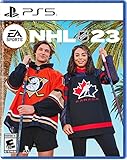
NHL 23 - PS5 | $9.00 | Buy on Amazon |
| 4 |

|
MLB The Show 23 -Standard Edition - PlayStation 5 (ps5) | $15.28 | Buy on Amazon |
The message alone cannot tell you whether the problem lies with matchmaking or game services, platform online access, your network, or your account. It also does not prove that your local network is at fault, that there is a service outage, or that your account is restricted. The available sources do not establish the current status of MLB The Show 23’s online services.
Check prerequisites and narrow down where it fails
- Check the console’s internet connection. Confirm the console is online, then check the platform’s own online-service status separately. These checks can help rule out an obvious access problem, but they do not diagnose the game’s matchmaking service.
- Confirm your platform’s online requirements. The MLB The Show 23 manual says: “Note: Storylines, Diamond Dynasty, and Road to the Show require an internet connection and a PlayStation®Plus membership (sold separately).” This states the PlayStation requirement for those modes; it should not be generalized to every platform.
- Notice whether the problem is limited to one mode. Record whether it affects one mode or several, whether you can use other online functions in the same game, and whether the failure happens before or after an opponent is found. Those details can help support investigate; they are not proven tests of the cause.
- If the failure continues across modes, try again later. The historical reports do not confirm a present outage or show that waiting is a dependable fix. They also do not establish a reliable resolution for persistent failures.
- Use a basic connection comparison only if convenient. Restarting your console or router, or briefly testing a wired connection, may help you compare conditions. These are diagnostic steps, not verified fixes: players in the 2023 thread reported that restarting equipment and trying a direct modem connection did not resolve their errors.
- Contact official game support if it persists. Provide your platform, the mode, the approximate time, the exact message, whether an opponent had been found, and the steps you tried. If the game displays a separate enforcement message, ask support for account-specific clarification rather than inferring a restriction from “Challenge Failed.”
Why popular suggested fixes are not established solutions
Community replies describe different attempts and outcomes. One player said reinstalling did not help; others reported that restarting the console, game, and router—or testing another connection—did not clear the error. These accounts are useful context, but they are individual experiences rather than controlled troubleshooting or publisher guidance. A step that helped one player, if reported, would not establish a universal fix.
Free tools Windows power users keep installed
One-click scans. No signup required.
#1 Best Overall
- MLB The Show 23 gets you closer than ever to living your baseball dreams on the diamond. Shock the game and Own The Show with your favorite players, your favorite rivalries and all your favorite MLB moments.
- Within Franchise and March to October, The MLB Draft experience has been revamped to add strategy and depth in managing your organization. The new MLB Postseason format, schedule and CBA updates are also now reflected.
- Diamond Dynasty gives you new ways to play, earn and develop your squad! With over 25 new MLB Legends, collect and build your team from a total of over 180 available in game.
An older community thread about “connection to The Show Online has been lost” repeats secondhand advice involving console time, DNS, and router ports. It concerns a different message and predates MLB The Show 23; it does not verify those settings as remedies for “Challenge Failed.” Avoid treating a specific DNS value, port change, reinstall, or network purchase as a proven solution based on these reports.
Independent reader supportYour contribution helps us test, update, and keep practical guides available for everyone.When to ask about an account restriction
A separate 2023 community discussion about connecting to the server includes a contested report of an account-specific support response tied to a purchase issue. It does not establish that account restrictions commonly cause “Challenge Failed.” If you see an explicit suspension or enforcement notice, contact official support; the matchmaking error by itself is not evidence that you have been banned.
Quick Recap
Rank #3
- Grab your friends, hit the ice, and make history in NHL 23
- Get the best players in the world on one lineup with the introduction of mixed women’s and men’s teams in HUT
- Last chance puck movement gameplay animations let you control how a play unfolds after any level of contact is taken
- Gear up and hit the ice for the most dynamic, connected, and visually rich Chel experience yet
Rank #2
- Experience faster, deeper and more intense moment-to-moment match action on the field, with a variety of game modes for all you rookie players and returning seasoned vets.
- For the first time take your ballplayer from Road to the Show and use him in other game modes. Now your ballplayer can be a 2-way star!
- Enjoy updates to Franchise and March to October modes which empower you to better make decisions for the future of your club.
- In Diamond Dynasty streamlined programs provide you clearer goals and more rewards based on how you play the game.
- New to MLB The Show this year is gameplay styles along-side new gameplay onboarding tutorials to help new users learn the game.
Product prices and availability are accurate as of the date/time indicated and are subject to change. Any price and availability information displayed on Amazon at the time of purchase will apply.




