The Tool Desk
Outbyte Driver Updater FREEFix the driver behind crashes, sound loss and screen glitchesFind Drivers →Outbyte PC Repair FREERepair Windows errors before they cause bigger problemsFix Now →There was no single confirmed MUGEN code list for all of December 2025: third-party guides published different snapshots on December 6, 21, and 26. The lists below preserve those dates and their reported rewards; none confirms that the codes still redeem today.
What is MUGEN?
MUGEN is a Roblox combat experience by Pure Pure. The official Roblox listing describes it as fast-paced and shows the PC attack control as holding left-click/M1. Its current promotional description mentions a code, but that does not establish which codes were available in December 2025.
As an Amazon Associate I earn from qualifying purchases.
MUGEN codes reported in December 2025
These are dated reports from third-party guides, not a live redemption check or a developer-confirmed roster. Codes may have changed between snapshots.
What’s actually slowing this PC down?
Pick the symptom - the matching free tool is one click away.
December 6 snapshot
A retrospective report by CloudsPress says its December 6 list included the following codes, each reported to give 10 Lucky Spins and 10,000 Money:
#1 Best Overall

- Compatible with Switch and Windows.
- Supports ultimate software - customize button mapping and create macros
- Dynamic button layout - button mapping changes with mode functionally and visually
- Ultra-moddable arcade stick - Universal mounting plate supports Sanwa arcade sticks
- Three ways to connect: Bluetooth, 2.4g and wired USB-C. The included 2.4g receiver has a special hidden compartment to store it safely.
400KDECEMBERNEARLYINFINITY
That report cautions against assuming these earlier codes stayed active through the end of the month.
December 21 snapshot
PowerUp Gamer listed these codes as active on December 21. Its article gives reward details for some, but not all, of the codes:
Rank #2
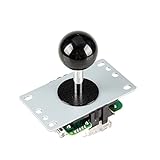
- New interface design. Correct the wrong connection.
- High-quality, accurate positioning.
- Easy to Remove the Ball Top ( Black ).
- include: Pink Ball Top + 5Pin Cable + Independent Ontology.
- Easy to Change the 4-Way and 8-Way Mode (Defaut is square 8-Ways)
| Code | Reward reported |
|---|---|
120kwow |
Not stated in the December 21 report. |
125KINTERESTED |
Not stated in the December 21 report. |
INFINITYISNEAR |
12 Lucky Spins and Cash. |
MUGENHUB |
Not stated in the December 21 report. |
RELEASE |
10,000 Yen and 5 Lucky Spins. |
THANKS100K |
Not stated in the December 21 report. |
December 26 snapshot
Digital Citizen reported these three codes on December 26. It named reward types but did not give quantities:
| Code | Reward types reported |
|---|---|
MERRYCHRISTMAS |
Lucky Spins, regular spins, and Yen. |
XMASEVE |
Lucky Spins and Yen. |
INFINITYFIXES |
Lucky Spins and Yen. |
The December 26 report is also summarized by CloudsPress. These later codes should not be treated as a confirmation that the December 6 or December 21 codes remained redeemable.
Rank #3

- MULTIFUNCTIONAL FIGHT BOX: The PXN X8 Arcade Fight Stick has keyboard-like directional buttons, mechanical buttons, a headphone jack and supports the turbo function. It offers cross-platform compatibility. The PXN X8 Arcade Stick is compatible with Xbox one, Xbox series s/x, PC, PS3, PS4, and Switch. It is compatible with popular arcade fighting games such as THE KING OF FIGHTERS, Street Fighter, Dead or Alive, DRAGON BALL Z, Samurai, Tekken, Super Smash Bros and more
- KEYBOARD-LIKE DIRECTIONAL BUTTONS: Keyboard-like directional buttons replace the traditional joystick, allowing players to launch more easily, maneuver more precisely, and accurately execute combos and special moves. VEWLIX LAYOUT: Adopts VEWLIX's popular arcade eight-button layout, providing an authentic operational experience for arcade fighting game enthusiasts.
- BLUE-SWITCH MECHANICAL BUTTONS: The control buttons use Blue-Switch Mechanical buttons, which are known for their durability and long service life. They offer an instant response, a sharp tactile feel and a distinctive sound that delivers clear feedback and ensures you can fully immerse yourself in the excitement of combat. (The key life exceeds 50 million presses).
- TURBO FUNCTION: A TURBO button for quick combination attacks, supports customizable combination functions, allows you to perform quick attacks and defeat opponents with ease. AUXILIARY FUNCTION: The direction buttons can be assigned to the controller DP (D-Pad) or LS (Left Stick) functions, easily switchable to meet different gaming needs.
- AFTER-SALES GUARANTEE AND FRIENDLY CUSTOMER SERVICE: PXN team provides 24-hour customer service, worry-free 30-day refund policy and 365-day exchange service. If you have any questions about connections, settings and game compatibility, please contact our after-sales team immediately and we will be happy to provide you with comprehensive answers and solutions.
How to redeem a MUGEN code
December guides describe this general process; the game interface may have changed since those reports.
- Open MUGEN on Roblox and go to the main menu.
- Select Codes. The December 21 guide places the button on the main menu.
- Enter the code exactly as shown, including its capitalization, then confirm redemption.
- If the reward does not appear right away, rejoin the game and check again, as suggested by the December 26 guide.
If a code does not work
- Check the date of the report. December lists were snapshots, and an older code may have expired or been replaced.
- Check spelling and capitalization. Enter the code exactly as displayed in its dated list.
- Leave Combat mode before trying again. The December 26 guide says codes should be entered when the character is not in Combat mode.
- Try rejoining. That guide recommends rejoining if a reward does not show immediately.
- Consider whether the code was already redeemed. Digital Citizen says each code can be redeemed once per account; this is third-party guidance, not a rule confirmed by the official listing.
What is confirmed—and what is not
The Roblox listing identifies the game and its basic PC attack control. The December code names, availability claims, reward amounts, and redemption guidance come from third-party articles. The official listing reviewed here does not independently verify those historical code reports, and there is no confirmed live status for them in this guide.
Quick Recap
Best Value

- Quality Components: Excellent Control USB Encoder with high quality 8 way joystick and LED buttons featuring good lighting effects for enhanced gaming experience
- Advanced Functionality: DC 5V Arcade Illuminated Pushbutton with 8 ways joystick using microswitch with gilded contact leg, excellent electronic performance, long life, reliability tested to 1,000,000 cycles
- Mounting Specifications: Joystick requires 24mm mounting hole while large buttons require 30mm mounting holes for proper installation
- Package Details: Compact package dimensions of 175 x 95 x 115mm with each button and joystick individually packaged and includes 1 year warranty for quality assurance
- Wide Compatibility: LED Kit supports Windows Arcade Games, PC Games, DIY Projects, Arcade Raspberry Pi for RetroPie system and MAME applications
Rank #4

- Glen's Retro Show product
- No Soldering and wire cutting
- Atgames V1.1 and V1.0 compatible
- USB encoder board NOT INCLUDED
Product prices and availability are accurate as of the date/time indicated and are subject to change. Any price and availability information displayed on Amazon at the time of purchase will apply.




