If an Oblivion Remastered save seems to have disappeared, first identify which problem you have: a manual save missing from the in-game Load list, a cloud save absent on another device, or Steam’s explicit “Disk Full – Save Failed” error. Bethesda documents different causes and checks for each; its support guidance does not establish one fix for every missing save.
Start with the symptom
| What you see | First check | Where to look next |
|---|---|---|
| A manual save appeared to work but is missing from Load | Check the character name for unexpected characters | Bethesda’s manual-save guidance |
| A save is available on one device but not another | Check the platform and cloud-save path | Bethesda’s cloud-sync guidance |
| Steam displays “Disk Full – Save Failed” | Check free space, then security software | Bethesda’s Steam error guidance |
Before changing files, note your platform and store, whether the save is missing locally or only on another device, whether a file exists in the relevant save folder, and the exact error text. Those details distinguish a local save-list issue from a sync failure or a failed write.
Manual save missing from the Load list
Bethesda says unexpected characters in the character name can prevent manual saving. Its examples include a space, an ampersand (&), and a slash (/). The support article explains that autosaves use filenames that do not include the character’s name, which may explain why an autosave is available even when a manual save is not.
Check the name for those characters if you can still create autosaves but cannot find a manual save. The guidance does not say that changing the name will restore a manual save that is already missing, so do not treat renaming as a recovery method.
Quick wins for a faster PC:
Fix the driver behind crashes, sound loss and screen glitchesFind Drivers →Clear out junk files and repair common Windows errorsFree Scan →#1 Best Overall

- BUILD YOUR GAME VAULT 2TB of capacity to build the ultimate Game Vault without sacrificing titles. Store your library to seamless move games between your internal storage and your Seagate External Game Drive. *Games cannot be played directly off of the external hard drive*
- XBOX-CERTIFIED Compatible with Xbox Series X, Xbox Series S, and all generations of Xbox One.
- BRILLIANT DESIGN A bold and refined design, crafted to compliment your Xbox
- LIGHT IT UP A built-in LED bar illuminates your gaming center in Xbox green
- WARRANTY Enjoy peace of mind with the included 3-year Rescue Data Recovery Services and 1-year limited warranty
Cloud save missing on PC or Steam Deck
PC: check whether Documents was redirected
Bethesda says cloud-save synchronization failures are under investigation. For PC, it advises checking whether the Windows Documents folder was moved from its default location. OneDrive can use a separate Documents folder, so a save may be present in a different path from the one you expected.
- Default PC location:
C:UsersYOURUSERNAMEDocumentsMy GamesOblivion RemasteredSavedSaveGames - OneDrive location:
C:UsersYOURUSERNAMEOneDriveDocumentsMy GamesOblivion RemasteredSavedSaveGames
Compare both locations with the Documents folder Windows actually uses. While diagnosing a mismatch, do not delete or overwrite either copy: Bethesda’s guidance identifies locations to inspect but does not provide a general conflict-resolution or recovery procedure.
Rank #2

- Customize your drive’s RGB lighting with the downloadable WD_BLACK Dashboard (Windows only) to show off your style and make every play personal.
- Kick loading into overdrive with a USB 3.2 Gen2x2 interface and speeds up to 2,000MB/s. (Based on read speed. 1 MB/s = 1 million bytes per second. Based on internal testing; performance may vary depending upon host device, usage conditions, drive capacity, and other factors.)
- Compatible with PlayStation 5 and Xbox Series X|S consoles. {Compatible with PlayStation 4 Pro or PS4 with system software version 4.50 or higher, PlayStation 5 (Play and store PS4 games; archive PS5 games), Xbox One, and Xbox Series X|S (Play and store Xbox One games; archive Xbox Series X|S games).}
- Keep more of the latest and largest titles installed and ready to launch with capacities of up to 2TB. (1TB = 1 trillion bytes. Actual user capacity may be less depending on operating environment.)
- Built with WD_BLACK toughness thanks to a shock-resistant structure, this durable drive can survive a drop of up to two-meters.
Steam Deck: check connection, SteamOS, and restart
For Steam Deck sync trouble, Bethesda advises using a stable internet connection, updating SteamOS, and restarting the device. These are its stated checks; the support guidance does not establish that they resolve every sync failure.
Steam says “Disk Full – Save Failed”
This is a failed-save error, not simply a save that exists locally but has not synced to another device. Bethesda advises checking available disk space first. If there is enough space, check whether antivirus or firewall software is blocking the game from creating files. Where applicable, Bethesda suggests whitelisting the game and save folders.
Rank #3

- EFFORTLESS XBOX INTEGRATION. Officially licensed for Xbox Series X|S consoles.
- ROOM FOR MORE GAMES. Up to 2TB(1) of storage gives you space to grow your library by up to 50(4) more games.
- NVME SPEED YOU CAN FEEL. Low-latency performance matches Xbox Velocity Architecture, so games play directly from the card.
- QUICK RESUME READY. Instantly switch between multiple suspended games without losing progress or waiting.
- XBOX GAME PASS ULTIMATE. Enjoy a 1-month trial with access to hundreds of games across console, PC, and cloud(2).
Know which platforms share saves
Bethesda says Xbox Play Anywhere saves sync between Xbox consoles and the Xbox App for PC. It also says Oblivion Remastered does not support cross-save between different platforms. A save missing after switching to a different platform may therefore reflect the limits of supported save sharing rather than a failed cloud transfer.
Independent reader supportYour contribution helps us test, update, and keep practical guides available for everyone.What Bethesda’s guidance does—and does not—establish
The support articles describe several distinct situations: character-name characters affecting manual saves, PC folder locations to check for cloud-sync trouble, Steam Deck troubleshooting steps, and a Steam disk-full error. They do not quantify how often these problems happen, establish a single cause for all missing-save reports, or confirm that a particular game update fixes every case.
Quick Recap
Best Value
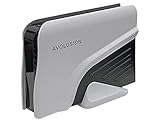
- Built-in 4TB Capacity External Gaming Hard Drive. Compatible with XBOX Series X, S, ONE X, S, Orginal (1st Gen) (7200RPM Enterprise HDD, Designed 24/7)
- Game Console File System Pre-Formatted, Expand Game Console hard drive storage instantly!Add extra storage to your game console without opening up the case
- Attention: XBOX X|S Games has to play directly from internal SSD. Therefore External USB HDD only uses to store the XBOX X|S Games as buffer. It cannot play directly from the USB HDD. You can play XBOX ONE games directly from USB extended storage, which free up space on your XBOX Series X|S console storage.
- To play XBOX X|S games, you need to copy game data from your USB hard drive back to your console's internal SSD storage. It’s much quicker to copy a X|S game from USB HDD than to re-download it.
- This external hard drive boasts a brand-new, premium HDD case paired with a excellent refurbished, top-tier internal 7200RPM enterprise hard drive from a leading manufacturer. With zero bad sectors and 100% health, it has passed rigorous factory quality tests to ensure exceptional performance and reliability. Fully researched and tested for outstanding performance and compatibility with PC & gaming consoles, it stands as the top choice in external gaming hard drives.
Rank #4

- Up to 6TB[1] that can hold up to 150 games[3], so that you can save old favorites and still have room for new titles.
- 1-Month Xbox Game Pass Ultimate membership included with purchase (1-Month trial offer of Xbox Game Pass Ultimate for New Xbox Game Pass members only. Limit: 1 per person/account. Available for a limited time. See product packaging for full details.)
- Portable form factor that provides fast access to your gaming library, anywhere you go.
- High-performance HDD in speeds up to 130MB/s[2] to optimize your console or PC gaming experience.
- Purpose-built for gamers based on WD_Black quality and reliability.
Product prices and availability are accurate as of the date/time indicated and are subject to change. Any price and availability information displayed on Amazon at the time of purchase will apply.




