Do these 3 things before closing this tab:
1Repair Windows errors before they cause bigger problems2Scan for outdated or missing drivers - takes under a minute3Clear out junk files and repair common Windows errorsThere is no single best Support build for every Overwatch 2 Stadium match. Choose a playstyle that suits your team, use the in-game Hero Builder’s current recommendations as a starting point, and adapt purchases to the enemy team and match progression. Blizzard’s published notes describe build options and recommendation tools, but do not establish a current Support ranking or a universally best item order.
Why Stadium Support builds need to adapt
Stadium is a multi-round mode in which players upgrade heroes with Powers and items. Blizzard’s April 14, 2025 launch announcement described it as a best-of-seven format with a 1 Tank, 2 Damage, 2 Support team composition, where players select one hero for the match and buy upgrades across rounds. Those are launch-era rules; check the live in-game rules in case the format has changed. Blizzard’s Stadium launch announcement
| # | Preview | Product | Price | |
|---|---|---|---|---|
| 1 |

|
Overwatch Legendary Edition - Xbox One | $16.82 | Buy on Amazon |
| 2 |

|
Overwatch - Origins Edition - PlayStation 4 | $34.99 | Buy on Amazon |
| 3 |
|
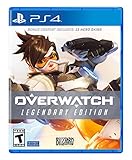
Overwatch Legendary Edition - PlayStation 4 | $27.92 | Buy on Amazon |
| 4 |

|
Overwatch - Origins Edition - Xbox One (Renewed) | $6.51 | Buy on Amazon |
As an Amazon Associate I earn from qualifying purchases.
Because choices unfold over multiple rounds, an early purchase path should not be treated as a permanent shopping list. Your later choices can respond to the enemy composition and the way the match is developing. Pick a Support whose Powers and playstyle work for your team, then reassess items as new threats or needs emerge.
Recommended Free Tools
Use the Hero Builder for current recommendations
For patch-current item suggestions, start with the in-game Hero Builder. Blizzard’s February 25, 2026 patch notes say it recommends items using constantly updating pick- and win-rate data “in the context of your current build.” It also offers bundle recommendations and counter-item suggestions. Blizzard’s February 25, 2026 patch notes
#1 Best Overall
- Experience the extraordinary
- Play as heroes, not classes
- Fight for the future together
- The world is your battlefield
- Overwatch legendary edition includes 5 Epic and 5 legendary skins; Entertainment Software Rating Board (ESRB) Content Description: Blood, violence, use of tobacco
- Open the Hero Builder for your selected Support. Check the suggested build and bundles for the current match.
- Compare counter-item suggestions with the enemy team. Treat them as choices to consider, not automatic purchases; select a counter when it addresses a threat that matters in your match.
- Reassess between rounds. Let the changing match and your current build inform the next purchase rather than following an inflexible sequence.
Recommendations can be less reliable for a newly added or reworked hero: Blizzard says manually entered recommendations may appear until sufficient live data is available, and cautions that those may be lower quality.
Support playstyles Blizzard has specifically discussed
Official balance notes show that some Supports have multiple intended build directions, not one confirmed best path. Blizzard’s June 2026 notes discuss differentiating Mercy’s Flash Heal build from tether-oriented options, and adding a Coalescence-focused direction for Moira alongside changes to Orb and Weapon Power options. They also describe changes to Zenyatta’s self-healing interactions and melee-build options. These notes establish that the playstyles exist; they do not establish the best current item order for any of them. Blizzard’s June 2026 patch notes
Rank #2
- Experience the extraordinary
- Play as heroes, not classes
- Fight for the future... together
- The world is your battlefield
- Games requires PlayStation Plus to play
- Mercy: Consider whether a Flash Heal-oriented or tether-oriented direction better fits your intended role in the match; verify the current Powers and recommendations in game.
- Moira: Orb, Coalescence, and Weapon Power options offer different directions. Choose based on your preferred playstyle and current recommendations rather than assuming one is universally strongest.
- Zenyatta: Blizzard has discussed survivability and melee-build changes. Check current Powers and item recommendations before relying on older advice.
These are examples of build variety, not a tier list. Blizzard called Moira Stadium’s most-picked Support in February 2026 while discussing balance, but that dated statement is not evidence of her current pick rate or a present-day ranking. Blizzard’s February 2026 patch notes
Free tools Windows power users keep installed
One-click scans. No signup required.
Check patch changes and hero availability
Static build advice can become stale when a Power changes or a hero’s availability shifts. Blizzard’s September 2026 notes adjusted Ana’s Falconer Power and Jetpack Cat’s Territorial Power; the September 8 notes also changed Wuyang’s Restorative Stream. A September 17 note said Mercy was re-enabled in all Stadium queues after a gameplay issue. Before copying a named build, confirm that the hero is available and check the current patch notes and in-game options. Blizzard’s September 2026 patch notes
Rank #3
- Experience the extraordinary
- Play as heroes, not classes
- Fight for the future together
- The world is your battlefield
- Overwatch legendary edition includes 5 Epic and 5 legendary skins
What current evidence can—and cannot—tell you
The Hero Builder uses live item data to make contextual recommendations, but Blizzard’s cited notes do not publish a current Support-by-Support win-rate table, complete hero rankings, or exact best item sequences. The most dependable approach is therefore to use the live, build-specific suggestions in game, account for enemy threats, and adapt as the match progresses—not to rely on an unsupported universal build string.
Quick Recap
Rank #4
- Experience the extraordinary
- Play as heroes, not classes
- Fight for the future.together
- The world is your battlefield
- Game requires Xbox Live Gold to play
Product prices and availability are accurate as of the date/time indicated and are subject to change. Any price and availability information displayed on Amazon at the time of purchase will apply.




