Quick wins for a faster PC:
Repair Windows errors before they cause bigger problemsFix Now →Fix the driver behind crashes, sound loss and screen glitchesFind Drivers →Clear out junk files and repair common Windows errorsFree Scan →In Pokémon Sword and Pokémon Shield, evolution items work in different ways: stones and some special items are used from the Bag, trade items must be held during a trade, and Milcery must hold a Sweet before you spin. Below is what each item evolves, the condition to trigger it, and where the cited guides report finding it. Locations include the base games and, where marked, expansion content.
How evolution items work
Evolutionary items are one-use items, so you need another copy for each evolution. The main item types differ in how they trigger evolution:
- Use from the Bag: Select the eligible Pokémon and use an Evolution Stone or a direct-use item such as an apple or pot.
- Hold during a trade: Give the item to the Pokémon, then trade it. Trading back is a separate step if you want to keep the evolved Pokémon.
- Hold while leveling up: Happiny must hold an Oval Stone and gain a level during the day.
- Hold before a spin: Give Milcery a Sweet, then rotate the control stick to trigger its evolution.
For item-location details, Serebii’s Sword and Shield item list covers sources across the games and expansions; the RPG Site evolution-stone guide reports stone locations and additional item methods.
Evolution Stones: use directly on a Pokémon
Use the named stone from the Bag on a compatible Pokémon. These are the stone evolutions covered by the cited guides; expansion-only Alolan forms are marked.
The Tool Desk
Outbyte Driver Updater FREEScan for outdated or missing drivers - takes under a minuteDriver Scan →Outbyte PC Repair FREERepair Windows errors before they cause bigger problemsFix Now →#1 Best Overall

- Catch, battle, and trade Pokémon on an all-new adventure in the Galar region
- Choose from three new partner Pokémon and encounter never-before-seen Pokémon
- Unravel the mystery behind the Legendary Pokémon Zacian and Zamazenta!
- Team up with other Trainers to participate in Max Raid Battles***!
- Battle wild Dynamax Pokémon in Max Raid Battles and try catching them***
| Stone | Eligible Pokémon and evolution | Reported locations |
|---|---|---|
| Dawn Stone | Male Kirlia → Gallade; female Snorunt → Froslass | Giant’s Cap, Lake of Outrage, and Digging Duo |
| Dusk Stone | Lampent → Chandelure; Doublade → Aegislash | Stow-on-Side, Lake of Outrage, and Digging Duo |
| Fire Stone | Eevee → Flareon; Growlithe → Arcanine; Vulpix → Ninetales | Motostoke Riverbank and Lake of Outrage |
| Ice Stone | Eevee → Glaceon; Galarian Darumaka → Galarian Darmanitan; Alolan Vulpix → Alolan Ninetales and Alolan Sandshrew → Alolan Sandslash (expansion content) | Route 9 and Lake of Outrage |
| Leaf Stone | Eevee → Leafeon; Gloom → Vileplume; Nuzleaf → Shiftry | Turffield and Lake of Outrage |
| Moon Stone | Clefairy → Clefable; Munna → Musharna; Jigglypuff → Wigglytuff | Dusty Bowl |
| Shiny Stone | Togetic → Togekiss; Roselia → Roserade; Minccino → Cinccino | Route 8 and Lake of Outrage |
| Sun Stone | Gloom → Bellossom; Cottonee → Whimsicott; Helioptile → Heliolisk; Petilil → Lilligant | Dusty Bowl |
| Thunder Stone | Magneton → Magnezone; Charjabug → Vikavolt | Location details not stated in the cited guide |
Stone locations above are reported by RPG Site. A listed area may contain a pickup or a repeatable source; check the item entry for the specific source rather than assuming every location works the same way. The source also reports Isle of Armor locations for some stones.
Other items used directly
These items are used from the Bag rather than held for a trade or level-up.
Rank #2
![Nintendo Pokémon Sword Expansion Pass or Pokémon Shield Expansion Pass (Retail Version) - [Switch Digital Code]](https://m.media-amazon.com/images/I/51l34qxMYhL._SL160_.jpg)
- Continue your Pokémon Sword or Pokémon Shield adventure in The Isle of Armor and The Crown Tundra, two new areas to explore that will be added to the Galar region as part of the Pokémon Shield Expansion Pass or Pokémon Sword Expansion Pass
- Redeem your download code in the Nintendo eShop for either the Pokémon Sword Expansion Pass or the Pokémon Shield Expansion Pass. Upon redeeming the code, you will be prompted to select one Expansion Pass. Only redeemable for one Expansion Pass.
- You'll also see some familiar Pokémon that didn't appear in the Galar region before, a total of over 200 Pokémon
- Part 1: The Isle of Armor is available now; Part 2: The Crown Tundra is scheduled for release during the fall of 2020
- If you purchase the Pokémon Sword Expansion Pass or the Pokémon Shield Expansion Pass, you'll receive two codes redeemable to get two special uniform sets of in-game apparel as a bonus
| Item | Evolution and condition | Reported availability |
|---|---|---|
| Sweet Apple | Applin → Appletun; version-specific to Shield in the cited guide | See Serebii’s item list for sources across base game and expansion content |
| Tart Apple | Applin → Flapple; version-specific to Sword in the cited guide | See Serebii’s item list for sources across base game and expansion content |
| Galarica Cuff | Galarian Slowpoke → Galarian Slowbro | Expansion content; see Serebii’s item list for sources |
| Galarica Wreath | Galarian Slowpoke → Galarian Slowking | Expansion content; see Serebii’s item list for sources |
| Cracked Pot | Sinistea → Polteageist | See Serebii’s item list for sources |
| Chipped Pot | Rare-form Sinistea → Polteageist | See Serebii’s item list for sources |
For the Sinistea branch, the chipped pot entry applies to the rare-form Sinistea; use the pot matching the form you have.
Items held during a trade
Give the item to the first Pokémon, then trade it to trigger evolution. For Porygon’s two-stage path, trade Porygon holding an Up-Grade first, then trade the resulting Porygon2 holding a Dubious Disc.
Windows Errors? Fix Them Before They Spread
Repair common Windows errors and clear accumulated junk for a smoother, more stable PC - no reinstall needed.Free scan · no reinstallOutdated Drivers Are Slowing You Down
One free scan finds every outdated or missing driver and matches the right update for your exact hardware.Free scan · exact hardware matchRank #3
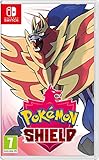
- New entries in the main series of Pokémon RPGs arrive on Nintendo Switch simultaneously in late 2019
- The Pokémon Sword and Pokémon Shield games take place in the newly discovered Galar Region
- Galar is an expansive region with diverse environments - an idyllic countryside, contemporary cities, thick forest and craggy, snow-covered mountains
- Fans will have the opportunity to visit Gyms in the Galar region in their quest to become Champion
- Newly discovered partner Pokémon join in this new iteration of the games - Grookey, Scorbunny and Sobble
| Held item | Pokémon → evolution |
|---|---|
| Metal Coat | Onix → Steelix; Scyther → Scizor |
| King’s Rock | Slowpoke → Slowking; Poliwhirl → Politoed |
| Prism Scale | Feebas → Milotic |
| Protector | Rhydon → Rhyperior |
| Reaper Cloth | Dusclops → Dusknoir |
| Sachet | Spritzee → Aromatisse |
| Up-Grade | Porygon → Porygon2 |
| Dubious Disc | Porygon2 → Porygon-Z |
| Whipped Dream | Swirlix → Slurpuff |
Oval Stone: level up Happiny in daytime
Give Happiny an Oval Stone to hold, then level it up during the day. It evolves into Chansey. The item is not used directly from the Bag, and the day condition matters.
Independent reader supportYour contribution helps us test, update, and keep practical guides available for everyone.Sweets: evolve Milcery by spinning
Give Milcery one of these seven Sweets to hold, then rotate the control stick to spin: Berry Sweet, Clover Sweet, Flower Sweet, Love Sweet, Ribbon Sweet, Star Sweet, or Strawberry Sweet. Milcery evolves into Alcremie. The spin’s direction, speed, duration, and time of day affect Alcremie’s appearance; the Sweet is a held item, not a directly used stone.
Rank #4
![Pokémon Sword - Nintendo Nintendo Switch [Digital Code]](https://m.media-amazon.com/images/I/41Hn46gyJvL._SL160_.jpg)
- Catch, battle, and trade Pokémon on an all-new adventure in the Galar region
- Choose from three new partner Pokémon and encounter never-before-seen Pokémon
- Unravel the mystery behind the Legendary Pokémon Zacian and Zamazenta!
- Team up with other Trainers to participate in Max Raid Battles
- Battle wild Dynamax Pokémon in Max Raid Battles and try catching them
Serebii’s item database lists Sweet availability through shops and area sources, while its evolution-method reference describes the spin conditions. See the item catalogue for item sources.
Where to look for more copies
The base-game sources reported by the cited guides include fixed ground pickups, shops, the Digging Duo, Poké Jobs, wild Pokémon holding items, and other sources. Some are repeatable or randomized rather than guaranteed pickups. The Isle of Armor adds Cram-o-Matic routes for evolution items; the catalogue also includes Crown Tundra and other expansion sources. Confirm that you have the relevant expansion before following an expansion-specific location or method. The official Pokémon Sword and Shield website provides game context, but not a complete item-location reference.
Do these 3 things before closing this tab:
1Fix the driver behind crashes, sound loss and screen glitches2Repair Windows errors before they cause bigger problems3Scan for outdated or missing drivers - takes under a minuteQuick Recap
Product prices and availability are accurate as of the date/time indicated and are subject to change. Any price and availability information displayed on Amazon at the time of purchase will apply.




