“Something went wrong” is a generic PS5 symptom, not one specific error. The fastest safe fix depends on the error code, whether one game or several apps are affected, and whether the title is digital, disc-based, or installed on USB storage. Before deleting anything, photograph the full message, note any code beginning with CE or NP, and check whether another game launches.
Use the steps below in order. Start with updates, a restart, PlayStation Network status, licenses, and disc checks. Reinstall only the affected game when the problem is isolated. Reserve Safe Mode, resets, and system-software reinstallation for problems that survive less destructive troubleshooting.
As an Amazon Associate I earn from qualifying purchases.
1. Record the exact error first
Write down the complete message and any error code. Also note whether the game closes, freezes, returns to the home screen, or fails before launching. A screenshot can help PlayStation Support identify the problem.
What’s actually slowing this PC down?
Pick the symptom - the matching free tool is one click away.
The timing can narrow the cause. Record whether it began after a game update, PS5 system update, move to USB storage, account change, data transfer, power interruption, or an interrupted download.
#1 Best Overall

- 【Connection & Wake-up】When using the gamepad for the first time, it needs to be connected to the PS5 console via a USB-C cable(It must be the data cable included in the package or the original data cable), and then press the Home button to activate it. After completing the first connection, you only need to press the HOME button to turn on the PS5 console. The gamepad is compatible with PS5 series consoles and Windows PCs, and it is not compatible with PS4.
- 【Controller with Sound】The controller is capable of producing sound, providing an immersive gaming experience. Please note that the controller is only equipped with a speaker and has no microphone. If you want to use the microphone function, please use an external headset. It is equipped with a 3.5mm TRRS headphone jack(not compatible with Apple headphones.)
- 【Customizable Colors】Press the Lighting button to switch colors and light effect modes with one click. It features a color memory function, ensuring that the next time you use it, it will still be the color you prefer.
- 【High - Precision Joysticks】Equipped with upgraded joysticks, these effectively reduce the joystick dead zone and extend the controller's service life.
- 【Multiple Functions】10 times/second Turbo function can be set, supporting up to 16 keys programming, making your gaming experience even better.
Two common codes require different responses:
- CE-108255-1: PlayStation describes this as an error with the game or application. Its guidance is to update the game and seek further help through PlayStation Repairs if the problem continues.
- CE-100095-5: PlayStation describes this as an issue starting the application and directs users to delete and reinstall it while leaving the console powered on during installation. See Sony’s official CE-100095-5 steps.
Do not assume that every “Something went wrong” message means the game is corrupted. Licensing, updates, storage, PSN services, system software, a disc, or the console itself can also be involved.
2. Find out whether one game or everything is affected
Test one other installed game, open Settings, and try a built-in app such as Media. If practical, test the same title from another user profile. A different profile can help narrow the issue, but it does not by itself prove that your account is at fault.
| What happens | What it suggests |
|---|---|
| Only one game fails | A damaged installation, failed update, title-specific compatibility issue, disc problem, license issue, or local game data problem. |
| Several games and apps fail | A system-software, storage, account/PSN, or hardware problem is more likely. |
| Only games on USB storage fail | The external drive, its connection, or the installation on it may be involved. |
| A disc game fails but digital games work | Inspect the disc and test the disc drive with another known-good game. |
This split matters. Reinstalling one game makes sense when the rest of the console works; repeatedly reinstalling titles is unlikely to solve a broader storage or hardware problem.
3. Apply the low-risk fixes first
Restart the PS5 normally
- Press the PS button.
- Open the power menu.
- Select Restart PS5.
If the console is frozen, turn it off completely and wait until the power indicator is no longer lit. Only then disconnect the power cable, wait several minutes, reconnect it, and start the PS5. Never unplug the console while the indicator is lit; sudden power loss can worsen corrupted-data problems.
Check PlayStation Network status
Before deleting a large game, check the official PlayStation Status page. An outage can affect sign-in, licenses, downloads, multiplayer authentication, or streaming. An outage is a reason to wait rather than reset the console. However, an “all services operational” result does not rule out a local console, storage, or game problem.
Update both the game and the console
Updating the game does not necessarily update the PS5 system software, so check both:
Rank #2
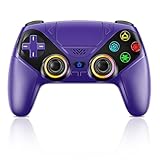
- Dual Connection Modes & Stable Performance: Features advanced Bluetooth 5.3 technology for a 10m lag-free wireless experience, plus a wired USB-C connection. While a USB cable is required for the initial pairing, you can wake up your PS5 console with a single press afterward, ensuring a seamless gaming transition.
- 6-Axis Motion Sensing & Immersive Feedback: Equipped with a built-in 3D accelerometer and gyroscope, the controller precisely captures X/Y/Z axis acceleration and Roll/Pitch/Yaw movements. Perfectly suited for action, racing, and sports games like NBA 07 and Ridge Racer, it delivers a more immersive and intuitive gaming experience.
- Customizable Functions & LED RGB Lighting: Supports Turbo auto-fire (10 shots/second) and macro programming (records up to 24 key presses). Two programmable back buttons (P1/P2) allow for personalized control setups. The vibrant RGB light bar offers multiple color modes, easily switchable via the Light button, which is great for distinguishing players in multiplayer games.
- Versatile Audio & Ergonomic Design: Connect your wired headphones to the 3.5mm jack for in-game chat (Note: No built-in microphone; Apple headphones are not compatible). The built-in speaker reproduces high-fidelity game audio. Designed with an ergonomic shape that fits comfortably in your hands, reducing fatigue during long gaming sessions. It also features a dual-point capacitive touchpad for intuitive controls.
- Wide Compatibility & Long-Lasting Battery: Compatible with the PS5 console and Windows 10/11 PCs. The large 1000mAh rechargeable battery provides extended playtime, freeing you from battery anxiety. Supports firmware updates via a PC to ensure compatibility with future PS5 system updates.
- Highlight the game on the home screen or in Game Library.
- Press the Options button.
- Select Check for Update.
For the PS5 system software, Sony’s current path is:
Settings > System > System Software > System Software Update and Settings > Update System Software
Menu wording can vary with system-software versions or region. Sony’s PS5 system-software support page is the reference for the current interface.
Restore licenses for ownership or lock symptoms
Restore licenses when a digital game has a lock icon, disappears from the playable library, or reports an ownership or access problem. The usual path is:
Settings > Users and Accounts > Other > Restore Licenses
The Tool Desk
Outbyte Driver Updater FREEScan for outdated or missing drivers - takes under a minuteDriver Scan →Outbyte PC Repair FREEClear out junk files and repair common Windows errorsFree Scan →Sign in to the account that purchased the game or claimed it through PlayStation Plus. Restoring licenses does not delete installed games or save data. It is useful for entitlement problems, not a general solution for crashes.
Rank #3
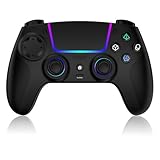
- Seamless Compatibility:This game controller is compatible with PS5, Pro, Slim, PC, and Steam Deck. Enjoy seamlesg integration with your console and all your PS5 games without any complicated setup
- Adjustable RGB Lighting: Personalize your setup with vibrant, 7-color adjustable RGB lighting. Choose from 4 distinct lighting modes (Steady, Breathing, Color Cycle, and Reactive) to match your mood, game, or gaming environment
- 3-Speed Turbo: Gain a competitive edge with the 3-speed adjustable TURBO function. Simply map any action button to turbo for rapid, continuous firing—perfect for shooting games or actions requiring high-speed input
- Programmable Back Buttons: Take command with fully programmable rear buttons M1 & M2. Map complex in-game commands or macros to these buttons, saving your configurations for instant access to advanced maneuvers and shortcuts
- Ergonomic Design: Its form-fitting shape, balanced weight, and soft-touch materials offer superior comfort. This non-slip design ensures stable control and prevents slippage, even with sweaty hands
Account sharing, console-sharing settings, a secondary account, or a temporary license-verification problem can also affect access. If the game launches and then crashes, focus on updates and installation troubleshooting instead.
Check a physical disc
For a disc-based game:
- Confirm the disc is inserted in the correct orientation.
- Remove and reinsert it.
- Check for fingerprints, scratches, cracks, or warping.
- Clean it with a soft, lint-free cloth, wiping from the center outward.
- Test another known-good game disc.
- Confirm that the inserted disc corresponds to the installed title.
A PS5 Digital Edition cannot use discs. On a disc-compatible PS5, a PS4 disc generally must remain inserted to authorize play, even if a PS5 version was downloaded. If several known-good discs are unreadable, the disc drive may need service.
4. Reinstall only the affected game or app
Reinstalling is the appropriate next step when one title fails, its update repeatedly fails, the console reports corrupted data, or the official error-code instructions recommend it.
Recommended Free Tools
- Highlight the affected game or application.
- Press Options.
- Select Delete.
- Reinstall the game from your library or disc.
- Leave the console powered on while installation runs.
Deleting the application is normally separate from deleting saved data, but back up important saves before destructive troubleshooting. Do not choose a saved-data deletion option as a first step. A reinstall may require copying the game from a disc and downloading the full set of patches again.
If the title is on external USB storage, move one copy to internal storage and test it there before formatting the drive. A nearly full internal drive can also interfere with updates and installations, so free space if the console is close to full.
5. Isolate external USB storage
External storage can produce failures that look like a game problem. To test it:
Rank #4

- 👉️【Usage Notes】When using the gamepad for the first time, it needs to be connected to the PS5 console via a USB-C cable(It must be the data cable included in the package or the original data cable), and then press the Home button to activate it. If your controller has any functional issues, please use this url to update the firmware: we.tl/t-yAwofXJL9YOyyq3K !!! The gamepad is only compatible with PS5 series consoles and Windows PCs, and it is not compatible with PS4.
- 👋【Quick Connection & One - click Wake - up】 You can connect to the PS5 console by pressing the HOME button on the controller. When connecting to the console for the first time, you need to use a data cable. It also supports use on computers with Windows operating systems.
- 🎮️【Controller with Sound】 The controller is capable of producing sound, providing an immersive gaming experience. Please note that the controller is only equipped with a speaker and has no microphone. If you want to use the microphone fuacnction, please use an external headset. It is equipped with a 3.5mm TRRS headphone jack(not compatible with Apple headphones.)
- 🌈【Customizable Colors】Press the Lighting button to switch colors and light effect modes with one click. It features a color memory function, ensuring that the next time you use it, it will still be the color you prefer.
- 🕹️【High - Precision Joysticks】Equipped with upgraded joysticks, these effectively reduce the joystick dead zone and extend the controller's service life.
- Shut down the PS5 normally.
- Disconnect the external USB drive.
- Start the console and test a game installed on internal storage.
- Reconnect the drive only after the console is running, following Sony’s safe-removal guidance where applicable.
- If only USB-installed games fail, move one title to internal storage and test it.
The drive should meet PS5 extended-storage requirements and connect directly to the console rather than through an unpowered hub. Do not format it before confirming that it is the cause: formatting deletes its installed games and other stored data.
Free tools Windows power users keep installed
One-click scans. No signup required.
6. Use Safe Mode carefully
Safe Mode is useful when ordinary updates, restarts, and a targeted reinstall have not helped. To enter it:
- Turn the PS5 off completely.
- Press and hold the power button.
- Release it after the second beep.
- Connect the controller with a USB cable.
- Press the PS button.
Available option names can change, so consult Sony’s current Safe Mode guide. Relevant options include:
- Restart PS5: exits Safe Mode.
- Repair Console Storage: follow the on-screen instructions when storage repair is indicated.
- Clear Cache and Rebuild Database: a maintenance step that may help with certain system-data or organization problems, but is not a guaranteed fix for launch errors.
- Update System Software: useful when normal updating fails.
- Reset PS5: deletes user data.
- Reset PS5 (Reinstall System Software): deletes all data and reinstalls the operating system.
Use the least destructive relevant option first. Back up important data before any reset. Do not treat “Rebuild Database” as a replacement for reinstalling a damaged game, and do not use a reset simply because one title crashes.
7. If normal updating fails, use Sony’s USB method
Sony provides an official USB update process for cases where the console cannot update normally. The USB drive must be formatted as FAT32 or exFAT. Sony’s instructions require folders named PS5 and UPDATE, with the update file named PS5UPDATE.PUP; the page specifies approximately 1.1 GB of free space for the update-file procedure.
Use only Sony’s official system-software instructions and files. Do not use unofficial firmware or third-party “repair” utilities. For exact current steps, use the PS5 system-software page.
8. Know when to stop and request repair
Contact PlayStation Support or Repairs when:
- Multiple games and apps fail after updates and restarts.
- The PS5 repeatedly reports corrupted data.
- Games fail from both internal and external storage.
- The console shuts down unexpectedly, overheats, shows warning messages, or makes abnormal noises.
- Several known-good discs are unreadable.
- Safe Mode will not start or repeatedly reports errors.
- Reinstalling the affected game does not help.
- The same problem returns after a full system reset or clean system-software installation.
Persistent failure across different games, storage devices, or a clean system installation points away from a single game and toward storage, the disc drive, system hardware, or another console-level fault. Stop repeated testing if the PS5 is overheating or shutting down.
Error-code quick reference
| Code | Official description or direction | Best next step |
|---|---|---|
| CE-108255-1 | Error with the game or application. | Update the game; if it continues, use PlayStation Repairs. |
| CE-100095-5 | Issue starting the application. | Delete and reinstall the application, keeping the console powered on during installation. |
For any other code, use the exact code in PlayStation’s official support search rather than applying a fix intended for a different failure.
Quick Recap
Product prices and availability are accurate as of the date/time indicated and are subject to change. Any price and availability information displayed on Amazon at the time of purchase will apply.
Quick wins for a faster PC:
Clear out junk files and repair common Windows errorsFree Scan →Scan for outdated or missing drivers - takes under a minuteDriver Scan →Repair Windows errors before they cause bigger problemsFix Now →



