The Razer Blade 16 (2025) is the “thinnest Blade ever,” reaching 0.59 inches (14.9 mm) at its thinnest point, but the catch is value: its RTX 5090 configuration can trail thicker RTX 5080 laptops while costing more. The laptop is strongest as a premium mobility-first gaming and creator system, not as an automatic performance champion.
Razer’s redesign puts unusually high-end hardware into a relatively slim 16-inch chassis. That makes the Blade 16 compelling for buyers who carry a gaming laptop regularly, but it also makes the laptop’s power limits, sustained thermals, price, and exact retail configuration more important than the RTX number printed on the specification sheet.
As an Amazon Associate I earn from qualifying purchases.
Key takeaways
- Razer specifies a minimum thickness of 0.59 inches (14.9 mm) at the Blade 16’s thinnest point; the entire chassis is not uniformly 14.9 mm deep.
- The 2025 Blade 16 combines AMD Ryzen AI processor options with graphics configurations up to an Nvidia GeForce RTX 5090 Laptop GPU.
- Razer lists up to 24 GB of GDDR7 VRAM and up to 155 W of maximum graphics power for the advertised RTX 5090 configuration.
- PCWorld reports that the RTX 5090 Blade 16 can trail thicker RTX 5080 laptops despite costing more.
- The Blade 16 is best understood as a premium mobility-first gaming laptop, not an automatic performance-per-dollar champion.
What does “thinnest Blade ever” actually mean?
“Thinnest” refers to the laptop’s minimum measured profile, not a promise that every part of the chassis has the same depth. Razer’s 2025 announcement specifies 0.59 inches at the thinnest point, while the company’s product page gives the metric equivalent as 14.9 mm and lists an approximate weight of 4.6 pounds. Razer’s official 2025 announcement and current Blade 16 product page are the appropriate sources for those manufacturer specifications.
What’s actually slowing this PC down?
Pick the symptom - the matching free tool is one click away.
That distinction matters when comparing the Blade 16 with conventional gaming laptops. A laptop can reach a very low minimum thickness while still having a thicker rear section, display lid, hinge area, or cooling region. Buyers should compare minimum thickness and average chassis thickness separately, then consider the power adapter in the carrying weight.
#1 Best Overall

- BUILT FOR ALL-WEATHER DURABILITY — Stay protected on daily commutes or travel with a tear-, water-, and abrasion-resistant recycled shell and coated zipper tape that shields your gear from rain and wear
- SMART ORGANIZATION FOR DAILY CARRY — Keep essentials sorted with a structured interior, multiple compartments, headphone loop, and hidden back pocket for secure storage on busy commutes or airport travel
- DEDICATED 18” LAPTOP PROTECTION — Carry your Razer Blade 18 or similar devices safely thanks to a padded, shock-absorbing sleeve that minimizes movement and impact during travel or daily use
- ALL-DAY ERGONOMIC COMFORT — Reduce strain with padded shoulder straps and a breathable mesh back panel that improves airflow and comfort for long commutes, campus days, or events
- TRAVEL-READY FUNCTIONALITY — Move efficiently with a built-in trolley sleeve for luggage stacking and a cable passthrough that enables convenient device charging while on the go
Razer’s own wording is “The Thinnest Razer Gaming Laptop Ever.” The claim is legitimate as a minimum-profile statement, but it should not be read as “the thinnest laptop in every section” or “the lightest gaming laptop available.”
What hardware does the 2025 Blade 16 offer?
The 2025 redesign offers AMD Ryzen AI processors, including the Ryzen AI 9 HX 370, and graphics configurations reaching up to Nvidia’s GeForce RTX 5090 Laptop GPU. Razer’s announcement lists up to 24 GB of GDDR7 VRAM and up to 155 W of maximum graphics power for that advertised RTX 5090 configuration. These are maximum configuration claims; a particular retail SKU may use different processor, graphics, memory, storage, or power settings. Razer’s product announcement provides the configuration-level figures.
The hardware positioning is deliberately broad. Razer presents the Blade 16 as a premium thin laptop for competitive gamers, streamers, and creators, so the machine can plausibly serve as a combined gaming and production system. The suitability of a specific configuration still depends on the workload: gaming, video editing, 3D rendering, live streaming, and AI-assisted work can place very different demands on the processor, GPU, memory, storage, and sustained cooling.
How does the thin chassis affect performance?
The central compromise is physical headroom. A thinner chassis leaves less room for heat pipes, fans, radiators, airflow channels, and sustained high-power operation than a thicker desktop-replacement design. That does not prove that every Blade 16 workload throttles, but it does explain why the same GPU name can perform differently across laptops.
Rank #2

- Optimized storage: Keep your gear orderly and accessible with dedicated spaces for all your essentials.
- Secure inside and out: Breathable 3D mesh protects devices from overheating in the laptop and tablet sleeves. A molded outer shell and inside top bumper protects from jolts and drops.
- Undeniably alien: The 3D reflective Alienware logo tosses iridescent colors when illuminated, while gradient aura zipper pullers provide night visibility.
- Move in comfort: The ergonomic design features comfortable shoulder pads and a chest buckle for weight distribution.
- Fit all your essentials: Our optimized and spacious backpack fits all everything you need for on-the-go gaming, keeping gear organized, accessible and protected.
Razer says the redesigned cooling system uses a vapor chamber, dual fans, and very thin exhaust fins. The company specifies cooling coverage across 57% of the motherboard surface area and exhaust fins measuring 0.05 mm. Those figures describe the design supplied by Razer, not independent measurements of temperature, noise, or long-session performance. Razer’s announcement documents the cooling architecture and manufacturer specifications.
The practical question is therefore not simply “Does the Blade 16 have an RTX 5090?” The practical questions are how much power the GPU can sustain, how temperatures and fan noise behave during extended loads, and whether performance remains consistent after the laptop has been gaming or rendering for an hour rather than a short benchmark run.
What is the catch with the Razer Blade 16 RTX 5090?
The catch is that the RTX 5090 badge does not guarantee that this thin implementation will beat every thicker RTX 5080 or RTX 5090 laptop. PCWorld’s review describes the Blade 16 as sleek and light but reports that its RTX 5090 model can trail RTX 5080 laptops despite carrying a higher price. PCWorld’s independent review is the clearest warning about the performance and value trade-off.
Free tools Windows power users keep installed
One-click scans. No signup required.
Tom’s Hardware reaches the same broader buying issue from a specification- and performance-focused perspective, framing the system as a pricey, thin RTX 5090 laptop. The GPU family identifies the graphics architecture inside the machine, but the laptop’s power budget, cooling envelope, firmware tuning, display resolution, and sustained thermal behavior determine the performance a buyer actually receives. Tom’s Hardware’s Blade 16 review reinforces that distinction.
Rank #3
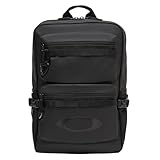
- Water resistant fabric helps repel water from the garment
- Two zippered main compartments: one for digital storage with separate sleeves for laptop and tablet, one with organizational compartments
- Two external zippered pockets on bag front with added organizational storage
- Oakley Ellipse logo on bag front and shoulder strap
- Visit the Oakley Brand Store to shop the entire Oakley selection.
This is why the Blade 16’s premium is easier to justify as a portability and design premium than as a guaranteed frame-rate premium. A buyer paying for the RTX 5090 configuration should check measured results for the exact SKU and compare those results with thicker RTX 5080 systems before assuming that the higher model number represents better value.
Is the Blade 16 better than an RTX 5080 laptop?
The Blade 16 is better for portability and premium design when the alternative is a substantially thicker gaming laptop; an RTX 5080 laptop can be better for sustained performance and value. The answer depends on whether the buyer prioritizes carrying comfort or maximum output per dollar.
| Decision factor | Razer Blade 16 (2025) | Thicker RTX 5080 or RTX 5090 laptop |
|---|---|---|
| Minimum thickness | 0.59 in / 14.9 mm at the thinnest point, according to Razer | Exact measurement varies by model; compare minimum and average thickness |
| Graphics headline | Up to RTX 5090 Laptop GPU | RTX 5080 or RTX 5090 Laptop GPU, depending on model |
| Advertised RTX 5090 power | Up to 155 W maximum graphics power in Razer’s listed configuration | Exact GPU power limit must be checked for the individual laptop |
| Sustained performance | Can be limited by the thinner cooling and power envelope | More chassis volume can provide additional cooling and power headroom |
| Value risk | PCWorld reports the RTX 5090 model can trail RTX 5080 laptops at a higher price | A lower GPU tier may deliver better performance per dollar in a higher-power chassis |
| Best reason to choose it | Premium mobility with unusually high-end graphics | Maximum sustained performance, value, or quieter long-load operation |
The comparison should not stop at RTX 5090 versus RTX 5080. Check GPU power limits, extended gaming results, fan noise, thermal behavior, display resolution and refresh rate, battery behavior for productivity, memory and storage configuration, upgradeability, and the weight of the charger. Those factors can change the better choice even when one laptop has a higher GPU label.
Windows Errors? Fix Them Before They Spread
Repair common Windows errors and clear accumulated junk for a smoother, more stable PC - no reinstall needed.Free scan · no reinstallOutdated Drivers Are Slowing You Down
One free scan finds every outdated or missing driver and matches the right update for your exact hardware.Free scan · exact hardware matchIs the Razer Blade 16 (2025) worth it for gaming and content creation?
The Blade 16 is worth considering for gaming and content creation when a buyer values a relatively slim aluminum system that can combine high-end graphics with portability. The machine’s processor and GPU options give it a credible role as a gaming, streaming, and creator workstation, while the thin design makes it easier to carry than many high-performance gaming laptops. Razer positions the Blade 16 for competitive gamers, streamers, and creators.
Rank #4

- The Legion Active Gaming Backpack has a spacious multi-function compartment to effortlessly stores a 17” laptop or a gaming keyboard
- Easy access front pockets make grabbing your gadgets easy, while the water bottle pocket and multi-functional accessory storage give you a place for everything
- This gaming backpack's waterproof cap and base are made of coated recycled PET materials for added durability and green-powered gaming
- The Legion Active Gaming Backpack's well-padded backrest and adjustable padded shoulder straps make it comfortable to carry wherever you go
- Travel-ready luggage trolley strap on this laptop backpack makes airport trips stress-free
The Blade 16 is a less convincing choice when the workload consists mostly of long, sustained rendering, repeated heavy exports, extended high-refresh gaming, or other tasks where maximum performance and low noise matter more than chassis thickness. The dossier does not establish one universal battery-life figure or one thermal result for every configuration, so those points must be judged from reviews of the exact SKU rather than generalized across the range.
For creators, display characteristics and memory capacity deserve as much attention as the GPU name. A high-end GPU can help with timeline effects, encoding, 3D work, and GPU-accelerated applications, but the right configuration depends on the software, project size, color requirements, and whether the system will spend most of its time plugged in at a desk.
Independent reader supportYour contribution helps us test, update, and keep practical guides available for everyone.Who should buy the Blade 16, and who should skip it?
Buy the Blade 16 when premium mobility is a primary requirement and the buyer accepts that a thin RTX 5090 laptop may not outperform every thicker RTX 5080 machine. The Blade 16 is a sensible fit for a buyer who wants:
Recommended Free Tools
- A relatively thin, premium aluminum gaming laptop.
- High-end graphics without moving to a much thicker desktop-replacement design.
- One machine for gaming, streaming, and creator work.
- Design and portability alongside raw frame rates.
Be cautious or skip the Blade 16 when the buyer prioritizes maximum sustained gaming performance, the highest performance per dollar, the quietest operation under long demanding loads, or simple purchasing decisions based only on the GPU model number. Independent reviews from WIRED, PCWorld, and Tom’s Hardware should be read alongside the exact retail configuration and its price.
Best Value

- AFTER SALES SERVICE : We solemnly promise that within one year of receiving this product, if any quality defects occur during normal use, you only need to take a photo of the defective product and contact us. We will reply with a solution to the problem within 24 hours, or send you a new identical product for free to replace the defective product
- EXTRA LARGE AND LONG-LASTING USE MATERIAL:Size of extra large backpack: 19.5x15x11 (inches), Capacity: 50L, the separate padded laptop compartment can accommodate 13 inch MacBook, 14, 15, 15.6 inch, and 17 inch laptop backpacks/computers, suitable for adults, women, men, and teachers. Laptop backpack made of high-quality polyester fiber material, Heavy duty large notebook backpacks suitable for cities
- LARGE CAPACITY AND ORGANIZED: men travel backpack owns 20 independent pockets for storing large items and organizing small items. 3 spacious main multi compartments with many hidden pockets can accommodate lots of stuffs like college supplies, travel accessories, clothes, notebook, cord organizer, side deep Zipper pocket for Easy access essentials, side Elastic net pockets conveniently hold travel gear umbrellas or water bottles
- CONVENIENT AND MULTIPURPOSE: There is a password lock device to protect the security of the computer, and the backpack is equipped with a sturdy handle. Unfold the oversize backpack freely by 90-180 degrees, designed specifically for airplane travel. A large backpack is perfect for indoor/outdoor activities. A large laptop university bag that you can use anywhere for travel, camping, hiking, and trip
- COMFORTABLES: A technology backpack with a U-shaped three-dimensional ventilation design on the back, comfortable wide breathable mesh shoulder straps, and ample sponge pads help relieve shoulder pressure. The shoulder straps on both sides are designed with hanging ropes, which can be used to hang small pendants such as sunglasses. Men's premium backpack, women's computer backpack. This is an ideal gift for men, women, or back to graduation
What should you check before buying?
- Confirm the exact processor, GPU, memory, storage, display, and graphics power limit for the SKU being considered.
- Verify that the advertised 0.59-inch measurement is understood as the minimum thickness at the thinnest point.
- Compare the Blade 16’s measured gaming performance with thicker RTX 5080 and RTX 5090 laptops at similar prices.
- Look for extended-load temperature and fan-noise testing, not only short benchmark scores.
- Include the power adapter when judging portability.
- Check display resolution, refresh rate, panel type, battery behavior, and upgradeability against the intended gaming or creator workflow.
An adjustable laptop stand or cooling pad may be a reasonable optional accessory for a buyer who regularly runs demanding workloads, but such an accessory should not be treated as proof that the Blade 16 is defective. Cooling accessories can improve desk ergonomics and airflow; they cannot turn a thin chassis into a thicker system with unlimited thermal headroom.
Frequently Asked Questions
How thin is the Razer Blade 16 (2025)?
The Razer Blade 16 (2025) reaches 0.59 inches, or 14.9 mm, at its thinnest point. The measurement describes the minimum profile, not a uniform thickness across the entire chassis.
What is the catch with the Razer Blade 16 RTX 5090?
The RTX 5090 Blade 16 can trail thicker RTX 5080 laptops despite costing more, according to PCWorld’s review. Laptop GPU performance depends on power limits, cooling, firmware, and sustained thermal behavior—not the GPU model number alone.
The Tool Desk
Outbyte PC Repair FREERepair Windows errors before they cause bigger problemsFix Now →Outbyte Driver Updater FREEScan for outdated or missing drivers - takes under a minuteDriver Scan →Can a thin gaming laptop really run an RTX 5090?
A thin gaming laptop can run an RTX 5090 Laptop GPU, but the thin chassis may provide less sustained power and cooling headroom than a thicker design. Buyers should compare extended-load performance and fan noise for the exact configuration.
Is the Razer Blade 16 (2025) good for gaming and content creation?
The Blade 16 suits gaming and content creation when portability, premium construction, and high-end graphics matter together. Buyers focused on long sustained rendering, maximum frame rates per dollar, or the quietest heavy-load operation should compare thicker alternatives.
The Bottom Line
The Razer Blade 16 (2025) earns its “thinnest Blade ever” claim at 0.59 inches / 14.9 mm at the thinnest point, but thinness carries a performance and value trade-off. Buy the Blade 16 when premium mobility and design justify the price; choose a thicker RTX 5080 or RTX 5090 laptop when maximum sustained performance and value matter more.




