Quick wins for a faster PC:
Fix the driver behind crashes, sound loss and screen glitchesFind Drivers →Clear out junk files and repair common Windows errorsFree Scan →GBS WINDOWS is not Microsoft Windows 3.1 running on a Game Boy. It is a fan-made Game Boy homebrew cartridge by Ruben Retro, created with GB Studio to recreate the look, startup sequence and atmosphere of 1990s Windows on Game Boy-compatible hardware. It combines a faux BIOS, command-prompt-style boot, desktop windows, mini-applications and games into an interactive nostalgia piece.
What GBS WINDOWS actually is
The most accurate description is a Windows 3.1-inspired homebrew application or interactive tribute. It is distributed as a physical Game Boy cartridge, not as a licensed Microsoft product, a DOS-compatible environment or a conventional Windows port. It cannot run Windows programs, replace a vintage PC or provide a general-purpose desktop operating system.
| # | Preview | Product | Price | |
|---|---|---|---|---|
| 1 |

|
Game Boy Color - Teal (Renewed) | $129.93 | Buy on Amazon |
| 2 |

|
Game Boy Color - Grape (Renewed) | $114.49 | Buy on Amazon |
| 3 |
|
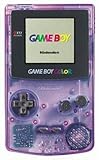
Game Boy Color - Atomic Purple (Renewed) | $119.99 | Buy on Amazon |
| 4 |
![Game Boy Color - Limited Pokemon Edition - Yellow (Renewed) [video game]](https://m.media-amazon.com/images/I/41tPHr+DwXL._SL160_.jpg)
|
Game Boy Color - Limited Pokemon Edition - Yellow (Renewed) [video game] | $149.94 | Buy on Amazon |
As an Amazon Associate I earn from qualifying purchases.
That distinction matters because headlines describing “Windows on Game Boy” are memorable but technically misleading. GBS WINDOWS borrows Windows’ visual language—desktop icons, program windows, low-resolution graphics, Minesweeper, Paint-like tools and old-school startup screens—then rebuilds those ideas as Game Boy software.
What’s actually slowing this PC down?
Pick the symptom - the matching free tool is one click away.
The project was made with GB Studio, a modern development environment designed for Game Boy-style games and applications. That makes the cartridge interesting beyond its joke: it demonstrates how an accessible contemporary tool can turn severely constrained hardware into something that feels like a tiny software environment rather than a traditional game.
#1 Best Overall
- Unlike Modern Handheld Consoles, The Gb Color Does Not Have A Back Light And Is Best Used In A Well Lit Room Or Under A Lamp.
- Product Type-Video Game Hardware
- Package Quantity-1
- Package Weight-0.440924524 Lbs
Why Windows 3.1 and Game Boy Color belong together
GBS WINDOWS works because it joins two kinds of obsolete technology that occupy similar places in popular memory. Windows 3.1 evokes DOS prompts, tiled windows, MIDI-era sounds, Paint, Minesweeper and the first home computers many people used. The Game Boy Color evokes cartridge ownership, tiny screens, directional controls and late-1990s handheld gaming.
The project translates one interface culture into another:
- A mouse pointer becomes something navigated with a D-pad.
- A desktop designed for a monitor becomes a miniature Game Boy screen.
- Paint becomes a low-resolution pixel-art tool.
- A media player imitates desktop audio while sharing hardware with games.
- Windows-style multitasking becomes background music continuing while another application is open.
That collision is the real appeal. This is not primarily an attempt to make a practical computer. It is nostalgia translated across platforms.
Do these 3 things before closing this tab:
1Scan for outdated or missing drivers - takes under a minute2Repair Windows errors before they cause bigger problems3Fix the driver behind crashes, sound loss and screen glitchesWhat happens when it boots?
Reported coverage describes a deliberately theatrical startup sequence. After inserting the cartridge into compatible hardware, the user encounters a mock BIOS-style screen, followed by a command-prompt-like screen and then the Windows-inspired interface.
The presentation reportedly includes fictionalized hardware information and American Megatrends-inspired styling. These screens are part of the illusion; they do not mean that the cartridge is emulating a PC BIOS. The boot process is closer to a period-appropriate software-art opening sequence than to a real computer startup.
Exact button mappings, cursor behavior, save features and menu labels should not be assumed from screenshots or headlines. Available reporting does not provide a complete control map, so buyers should regard those details as version- and documentation-dependent.
Inside the miniature desktop
GBSPaint
The Paint-style application lets users create simple pixel artwork. Its standout feature is reported support for the Game Boy Printer.
The Tool Desk
Outbyte PC Repair FREERepair Windows errors before they cause bigger problemsFix Now →Outbyte Driver Updater FREEScan for outdated or missing drivers - takes under a minuteDriver Scan →Rank #2
- Unlike modern handheld consoles, the GB Color does not have a back light and is best used in a well lit room or under a lamp.
That does not mean a printer is included. Printing requires a working original or compatible Game Boy Printer, the necessary link cable and suitable paper or replacement thermal media. The result is small Game Boy Printer artwork—not ordinary full-size printing—and the entire chain depends on aging hardware that may require maintenance.
GBSweeper
The cartridge includes a Minesweeper-style game, referred to in coverage as GBSweeper or GBSweeper. It is one of the clearest Windows references in the package and reportedly offers multiple board sizes.
Minesweeper is also a useful test of the project’s central design problem: a game associated with a mouse and pointer has to be adapted to a D-pad and buttons. That compromise is part of the charm, but it also means the experience should be judged as a novelty implementation rather than a perfect desktop recreation.
Cannon
Cannon is described as an arcade-defense game with similarities to Missile Command. It should not be described as an official port of that game. Instead, it is another small activity inside the faux desktop, expanding the cartridge beyond a collection of static Windows references.
Media player
The media application contains included music samples. A particularly playful feature is that music can continue while the user opens other applications. Calling this “multitasking” is best understood as shorthand: it is pseudo-multitasking implemented for the project’s atmosphere, not a Windows-style process-management system.
Piano
The project also includes an on-screen piano inspired by the Casio PT-10, according to the product information reproduced by GameFAQs. Like the other tools, it is a small interactive reference rather than a full musical workstation.
The interface problem: Windows without a mouse
Windows was designed around a mouse, keyboard and comparatively large monitor. The Game Boy offers a D-pad, two main action buttons, Start, Select and a very small display. Recreating a desktop therefore creates an intentional tension between appearance and interaction.
Rank #3
- Unlike Modern Handheld Consoles, The Gb Color Does Not Have A Back Light And Is Best Used In A Well Lit Room Or Under A Lamp.
- Product Type-Video Game Hardware
- Package Quantity-1
- Package Weight-0.440924524 Lbs
The interface can look like a desktop while behaving like a console menu. Moving a cursor, selecting an icon, closing a window or navigating a miniature application all have to be expressed through buttons. That translation is arguably more interesting than simply displaying Windows artwork: the project asks what a mouse-driven interface means when the mouse disappears.
Screen readability is another practical consideration. The original Game Boy Color display is small and lacks the clarity of modern screens. An IPS-modded Game Boy Color or a modern FPGA handheld may make fine interface details easier to see, but a specific improvement should not be treated as a verified result without testing the cartridge on both systems.
For the same reason, GBS WINDOWS is better understood as a short-form novelty experience than as a long conventional game. Its attraction lies in exploring the interface, trying the included applications and appreciating the presentation. The limited application count may disappoint anyone expecting dozens of hours of content.
Hardware compatibility
| Hardware | Reported status | Important qualification |
|---|---|---|
| Game Boy Color | Primary target | The full color experience is designed around Game Boy Color hardware. |
| Original Game Boy DMG | Partial support | Reported testing indicates a Game Boy Color notice and a playable monochrome Minesweeper-style mode, not the complete interface. |
| Game Boy Advance | Reported compatible | Game Boy Advance systems can run Game Boy Color cartridges, but behavior should be checked by model. |
| Analogue Pocket | Reported compatible | Coverage reports physical-cartridge play. That is different from running a separate ROM or proving Game Boy Printer compatibility. |
| ModRetro Chromatic | Reported compatible | It supports original Game Boy and Game Boy Color cartridges, but firmware-specific behavior with third-party GB Studio software should not be assumed perfect. |
Compatibility with a cartridge slot does not automatically mean identical behavior on every device. The ModRetro firmware documentation, for example, warns about limitations involving its updater and save restoration for some GB Studio-made games. That is not evidence of a specific GBS WINDOWS failure, but it is a reason to check the relevant firmware and return policy before buying.
Physical cartridge or digital software?
The physical format is central to the joke and to the collectible value. A Windows-inspired desktop arriving as a plastic Game Boy cartridge is more memorable than the same program launched in an emulator. The cartridge also fits naturally into the ownership model of the original system: insert it, boot it and display it alongside other games.
Free tools Windows power users keep installed
One-click scans. No signup required.
The available sources do not establish a current official public ROM download or an official digital edition. Buyers should use the creator’s or seller’s official channels rather than unofficial ROM mirrors. An unauthorised ROM is not automatically equivalent to purchasing the physical project, and unofficial copies may be incomplete, altered or distributed without permission.
Independent reader supportYour contribution helps us test, update, and keep practical guides available for everyone.Buying GBS WINDOWS
The product’s value depends heavily on what the buyer wants. It makes sense as a physical novelty, a homebrew collectible, a demonstration of GB Studio or a companion to an existing Game Boy Color. It makes much less sense as a replacement for a full game, operating system or vintage computer.
Rank #4
- Requires 2 AA Batteries
An Etsy listing from RetroGameShopES was observed during the August 16, 2026 research pass at approximately $47.75, with U.S. shipping displayed separately at approximately $26.26 from Spain. Earlier coverage reported an original price of about €40. These are dated buying signals, not a permanent MSRP: stock, exchange rates, shipping, taxes, delivery estimates and returns can change.
Before ordering, confirm that the listing is from the intended creator or seller, check the shipping and return terms, and verify that your hardware is compatible. If you already own a working Game Boy Color, buying the cartridge alone is the most sensible route. A premium replacement system should be purchased for its broader library and display features, not solely for GBS WINDOWS.
Should you buy it?
It is a good fit if you value:
- Windows 3.1 and 1990s-computing nostalgia.
- Physical Game Boy cartridges and boxed homebrew releases.
- Unusual software-art projects and GB Studio creations.
- Game Boy Printer experimentation.
- Small interactive curiosities that are fun to show other people.
- The preservation of old interface aesthetics through new hardware projects.
Be cautious if you expect:
- A genuine operating system or Windows compatibility.
- Access to Windows applications or a DOS environment.
- A long, content-heavy conventional game.
- Modern accessibility and convenience features.
- Guaranteed identical behavior on every Game Boy-compatible device.
- A cheap official digital download.
Why the project matters
GBS WINDOWS is a reminder that the Game Boy can be a platform for more than familiar genres. Its constrained hardware becomes a creative limitation: the designer has to express desktop metaphors, audio playback, drawing tools and several mini-games through a cartridge designed for a handheld console.
It also preserves two eras at once. The project does not preserve Microsoft Windows itself, nor does it recreate the technical behavior of a 1990s PC. Instead, it preserves the visual vocabulary and emotional memory of that era, then places it inside another beloved piece of technology.
That makes GBS WINDOWS more than a headline saying “Windows comes to Game Boy.” It is a playful experiment in interface translation, a showcase for modern homebrew tools and a physical artifact for people who remember both tiled Windows 3.1 windows and the satisfying click of a Game Boy cartridge.
Verdict
GBS WINDOWS is not a miracle Windows port. It is a focused, carefully themed homebrew cartridge that recreates the boot screens, desktop mood and selected activities of Windows 3.1 on Game Boy-compatible hardware.
Outdated Drivers Are Slowing You Down
One free scan finds every outdated or missing driver and matches the right update for your exact hardware.Free scan · exact hardware matchPC Slower Than It Used to Be?
A free scan shows the junk files, broken settings and background clutter dragging Windows down - then fixes them in one click.Free scan · Windows 10 & 11Buy it for the novelty, presentation, nostalgia and physical object—especially if you already own a Game Boy Color or another confirmed compatible system. Do not buy it expecting an operating system, a Windows software library or a large standalone game. Its value is concentrated in the idea and execution: a tiny Game Boy cartridge that turns two different kinds of 1990s technology into one charming interactive tribute.
Quick Recap
Product prices and availability are accurate as of the date/time indicated and are subject to change. Any price and availability information displayed on Amazon at the time of purchase will apply.




