What’s actually slowing this PC down?
Pick the symptom - the matching free tool is one click away.
Roblox now requires an age check for several communication and social features, not just Voice Chat. Players can complete the check from Settings → Account info using Facial Age Estimation or, for users aged 13 and older, government ID verification. The result places the account in an age group that controls which chats, games and social features are available.
How to complete a Roblox age check
You can start the process on desktop or mobile. Roblox currently offers two methods: Facial Age Estimation and ID Verification.
As an Amazon Associate I earn from qualifying purchases.
On desktop
- Log in to Roblox.
- Click the gear icon in the upper-right corner.
- Open Settings, then Account info.
- Under Age Group, choose Continue with selfie or Continue with ID.
On mobile
- Open Roblox and log in.
- Tap More (…) in the bottom-right corner.
- Tap Settings, then Account info.
- Under Age Group, select Continue with selfie or Continue with ID.
Roblox documents the current paths in its age-estimation help article.
Facial Age Estimation
Facial Age Estimation analyzes a facial image and video to estimate the account holder’s age group. Roblox says it currently uses Persona as the third-party service for this process.
#1 Best Overall

- Immersive 7.1 Surround Sound: This gaming headset delivering stereo surround sound for realistic audio. Whether you're in a high-speed FPS battle or losing yourself RPG adventures, this Ps5 headset provides crisp treble, punchy bass, and precise directional cues, giving you a competitive edge
- Great Humanized Design: Comfortable and breathable permeability protein over-ear pads perfectly on your head, adjustable headband distributes pressure evenly, you’ll enjoy lasting comfort during hours of gaming and suitable for all gaming players of all ages
- Sensitivity Noise-Cancelling Microphone: 360° omnidirectionally rotatable sensitive microphone, premium noise cancellation, sound localisation, your voice comes through loud and natural, ensuring your teammates catch every callout, even in chaotic battle scenes.
- Universal Compatibility: This gaming headphone support for PC, Ps5, Ps4, Xbox one, Xbox Series X/S, Switch, Laptop, Mobile Phone and other devices with 3.5mm jack.Note 1: When you use headset on your PC, be sure to connect the "1-to-2 3.5mm audio jack splitter cable" (Red-Mic, Green-audio). (Please note you need an extra Microsoft Adapter when connect with an old version Xbox One controller)
- Cool style gaming experience: Colorful RGB lights create a gorgeous gaming atmosphere, adding excitement to every match. Heightening immersion for FPS, MOBA, and action titles. These eye-catching lights give your setup a gamer-ready look while maintaining focus on performance. (*Note: The USB connector is for LED lighting only)
Choose Continue with selfie and follow the on-screen camera instructions. The estimate may place an account into one of several groups: 5–8, 9–12, 13–15, 16–17, 18–20 or 21+. Roblox’s separate feature-access table uses slightly different labels, so the wording shown in your account may not exactly match the labels used for chat permissions.
Roblox says the facial-estimation images and video are deleted after processing and that Roblox does not receive or store biometric data from this process. Facial Age Estimation may require parental approval in some regions. If it cannot estimate an age reliably, Roblox may require the player to use ID Verification instead.
ID Verification
ID Verification is available only to users who are at least 13. It requires a government-issued photo ID, such as a driver’s license, passport, residency card, state ID card or residence permit.
Windows Errors? Fix Them Before They Spread
Repair common Windows errors and clear accumulated junk for a smoother, more stable PC - no reinstall needed.Free scan · no reinstallOutdated Drivers Are Slowing You Down
One free scan finds every outdated or missing driver and matches the right update for your exact hardware.Free scan · exact hardware match- Select Continue with ID, then select Continue.
- Allow camera access when prompted.
- Scan the front of the ID.
- Scan the back if the document has a barcode.
- Capture a face photo so the system can compare it with the ID.
The original Roblox session shows whether the check passed or failed. Roblox says the result can take several minutes. Keep the entire document in frame and make sure the image is clear; blurry or incomplete scans can delay verification. Documents from some countries may take longer, particularly those containing non-Roman characters.
A successful ID check can also change the birthday on the Roblox account to the birthday printed on the submitted ID if the two dates differ. Roblox Support cannot manually verify an ID, remove an existing verification or change account settings on the player’s behalf. See Roblox’s ID Verification instructions and ID Verification FAQ for the current requirements.
Rank #2
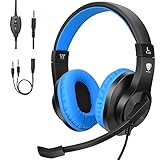
- 【Excellent Stereo Sound & Noise Isolation】High precision 40 mm driver, bring you vivid sound field, sound clarity, sound shock feeling, splendid ambient noise isolation, BlueFire Gaming Headset uses advanced active noise reduction technology quells airplane cabin noise, city traffic or a busy office. So you can focus more on what matters—your music, movies, videos and games.
- 【Comfortable and Light Weight】 The headset used skin-friendly leather material with Self-adjusting head beam and head cushion design ensures perfect fit with different head sizes (suitable for both adults and kids) and super soft Over-ear pads that is more comfortable for long time gaming.
- 【Long Soft Cord】 Over 6.8 feet! Which for a video gamer this is perfect, no need to sit right in front of the TV. Having such a long cord allows for much more movement and be comfortably.
- 【Smooth Mic and Volume Control 】There is a small controller on the cord, allowing you to turn the mic on and off, and the volume up and down with ease.
- 【Widely Compatible and Versatile 】For PlayStation 4, Xbox One, Xbox One S, Xbox One X, Desktop Computer, Nintendo Switch, Nintendo 3DS, Laptop, PSP, Tablet, iPad, Cell Phone. Please note you need an extra Microsoft Adapter (Not Included) when connect with an old version Xbox One controller.
What an age check unlocks
Roblox currently requires a successful age check for:
- Experience chat
- Voice Chat
- Friends
- Restricted Content
- Chat without filters with Trusted Friends
- TeamCreate collaboration in Studio
Players cannot simply turn chat on in Settings before completing an age check. A successful check is therefore broader than a Voice Chat verification: it affects ordinary text chat, social connections and some creator features too.
Age groups and communication access
Roblox uses age groups to determine access. The exact availability can also depend on parental permission, regional rules and whether an individual experience supports a feature.
| Age group | General access described by Roblox |
|---|---|
| Under 9 | Age-rated games. Chat with similar-age users or Trusted Friends requires parental permission through Settings → Privacy & content restrictions → Communication. |
| 9–12 | Age-rated games. Chat with similar-age users or Trusted Friends requires parental permission. |
| 13–15 | Age-rated games, chat with similar-age users and Trusted Friends, plus additional features available to this age group. |
| 16–17 | All games except 18+ experiences, with chat involving similar-age users and Trusted Friends. |
| 18+ | Full access to Roblox games and features, subject to other regional or experience-specific limits. |
The chat support page adds two parental-consent details: users ages 5–9 need parental consent to enable Experience chat, and users under 16 need parental consent to enable Direct chat. Regional restrictions can impose additional requirements.
Age checks do not mean unrestricted chat
Completing an age check does not let a player communicate with every Roblox user. Roblox’s ordinary communication model is based on similar age groups. A player can generally chat with users in a similar group, while Trusted Friends provide a controlled way to communicate across age groups.
Rank #3

- 【Noise Canceling Boom Mic with One-Key Mute Button】SIMOLIO kids headphones wired for school are equipped with 330°swiveling, flexible boom mic for versatile positioning and easy flipping when not in use. Noise reduction unidirectional mic focuses on sound pick up from the mouth. Includes a convenient one-key mute button for instant muting. Ideal for virtual school, classroom learning, calls, online chat, music and more.
- 【Enhanced Hearing Protection】3-level (75/85/94 dB) volume limiting in the right side of these pink headset with mic for school offer tailored safe volume settings for different age groups and environments. 75dB for toddlers, 85dB for kids, 94dB for adults or in noisy surroundings.
- 【Wide Compatibility】These wired headphones with microphone work with all 3.5mm jack devices: Chromebooks, tablets, PS4/PS5, Xbox One, Switch, iPads and smartphones. The included Y audio adapter fits desktops with separate audio and mic ports. For wider device compatibility, check our alternative wired headsets (Model KD-1 & SM-904), which include a USB-C to 3.5mm dongle for use with both USB-C and standard 3.5mm devices
- 【Sturdy & Foldable】The adjustable headband with memory stainless steel strips gives these gaming headsets some impress flexibility and durability. Foldable and compact design with a convenient carrying pouch for easy storage and portability during school or travel.
- 【Ultimate Comfort】Kids wired headphones’ retractable headband achieve the perfect fit without constraint for wide range of ages (Kids, Teens, Adults), while the lightweight design and ultra-soft ear cushions provide hours of enjoyable listening.
For users over 9, Roblox is also renaming the Party tab to Chat in a region-based rollout. Some accounts may still show Party. Both labels refer to the same area for chatting with friends and starting play sessions. Accounts for children under 9 continue to show Party.
Trusted Friends and the Chat interface
Roblox currently lists these Trusted Friend capabilities:
- Under 9: no direct messages or out-of-game friend chat; only safe, moderated in-game chat.
- 9–12: text and group chat with Trusted Friends using safety filters.
- 13 and older: text and group chat with Trusted Friends without filters, plus Voice Chat.
Depending on the account and rollout, the social area can be accessed through the following controls:
- Mobile home screen: tap the Chat tab at the bottom.
- Start a conversation: tap the + button.
- Group chat: tap +, select up to five friends and tap Create.
- Inside an experience: open the hamburger menu and select Chat when you are not already in an active party.
- Computer browser: use the gray chat box in the lower-right corner, then enter text in Send a Message and press Enter.
Roblox’s messaging and friends guide describes the current labels and controls.
Voice Chat has extra requirements
Voice Chat is available only to users age-checked as 13+, in supported regions and in experiences that support Voice Chat. It is not enabled automatically after an age check.
Free tools Windows power users keep installed
One-click scans. No signup required.
Rank #4

- 【Multi-Platform Compatible】Support PlayStation 4, PlayStation 5, Xbox, Xbox Series X|S, Xbox One, PC, Nintendo 3DS, Laptop, PSP, Tablet, iPad, Computer, Mobile Phone. Please note you need an extra Microsoft Adapter (Not Included) when connect with an old version Xbox One controller.
- 【7.1 Surround Sound】Clear sound operating strong brass, splendid ambient noise isolation and high precision 40mm magnetic neodymium driver, acoustic positioning precision enhance the sensitivity of the speaker unit, bringing you vivid sound field, sound clarity, shock feeling sound. Perfect for various games like Halo 5 Guardians, Metal Gear Solid, Call of Duty, Star Wars Battlefront, Overwatch, World of Warcraft Legion, etc.
- 【Noise Isolating Microphone】Headset integrated onmi-directional microphone can transmits high quality communication with its premium noise-concellng feature, can pick up sounds with great sensitivity and remove the noise, which enables you clearly deliver or receive messages while you are in a game. Long flexible mic design very convenient to adjust angle of the microphone.
- 【Great Humanized Design】Superior comfortable and good air permeability protein over-ear pads, muti-points headbeam, acord with human body engineering specification can reduce hearing impairment and heat sweat.Skin friendly leather material for a longer period of wearing. Glaring LED lights desigend on the earcups to highlight game atmosphere.
- 【Effortlessly Volume Control】High tensile strength, anti-winding braided USB cable with rotary volume controller and key microphone mute effectively prevents the 49-inches long cable from twining and allows you to control the volume easily and mute the mic as effortless volume control one key mute.
After completing Facial Age Estimation or ID Verification, look for the headphone icon in a supported experience or use the in-experience Voice Chat toggle. If the headphone or join-voice icon does not appear, Roblox says Voice Chat may not be available in your region.
Phone verification no longer unlocks Voice Chat. Older guides that recommend adding a phone number for this purpose are outdated under Roblox’s current age-check system. The current requirements are explained in Roblox’s Voice Chat guide.
Independent reader supportYour contribution helps us test, update, and keep practical guides available for everyone.What to do when the result is wrong
Facial estimation places you under 13
If you self-reported an age over 13 but Facial Age Estimation places you under 13, Roblox applies a 48-hour grace period before the change becomes official. To accept the change immediately, go to Settings → Account info and choose Accept Now under Birthday.
The account is under 13 and the birthday is incorrect
Roblox’s documented correction path is Settings → Account info, then the pencil icon beside the birthday. A linked parent can also update a child’s birthday through Settings → Parental Controls: select the child, click the pencil icon beside the child’s avatar, then select the arrow beside the birthday. The linked parent can make this birthday update only once.
If the child has already verified age with government ID, the birthday cannot be changed through parental controls.
Best Value

- TRIFORCE TITANIUM 50 MM DRIVERS — Our cutting-edge proprietary design divides the driver into 3 parts for the individual tuning of highs, mids, and lows—producing brighter, clearer audio with richer highs and more powerful lows
- HYPERCLEAR CARDIOID MIC — An improved pickup pattern ensures more voice and less noise as it tapers off towards the mic’s back and sides, with the sweet spot easily placed at the mouth because of the mic’s bendable design
- ADVANCED PASSIVE NOISE CANCELLATION — Sturdy closed earcups fully cover the ears to prevent noise from leaking into the headset, with its cushions providing a closer seal for more sound isolation
- LIGHTWEIGHT DESIGN WITH MEMORY FOAM EAR CUSHIONS — At just 240 g, the headset features thicker headband padding and memory foam ear cushions with leatherette to keep gaming in peak form during grueling tournaments and training sessions
- WORKS WITH WINDOWS SONIC — Make the most of the headset’s powerful drivers by pairing it with lifelike surround sound that places audio with pinpoint accuracy, heightening in-game awareness and immersion
The account is over 13 and needs an age correction
Roblox directs an account marked over 13 to use Continue with ID for an age correction.
The account was incorrectly placed in the 18+ group
Go to Settings → Account Info → Reset → Continue. Roblox says an 18+ age-check status can be undone once per account.
Can Roblox ask for another age check?
Yes. Roblox may ask a player to repeat an age check if it detects a discrepancy with the estimated age. It also says users may occasionally need to re-check to maintain access to Trusted Friends and expressive chat features. An age check should therefore not be treated as an irreversible, one-time unlock.
The practical takeaway for players and parents
Use Facial Age Estimation if it is available and you do not want to submit government ID; use ID Verification only if you are at least 13 and have an accepted photo document. Expect the result to affect more than Voice Chat: text chat, friends, Restricted Content, Trusted Friend communication and some Studio collaboration are all tied to age-check status.
Even after verification, check the account’s age group, parental permissions and region. Similar-age chat is the default model, Trusted Friends have separate rules, and Voice Chat still requires a 13+ result, regional availability and an experience that supports it.
Quick Recap
Product prices and availability are accurate as of the date/time indicated and are subject to change. Any price and availability information displayed on Amazon at the time of purchase will apply.




