Recommended Free Tools
Yes, an STM32F429 can run original Game Boy software. The open-source STM32Boy project proves it with an STM32F429 Discovery board, the single-header Peanut-GB emulator, an onboard QVGA LCD, and touch controls.
That headline needs one qualification: this is a capable proof of concept, not a universal Game Boy replacement. The ROM is compiled into the firmware, switching games requires rebuilding and reflashing, audio needs additional work, and Peanut-GB documents incomplete compatibility and preliminary Game Boy Color support.
As an Amazon Associate I earn from qualifying purchases.
What STM32Boy actually is
Created by Jan Zwiener, STM32Boy targets the STM32F429 Discovery board. It combines the board’s display and touch interface with Peanut-GB, then packages a legally obtained Game Boy ROM inside the firmware image. The project is released under the GPL-2.0 license.
Quick wins for a faster PC:
Clear out junk files and repair common Windows errorsFree Scan →Scan for outdated or missing drivers - takes under a minuteDriver Scan →There is no cartridge slot, SD-card browser, or included ROM archive. To change games, you replace the embedded ROM, rebuild the application, and flash the new firmware.
#1 Best Overall
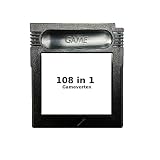
- New and high quality.
- Compatible for both US/EU/JAP versions console.
- RPG games can be saved by the battery inside,but Action games have no saving function.
- 108 in 1
- GBC games can't play on the GB game console
Why a microcontroller can emulate a Game Boy
The original monochrome Game Boy, or DMG, used the Sharp SM83 processor at roughly 4 MHz. The STM32F429 uses a much faster Arm Cortex-M4 MCU, leaving substantial processing headroom for instruction emulation, memory mapping, timers, interrupts, video work, and input handling.
Clock speed alone does not guarantee accurate emulation. The host software must reproduce the Game Boy’s CPU behavior, memory and cartridge controllers, video timing, interrupts, and other hardware details while also transferring pixels to a real display. Extra processing capacity makes the workload practical; it does not make every game perfectly compatible.
The STM32F429I-DISC1 hardware
The board used by the project is now officially identified by STMicroelectronics as the STM32F429I-DISC1; the older STM32F429I-DISCO designation is commonly seen in project documentation.
- MCU: STM32F429ZIT6 Cortex-M4
- Flash and RAM: 2 MB of flash and 256 KB of RAM
- Display: integrated 2.4-inch QVGA TFT LCD
- External memory: 64-Mbit SDRAM
- Debugging: onboard ST-LINK/V2-B programmer and debugger
- Input and peripherals: touch-capable display interface, buttons, USB OTG, motion sensor, LEDs, and expansion connectors
The integrated LCD, touch interface, power arrangement, and ST-LINK are what make the Discovery kit convenient for reproducing STM32Boy. A bare STM32F429 could run the emulator, but it would still need a display, controls, programming access, power circuitry, and—if audio is wanted—an audio output path. The external SDRAM is a board feature, not a stated requirement of Peanut-GB.
Rank #2

- New and high quality.
- Compatible for both US/EU/JAP versions console.
- RPG games can be saved by the battery inside,but Action games have no saving function.
- 30 in 1
- GBC games can't play on the GB game console
Peanut-GB supplies the console logic
Peanut-GB is a portable C99 Game Boy DMG emulator distributed as a single header. It is designed to be integrated into a host application rather than operated as a complete console frontend, and it is MIT licensed.
Its documented capabilities include MBC1, MBC2, MBC3, and MBC5 cartridge controllers, real-time-clock support, optional boot-ROM support, serial hooks, palette selection, frameskip, interlacing, and optional LCD and sound interfaces. The project also states that Game Boy Color support is preliminary and that the core can be inaccurate, so it should not be described as a mature GBC emulator.
The host application must provide the outside world around the emulated machine. Required callbacks include:
What’s actually slowing this PC down?
Pick the symptom - the matching free tool is one click away.
gb_rom_readgb_cart_ram_readgb_cart_ram_writegb_error
Optional callbacks include lcd_draw_line, audio_read, audio_write, gb_serial_tx, and gb_serial_rx. Functions such as gb_reset, gb_run_frame, gb_get_save_size, gb_get_rom_name, gb_set_rtc, and gb_set_bootrom let the frontend control the emulated system.
Rank #3

- 🎮 Designed specifically for Gameboy, offering seamless plug-and-play functionality.
- 🎮 Features an extensive library of 1000 classic games in one convenient cartridge for endless retro gaming entertainment.
- 🎮 Includes Retrotech printed instructions for a classic feel.
- 🎮 Single cartridge solution eliminates the need to swap games, making it perfect for retro gaming enthusiasts.
In STM32Boy, that means the emulator handles Game Boy behavior while the STM32 application handles ROM storage, cartridge RAM, LCD output, touch input, and any optional sound or serial hardware.
How to reproduce the build
Use the project’s current README and Makefile as the final authority, since toolchain and host-platform details can change. The documented workflow is:
- Obtain an STM32F429 Discovery board and install an ARM embedded GCC toolchain.
- From the project root, create
config.mkand pointTOOLCHAIN_ROOTat the toolchain’sbindirectory:
TOOLCHAIN_ROOT=/path/to/gcc-arm-none-eabi-XX.XX-XX/bin/- Create the build directory:
mkdir build- Place a legally obtained Game Boy ROM at
Core/Src/gameboy_rom.gb. The repository intentionally does not include one. - Convert it to a C header:
cd Core/Src
xxd -i gameboy_rom.gb > gameboy_rom.h
The generated array must use the symbol name gameboy_rom_gb, as expected by the project. Check the generated header if xxd produces a different identifier.
Windows Errors? Fix Them Before They Spread
Repair common Windows errors and clear accumulated junk for a smoother, more stable PC - no reinstall needed.Free scan · no reinstallOutdated Drivers Are Slowing You Down
One free scan finds every outdated or missing driver and matches the right update for your exact hardware.Free scan · exact hardware match- Return to the project root and run the repository’s documented Make command:
cd ../..
make- Flash the resulting firmware with the included
flash.shorflash.bat, choosing the script for your host operating system, or use a compatible STM32 programming workflow.
A successful flash should boot the selected program on the Discovery board’s LCD and use the touch interface for controls. It does not create a general-purpose game library: every title change requires another firmware build and flash.
Rank #4

- New and high quality
- Compatible for both US/EU/JAP versions console.
- RPG games can be saved by the battery inside,but Action games have no saving function.
- 61 in 1
- GBC games can't play on the GB game console
What works—and what “works” means
The useful claim is that a Game Boy ROM can execute at approximately real-time speed on this hardware and produce playable output. That is different from claiming perfect compatibility or a polished handheld experience.
| Area | What STM32Boy demonstrates | Important qualification |
|---|---|---|
| Core platform | Original monochrome Game Boy software | Peanut-GB’s GBC work is preliminary |
| Cartridges | Peanut-GB lists MBC1, MBC2, MBC3, and MBC5 | Mapper support does not guarantee every game works |
| Graphics | Game output on the Discovery LCD | The Peanut-GB documentation notes LCD-rendering limitations |
| Input | Touch-based controls | Touch is less practical than physical buttons for a handheld |
| ROM storage | ROM compiled into firmware | Switching games requires rebuilding and reflashing |
| Audio | Optional interfaces exist in Peanut-GB | An external APU implementation and physical output hardware are required |
| Saves and RTC | Peanut-GB exposes cartridge-RAM and RTC facilities | The documented embedding flow does not by itself prove persistent saves across power cycles |
Compatibility can fail because of timing-sensitive software, LCD behavior, interrupt details, mapper edge cases, RTC handling, or unsupported hardware behavior. Start testing with simple DMG titles, then treat results as game-dependent rather than assuming that a listed mapper guarantees success.
Why audio, saves, and controls need separate engineering
Audio
Audio is not automatic just because the emulator has audio hooks. Peanut-GB requires an external audio implementation if sound is enabled. The Peanut-GB documentation references the MiniGB APU, while also noting that its timing is not fully accurate. The STM32 design must then send samples to a real output path such as PWM, a DAC, or an external audio device.
The Tool Desk
Outbyte Driver Updater FREEScan for outdated or missing drivers - takes under a minuteDriver Scan →Outbyte PC Repair FREEClear out junk files and repair common Windows errorsFree Scan →Save data and the clock
There are two separate questions: can the emulator model cartridge RAM, and does the application preserve it after power is removed? Peanut-GB exposes save-size and cartridge-RAM interfaces, but STM32Boy’s documented ROM-in-firmware workflow does not establish battery-backed or other persistent saves. RTC support likewise requires an application-level strategy for retaining and updating time.
Best Value

- [POWERFUL PERFORMANCE] Unlock the full potential of your Gameboy with this multifunctional flash card. Store and play 1000+ classic games effortlessly on a single cartridge. Ideal for retro gaming enthusiasts who want a seamless experience with file management and USB connectivity for easy transfers.
- [HIGH COMPATIBILITY] Works flawlessly with Gameboy, Gameboy Color, and GBA SP consoles. Supports games up to 64Mbit and various MAPPERS including MBC1, MBC2, MBC3, and MBC5. Enjoy broad compatibility with your favorite classic titles without technical hiccups.
- [AUTOMATIC BACKUP] Effortlessly backup your game progress with automatic saving to the built-in 8G memory card. No manual intervention required – your game data remains secure and intact even when switching between different games.
- [USER-FRIENDLY DESIGN] Features customizable A/B functions and one-touch return to menu for enhanced convenience. The energy-saving technology extends battery life, allowing for longer gaming sessions without frequent interruptions.
- [PREMIUM STABILITY] Experience reliable performance with stable data storage that prevents loss or corruption. The durable ABS construction ensures longevity while the transparent purple design adds a stylish touch to your gaming setup.
Controls
Touch input is adequate for demonstrating the concept, but physical buttons are better for fast games, blind input, tactile feedback, and long sessions. A handheld redesign would normally map the D-pad, A, B, Start, and Select buttons to GPIO inputs with debouncing in firmware.
Independent reader supportYour contribution helps us test, update, and keep practical guides available for everyone.Common build and flashing problems
- Compiler not found: verify that the configured
TOOLCHAIN_ROOTcontains the expectedarm-none-eabiexecutables. - Missing ROM header: confirm that
Core/Src/gameboy_rom.hexists and was generated from a legally obtained ROM. - Wrong symbol: inspect the header and confirm the array is named
gameboy_rom_gb. - Stale build: remove the
builddirectory and rebuild cleanly. - Image too large: check the linker output and map file. The 2 MB flash must also hold the emulator, application code, startup support, and assets.
- ST-LINK unavailable: check USB connectivity, board power, drivers, and whether another program has claimed the debugger.
- Wrong flashing script: use
flash.shon the supported Unix-like workflow andflash.baton Windows, following the repository’s instructions. - Library mismatch: keep the project’s startup, HAL, BSP, submodule, and linker configuration consistent instead of mixing unrelated versions.
A small test ROM is a useful first build target. Do not assume that a larger ROM will fit simply because the board has 2 MB of flash; the complete firmware image determines the limit.
From demonstration board to usable handheld
The F429 Discovery kit is the right choice when the goal is to reproduce STM32Boy with minimal custom hardware. It is less suitable as a finished handheld because it is physically large, uses touch controls, and does not provide the complete battery, storage, audio, and enclosure system a portable console needs. ST currently lists the board as an active product, but regional stock and pricing should be checked directly on the official product page.
A practical redesign would proceed in stages:
- Load ROMs from an SD card or SPI flash instead of compiling one into firmware.
- Add a game selector and a filesystem.
- Connect physical buttons and debounce them.
- Store cartridge RAM in nonvolatile memory.
- Add an APU and a DAC, PWM, or external audio device.
- Optimize LCD transfers and validate frame timing.
- Test emulator behavior with known test ROMs and a representative DMG library.
- Add battery charging, regulation, sleep behavior, and power controls.
Other STM32 boards may be viable, as may a Raspberry Pi Pico implementation using Peanut-GB, but a port is not automatic. The available flash and RAM, clock speed, display bandwidth, input hardware, storage, and audio peripherals all matter. Lower-end STM32 parts may not provide the same margin; more powerful parts may simplify the design without being necessary for the basic demonstration.
Verdict
“Running Game Boy Games on STM32 MCUs Is Peanuts” is justified as a statement about feasibility. An STM32F429 Discovery board has enough performance to run a lightweight DMG emulator while driving its LCD and accepting touch input. But the precise conclusion is narrower: STM32Boy is an open-source, single-ROM proof of concept built around one specific board and an emulator that openly documents compatibility and feature limits. It is an excellent starting point for embedded emulation—not evidence that every STM32 can flawlessly emulate every Game Boy game or replace a finished handheld without substantial additional work.
Quick Recap
Product prices and availability are accurate as of the date/time indicated and are subject to change. Any price and availability information displayed on Amazon at the time of purchase will apply.




