Crashes, No Sound, or Screen Glitches?
Random freezes, missing sound and display glitches usually trace back to one bad driver. Find and replace yours safely.Free scan · under a minutePC Slower Than It Used to Be?
A free scan shows the junk files, broken settings and background clutter dragging Windows down - then fixes them in one click.Free scan · Windows 10 & 11GSC Game World says S.T.A.L.K.E.R. 2’s Patch 1.1 delivered more than 1,800 fixes and adjustments, including the first iteration of A-Life fixes. The changes covered NPC behavior, main-mission blockers, crashes, performance, controls, cutscenes, saves and much more. The official support article displays a date of March 10, 2025; Patch 1.1 is a historical update, not a guide to the game’s current version.
What did Patch 1.1 change?
The patch notes group the work across core simulation, quests, combat, performance, presentation and world details. GSC’s counts are developer-reported totals, not an independent audit.
| # | Preview | Product | Price | |
|---|---|---|---|---|
| 1 |
|
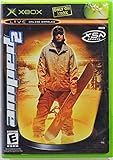
Amped 2 - Xbox | $69.99 | Buy on Amazon |
| 2 |

|
Mafia 2 - Xbox 360 | $15.48 | Buy on Amazon |
| 3 |

|
The Art of S.T.A.L.K.E.R. 2: Heart of Chornobyl | $31.19 | Buy on Amazon |
| 4 |

|
Halo 2 - Xbox | $36.95 | Buy on Amazon |
| 5 |

|
The Crew 2 - Xbox one | $8.99 | Buy on Amazon |
| Area | What the notes report |
|---|---|
| Overall patch | More than 1,800 fixes and adjustments, including the first iteration of A-Life fixes, according to GSC Game World’s Patch 1.1 notes. |
| Main missions | More than 250 bugs and blockers fixed, according to GSC’s notes. |
| Crashes | More than 200 crash issues investigated, according to GSC’s notes. |
| Cutscenes | More than 80 issues addressed, according to GSC’s notes. |
| World and environment | More than 500 fixes across foliage, texture flickering, navigation meshes, collisions, object positioning and contextual actions, visual effects, non-destructible objects, and other issues, according to GSC’s notes. |
These categories describe the scope reported by the developer; they do not provide a measured performance uplift or establish that every issue in an area was resolved.
What did the A-Life update fix?
Patch 1.1 was an initial round of A-Life changes, not a claim that all simulation problems were solved. The notes focus on when NPCs appear, whether they continue acting outside the player’s immediate vicinity, how they navigate, and how they behave toward rivals.
#1 Best Overall
- Amped 2 offers a freestyle snowboarding experience with a large and varied trick library. You'll explore vast areas of wide-open, real mountains packed with terrain parks. Play head-to-head with friends in the various multiplayer modes. When you're ready to take it to the next level, connect to Xbox Live to check rankings and challenge the world's best virtual riders. Travel the globe, and pull sick tricks in front of sponsors, photographers, and fans. The latest snowboarding magazines or videos
- Spawning and encounters: fixes addressed NPCs spawning behind the player. Roaming NPCs were made more likely to be encountered, and their visibility distance was greatly extended.
- Offline simulation: the notes say aggressive optimization had prevented A-Life NPCs from existing offline. With the patch, NPCs continue moving toward their goals over time; following the direction of NPCs encountered earlier can create opportunities to meet them again.
- Navigation and transitions: GameGraph navigation was improved to address failed paths and problems associated with online/offline transitions.
- Territorial behavior: NPCs received stronger motivation to expand territory and attack enemies and mutants. The patch also addressed under-count encounters, diversified groups and improved NPC communication behavior.
Which main mission bugs were fixed?
GSC reports more than 250 fixed bugs and blockers in the main-mission section. The examples below are selective; the official list includes story details that may spoil mission events.
- On the Edge: the notes list more than 15 issues, including problems affecting mission progression.
- A Minor Incident: fixes addressed progression and dialogue issues, along with objective-marker problems.
- Visions of Truth: fixes covered Scar’s spawning and hostility behavior.
- The Last Wish: the notes list softlocks and blocked dialogue.
- The Assault on the Duga and Just Like the Good Old Days: fixes addressed characters becoming stuck or missing.
- Wishful Thinking, Dogfight, Hot on the Trail, Dead Frequency and There and Back Again: the patch notes identify blockers across these and other missions.
What else was included in the patch notes?
AI, combat and balance
Changes covered NPC detection, pathfinding, combat behavior and animations, as well as mutant behavior, emissions and mission dialogue. Balance adjustments addressed mission rewards, artifact behavior and value, economy exploits, mutant cooldowns, Gauss rifle damage and boss difficulty.
Rank #2
Performance, crashes and controller input
The notes describe performance work in populated areas, water-related particle frame drops and an issue affecting NVIDIA RTX 3000 cards when using FSR frame generation. They also list more than 200 investigated crashes, controller compatibility work, and adjustments to controller dead zones and input curves. GSC provides no controlled benchmark or numeric frame-rate result for these changes, so the notes do not support a specific performance-gain claim.
Cutscenes, saves and the rest of the world
Cutscene fixes addressed facial animation, voiceover, missing frames, NPCs, subtitles and haptics. Save-related fixes included cases where saves failed to load after an unexpected Steam process termination and where saves went missing after a hard reboot on PC or Xbox.
Free tools Windows power users keep installed
One-click scans. No signup required.
Rank #3
Other patch-note sections cover side missions and open-world encounters, equipment, menus, achievements, localization, audio, visuals, foliage, textures, collisions, navigation meshes and contextual actions.
Independent reader supportYour contribution helps us test, update, and keep practical guides available for everyone.Is Patch 1.1 the latest version?
No. The official S.T.A.L.K.E.R. 2 news page lists later updates, including an Update 2.0 announcement. Patch 1.1 is useful as a record of what that update addressed, but it is not a current compatibility guarantee. For present-day troubleshooting, confirm the current game version and the notes for your platform; changes or fixes may differ across updates and platforms.
Quick Recap
Best Value
- The Crew 2 - Xbox one
Rank #4
- Master Chief can now wield two weapons at once, board Covenant vehicles and steal Covenant weapons like the incredible double energy sword
- Lead an all-new unit of super-soldiers, the ODST -- tougher, badder and deadlier versions of your old comrades
- New enemies, allies and surprises around every corner - intense combat action with enhanced AI and real-time lighting
- Immense single-player action with maassive landscapes and huge cities to explore and defend - destructible and interactive environments
- Take the action online with your Xbox Live and switch sides, to become a Covenant Elite!
Product prices and availability are accurate as of the date/time indicated and are subject to change. Any price and availability information displayed on Amazon at the time of purchase will apply.




