PC Slower Than It Used to Be?
A free scan shows the junk files, broken settings and background clutter dragging Windows down - then fixes them in one click.Free scan · Windows 10 & 11Outdated Drivers Are Slowing You Down
One free scan finds every outdated or missing driver and matches the right update for your exact hardware.Free scan · exact hardware matchVerdict: The Samsung Odyssey G7 C32G75T is still an unusually capable 32-inch 1440p gaming monitor, but it is now a value purchase rather than an automatic recommendation. Its 240Hz refresh rate, excellent VA contrast, wide color gamut, and strong motion performance remain compelling for PC gaming. However, the extreme 1000R curve, possible VRR flicker and scanline artifacts, HDMI 2.0 connectivity, and limited availability make condition, warranty, return policy, and price decisive.
Buy it at genuine clearance or used pricing only if you can test the individual panel. Avoid paying anything close to its original premium positioning, where newer OLED, Mini-LED, and HDMI 2.1 monitors are safer long-term choices.
As an Amazon Associate I earn from qualifying purchases.
Samsung Odyssey G7 C32G75T: quick specifications
| Feature | Specification |
|---|---|
| Model | C32G75T; North American example LC32G75TQSNXZA |
| Panel | 31.5-inch curved VA/SVA with quantum-dot color |
| Resolution | 2560 × 1440, 16:9 |
| Refresh rate | 240Hz |
| Curve | 1000R |
| HDR | VESA DisplayHDR 600 |
| Variable refresh | AMD FreeSync Premium Pro and G-SYNC Compatible |
| Inputs | Two DisplayPort 1.4; one HDMI 2.0 |
| Other connections | Two USB 3.0 ports and headphone output |
| Mounting | 100 × 100mm VESA |
| Speakers | None |
Samsung’s official specification sheet lists height, tilt, swivel, and pivot adjustment, along with a maximum listed power consumption of 140W. Regional suffixes can differ, so confirm the exact model code before downloading firmware or checking warranty coverage.
Do these 3 things before closing this tab:
1Repair Windows errors before they cause bigger problems2Scan for outdated or missing drivers - takes under a minute3Clear out junk files and repair common Windows errorsIs the Odyssey G7 C32G75T still worth buying?
That depends more on the deal than on the monitor’s original reputation.
#1 Best Overall

- Samsung’s 40” Odyssey G7 G75 WUHD 180Hz Curved Gaming Monitor provides breathtaking realism for epic gameplay.
- 40” 1000R curved display with a 21:9 screen and brilliant Ultrawide 4K resolution wraps around the field of vision for next-level gaming.
- VESA DisplayHDR 600 delivers more contrast, with deeper blacks and brighter whites for greater clarity even in dark scenes.
- 180Hz refresh rate and near-instant 1ms response time (GtG) minimizes lag for ultra-smooth gameplay.
- Deep clearance, open-box, or used pricing: potentially an excellent buy, provided the panel passes testing and the seller accepts returns.
- Midrange pricing: worthwhile for buyers specifically seeking 32-inch 1440p at 240Hz with VA contrast, but only with dependable warranty coverage.
- Premium pricing: generally skip it. Newer OLED, Mini-LED, and HDMI 2.1 monitors offer better HDR, newer connectivity, or fewer compatibility concerns.
A Best Buy listing surfaced a clearance price of $185.99 against a displayed comparable value of $799.99, but the listing was marked unavailable when crawled. That is evidence that the C32G75T can become a strong bargain, not a guarantee of current stock or price. Check the dated retailer listing and the seller’s live return terms before buying.
Design, ergonomics, and the 1000R curve
The 1000R curvature is not a cosmetic detail. It is the central ergonomic question.
At a close desk distance, the curve can make a 32-inch screen feel immersive and coherent, particularly in first-person games, racing titles, and cinematic single-player games. The screen wraps more naturally into peripheral vision than a flat panel of the same size.
The disadvantages are equally real. Straight lines, spreadsheets, browser layouts, and design interfaces can initially look distorted. Users who frequently switch between flat and curved displays may find the transition irritating, while mixing this monitor with a flat screen in a multi-monitor setup can be awkward. Desk depth and viewing distance matter, and Samsung lists the assembled monitor at approximately 27.95 inches wide, 23.4 inches high, and 12 inches deep.
The stand provides height adjustment of about 120mm plus tilt, swivel, and pivot. The monitor also supports 100 × 100mm VESA mounting, which can reduce the stand’s footprint, although an arm must be rated for the monitor’s weight and deep curved profile. Keep the return window in mind if you have never used a 1000R display.
Picture quality
Strong contrast and color
The VA panel’s biggest advantage is contrast. Blacks are deeper and dark scenes have more impact than they typically do on conventional IPS or TN gaming monitors. The quantum-dot color implementation provides a wide gamut and vivid game presentation without giving up the VA contrast advantage.
Independent testing from RTINGS and Tom’s Hardware found strong overall gaming image quality, contrast, brightness, color, and motion performance for the monitor’s generation.
Limitations for desktop use
A 32-inch 1440p display has lower pixel density than a 27-inch 1440p monitor. Text is usable for general work, but it will not look as dense or crisp as it does on a 4K screen. VA viewing angles are also narrower than IPS viewing angles, so contrast and color change more noticeably when viewed off-axis.
Factory picture modes are not equally accurate or comfortable. For ordinary use, select the mode that looks natural rather than assuming the most vivid setting is the most accurate. Anyone doing color-critical work should use a calibrated workflow and verify the monitor against the application and color-management requirements.
Gaming performance: the reason to buy it
At 2560 × 1440, 240Hz is substantially easier to drive than 4K at the same refresh rate. The C32G75T is therefore best suited to fast PC gaming, where a powerful system can deliver high frame rates and the low-persistence, responsive presentation is visible.
Rank #2
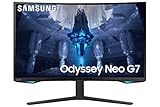
- QUANTUM MATRIX TECHNOLOGY: Revolutionary Quantum Matrix Technology with Quantum Mini LEDs creates controlled brightness and perfect contrast for refined definition; Local dimming zones were increased to 1,196 and combined with the highest 12-bit black levels to create unmatched picture quality.Mounting Type:Wall Mount (Size mm) 100 x 100.Aspect Ratio 16:9.Power Supply : AC 100~240V, Operation Conditions - Temperature : 10-40 ℃, Humidity : 10-80,non-condensing %..Display Port : 1 EA.Refresh Rate Optimizor : Yes
- QUANTUM HDR 2000: From gloomy shadows to sun-scorched scenes, 2,000 nit peak brightness and 1,000,000:1 contrast ratio enable enhanced color expression and depth; Get a competitive edge by spotting hidden enemies using their reflections
- UHD RESOLUTION: With UHD resolution, the Odyssey Neo G7 allows gamers to witness images in high quality, and true-to-life detail; Immerse yourself in the world of your choosing. Set Dimension without Stand (WxHxD)-28.1 x 17.3 x 7.3 inches
- 165Hz & 1ms(GTG): 165Hz refresh rate eliminates lag for exhilarating gameplay with ultra smooth action; Identify enemies with elite precision with a 1ms(GTG) response time, precise mouse movements, and blur-free frames, with no ghosting
- NVIDIA G-SYNC COMPATIBLE: Nvidia G-Sync compatibility keeps the GPU and panel synced up to eliminate choppiness, screen lag, and image tears; Fast-action game scenes are stable and stutter-free with AMD FreeSync Premium Pro for your competitive edge
Competitive games and well-optimized esports titles are the most likely to benefit from 240Hz. Modern AAA games at ultra settings, especially with ray tracing enabled, often will not reach 240 frames per second. That does not make the monitor useless: it remains a high-refresh display at lower frame rates, but the headline specification describes the monitor’s capability, not what every GPU can sustain.
What’s actually slowing this PC down?
Pick the symptom - the matching free tool is one click away.
Independent testing rated its motion performance and input behavior highly. Samsung’s “1ms” claim should not be treated as a universal response time: actual transitions vary with refresh rate, overdrive setting, color transition, and individual unit. The monitor’s VA technology can still show more troublesome dark transitions than bright-scene motion suggests.
FreeSync and G-SYNC compatibility
The monitor is advertised with AMD FreeSync Premium Pro and Nvidia G-SYNC compatibility. Tom’s Hardware reported successful AMD FreeSync and Nvidia G-SYNC-compatible operation at 240Hz with HDR through DisplayPort in its tested configuration.
This is not a dedicated Nvidia G-SYNC module. G-SYNC compatibility uses Adaptive-Sync, so results can vary with GPU drivers, firmware, game frame pacing, connection type, and the individual panel. Use DisplayPort for the fullest PC feature set.
VRR flicker: the important warning
Some C32G75T units and configurations can show brightness pulsing or flickering when variable refresh is active. This does not mean every monitor fails, but it is a meaningful ownership risk. RTINGS includes a dedicated VRR-flicker assessment, and historical owner reports document the problem in particular games and scenarios.
It is most likely to appear during sudden frame-rate changes, dark-scene transitions, loading screens, low frame rates near the bottom of the VRR range, HDR changes, or unstable frame pacing. A monitor can perform well in one game and flicker in another.
What to try
- Update the monitor using firmware intended for the exact model and region.
- Use DisplayPort and try another reputable cable and GPU output.
- Enable the monitor’s VRR Control option.
- Cap the frame rate below the 240Hz maximum where appropriate.
- Compare HDR and SDR, and test with VRR enabled and disabled.
- Check multiple games rather than diagnosing the monitor from one loading screen.
VRR Control may reduce flicker but can introduce other behavior and is not a guaranteed cure. If flicker persists across games and sources, or is visible during ordinary play, use the return or warranty process.
Scanlines and pixel-inversion artifacts
Some owners and monitor communities have reported scanline-like patterns or pixel-inversion behavior on particular units and test patterns. These reports are not proof that every C32G75T has a confirmed defect, and a compressed photograph or video is not enough to diagnose a panel.
During the return period, scroll black text on white backgrounds, view fine horizontal lines, inspect browser interfaces, and compare 120Hz, 144Hz, and 240Hz. Try different brightness, color, and response-time settings. Visibility can depend on content, refresh rate, brightness, viewing distance, and panel variance. Return the monitor if distracting artifacts remain visible at your normal distance during ordinary games or desktop work.
HDR: good for its generation, not modern high-end HDR
The C32G75T carries a VESA DisplayHDR 600 certification, and Tom’s Hardware measured more than 618 nits in HDR mode. Its VA contrast also produced unusually strong HDR contrast for an edge-lit gaming monitor. See the detailed measurements in Tom’s brightness testing and its overall review.
Rank #3

- QHD Resolution (2560 x 1440) has 1.7 times the pixel density of Full HD for incredibly detailed pinsharp images
- HDR10 provides brighter highlights and nuanced shadow for added depth - making every scene feel more vivid and realistic
- The 180Hz refresh rate minimizes lag for gameplay with ultra-smooth action. Plus, the 1ms response time helps capture your moves in real-time, allowing you to react fast for gaming precision
- AMD FreeSync reduces choppiness, screen lag and image tearing, ensuring that your fast-paced, complex in-game action is stable with minimal stutter
- Ergonomic stand allows for tilt, pivot and height adjustments to maximize gaming comfort
That makes HDR better than the ordinary HDR400 experience of many edge-lit monitors. Bright highlights can look more intense and colors can appear more saturated than in SDR. But DisplayHDR 600 is a brightness and performance tier, not a promise of OLED-like black levels.
The C32G75T lacks advanced per-zone local dimming. It cannot independently darken a small bright object beside a black background, so dark scenes and letterbox bars may have raised blacks, glow, or blooming-like compromises. Modern Mini-LED monitors generally produce more convincing HDR through local dimming, while OLED displays provide individually controlled pixels and genuinely deep blacks. The G7’s HDR is a strength relative to its class and age, not a reason to choose it over every newer display.
HDR also depends on the game, operating-system HDR configuration, picture mode, and whether the monitor has properly switched into HDR. A washed-out result may reflect poor game HDR, unsuitable settings, or expectations based on OLED and Mini-LED displays.
The Tool Desk
Outbyte Driver Updater FREEFix the driver behind crashes, sound loss and screen glitchesFind Drivers →Outbyte PC Repair FREERepair Windows errors before they cause bigger problemsFix Now →Ports and console compatibility
The monitor has two DisplayPort 1.4 inputs, one HDMI 2.0 input, two USB 3.0 ports, and a headphone output. It has no HDMI 2.1, USB-C video input, USB-C power delivery, or built-in speakers.
That makes it primarily a PC monitor. A console can use it, but console-focused buyers should not expect 4K input, 4K at 120Hz, HDMI 2.1 bandwidth, or modern HDMI features. The 1440p resolution is useful for compatible console output, but the connection is less flexible than newer HDMI 2.1 displays.
First-day setup and testing checklist
- Inspect the panel, stand, cables, and ports before discarding packaging.
- Connect a gaming PC through DisplayPort.
- Set the operating system to 2560 × 1440 at 240Hz.
- Enable Adaptive-Sync in the monitor menu.
- On Nvidia hardware, enable G-SYNC or G-SYNC compatibility in Nvidia Control Panel. On AMD hardware, enable FreeSync in Radeon Software.
- Verify that the operating system reports 240Hz and that HDR activates only when intended.
- Test a dark game, a bright game, browser scrolling, and a high-contrast image.
- Check for dead pixels, uniformity problems, scanlines, flicker, black screens, and missing accessories during the return period.
Firmware precautions
Samsung’s support page provides model-specific manuals and firmware resources. Confirm the exact rear-label model and region before downloading anything; similar G7 names and regional suffixes do not guarantee interchangeable firmware.
Follow Samsung’s included USB-update instructions. In general, use the required USB format, place only the applicable firmware file in the drive’s root directory, connect it to the correct update/service port, start the update through the monitor menu, and do not interrupt power. Afterward, recheck refresh rate, Adaptive-Sync, HDR, and picture settings. Do not assume a forum-posted version number is universally the latest.
How it compares with newer monitors
| Priority | C32G75T assessment |
|---|---|
| Competitive PC gaming | Excellent if VRR behavior is acceptable |
| Single-player immersion | Very good when the 1000R curve suits you |
| Dark-room gaming | Strong native contrast, but no advanced local dimming |
| HDR | Good for its generation; behind modern OLED and Mini-LED |
| Productivity | Usable, but curve and 32-inch 1440p density are divisive |
| Console gaming | Functional, but limited by HDMI 2.0 and 1440p focus |
| Multi-monitor use | Difficult because of the extreme curve |
Newer high-refresh IPS monitors generally offer wider viewing angles and may avoid some VA-specific dark-transition behavior. OLED monitors offer faster pixel response and much deeper blacks, but bring different price, brightness, and burn-in considerations. Mini-LED VA models can deliver stronger HDR through local dimming, often at greater cost and with possible blooming. Later Samsung Odyssey models may add newer connectivity or features, but compare exact model codes rather than assuming every “G7” is equivalent. The C32G75T versus G65B comparison illustrates why family names alone are insufficient.
Who should buy it?
- Buy: if you want 32-inch 1440p at 240Hz, value VA contrast, like aggressive curves, primarily play fast PC games, and have a substantial discount plus a strong return policy.
- Buy only at a deep discount: if you are comfortable testing VRR, HDR, scanlines, dead pixels, and uniformity on a clearance, open-box, refurbished, or used unit.
- Skip: if you need USB-C, HDMI 2.1, KVM, 4K, excellent modern HDR, a flat screen, high-density text, or predictable VRR in every game.
For used and open-box purchases, condition is as important as specifications. Check for missing cables or stand parts, panel damage, dead pixels, firmware history, warranty transferability, and the length of the return window.
Final verdict
The Samsung Odyssey G7 C32G75T remains a fast, high-contrast 1440p gaming monitor with a combination that newer IPS models do not always replicate: 32-inch immersion, VA blacks, a wide gamut, and 240Hz motion. Its HDR is respectable for an edge-lit display, and Adaptive-Sync can work very well.
In 2026, however, it should be bought as a carefully inspected bargain—not as a premium monitor at a premium price. The 1000R curve must suit your desk and eyes, and the individual unit must pass VRR-flicker, scanline, dead-pixel, and HDR checks. If those conditions are not met, a newer OLED, Mini-LED, IPS, or HDMI 2.1 model is the more dependable investment.
Free tools Windows power users keep installed
One-click scans. No signup required.
Quick Recap
Product prices and availability are accurate as of the date/time indicated and are subject to change. Any price and availability information displayed on Amazon at the time of purchase will apply.




