Quick wins for a faster PC:
Scan for outdated or missing drivers - takes under a minuteDriver Scan →Clear out junk files and repair common Windows errorsFree Scan →shogun2.dll is a game file associated with Total War: SHOGUN 2, not a Windows component. If Windows says shogun2.dll is missing, was not found, or could not be loaded, restore the game’s installation through Steam rather than downloading the DLL separately.
The most reliable first step is Steam’s built-in file verification. It checks the Total War installation and reacquires missing or damaged files.
| # | Preview | Product | Price | |
|---|---|---|---|---|
| 1 |

|
Total War: Shogun 2 | $11.95 | Buy on Amazon |
| 2 |
|
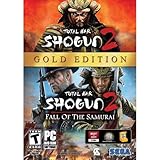
Total War: Shogun 2 Gold - PC | $28.49 | Buy on Amazon |
| 3 |

|
Total War: Shogun 2 - PC | $22.99 | Buy on Amazon |
| 4 |

|
Total War : Shogun 2 | $10.85 | Buy on Amazon |
| 5 |

|
Shogun 2: Fall of the Samurai, Limited Edition - PC | $12.95 | Buy on Amazon |
Fix 1: Verify Total War: SHOGUN 2 files in Steam
Time needed: 5 to 20 minutes, depending on the game installation and download speed.
- Open Steam.
- Select Library.
- Find Total War: SHOGUN 2 in the game list.
- Right-click the game and select Properties.
- Select Installed Files.
- Choose Verify integrity of game files.
- Wait until Steam finishes checking the installation.
- Close the Properties window and start the game again.
Steam may download replacement files or report that all files were successfully validated. If the game starts afterward, the installation was incomplete, altered, or damaged.
#1 Best Overall
- Choose from 9 different clans and compete online and offline for the undisputed supremacy of Medieval Japan
- Play through the Main Campaign in single player or invite a friend online to play competitively or cooperatively in Campaign Multiplayer mode
- Developed according to Sun Tzu's principles in the Art of War, the Artificial Intelligence constantly analyzes its situation
- Build and govern cities, recruit and train troops, conduct diplomacy and manage your agents
- Improved land and naval battle gameplay, now with the ability to combine forces and attacks
If Steam reports that files could not be reacquired, close Steam and check the following:
- The library drive has free space.
- Steam is not paused or offline.
- The game is installed on a drive that Windows can read and write.
- Your antivirus is not blocking Steam’s downloads.
- No game files are being held open by a mod manager or overlay.
Restart Steam after correcting those conditions, then run verification again.
Fix 2: Check Windows Security quarantine
Time needed: 5 to 10 minutes.
Antivirus software can quarantine a game DLL. This can happen after a detection, a game update, or a change to the installation. Do not assume a detection is a false positive simply because the filename is shogun2.dll.
- Open the Start menu.
- Search for Windows Security and open it.
- Select Virus & threat protection.
- Select Protection history.
- Review recent detections related to the Total War installation.
- Expand a detection to see its filename, location, and detection name.
If the quarantined file came from a legitimate Steam installation, review the detection carefully before taking action. If you restore it, run Steam’s Verify integrity of game files check again. Verification gives Steam an opportunity to replace a missing or damaged copy.
Free tools Windows power users keep installed
One-click scans. No signup required.
Do not restore or allow a file merely because its name matches shogun2.dll. If the file was downloaded manually, came from a modified installation, or was found in an unexpected folder, remove it and reinstall the game through Steam instead. Microsoft explains how Protection History and quarantined items work in its Windows Security Protection History guidance.
Fix 3: Remove temporary mods and repair the game
Time needed: 10 to 30 minutes.
A mod, unofficial patch, interrupted update, or manually replaced file can prevent the game from loading. The safest repair is to return the installation to an unmodified state.
- Exit Total War: SHOGUN 2.
- Exit mod managers and other tools that control the game.
- Disable or remove active mods temporarily.
- Open Steam and verify the game files again.
- Start the game without mods.
Do not begin by deleting random DLLs. If a particular troubleshooting procedure requires removing a game file, use it only as a temporary repair step followed immediately by Steam verification. Never delete shogun2.dll and then obtain a replacement from a random download page.
Rank #2
- Brand New in box. The product ships with all relevant accessories
If the clean installation works but a modded installation does not, re-enable modifications one at a time. The last mod enabled before the error returns is the most likely source of the conflict.
What’s actually slowing this PC down?
Pick the symptom - the matching free tool is one click away.
Fix 4: Reinstall Total War: SHOGUN 2 cleanly
Time needed: 20 minutes to several hours, depending on the installation size and connection.
Use this step when verification repeatedly fails or the game still reports a corrupted DLL.
- Open Steam and select Library.
- Right-click Total War: SHOGUN 2.
- Select Manage and then Uninstall.
- Confirm the uninstall.
- Restart Steam.
- Install the game again from your Steam library.
- Wait for the installation to finish completely.
- Run Verify integrity of game files once more.
- Launch the game before reinstalling mods or custom files.
If Steam leaves an old game folder behind, do not immediately delete it if you have saved games or configuration files inside. Back up anything you need first, then remove only the remaining installation data if Steam support or the installer requires it.
A clean installation is more dependable than replacing one DLL because the problem may involve several altered files or a dependency that Windows cannot load.
Fix 5: Install the game’s bundled prerequisites
Time needed: 10 to 20 minutes.
A message saying “The specified module could not be found” does not always mean that shogun2.dll itself is absent. Windows may be unable to load a dependency required by the game.
Open the Total War installation folder and look for a directory named redist, Redist, or DirectX. If it contains installers, run the legitimate installers from that folder, then restart Windows and test the game.
Rank #3
- Choose from 9 different clans and compete on and offline for the undisputed supremacy of Medieval Japan. Gain experience to level up your own character-warlord as well as your generals and agents.
- Play through the Main Campaign in single player or invite a friend online to play competitively or cooperatively in Campaign Multiplayer mode.
- Developed according to Sun Tzu's principles in the Art of War, the Artificial Intelligence constantly analyzes its situation and reacts to your every move with greater precision and variety.
- A streamlined User Interface makes management of your kingdom much easier. Build and govern cities, recruit and train troops, conduct diplomacy and manage your agents - each feature is now introduced with comprehensive tutorials
Repair legacy DirectX components
Older games may need side-by-side DirectX components that are not included in the modern DirectX version built into Windows. Microsoft’s DirectX End-User Runtime Web Installer supplies legacy components used by older games, including D3DX, XInput, XAudio 2.7, and XACT.
Use it when the follow-up error names files such as:
D3DX9_*.dllD3DCompiler_*.dllXINPUT1_3.dll
The DirectX installer does not replace the core DirectX version built into Windows. Install it, restart the computer, and try the game again.
If an installer specifically asks for an optional Windows feature, open Settings → System → Optional features → More Windows features. Review the requested feature before enabling it. Do not enable unrelated Windows features as a general DLL repair.
Repair Visual C++ dependencies
A Visual C++ error normally names a Microsoft runtime DLL separately from shogun2.dll. In that situation:
- Open Microsoft’s Latest supported Visual C++ Redistributable downloads.
- Identify the architecture required by the application or error.
- Download the matching Microsoft installer.
- Run it and select Repair if that option appears.
- Restart Windows.
- Test Total War: SHOGUN 2 again.
An x86 application needs the x86 redistributable even when Windows itself is 64-bit. Multiple Visual C++ versions can coexist, so installing the newest package does not necessarily replace every older runtime an application may require. Check the game’s bundled redist folder and the exact follow-up error before choosing a package.
Recommended Free Tools
Fix 6: Update or reinstall graphics drivers
Time needed: 15 to 30 minutes.
A graphics driver is not the same thing as shogun2.dll, but an outdated or damaged driver can cause a game to fail after its files have been restored.
Rank #4
To check the driver through Windows:
- Right-click the Start button.
- Select Device Manager.
- Expand Display adapters.
- Right-click your graphics adapter.
- Select Update driver.
- Choose Search automatically for drivers.
- Restart Windows if a driver is installed.
If the error began immediately after a driver update:
- Open Device Manager.
- Expand Display adapters.
- Right-click the graphics adapter and select Properties.
- Open the Driver tab.
- Select Roll Back Driver if the button is available.
- Restart the computer and test the game.
For a deeper repair, download the driver from the graphics hardware manufacturer’s official support page. Do not use a driver package from an unknown download site.
Outbyte Driver Updater can reduce the work of hunting through versions because its free scan identifies outdated drivers, while the full version performs the driver installation; Total War’s own clean reinstall remains the definitive repair when its game DLL is missing.
Fix 7: Repair Windows components with DISM and SFC
Time needed: 10 to 30 minutes.
DISM and System File Checker repair protected Windows components. They do not normally recreate a third-party game DLL, so use them after verifying the game rather than instead of verifying it.
- Open Start.
- Search for Command Prompt.
- Right-click Command Prompt.
- Select Run as administrator.
- Select Yes if User Account Control appears.
- Run this command:
DISM.exe /Online /Cleanup-image /Restorehealth
- Wait for DISM to finish.
- Run:
sfc /scannow
- Wait until the scan reaches 100 percent.
- Restart Windows and test the game.
Run the commands in that order. If SFC reports that it repaired files, restart before testing. If it reports that it could not repair some files, repeat the DISM command after Windows has restarted, then run SFC again.
When Windows repair involves repeated scans and unclear results, Outbyte PC Repair can show what its free scan finds, while repairs are performed by the full version; it is optional, and reinstalling Total War remains the definitive fix for a missing game-owned DLL.
Independent reader supportYour contribution helps us test, update, and keep practical guides available for everyone.Fix 8: Use System Restore only after game repair fails
Time needed: 20 minutes to over an hour.
System Restore is appropriate only if the problem began after a system-wide change and Steam repair, prerequisite repair, and driver checks did not help.
Outdated Drivers Are Slowing You Down
One free scan finds every outdated or missing driver and matches the right update for your exact hardware.Free scan · exact hardware matchPC Slower Than It Used to Be?
A free scan shows the junk files, broken settings and background clutter dragging Windows down - then fixes them in one click.Free scan · Windows 10 & 11- Open Start.
- Search for Create a restore point.
- Open the result.
- Select System Restore.
- Choose a restore point from before the problem began.
- Review the affected programs.
- Confirm the restore and allow Windows to restart.
System Restore can remove programs, drivers, and configuration changes made after the selected restore point. Microsoft describes this process in its point-in-time restore guidance.
Why shogun2.dll errors happen
The likely causes are:
| Cause | Appropriate repair |
|---|---|
| Incomplete or damaged game installation | Verify Steam files, then reinstall if necessary |
| Antivirus quarantine | Inspect Protection History and verify the installation |
| Mods or manually changed files | Disable modifications and verify a clean installation |
| Missing legacy DirectX component | Run the bundled installer or Microsoft’s DirectX runtime |
| Missing Visual C++ runtime | Install the architecture and version indicated by the dependency error |
| Windows component corruption | Use DISM followed by SFC |
| Wrong or damaged replacement DLL | Remove it and restore the game through Steam |
The exact version, size, hash, internal description, and architecture of shogun2.dll should not be guessed from third-party listings. Different builds or releases may not use identical files.
Best Value
- The American, British and French nations played an important part in the story of the Boshin war and your relations with these foreign powers will be integral to unit recruitment and to advancing your technology trees.
- Thirty nine new land units, including modern ranged units - such as the Gatling gun and Armstrong gun - controllable in a new third-person mode.
- New port siege battle type, this new battle type triggers when attempting a naval assault on an occupied enemy port. The attacking fleet must sail into the harbour and capture the port, running the gauntlet of coastal gun defences.
- New land and sea unit interactions, during a land battle, armies can call in offshore artillery support barrages.
- Campaign map bombardments: offshore naval units can bombard armies and cities in adjacent coastal areas on the campaign map itself.
What not to do
- Do not download
shogun2.dllfrom a random DLL website. - Do not copy it into
C:WindowsSystem32. - Do not copy it into
C:WindowsSysWOW64. - Do not replace it with a file from another computer.
- Do not run
regsvr32 shogun2.dllas a routine fix. - Do not whitelist an unknown DLL solely because it has the expected filename.
- Do not install x64 Visual C++ when the error requires x86.
regsvr32 is intended for DLLs that support registration entry points such as DllRegisterServer. There is no verified reason to treat this game DLL as a registration server, and registration will not restore a missing game installation.
FAQ
Is shogun2.dll part of Windows?
No. It is associated with Total War: SHOGUN 2 and belongs in that game’s installation directory.
Do these 3 things before closing this tab:
1Repair Windows errors before they cause bigger problems2Scan for outdated or missing drivers - takes under a minute3Clear out junk files and repair common Windows errorsShould I download shogun2.dll separately?
No. Use Steam verification, the original installer, or an official Microsoft prerequisite package named by the follow-up error. A separately downloaded DLL may be malicious, damaged, the wrong architecture, or the wrong build.
Does SFC fix shogun2.dll?
Not usually. SFC repairs protected Windows files. It does not normally recreate a third-party game DLL.
Why does Windows say the specified module could not be found?
The named DLL may be present while one of its dependencies is missing or unusable. Verify the game first, then inspect the complete error for a DirectX or Visual C++ filename.
Do I need both x86 and x64 Visual C++ packages?
Install the architecture required by the game or error. A 32-bit game generally needs x86 components, even on 64-bit Windows. Older games may also require a legacy version listed on Microsoft’s supported-downloads page.
When should I contact support?
Contact SEGA support if a clean Steam installation without mods still fails. Include the complete error text, Windows version, antivirus detection details, Steam verification result, and any additional DLL named by the error.
Quick Recap
Product prices and availability are accurate as of the date/time indicated and are subject to change. Any price and availability information displayed on Amazon at the time of purchase will apply.




