Quick wins for a faster PC:
Fix the driver behind crashes, sound loss and screen glitchesFind Drivers →Clear out junk files and repair common Windows errorsFree Scan →Skyrim’s less obvious tricks are often ordinary systems working together: watch the stealth indicator before acting, use Favorites to reach key items faster, and treat theft or lockpicking as crimes if someone catches you. Here are 15 practical ways to make more of those systems. Exact controls and some content vary by platform and edition, so check the on-screen prompts in your version.
Stealth, crime, and risk
1. Read the stealth indicator before you move
The stealth reticle gives feedback about whether you are hidden, at risk of detection, or detected. Use it as a cue to pause, change position, or wait before trying a stealth action. Its appearance and controls can vary by platform.
2. Treat pickpocketing as a skill-based risk
Your Pickpocket skill affects the chance of being caught; it does not make every attempt safe. Check the displayed odds when available, and avoid assuming a valuable item is guaranteed to come away unnoticed.
3. Remember that lockpicking can count as a crime
Picking a lock is not always a consequence-free minigame. Bethesda’s PC manual lists lockpicking among actions that can be reported if you are detected. Consider who is nearby before attempting it.
Do these 3 things before closing this tab:
1Scan for outdated or missing drivers - takes under a minute2Repair Windows errors before they cause bigger problems3Fix the driver behind crashes, sound loss and screen glitches#1 Best Overall

- Winner of more than 200 Game of the Year Awards, Skyrim Special Edition brings the epic fantasy to life in stunning detail.
- The Special Edition includes the critically acclaimed game and add-ons with all-new features.
- All-new features include remastered art and effects, volumetric god rays, dynamic depth of field, screen-space reflections, and more.
- Entertainment Software Rating Board (ESRB) Content Description: Blood and gore, intense violence, sexual themes, use of alcohol
4. Keep theft and trespassing in the same risk calculation
Stealing, pickpocketing, and trespassing can bring trouble when witnessed. If you want to avoid a crime report, pay attention to the people and ownership context around the action—not only whether you can perform it.
Make menus and travel work for you
5. Put frequently used items in Favorites
The Items menu includes a Favorites feature, letting you mark useful gear or other items for quicker access. Favorited items are especially handy when you regularly switch between weapons, spells, or equipment. Use your platform’s displayed prompt to open and manage the menu.
Rank #2

- EPIC FANTASY REBORN - Skyrim reimagines and revolutionizes the open-world fantasy epic, bringing to life a complete virtual world open for you to explore any way you choose.
- LIVE ANOTHER LIFE, IN ANOTHER WORLD - Play any type of character you can imagine, and do whatever you want; the legendary freedom of choice, storytelling, and adventure of The Elder Scrolls is realized like never before.
- YOU ARE WHAT YOU PLAY - Choose from hundreds of weapons, spells, and abilities. The new character system allows you to play any way you want and define yourself through your actions.
- BATTLE DRAGONS - Battle ancient dragons like you’ve never seen. As Dragonborn, learn their secrets and harness their power for yourself.
- INCLUDED CONTENT - The Anniversary Edition includes the core game, pre-existing and new Creation Club content, plus all three official add-ons: Dawnguard, Hearthfire, and Dragonborn.
6. Use the map’s fast-travel option when it is available
Fast travel can save time on routes you have already uncovered. Check the map for the option, and remember that availability depends on the game situation or mode; it is not a universal shortcut in every circumstance.
7. Treat skills, leveling, and perks as a connected system
Skills are more than labels for your character build: Skyrim links skill progression with leveling and perks. When deciding how to spend a perk, look at the relevant skill tree and its requirements in your edition rather than choosing only by the perk’s name.
What’s actually slowing this PC down?
Pick the symptom - the matching free tool is one click away.
Rank #3

- ANNIVERSARY EDITION CONTENT — Includes the base game, Dawnguard, Hearthfire, Dragonborn, and hundreds of Creation Club items such as quests, weapons, armor, spells, and dungeons.
- SWITCH 2 ENHANCEMENTS — Explore Skyrim with updated visuals, improved load times, and optimized performance for Nintendo Switch 2.
- SHAPE YOUR ADVENTURE — Choose your character and decide how to play in an open world that responds to your actions.
- BUILD YOUR CHARACTER — Choose from hundreds of weapons, spells, and abilities to define your play style.
- BATTLE DRAGONS — Face ancient dragons as the Dragonborn, learn their secrets, and harness their power.
Get more from crafting and equipment
8. Combine crafting systems around a goal
Alchemy, enchanting, smithing, smelting, tanning, and cooking are distinct systems you can use to support different playstyles. For example, think about which system addresses your immediate need—preparing food, working materials, or customizing equipment—then check its in-game instructions before investing time or resources.
9. Use alchemy to learn about ingredients
Alchemy is a way to work with ingredients and their effects, not just a crafting menu to visit when you already know a recipe. Experiment through the alchemy interface and note what the game reveals. Specific discovery behavior can differ by release, so rely on the interface in your version.
Rank #4

- Winner of more than 200 game of the year awards, Skyrim special edition brings the epic fantasy to life in stunning detail
- The special edition includes the critically acclaimed game and add-ons with all-new features
- All-new features include remastered art and effects, volumetric god rays, dynamic depth of field, screen-space reflections, and more
- Entertainment Software Rating Board (ESRB) Content Description: Blood and gore, intense violence, sexual themes, use of alcohol
10. Think of enchanting as equipment customization
Enchanting lets you customize items, giving you another way to shape your gear around how you play. Check an item’s available options and the requirements shown in your game; item restrictions and recipe details should not be assumed to be identical across every edition or added-content setup.
11. Use material processing alongside smithing
Smithing is connected to other equipment and materials systems, including smelting and tanning. If you are improving or making gear, check whether processing materials first is part of the route available to you. The exact options depend on the materials and equipment shown in your game.
Best Value
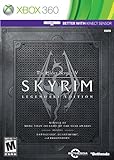
- Live Another Life, In Another World: Play any type of character you can imagine, and do whatever you want; the freedom of choice, storytelling, and adventure of The Elder Scrolls comes to life in one legendary experience from all three official add-ons.
- Dawnguard: The Vampire Lord Harkon has returned to power. By using the Elder Scrolls, he seeks to do the unthinkable - to end the sun itself. Will you join the ancient order of the Dawnguard and stop him? Or will you become a Vampire Lord?
- Hearthfire: Purchase land and build your own home from the ground up - from a simple one-room cottage to a sprawling compound complete with an armory, alchemy laboratory, and more.
- Dragonborn: Journey off the coast of Morrowind, to the vast island of Solstheim. Traverse the ash wastes and glacial valleys of this new land as you become more powerful with shouts that bend the will of your enemies and even tame dragons.
Look beyond combat for useful interactions
12. Check horse and travel options together
Horses and fast travel are both part of Skyrim’s travel systems. Consider whether riding or using the map is more useful for the journey at hand, and follow the controls shown for your platform; the available behavior can depend on the situation.
13. Use houses and containers thoughtfully
Housing and containers create options for managing items beyond carrying everything with you. Before storing anything valuable, make sure you understand the ownership and persistence rules for the specific location; those rules should not be generalized from one container to every place in the game.
14. Pay attention to books and written material
Books are part of Skyrim’s broader world and systems, so they are worth inspecting rather than automatically treating as clutter. Check an individual book’s in-game description or effect before expecting a particular skill benefit or quest trigger.
Know which Skyrim content you are playing
15. Separate base-game systems from added content
Bethesda describes Anniversary Edition as Skyrim Special Edition bundled with Creation Club content, including additions such as quests, dungeons, bosses, weapons, and spells. Bethesda also describes an in-game Creations menu for browsing and downloading community-made content on supported releases. A tip tied to one of those additions is not automatically a base-game tip: check the edition and installed Creations or mods before following it.
Quick Recap
Sources
- Bethesda, The Elder Scrolls V: Skyrim manual (Xbox 360)
- Bethesda/Steam, Skyrim PC manual
- Bethesda, Skyrim Anniversary Edition
- Bethesda, Creations in Skyrim Special Edition
Product prices and availability are accurate as of the date/time indicated and are subject to change. Any price and availability information displayed on Amazon at the time of purchase will apply.




