In Star Trek Fleet Command, progress comes from developing your station and ships, completing missions and goals, mining resources, and working with an alliance. Mining locations, access rules, and alliance ROE can depend on your progression, the current game update, and your server or alliance—so treat dated location examples as clues, not a complete live map.
How do you play Star Trek Fleet Command?
The main loop is to upgrade your station, build and improve ships, recruit officers, complete missions and events, collect rewards, explore systems, and build faction reputation. Scopely recommends missions as an early progression focus, but the most useful activity can vary with your level and current events.
To find missions, open the yellow exclamation-mark icon near the lower-left of the screen, above the Alliance button. The same interface provides access to Daily Goals and Away Teams missions. Scopely’s How Do I Play? guide describes these entry points; use the labels shown in your current game if an update changes the interface.
How should you approach missions and galaxy navigation?
Use missions to give your progression direction, and add daily goals, events, and alliance activity as they become available to you. Missions are not a promise of one optimal path for every level: objectives and rewards can change with updates, and some content is restricted by progression.
The Tool Desk
Outbyte Driver Updater FREEScan for outdated or missing drivers - takes under a minuteDriver Scan →Outbyte PC Repair FREEClear out junk files and repair common Windows errorsFree Scan →#1 Best Overall

- ICONIC USS VOYAGER STARSHIP - Build the legendary USS Voyager NCC-74656, the advanced Intrepid-class starship from Star Trek: Voyager—perfect for fans and collectors.
- COMPLETE STARTER KIT – BUILD RIGHT AWAY - Includes paints, glue, and a brush, so you can start building immediately—ideal for beginners and hobbyists.
- DETAILED STARSHIP DESIGN - Precision-molded parts capture Voyager’s sleek hull, variable geometry nacelles, and distinctive profile for an authentic sci-fi build.
- SKILL LEVEL 3 – FUN & REWARDING - Designed for beginner to intermediate builders, offering an enjoyable and approachable model-building experience for ages 10+.
- DISPLAY-WORTHY & PERFECT GIFT - Creates an impressive display model and makes a great gift for Star Trek fans, sci-fi enthusiasts, and model builders.
- Bookmark useful systems. Scopely’s Academy overview recommends bookmarking locations you expect to revisit.
- Check system levels. A system’s level is an approximate indication of hostile strength, not a guarantee that every encounter will be suitable for your ship.
- Check warp range before dispatching. A ship may be unable to reach a system until its warp capability or your progression improves.
Patch notes show why mission advice needs a version context: Update 88 included new missions for Ops 55 and above. That update is an example, not a complete index of currently available missions; check the live mission interface and current patch notes for your level.
How does mining work?
Mining starts from a resource node on the System map. A ship docks at the node and collects over time until it reaches its cargo limit. The resources it has gathered are not available for use until the ship returns to your station.
Rank #2

- STAR TREK USS ENTERPRISE - Build the legendary USS Enterprise NCC-1701 from Strange New Worlds —a true icon of science fiction and a must-have for fans and collectors.
- COMPLETE STARTER KIT – READY TO BUILD - Includes paints, glue, and a brush, so you can start building right out of the box—ideal for beginners and hobbyists.
- AUTHENTIC STARSHIP DETAIL - Designed to capture the Enterprise, including its iconic saucer section, warp nacelles, and engineering hull.
- SKILL LEVEL 3 – FUN & REWARDING BUILD - Offers a balanced build experience ideal for beginner to intermediate modelers, ages 10 and up.
- PERFECT GIFT & DISPLAY PIECE - A great gift for Star Trek fans, collectors, and sci-fi enthusiasts, creating a display-worthy model once completed.
- Open the System map and select a node for the resource you need.
- Choose a ship that can reach the system and has suitable cargo capacity, then send it to the node.
- Recall the ship when its cargo is full, or sooner if you need the resources back at your station.
A mining ship can be attacked while docked. A battle can cost you some of the materials or resources it collected, so account for the local PvP risk and your alliance or server’s ROE before leaving a ship unattended. Cargo capacity limits how much one trip can bring home; travel time, node access, and risk also affect which route is practical.
Where can you mine Isogen and other resources?
Mining locations depend on the resource, your progression and access, and the current game version. The examples below are deliberately dated: they are not a current exhaustive directory or a guarantee that a system is accessible to every player.
Quick wins for a faster PC:
Fix the driver behind crashes, sound loss and screen glitchesFind Drivers →Clear out junk files and repair common Windows errorsFree Scan →Scan for outdated or missing drivers - takes under a minuteDriver Scan →Rank #3

- HIGHLY COLLECTABLE: Build your collection of highly-detailed, pre-painted iconic ships!
- INCLUDED: This pack includes one incredible, highly-detailed pre-painted miniature of the U.S.S. Enterprise-D!
- SPECIAL EDITION: It features a special metallic base paint adding a sleek sheen to the icoic ship and real saucer separation!
- FOR DISPLAY AND PLAY: Display it on its own, or use the included components to add it to games of Star Trek: Into the Unknown! (core set required).
| Location example | What the source establishes | How to use the information |
|---|---|---|
| Klosi, Vemmi, and Marzer | Scopely’s 10 November 2020 article on owning a Territory identified these as launch-era T1 Raw Isogen systems outside the Origin Sector. It also reported 75 total nodes—25 per system—for those three systems. | Historical Territory Capture context only. Do not assume these are the full current Isogen route or that access rules have stayed unchanged. |
| Ved, Bonoxug, Xameda | Update 88 patch notes list these as G7 Veil mining systems for Ops level 71. | Version-specific guidance. Confirm the system and access requirements on the live map before sending a ship. |
| Pepen, Kafaq, Cliffor | Update 88 lists these G7 Veil mining systems for Ops level 72. | Version-specific guidance; check the live map and current patch notes. |
| Okonel | Update 88 lists this G7 Veil mining system for Ops level 73. | Version-specific guidance; check the live map and current patch notes. |
For any route, verify the exact resource node, your Ops and warp access, whether Territory Capture ownership restricts mining, and the local PvP rules. A resource guide published in 2023 describes Parsteel, Tritanium, and Dilithium as resources used for buildings, research, and ship construction, and explains that raw gas, ore, and crystal can be refined into materials for upgrades and research. Check current in-game costs and sources rather than relying on older examples.
Which ships should you use for mining and combat?
Choose a ship for the job, not just its displayed power. Survey ships are designed for mining and carrying resources, but Scopely’s ship guide says they are weak combat choices. For a mining trip, consider cargo capacity, warp access, and exposure to attacks; for combat, consider the target and the ship’s class matchup.
Rank #4

- Official Starships Collection: Die-cast ship replicas as seen in the Star Trek movies and television series.
- Quality Construction: Scaled replica ship has been painstakingly recreated in die-cast and high-quality ABS materials then hand painted with an incredible level of detail.
- Authentic Design: Based directly on the original VFX models created for the show.
- Great Gift Idea: Add this replica ship to your personal collection or gift it to the Star Trek fan in your life.
| Ship class | Role or matchup |
|---|---|
| Survey | Mining and carrying resources; not a strong choice for combat. |
| Interceptor | Has an advantage over battleships. |
| Battleship | Has an advantage over explorers. |
| Explorer | Has an advantage over interceptors. |
Scopely says the combat advantage cycle applies in both PvE and PvP. Research, officers, and upgrades also affect ship power, so a simple power comparison does not tell the whole story.
Blueprints can come from missions and goals, hostiles, events, or faction stores. Some ships also require research or a particular shipyard level after you have enough blueprints. Check the ship’s in-game tooltip and current official guidance for its exact unlock conditions rather than relying on a universal ship ranking that may become outdated.
Best Value
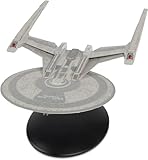
- A new series of die-cast models featuring Ships from the CBS all access series
- Each model will be between 8"-10" long
- Based directly on the original vex models created for the show
- Extraordinary detail and accuracy
- Includes a magazine that profiles the ship and how it was made
What do alliances and Territory Capture change?
Territory Capture lets alliances compete for zones and their benefits. Under Scopely’s current Territory Capture overview, only members of the controlling alliance can mine in Territory Capture systems, although those mining ships can still be attacked. The official 29 October 2020 update also said anyone could enter captured territories, while only the controlling alliance could mine or relocate bases there. Because access details can change, check the current in-game rules for the zone you plan to enter.
Alliances can use alliance resources and eligible permissions to activate services. Services provide time-limited benefits, and some may apply throughout the game unless their description says otherwise. The Embassy shows available and upcoming services; availability rotates by season, so inspect its current listings instead of assuming a particular service is active.
What is ROE, and whose rules apply?
ROE means “rules of engagement”: community rules about conduct such as attacking ships or mining in particular systems. It is not one universal server-wide policy. Scopely’s 29 October 2020 Territory Capture update explicitly said it expected alliances to establish their own rules concerning foreign players in their territory. That distinguishes official game mechanics from local agreements about player behavior.
Before mining or entering another alliance’s territory, ask your alliance for its current guidance and check any server-specific policy. A rule shared by one alliance or player is not automatically the rule on every server. If a disagreement arises, use the current game mechanics and the policy your alliance or server actually recognizes.
Crashes, No Sound, or Screen Glitches?
Random freezes, missing sound and display glitches usually trace back to one bad driver. Find and replace yours safely.Free scan · under a minuteWindows Errors? Fix Them Before They Spread
Repair common Windows errors and clear accumulated junk for a smoother, more stable PC - no reinstall needed.Free scan · no reinstallQuick Recap
Product prices and availability are accurate as of the date/time indicated and are subject to change. Any price and availability information displayed on Amazon at the time of purchase will apply.




