GBS Windows is a real physical homebrew cartridge by RubenRetro, but it does not run Microsoft Windows 3.1. Built with GB Studio, it recreates the look, startup ritual and familiar desktop-era software of Windows on Game Boy Color hardware.
What GBS Windows actually is
GBS Windows is best understood as an interactive Windows 3.1-inspired toy for a Game Boy, not as a miniature PC. The cartridge imitates the visual language of 1990s computing with a faux BIOS screen, a command-prompt sequence, a desktop-like interface and several small built-in applications.
As an Amazon Associate I earn from qualifying purchases.
It is a custom homebrew project created by RubenRetro and distributed as a physical Game Boy cartridge. The project was made with GB Studio, a tool for creating Game Boy-style software. That approach matters: the cartridge reproduces selected Windows-like experiences rather than attempting to run Microsoft’s original operating system or Windows binaries.
Coverage from Windows Central and PCWorld describes it as an imitation or replica. It cannot run Windows programs, open PC files, install software or turn a Game Boy into a general-purpose computer.
#1 Best Overall
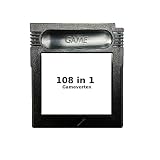
- New and high quality.
- Compatible for both US/EU/JAP versions console.
- RPG games can be saved by the battery inside,but Action games have no saving function.
- 108 in 1
- GBC games can't play on the GB game console
It starts like a tiny fictional PC
Booting GBS Windows is part of the joke. The cartridge reportedly presents a faux hardware or BIOS-style screen inspired by American Megatrends, complete with references to the Game Boy Color’s extremely limited memory. It then moves through a simulated command-prompt stage before opening the Windows-like interface.
Some coverage shows commands resembling:
C:> cd windows
C:WINDOWS> win
This is a scripted visual sequence, not evidence that DOS or Windows is running underneath. The cartridge’s controls advance the sequence rather than providing a conventional PC keyboard. Reports also indicate that the startup can be bypassed with a button press, although the exact control behavior should be checked against the cartridge’s instructions or creator documentation.
What is included?
According to Retro Dodo’s coverage, the cartridge includes five main programs: Paint, Piano, Media, Sweeper and Cannon Defense.
What’s actually slowing this PC down?
Pick the symptom - the matching free tool is one click away.
Paint
Paint is a low-resolution pixel-art drawing tool designed around Game Boy controls. Its most unusual feature is support for the Game Boy Printer, allowing artwork to be printed onto thermal paper.
Rank #2

- New and high quality.
- Compatible for both US/EU/JAP versions console.
- RPG games can be saved by the battery inside,but Action games have no saving function.
- 30 in 1
- GBC games can't play on the GB game console
That does not mean the cartridge provides normal file saving. Available coverage indicates that drawings are not stored permanently. To print, you need a working Game Boy Printer and usable compatible thermal paper; old paper may be faded or difficult to source. The output is necessarily small and palette-limited, but that physical printout is one of the project’s strongest reasons to exist.
Sweeper
Sweeper is a Minesweeper-style puzzle rather than Microsoft’s original Minesweeper executable. It uses the familiar grid-and-number concept and presents it inside the Windows-inspired environment.
Media
The Media application plays a selection of chiptune tracks. Reports say music can continue while you move around other parts of the interface. That is a clever limited feature, but it should not be mistaken for general-purpose multitasking: this is controlled background playback inside a small homebrew application.
Piano
Piano provides an on-screen keyboard for producing tones or short musical sequences. As with Paint, available reports indicate that creations are not permanently saved.
Rank #3

- 🎮 Designed specifically for Gameboy, offering seamless plug-and-play functionality.
- 🎮 Features an extensive library of 1000 classic games in one convenient cartridge for endless retro gaming entertainment.
- 🎮 Includes Retrotech printed instructions for a classic feel.
- 🎮 Single cartridge solution eliminates the need to swap games, making it perfect for retro gaming enthusiasts.
Cannon Defense
Cannon Defense is an arcade-style defense game controlled with the Game Boy’s cursor and buttons. It has been compared with Missile Command and other simple shooting games, but it should not be described as a port of Missile Command without a direct statement from the creator.
Compatibility: Game Boy Color is the safe choice
| Hardware | What to expect |
|---|---|
| Game Boy Color | Primary target and the best choice for the complete color-style experience. |
| Game Boy Advance and Advance SP | Reportedly compatible because these systems accept Game Boy Color cartridges. |
| Original gray Game Boy | Partial support has been reported; Sweeper may load in monochrome, but the full interface should not be assumed. |
| Game Boy Pocket and other monochrome systems | Verify compatibility before buying. Do not assume that every original Game Boy-family model offers the same experience. |
| Analogue Pocket and other modern hardware | Reported as playable in enthusiast coverage, but firmware, cartridge and peripheral compatibility should be checked. |
| Game Boy Printer | Optional. It is needed to print Paint artwork and is not required to use the cartridge itself. |
The distinction between Game Boy and Game Boy Color matters because cartridge software can depend on color hardware and other platform features. The Game Boy Essentials compatibility guide provides useful general background, but buyers should treat GBS Windows as primarily a Game Boy Color product.
Printing is not saving
GBS Windows is better at creating temporary experiences than preserving them. Paint artwork can reportedly be sent to a Game Boy Printer, but that is a physical printout, not a digital save file. Piano compositions and similar creations also should not be expected to persist between sessions.
Outdated Drivers Are Slowing You Down
One free scan finds every outdated or missing driver and matches the right update for your exact hardware.Free scan · exact hardware matchWindows Errors? Fix Them Before They Spread
Repair common Windows errors and clear accumulated junk for a smoother, more stable PC - no reinstall needed.Free scan · no reinstallThis limitation is important if you are approaching the cartridge as a productivity tool. It is closer to a themed collection of interactive demonstrations and small games than to a desktop environment with documents, storage and applications.
Rank #4

- New and high quality
- Compatible for both US/EU/JAP versions console.
- RPG games can be saved by the battery inside,but Action games have no saving function.
- 61 in 1
- GBC games can't play on the GB game console
Physical package and availability
Reported physical editions included the cartridge, a retail-style box and protective packaging with a retro presentation combining Game Boy and Windows-era design. Packaging can vary by production run; Retro Dodo reported that the reviewed package did not include a printed instruction booklet.
Early 2025 coverage reported a price of about €40, or approximately $45, for the cartridge and box. Initial Etsy stock reportedly sold quickly. That figure is historical, not a verified August 2026 price, and the available research does not establish current official stock. Before buying, distinguish between the original listed price, a later restock, shipping and import charges, and any inflated secondary-market listing.
Why this is more than a visual joke
The appeal works on three levels:
- Visual nostalgia: icons, menus, boot screens and command prompts recall the ritual of using a 1990s home computer.
- Hardware novelty: a Game Boy cartridge behaves like a tiny fictional computer rather than a conventional cartridge game.
- Physical interaction: Paint can turn a handheld drawing into a real thermal-paper print when paired with the right peripheral.
The achievement is not squeezing Windows 3.1 into an 8-bit console. It is selecting the most recognizable parts of that experience and rebuilding them within the Game Boy’s constraints.
Free tools Windows power users keep installed
One-click scans. No signup required.
Who should buy it?
GBS Windows makes sense for collectors, Windows-era nostalgists, homebrew fans and people who enjoy unusual physical software. It is particularly appealing if you already own a Game Boy Color, Game Boy Advance or compatible modern handheld, and even more so if you have access to a Game Boy Printer.
Best Value

- [POWERFUL PERFORMANCE] Unlock the full potential of your Gameboy with this multifunctional flash card. Store and play 1000+ classic games effortlessly on a single cartridge. Ideal for retro gaming enthusiasts who want a seamless experience with file management and USB connectivity for easy transfers.
- [HIGH COMPATIBILITY] Works flawlessly with Gameboy, Gameboy Color, and GBA SP consoles. Supports games up to 64Mbit and various MAPPERS including MBC1, MBC2, MBC3, and MBC5. Enjoy broad compatibility with your favorite classic titles without technical hiccups.
- [AUTOMATIC BACKUP] Effortlessly backup your game progress with automatic saving to the built-in 8G memory card. No manual intervention required – your game data remains secure and intact even when switching between different games.
- [USER-FRIENDLY DESIGN] Features customizable A/B functions and one-touch return to menu for enhanced convenience. The energy-saving technology extends battery life, allowing for longer gaming sessions without frequent interruptions.
- [PREMIUM STABILITY] Experience reliable performance with stable data storage that prevents loss or corruption. The durable ABS construction ensures longevity while the transparent purple design adds a stylish touch to your gaming setup.
It is a poor fit if you expect genuine Windows compatibility, document editing, file storage, installable software or a long conventional game. It is also worth cautioning against buying solely for Paint if you do not already own a printer and compatible paper.
Alternatives for experimenters
A Game Boy flash cartridge is more flexible than a single-purpose physical novelty because it can load other legally obtained homebrew software. It also requires more setup and loses GBS Windows’ collectible packaging and turnkey presentation. Flash-cartridge prices and availability vary; one Retro Portable Gaming Tindie storefront has listed models at different capacities and prices, but those listings should not be treated as current guaranteed checkout prices.
The Epilogue GB Operator is another option for managing and playing Game Boy cartridges through Windows, macOS and Linux. It is useful for cartridge management, but it does not replace playing GBS Windows on an original handheld or guarantee identical printer behavior.
For a different 1990s-computer homage, Windows 98 GB is a separate Game Boy-style project. It is not another version of GBS Windows.
The verdict
GBS Windows is a charming, limited and technically inventive homebrew cartridge. Calling it “Windows 3.1 on a Game Boy” captures the joke, but not the technical reality: it is a GB Studio application that recreates the appearance and rituals of Windows while bundling Paint, Sweeper, Media, Piano and Cannon Defense.
Buy it for the illusion, the physical cartridge and the nostalgia—not for operating-system compatibility. If the full interface, printer support and collectible presentation appeal to you, use a Game Boy Color as the baseline and confirm the current seller, stock, package contents and price before placing an order.
Quick Recap
Product prices and availability are accurate as of the date/time indicated and are subject to change. Any price and availability information displayed on Amazon at the time of purchase will apply.
The Tool Desk
Outbyte Driver Updater FREEFix the driver behind crashes, sound loss and screen glitchesFind Drivers →Outbyte PC Repair FREEClear out junk files and repair common Windows errorsFree Scan →



