Do these 3 things before closing this tab:
1Fix the driver behind crashes, sound loss and screen glitches2Clear out junk files and repair common Windows errors3Scan for outdated or missing drivers - takes under a minutets3client.dll is a third-party TeamSpeak 3 client or SDK library, not a Windows system file. If Windows reports that ts3client.dll is missing, was not found, or could not be loaded, repair the game or application that requested it rather than copying a random DLL into System32.
The file can belong to the standalone TeamSpeak 3 client, a game that embeds TeamSpeak voice functionality, or another application that redistributes the TeamSpeak SDK. Public game manifests show copies associated with products such as NewZ, Zula Online, Infestation: Battle Royale, and Aerofly RC 10. The owning application is more important than the filename.
Fix 1: Identify and repair the application that owns ts3client.dll
Time needed: 5–20 minutes
This is the most likely solution, especially when only one game or program fails.
First, note the program shown in the error window. If the message appears while launching a game, that game is usually the owner. If the message appears after starting TeamSpeak, repair TeamSpeak itself.
What’s actually slowing this PC down?
Pick the symptom - the matching free tool is one click away.
#1 Best Overall

- 285G LIGHTWEIGHT BUILD — Experience superior audio and game for hours without being weighed down by the headset
- TRIFORCE 40MM DRIVERS — Cutting-edge proprietary design divides the driver into 3 parts for the individual tuning of highs, mids, and lows —producing brighter, clearer audio with richer highs and more powerful lows
- HYPERCLEAR CARDIOID MIC — An improved pickup pattern ensures more voice and less noise with the sweet spot easily placed at the mouth because of the mic’s bendable design
- HYBRID FABRIC AND MEMORY FOAM EAR CUSHIONS — Wrapped in a combination of breathable fabric and plush leatherette to provide a snug fit to ensure constant comfort for prolonged gaming
- 7.1 SURROUND SOUND — Provides accurate positional audio that lets you pinpoint intuitively where every sound is coming from. *Only available on Windows 10 64-bit
Check the application folder
- Right-click the application’s shortcut.
- Select Properties.
- Open the Shortcut tab.
- Read the path in Target or select Open File Location.
- Look in that folder, and in nearby subfolders, for
ts3client.dll.
A legitimate copy is normally beside the program executable or inside the application’s own installation directory. It should not normally be in C:WindowsSystem32, C:WindowsSysWOW64, a temporary folder, or an unrelated user-profile cache.
If the file is present but the program still fails, do not assume it is the correct copy. It could be damaged, built for the wrong architecture, missing a dependency, or incompatible with the application.
Verify files through the launcher
Use the launcher that installed the program.
Steam
- Open Steam.
- Select Library.
- Right-click the affected game and choose Properties.
- Select Installed Files.
- Click Verify integrity of game files.
- Wait for the operation to finish.
- Restart Steam and launch the game again.
Epic Games Launcher
- Open Epic Games Launcher.
- Select Library.
- Click the three dots beside the game.
- Select Manage.
- Click Verify.
- Launch the game after verification completes.
For another launcher, look for Verify, Repair, or Scan and repair. These features restore the exact files expected by that application, which is safer than downloading a replacement manually.
If verification reports that files were restored and the program starts, the repair is complete. If verification does nothing, uninstall the affected game or application, restart Windows, and reinstall it from its official installer or launcher. Test the clean installation before adding mods, plugins, overlays, or custom voice components.
Free tools Windows power users keep installed
One-click scans. No signup required.
Reinstalling standalone TeamSpeak will not necessarily repair a game that carries its own TeamSpeak SDK copy.
Fix 2: Reinstall TeamSpeak from its official source
Time needed: 10–20 minutes
Use this step when TeamSpeak itself displays the error, or when you have confirmed that the failing program is the TeamSpeak 3 client.
- Open the official TeamSpeak downloads page.
- Download the TeamSpeak 3 client installer for Windows.
- Close TeamSpeak and any related processes.
- Run the installer.
- Choose the repair or reinstall option if it is offered.
- Complete the installation and restart Windows.
- Open TeamSpeak and test the connection.
TeamSpeak’s official downloads page lists the classic Windows TeamSpeak 3 client and the TeamSpeak 3 SDK. The SDK is also used by other developers, so installing the standalone client is not a universal fix for every application reporting this filename.
Before uninstalling TeamSpeak, preserve any profiles, identities, bookmarks, plugins, or configuration that you need. A clean reinstall can affect application settings, and the exact behavior depends on the installed client and its configuration.
Outdated Drivers Are Slowing You Down
One free scan finds every outdated or missing driver and matches the right update for your exact hardware.Free scan · exact hardware matchWindows Errors? Fix Them Before They Spread
Repair common Windows errors and clear accumulated junk for a smoother, more stable PC - no reinstall needed.Free scan · no reinstallFix 3: Check whether the application is 32-bit or 64-bit
Time needed: 5–15 minutes
A 32-bit application cannot load a 64-bit ts3client.dll, and a 64-bit application cannot use a 32-bit replacement. Windows being 64-bit does not mean every installed game or application is 64-bit.
Rank #2

- Hear Every Detail with Immersive Virtual 7.1 Audio - Experience clear and detailed game sound with 50mm drivers that deliver balanced highs, rich bass, and enhanced audio positioning. Virtual 7.1 audio technology helps you recognize in-game sounds such as footsteps, movements, and environmental effects, creating an immersive gaming experience across compatible devices.
- Clear Team Communication with Directional Noise-Reducing Microphone - The adjustable directional microphone helps focus on your voice while reducing surrounding noise for clearer communication during multiplayer gaming, streaming, and online chats. The 120° flexible boom allows comfortable positioning, while the flip-to-mute design and inline mute button provide quick control when needed.
- Designed for Long Gaming Sessions with Memory Foam Comfort - Premium memory foam ear cushions and a self-adjusting headband provide a comfortable fit during extended gameplay. The over-ear design helps reduce pressure, while breathable materials support hours of gaming, streaming, and online communication.
- Wired Universal Compatibility with Tangle-Resistant Cable - Connect easily with PS5, PS4, Xbox Series X|S, Xbox One, Nintendo Switch, PC, Mac, and compatible mobile devices through the 3.5mm audio jack. The 2.4-meter braided cable resists tangling and everyday wear, while the inline controls provide convenient volume adjustment, microphone mute, and PC splitter support.
- Customizable RGB Lighting for Your Gaming Setup - Add style to your gaming station with built-in RGB lighting powered through USB. Use the 3.5mm connection for audio while keeping RGB off, or connect USB power to activate the lighting effect and personalize your setup.
Find the application’s architecture in its documentation or installer information. You can also open Task Manager, select Details, right-click the column headings, choose Select columns, and enable Platform where that option is available.
Do not use the commonly reported file metadata from DLL-index pages as proof of what your application needs. A filename does not establish the file’s architecture, version, hash, compiler dependencies, or signature. The known third-party listing of a 64-bit file with version 0.0.0.0 and a size of about 3.54 MB is not an authoritative TeamSpeak manifest.
The reliable fix for an architecture mismatch is to reinstall or repair the owning application. Do not replace its file with a copy taken from TeamSpeak, another game, or a DLL download site.
Fix 4: Repair the required Visual C++ runtime
Time needed: 5–15 minutes
A present ts3client.dll can still fail when one of its dependent runtime libraries is missing. This is especially plausible when Windows says:
- “The specified module could not be found.”
- “The application was unable to start correctly.”
- “The file is either not designed to run on Windows or it contains an error.”
“The specified module” can refer to a dependency of ts3client.dll, not only to ts3client.dll itself.
- Open Microsoft’s page for the latest supported Visual C++ Redistributable downloads.
- Download the package matching the failing application.
- Install x86 for a 32-bit application.
- Install x64 for a 64-bit application.
- Restart Windows.
- Launch the original application again.
A 32-bit program on 64-bit Windows still needs the x86 package. Installing every Visual C++ package is not a definitive repair, and older runtimes may need to remain installed side by side.
The current Microsoft v14 redistributable is appropriate for many applications built with Visual Studio 2015 and later, but it is not proven to be the required runtime for every build of ts3client.dll. If the application vendor supplies a specific runtime, use that vendor’s instructions.
If the program still fails after the runtime repair, return to Fix 1. The application may have a damaged or incompatible private copy of the DLL.
Fix 5: Check antivirus quarantine and file security
Time needed: 5–15 minutes
Security software may have removed or quarantined the file. Do not automatically label that event a false positive.
Rank #3

- Detachable pro grade microphone featuring real time Blue Voice technology, including noise reducer, compressor, limiter and more for cleaner, professional sounding voice comms; Requires included USB external sound card, Windows PC, and Logitech G HUB software
- Next gen 7.1 and object based surround sound for greater in game positional, distance, and object awareness during gameplay. Requires included USB external sound card, Windows PC, and Logitech G HUB software
- Soft memory foam ear-pads with your choice of premium passive noise canceling leatherette or soft, breathable velour for supreme comfort
- Built to last with a durable aluminum fork and steel headband. Impedance - 35 Ohm
- Advanced PRO G 50 millimeter drivers deliver clear and precise sound imaging with improved bass response. Hear footsteps and environmental cues with clarity to give you the competitive advantage in game
Check Microsoft Defender
- Open Start and search for Windows Security.
- Select Virus & threat protection.
- Click Protection history.
- Look for an event involving
ts3client.dllor the affected application. - Expand the event and inspect the detected path.
- Confirm that the path belongs to the legitimate application’s installation directory.
- Verify that the application came from its official installer or launcher.
If the file was detected as malware, do not restore it. Remove or quarantine it, reinstall the application from its official source, and run a full scan:
- Open Windows Security.
- Select Virus & threat protection.
- Choose Scan options.
- Select Full scan.
- Click Scan now.
If a legitimate file was removed and you have verified its path, publisher, installer, and signature, you can review the available Defender action. Use a narrowly scoped exclusion only when necessary, and avoid excluding broad folders such as the entire drive or Windows directory.
A copy of ts3client.dll in a temporary folder, an unrelated system directory, or an unexpected user-profile location deserves investigation before replacement.
Fix 6: Repair Windows components with DISM and SFC
Time needed: 10–30 minutes
Use these commands when several programs are showing system-file errors or Windows itself is malfunctioning. They normally do not recreate a third-party TeamSpeak DLL.
- Open Start.
- Type
Command Prompt. - Right-click Command Prompt.
- Select Run as administrator.
- Run this command:
DISM.exe /Online /Cleanup-Image /RestoreHealth
- Wait for it to complete.
- Run:
sfc /scannow
- Restart Windows.
- Test the original application.
Microsoft recommends running DISM before SFC. SFC repairs protected Windows files, while ts3client.dll belongs to an application rather than to Windows. If both commands complete successfully but the same application still fails, repair or reinstall that application instead.
Repeating SFC and DISM without knowing what changed is not a substitute for restoring the owning program’s files. If you prefer an assisted scan that identifies system problems instead of manually comparing command output, Outbyte PC Repair can show what its free scan finds; repairs are performed by the full version, and reinstalling the specific game or app remains the definitive fix when its private DLL is damaged.
Quick wins for a faster PC:
Fix the driver behind crashes, sound loss and screen glitchesFind Drivers →Repair Windows errors before they cause bigger problemsFix Now →Scan for outdated or missing drivers - takes under a minuteDriver Scan →Fix 7: Reinstall or update related drivers only when evidence points there
Time needed: 10–30 minutes
A graphics, audio, chipset, or network driver is not normally the owner of ts3client.dll. Consider this step only if the error began immediately after a driver change, or if the affected application also has audio, graphics, or device failures.
- Right-click Start.
- Select Device Manager.
- Expand the relevant category, such as Display adapters, Sound, video and game controllers, or Network adapters.
- Right-click the affected device.
- Select Properties.
- Open the Driver tab and note the provider and date.
- Use Update Driver, or download the correct driver from the device manufacturer.
- Restart Windows and test the application.
Do not remove random devices or install a driver merely because ts3client.dll is named in the error. If the problem started after a driver update, use Properties → Driver → Roll Back Driver when available.
For the manual work of checking hardware models and finding the correct package, Outbyte Driver Updater can show which drivers its free scan identifies as outdated; driver installation is handled by the full version. It is optional, and it does not replace repairing the game or application that owns ts3client.dll.
Fix 8: Use System Restore after a recent system change
Time needed: 15–45 minutes
Use System Restore when the error began immediately after an update, cleanup utility, driver installation, or other system change and a restore point is available.
Recommended Free Tools
- Press Windows key + R.
- Type
rstrui.exe. - Press Enter.
- Select Next.
- Choose a restore point from before the failure began.
- Select Scan for affected programs if available.
- Confirm the restore point.
- Select Finish and allow Windows to restart.
System Restore can revert system files, registry settings, and installed programs to an earlier state without changing personal files. It may not restore a game’s private DLL reliably, so use the application’s repair or reinstall option first.
Rank #4
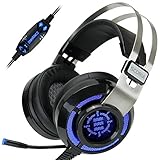
- 7.1 VIRTUAL SURROUND SOUND - Get a leg up on the competition and pinpoint enemy placement with premium directional audio, powered by the SCORIA headset's 7.1 Virtual Surround Sound technology
- ADJUSTABLE VIBRATION ENGINE - Experience a new level of immersion with adjustable vibration that allows you to literally feel the crackle of gunfire and the blasts from explosions on the battlefield
- 5 LED COLORS TO CHOOSE FROM - Pick from 5 LED presets (red, blue, green, yellow and purple) and a color-cycle mode directly from the in-line controller, allowing you to match your favorite accessories
- DESIGNED FOR COMFORT - Engineered with an ergonomic, adaptive headband and pillow-soft noise-isolating earpads, the SCORIA headset is the perfect companion for extended gaming sessions
- PLAYSTATION 5 , 4 & PC GAMING HEADSET: Noise cancelling microphone blocks out sounds while connected via USB cable to your gaming computer or your PS5, PS4, Xbox console! || 3 Year Warranty
Do not download ts3client.dll into System32
Random DLL download websites can provide malware, the wrong architecture, an incompatible SDK build, or a damaged file. Even a clean file may not fix the missing dependency that caused the error.
Do not:
- Copy
ts3client.dllintoC:WindowsSystem32. - Copy it into
C:WindowsSysWOW64. - Add its folder globally to
PATH. - Rename the file.
- Install an automated DLL fixer without verifying what it changes.
- Use
regsvr32as a generic repair command.
regsvr32 is intended for DLLs that expose registration entry points such as DllRegisterServer, typically COM or ActiveX components. A normal TeamSpeak client or SDK runtime library is not repaired by registering it. If an application vendor explicitly provides registration instructions for a particular component, follow those instructions; otherwise, do not run regsvr32 ts3client.dll.
The safe sources are the affected application’s official installer or launcher, the official TeamSpeak downloads page when TeamSpeak itself is the owner, and Microsoft’s official runtime pages when a dependency is required.
The Tool Desk
Outbyte PC Repair FREERepair Windows errors before they cause bigger problemsFix Now →Outbyte Driver Updater FREEFix the driver behind crashes, sound loss and screen glitchesFind Drivers →Likely causes of the error
| What happened | Most likely explanation | Correct response |
|---|---|---|
| One game stopped launching | Its private copy was deleted or corrupted | Verify or reinstall that game |
| The error began after antivirus action | The file was quarantined or removed | Inspect Protection history and reinstall if needed |
| The file exists but will not load | A dependency, export, or architecture is wrong | Repair the application and install the matching runtime |
| Several programs fail | Windows components may be damaged | Run DISM, then SFC |
| TeamSpeak alone fails | Its client installation is damaged | Reinstall TeamSpeak from its official source |
| The file is in an unexpected folder | It may be leftover, misplaced, or suspicious | Scan it and identify the executable that loads it |
| The error followed a driver change | A related device or runtime may be affected | Check Device Manager and roll back the driver if appropriate |
FAQ
Is ts3client.dll a Windows file?
No. It is associated with TeamSpeak 3 client or SDK functionality and may be installed by a game or another application. There is no evidence that Windows ships it or normally repairs it through Windows Update.
Should I install TeamSpeak to fix a game?
Usually not. A game may include its own TeamSpeak SDK build. Repair or reinstall the game first. Install TeamSpeak separately only when TeamSpeak itself is the program reporting the error.
Is the file always 64-bit?
No. The application architecture determines which build it needs. Do not infer the required architecture from Windows or from unverified third-party file listings.
Why does Windows say a module is missing when the DLL is visible?
A dependency of ts3client.dll may be missing, or the file may be incompatible, damaged, or built for the wrong architecture. Repairing the owning application is safer than replacing only the visible file.
Will SFC restore ts3client.dll?
Normally no. SFC repairs protected Windows components. ts3client.dll is an application file, so use the application launcher’s verification or the developer’s installer.
What information should I collect if nothing works?
Record the complete error text, the executable that fails, its installation path, whether ts3client.dll exists beside it, whether the application is 32-bit or 64-bit, the antivirus history, and what changed immediately before the failure. That information identifies whether the next step is application repair, dependency analysis, security investigation, or Windows repair.
Quick Recap
Product prices and availability are accurate as of the date/time indicated and are subject to change. Any price and availability information displayed on Amazon at the time of purchase will apply.




