“The program can’t start because udmlib.dll is missing from your computer”
udmlib.dll is a game file used by the PC DVD edition of Tom Clancy’s Splinter Cell: Chaos Theory. It is not a normal Windows component, and the safest fix is to restore the game’s own installation rather than download a replacement DLL.
You may also see messages such as:
- “This application failed to start because udmlib.dll was not found.”
- “The file udmlib.dll is missing or corrupted.”
- “A required component is missing: udmlib.dll.”
- “Error loading udmlib.dll. The specified module could not be found.”
- “The program can’t start because udmlib.dll is missing from your computer.”
- “The application was unable to start correctly.”
The wording varies by Windows version and by the game launcher. Follow the decision list first, then work through the fixes in order.
| # | Preview | Product | Price | |
|---|---|---|---|---|
| 1 |

|
Tom Clancy's Splinter Cell: Chaos Theory | $9.99 | Buy on Amazon |
| 2 |
|
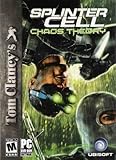
Tom Clancy's Splinter Cell: Chaos Theory - PC | $4.99 | Buy on Amazon |
| 3 |

|
Splinter Cell: Chaos Theory Collector's Edition | $49.99 | Buy on Amazon |
| 4 |

|
Tom Clancys Splinter Cell Chaos Theory | $17.37 | Buy on Amazon |
| 5 |

|
Tom Clancy's Splinter Cell: Chaos Theory (PC) (UK) | $11.99 | Buy on Amazon |
As an Amazon Associate I earn from qualifying purchases.
Which fix applies to you
- The error appeared after installing or updating the game: repair or reinstall Splinter Cell: Chaos Theory from the original installation source.
- Windows Security recently reported a threat: check Protection history before reinstalling. The file may have been quarantined.
- The file exists in the game folder but will not load: the file may be damaged, mismatched, or missing one of its dependencies.
- You copied the game folder, used a mod, or installed an unofficial patch: return to a clean, legitimate installation.
- You are using the original DVD edition on a modern PC: repair the installation first, then address compatibility or obsolete disc-protection issues.
- Another Microsoft DLL is named in the error: repair or install that dependency separately. Visual C++ and DirectX do not replace
udmlib.dll. - The problem began after a Windows, driver, or software change: try System Restore after checking the game installation.
Do not copy udmlib.dll into C:WindowsSystem32 or C:WindowsSysWOW64. The file belongs in the game’s installation directory, historically under its System folder.
Fix 1: Check Windows Security’s quarantine
Antivirus software may remove or quarantine game protection components. That does not automatically mean the detection is false, so inspect the detection before restoring anything.
#1 Best Overall
- To achieve your mission you'll kill from close-range with your combat knife, shoot with a high-tech rifle, and use radical suppression techniques like the inverted neck break
- Intelligent enemies making your mission more risky as you have to get much, much closer to them
- Completely replayable -- Totally open level design with multi-paths and Optional secondary objectives
- Strive for ultimate stealth and rank yourself with the all new post-mission statistics and scoring system
- Extend the game with intense content you can download
- Open Start.
- Type Windows Security and open it.
- Select Virus & threat protection.
- Select Protection history.
- Review recent entries for the game installation.
- Expand an entry and check the original file path.
- Confirm that the path belongs to your legitimate Splinter Cell: Chaos Theory installation.
- Note the detection name and date.
- Scan the original DVD or legitimate installer before restoring the file.
- If the source is trusted and the detection is clearly a false positive, use the available Restore or Allow on device action.
Start the game again after restoring the file. If it launches, the missing-file error was caused by quarantine.
If Windows Security immediately removes the file again, stop there. Do not repeatedly disable Defender and do not download another copy from a DLL website. Keep the detection details and use a clean, legitimate game release or contact the publisher’s support channel.
Microsoft explains the Protection history process in its Windows Security Protection history guidance.
What’s actually slowing this PC down?
Pick the symptom - the matching free tool is one click away.
Fix 2: Verify the game files or repair the installation
This is the most reliable fix when udmlib.dll was deleted, damaged, or never installed correctly.
If your launcher has a repair option
The exact wording depends on the launcher, but look for an option named Verify files, Verify integrity, Repair, or Scan and repair.
- Close the game.
- Close any launcher that is still running.
- Open the launcher used to install the game.
- Open your Library or installed-games list.
- Select Tom Clancy’s Splinter Cell: Chaos Theory.
- Open the game’s Manage, Properties, or settings menu.
- Choose Verify, Repair, or the equivalent option.
- Allow the process to finish.
- Restart Windows if the launcher requests it.
- Start the game from the launcher.
A successful repair should restore the game-owned file to the installation’s System directory. If the launcher reports that files were repaired but the same message returns, check Protection history again. Antivirus software may be removing the restored file immediately.
If you use the PC DVD edition
Use the original disc and its installer rather than a downloaded DLL.
Do these 3 things before closing this tab:
1Fix the driver behind crashes, sound loss and screen glitches2Repair Windows errors before they cause bigger problems3Scan for outdated or missing drivers - takes under a minute- Insert the original game DVD.
- Open File Explorer and select the DVD drive.
- Run the installer.
- Choose Repair if the installer offers it.
- If repair is unavailable, uninstall the existing installation first.
- Restart Windows.
- Run the installer again from the original disc.
- Install the game to a normal location such as
C:GamesSplinter Cell Chaos Theory. - Apply any legitimate patch intended for that edition.
- Launch the game from its installed executable.
Avoid mixing files from different releases. A file copied from another edition, modified executable, unofficial repack, or incompatible patch can leave the game with a mismatched protection library.
Fix 3: Confirm that udmlib.dll is in the correct folder
udmlib.dll is associated with the PC DVD version of Splinter Cell: Chaos Theory. Available file metadata describes it as a Protection Library, and historical installation references place it in the game’s System directory.
To check the path:
- Open the game’s launcher or shortcut.
- Right-click the shortcut and select Properties.
- Select the Shortcut tab.
- Read the Target field to identify the installation directory.
- Select Open File Location if that button is available.
- Look for a folder named System.
- Check whether
udmlib.dllis inside that folder.
Do not move the file to a Windows system folder. A 32-bit game needs its 32-bit game libraries from the game installation even when it runs on 64-bit Windows 10 or Windows 11.
If the file is present but the game still reports it as missing, the message may mean that Windows could not load one of its dependencies. In that situation, copying the same DLL elsewhere will not solve the problem. Repair the complete game installation instead.
Free tools Windows power users keep installed
One-click scans. No signup required.
Fix 4: Reinstall from a clean, legitimate source
Reinstall when verification does not restore the file, when the file is visibly damaged, or when the game folder has been moved between computers.
- Back up saved games if they are stored inside the installation directory.
- Open Settings with Windows key + I.
- Select Apps.
- Select Installed apps on Windows 11 or Apps & features on Windows 10.
- Find Tom Clancy’s Splinter Cell: Chaos Theory.
- Select its menu and choose Uninstall.
- Follow the uninstall wizard.
- Restart Windows.
- Check the old installation directory in File Explorer.
- Delete only leftover game files after confirming that saved games are backed up.
- Reinstall from the original DVD or a legitimate digital installer.
- Start the game once before adding mods or applying custom patches.
The game’s own installer is the correct source for udmlib.dll. A clean reinstall also replaces other files that may have been altered or deleted.
If the original DVD edition still fails after reinstalling, the problem may involve old disc protection or compatibility with the current Windows release rather than a missing DLL. Do not attempt to solve that by replacing individual files with copies from an unrelated release.
Fix 5: Run the game with appropriate permissions
Permissions are not the usual cause of a missing udmlib.dll message, but they can prevent an older game from reading its installation directory.
- Open the game’s installation folder.
- Right-click the game executable.
- Select Properties.
- Open the Compatibility tab.
- Select Run this program as an administrator.
- Select Apply, then OK.
- Start the game.
If this works, the issue was related to access permissions. If it does not, clear the administrator option and continue with repair or compatibility troubleshooting. Running as administrator does not recreate a missing or corrupted DLL.
Rank #3
- PC DVD-ROM Software
Fix 6: Repair Windows components
Windows repair commands are useful when other applications also show damaged-system-file errors. They do not normally recreate a missing third-party game DLL, so use them after repairing the game rather than instead of repairing it.
- Open Start.
- Type Command Prompt.
- Right-click Command Prompt.
- Select Run as administrator.
- Select Yes at the User Account Control prompt.
- Run:
DISM.exe /Online /Cleanup-Image /RestoreHealth
- Wait for DISM to finish.
- Then run:
sfc /scannow
- Wait until verification reaches 100 percent.
- Restart Windows.
- Start Splinter Cell: Chaos Theory again.
Microsoft recommends running DISM before System File Checker. Its instructions are available in the System File Checker guidance.
If SFC reports that it repaired files, test the game. If it reports that no integrity violations were found, Windows system files were not the likely cause. Return to the game repair or reinstall steps.
Windows Errors? Fix Them Before They Spread
Repair common Windows errors and clear accumulated junk for a smoother, more stable PC - no reinstall needed.Free scan · no reinstallCrashes, No Sound, or Screen Glitches?
Random freezes, missing sound and display glitches usually trace back to one bad driver. Find and replace yours safely.Free scan · under a minuteRepeating SFC and DISM will not restore udmlib.dll if the game installation is incomplete.
When manually running these commands becomes difficult to track, Outbyte PC Repair can scan for system problems and show what it found; repairs are performed by the full version, while reinstalling Splinter Cell: Chaos Theory remains the definitive fix for this game-owned file.
Fix 7: Install only a dependency that the error explicitly names
Do not install Visual C++, DirectX, or .NET simply because udmlib.dll is missing. There is no evidence that udmlib.dll is a Microsoft runtime file.
Use this step only when the complete error names another missing file, such as a Microsoft runtime DLL.
For a Microsoft Visual C++ runtime problem:
- Read the complete error carefully.
- Identify the exact missing runtime and architecture.
- Download the redistributable only from Microsoft’s Visual C++ Redistributable downloads page.
- Install the architecture required by the game.
- Restart Windows.
- Launch the game again.
A 32-bit game generally requires the x86 runtime when a runtime is needed. Installing only an x64 package does not substitute for x86 components.
For DirectX or another dependency, use the game’s original installer or a Microsoft source, and install it only when the game or installer specifically requires it. These packages do not replace udmlib.dll.
Fix 8: Check drivers only if the failure is broader than this DLL
A graphics driver normally does not restore a missing game protection library. Driver troubleshooting is worthwhile when the game reaches a black screen, crashes after launch, or other games fail too.
Update the graphics driver through Device Manager
- Right-click Start.
- Select Device Manager.
- Expand Display adapters.
- Right-click your graphics adapter.
- Select Update driver.
- Choose Search automatically for drivers.
- Install any offered update.
- Restart Windows.
You can also open the adapter’s Properties, select the Driver tab, and review the driver date and provider. If the issue began immediately after an update, Roll Back Driver may be available.
The Tool Desk
Outbyte Driver Updater FREEScan for outdated or missing drivers - takes under a minuteDriver Scan →Outbyte PC Repair FREERepair Windows errors before they cause bigger problemsFix Now →When manually hunting through hardware pages and matching driver versions becomes the difficult part, Outbyte Driver Updater can scan for outdated drivers; the full version performs driver installation, and it is not required to restore udmlib.dll or replace a game reinstall.
After updating a driver, test the game without changing several other settings at once. If the same missing-file message remains, the driver was not the cause.
Independent reader supportYour contribution helps us test, update, and keep practical guides available for everyone.Fix 9: Use System Restore after a recent system change
System Restore can help if the game worked and then stopped after a driver, Windows update, or software installation.
- Press Windows key + R.
- Type:
rstrui.exe
- Press Enter.
- Select Next.
- Choose a restore point from before the failure began.
- Select Scan for affected programs if available.
- Review the changes.
- Select Next, then Finish.
- Allow Windows to restart.
System Restore affects system settings and installed programs but does not normally remove personal files. Microsoft documents the process in its System Restore guidance.
Quick wins for a faster PC:
Repair Windows errors before they cause bigger problemsFix Now →Fix the driver behind crashes, sound loss and screen glitchesFind Drivers →If the game files were deleted or quarantined, System Restore may not restore the correct game installation. Repair or reinstall the game afterward if the error remains.
Why regsvr32 is not the fix
regsvr32 is for suitable DLLs that expose a registration entry point such as DllRegisterServer. It is not a universal command for repairing every missing DLL.
There is no public evidence that udmlib.dll is a self-registering COM library. Running this command is therefore not an appropriate standard repair:
Best Value
- You are Sam Fisher. You are a Splinter Cell Single-Player Action
- High-adrenaline stealth kills, submission strikes, and firefights.
- Power-packed weaponry of the near future.
- Multiplayer Action
- Double the action and team up with a friend for two-player co-op stealth missions!
regsvr32 udmlib.dll
It may produce an error saying that the module was loaded but the DllRegisterServer entry point was not found. That does not prove the file is broken. Restore the game installation instead.
Recommended Free Tools
Do not download udmlib.dll from a random DLL site
Avoid downloading this file separately. A replacement may be:
- Malware or a modified executable component
- From the wrong game edition
- The wrong architecture
- The wrong build
- Incompatible with the installed executable
- Blocked by antivirus for good reason
It also leaves the original cause unresolved. If the installer is missing the file, the installation may contain other damaged files or an incompatible protection system.
The safe sources are the original game DVD, a legitimate digital installer, and the repair or verification function provided by the platform that installed the game.
If the error still appears after reinstalling
Check these points:
- Confirm the edition. The file is associated with the PC DVD release. A digital re-release may have different files and dependencies.
- Remove modifications. Uninstall unofficial patches, repacks, cracked executables, and incompatible mods.
- Check the exact path. The game should load its copy from its own installation directory, normally its
Systemfolder. - Review Protection history again. The file may have been restored and immediately quarantined.
- Read the full error. “The specified module could not be found” can identify a dependency rather than the named DLL itself.
- Check Event Viewer. Right-click Start, select Event Viewer, open Windows Logs > Application, and review entries created when the game failed.
- Try compatibility settings. Use the executable’s Properties > Compatibility tab, changing one setting at a time.
- Consider obsolete disc protection. An original disc build may fail on a current Windows installation even after its files are intact.
FAQ
Is udmlib.dll part of Windows?
No evidence identifies it as a Windows component. It is associated with the PC DVD version of Splinter Cell: Chaos Theory and is described as a game protection library.
Where should udmlib.dll be located?
It should normally be in the game’s installation directory, under its System folder. Do not place it in System32 or SysWOW64.
Is udmlib.dll 32-bit or 64-bit?
Available metadata identifies it as a 32-bit game DLL. A 32-bit game still needs its own 32-bit files on 64-bit Windows.
Should I register it with regsvr32?
Normally no. regsvr32 applies to DLLs designed for registration, and there is no public evidence that this game library requires it.
Will Visual C++ or DirectX fix it?
Not usually. Install those components only when the game explicitly reports a separate missing dependency. They do not replace the game’s udmlib.dll.
Do these 3 things before closing this tab:
1Clear out junk files and repair common Windows errors2Scan for outdated or missing drivers - takes under a minute3Repair Windows errors before they cause bigger problemsWhat if antivirus keeps deleting it?
Treat the detection as a security issue first. Check the original path and scan the installer or disc. Do not keep disabling protection to run an untrusted replacement.
What is the definitive fix?
Repair or reinstall Splinter Cell: Chaos Theory from matching legitimate installation media, then apply only compatible patches and updates.
Quick Recap
Product prices and availability are accurate as of the date/time indicated and are subject to change. Any price and availability information displayed on Amazon at the time of purchase will apply.




