Gibbed.Disrupt.Unpack is a community tool for extracting files from Watch Dogs’ Disrupt archives. The upstream Gibbed.Disrupt project labels its tools experimental; a separate community backup lists the unpacker, packer and supporting files, with basic drag-and-drop instructions. Check the source and your game’s archive files carefully: the reviewed documentation does not establish compatibility with every Watch Dogs edition or patch.
Where to find the Gibbed Disrupt Unpacker
The upstream Gibbed.Disrupt project describes its tools as being for modding Disrupt-based games, including Watch Dogs, Watch Dogs 2 and Watch Dogs: Legion. It labels the project “Experimental!” and does not provide a user-ready compatibility matrix in its README.
| # | Preview | Product | Price | |
|---|---|---|---|---|
| 1 |
|
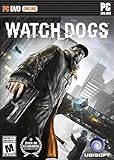
Watch Dogs - PC | $9.99 | Buy on Amazon |
| 2 |
![Watch Dogs: Legion Bloodline - PC [Online Game Code]](https://m.media-amazon.com/images/I/5144xfPPzUL._SL160_.jpg)
|
Watch Dogs: Legion Bloodline - PC [Online Game Code] | $14.99 | Buy on Amazon |
| 3 |

|
Watch Dogs PS3 New | $3.52 | Buy on Amazon |
| 4 |
|
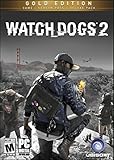
Watch Dogs 2: Gold Edition | PC Code - Ubisoft Connect | $79.99 | Buy on Amazon |
| 5 |

|
Watch Dogs (Playstation Hits) /PS4 | $30.46 | Buy on Amazon |
The DraxAris gibbet repository describes itself as a backup of the original Gibbed project. Its file listing includes Gibbed.Disrupt.Unpack.exe, Gibbed.Disrupt.Pack.exe, supporting DLL files and RebuildFileLists.exe. It is a community backup, not the original project or a verified current release. Confirm that the files you need are present and retain their companion files together.
How to unpack Watch Dogs .dat and .fat files
The backup README describes a basic drag-and-drop workflow. Its instructions are brief and do not explain advanced options or error messages.
The Tool Desk
Outbyte PC Repair FREERepair Windows errors before they cause bigger problemsFix Now →Outbyte Driver Updater FREEFix the driver behind crashes, sound loss and screen glitchesFind Drivers →#1 Best Overall
- DYNAMIC NAVIGATION: Watch_Dogs gives you the ability to not only use the city's ctOS to your advantage, but the streets as well. In real-world Chicago, cut through one of the buildings or climb to the rooftops to catch your target.
- HACK THE CITY: Control the city's infrastructure, in real time, with Aiden's cell phone. Trap your enemy in a 30-car pileup by manipulating the traffic lights. Stop a train, and then board it to evade the authorities. Narrowly escape capture by quickly raising a drawbridge. Anything connected to the city's CTOS can become your weapon.
- HIGH OCTANE DRIVING: Get behind the wheel of more than 65 vehicles bursting with horsepower to explore the massive city while completing missions. Ubisoft Montreal partnered with Ubisoft Reflections, the acclaimed studio behind the award-winning Driver series to develop each vehicle with state-of-art physics and handling.
- SEAMLESS MULTIPLAYER EXPERIENCE: Discover a new level of interaction, cooperation and confrontation between players thanks to a brand new multiplayer game system that links the single and multiplayer modes into one seamless experience. That means no menus, no loading screens, just instant open world multiplayer action.
- Download the tool files from the repository and place the supplied executables and supporting files together in a working folder.
- Locate the relevant
.dator.fatarchive for your game installation. - Drag the archive file onto
Gibbed.Disrupt.Unpack.exeand check the output produced by the tool.
Disrupt archives are commonly documented as pairs: the .fat file indexes entries and maps hashed names to compressed data in the .dat file. Community format documentation describes companion .nfo XML files as mapping hashes to readable paths; it says the .nfo is needed for path resolution. This is a documented format model, not a guarantee for every game version or archive. See the community archive-format reference for details.
Using the unpacker to install a loose-file mod
A Watch Dogs mod installation guide on Nexus Mods gives one specific example involving the game’s patch archives. It is not a universal recipe: use the instructions supplied with the particular mod you are installing.
Rank #2
- Included in the season pass: Discover Bloodline, the unique story expansion that brings Aiden and Wrench back in Watch Dogs.
- New storyline set before the events of the main game.
- Find
patch.fatandpatch.datin the game’sdata_win64folder, as directed by that mod’s guide. - Unpack the patch archives with the Gibbed tools.
- Add the mod’s loose files to the unpacked folder and rename the folder as the mod guide specifies.
- Pack the folder using
Gibbed.Disrupt.Pack.exe. - Copy the resulting
patch.fatandpatch.datpair back todata_win64, following the mod’s instructions.
Keep a restorable copy of the original archives before replacing them. The backup README also says a .dat or .fat file can be dragged onto the pack executable, but provides little detail beyond that basic direction.
Compatibility and limitations
The upstream project calls its tools experimental. The reviewed repository pages do not establish the unpacker’s build date, current maintenance status, supported retail patches or full PC and console compatibility. Do not assume it works with every Watch Dogs version or platform; verify the exact game edition, archive files and mod instructions before proceeding.
Rank #3
Community archive documentation distinguishes several FAT variants, including FAT3 for Watch Dogs 1 PC/PS3 and FAT5 for Watch Dogs 2/Legion PC and PS4. That distinction is not an official compatibility promise from the tool author. It is a reason not to treat archives from different games or platforms as interchangeable.
Independent reader supportYour contribution helps us test, update, and keep practical guides available for everyone.License notes
The upstream project links to a Zlib license. The backup repository reproduces a 2014 license notice attributed to Rick (Gibbed), with conditions that include preserving the notice and identifying altered versions. These repository statements do not amount to legal advice or establish the licensing terms for every bundled binary.
Quick Recap
Best Value
Rank #4
- Get the ultimate Watch Dogs experience with the Watch Dogs 2 Gold Edition!
- Gold Edition includes the base game + Deluxe Packs + Season Pass.
- SEASON PASS - continue your hacker's journey with special missions, customization items and more great DLC.
- DELUXE PACKS - include premium customization items to personalize your character, weapons, vehicles, drones and more.
Product prices and availability are accurate as of the date/time indicated and are subject to change. Any price and availability information displayed on Amazon at the time of purchase will apply.




