An “Xbox Live device ID” most likely means an identifier Microsoft associates with an Xbox device when it signs in to Xbox services. Microsoft says it assigns a unique identifier to a device signed in to Xbox experiences, which can help identify the console and its operating-system version. The exact current consumer-facing label and its location in settings are not confirmed in Microsoft’s public guidance reviewed here.
What the ID means
Microsoft’s Privacy Statement says that when you sign in to Xbox experiences, Microsoft may identify your console and its operating-system version using a unique identifier assigned to the device. That is the safest plain-language explanation of “Xbox Live device ID.”
The phrase can be confusing because Microsoft also documents several other device identifiers for specific purposes. Their names are related, but they are not necessarily interchangeable.
Xbox identifiers that are easy to confuse
| Identifier | What Microsoft documents | When it applies |
|---|---|---|
| Xbox device identifier | A unique identifier Microsoft assigns to a device signed in to Xbox experiences, which can help identify the console and its operating-system version. (Microsoft Privacy Statement) | The closest match to the ordinary consumer meaning of “Xbox Live device ID.” |
| Console ID | Microsoft Learn says it “uniquely identifies an Xbox device for Xbox Live for development scenarios only.” The documented XSystemGetConsoleId function returns the Console ID shown in Settings > System > Console info; on retail consoles, that function always returns a zero-filled value. (Microsoft Learn) |
Xbox Game Development Kit development scenarios; do not assume the developer function’s output is what a retail console user needs. |
| Device pairwise ID (DPI) | Microsoft describes this as an anonymized Microsoft-account identifier representing a device, unique to each partner in Xbox service token claims. (Microsoft Learn) | Developer and service-token context, not a general consumer settings field. |
| Serial number | Microsoft’s device-registration instructions ask for the Xbox device serial number. (Microsoft Support) | Use it when account registration specifically requests a serial number; do not substitute another identifier. |
Where to look on an Xbox One
A 2020 Microsoft Community reply reported this route for finding an “Xbox Live device ID” on Xbox One:
Windows Errors? Fix Them Before They Spread
Repair common Windows errors and clear accumulated junk for a smoother, more stable PC - no reinstall needed.Free scan · no reinstallCrashes, No Sound, or Screen Glitches?
Random freezes, missing sound and display glitches usually trace back to one bad driver. Find and replace yours safely.Free scan · under a minute#1 Best Overall

- MODERNIZED DESIGN — Experience the modernized design of the XBOX Wireless Controller with sculpted surfaces and updated geometry that enhances comfort and control during long gaming sessions.
- PRECISION PERFORMANCE — Stay on target with a hybrid D-pad and textured grips on triggers, bumpers, and back case for improved accuracy and handling.
- SHARE BUTTON: Seamlessly capture and share content such as screenshots, recordings, and more with the new Share button.
- VERSATILE CONNECTIVITY — Connect via USB-C for plug-and-play on console and PC, or quickly pair and switch between supported devices with XBOX Wireless and Bluetooth support.
- BUILT-IN AUDIO SUPPORT — Plug in compatible headsets using the 3.5mm audio jack for direct voice chat and immersive in-game sound.
- Open Settings.
- Select System.
- Open Console info.
- Check the labels shown there and use only the value that matches the wording in the request.
The old Community page now redirects to Xbox Support, and the exact label and route are not confirmed in current official Microsoft support material reviewed here. Treat the path as reported guidance, not a guaranteed current instruction for every console or software version.
Quick Recap
Best Value

- Featuring a bright, bold, unmistakable blue design
- Dual Rumble Motors - Take your gaming experience to the next level, providing tactile feedback and sensations that bring your virtual worlds to life.
- Immersive Impulse Triggers – provides haptic feedback sensations using built-in motors so you can feel the action of the game.*
- Extra Long USB-C Cable - Provides you with 10 ft. of distance for more comfort and flexibility than shorter cables.
- Ergonomic Design – Lightweight and comfortable for long gaming sessions.
Rank #4
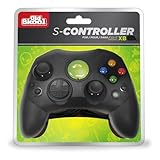
- Compatible with the original Xbox only (not Xbox 360 or Xbox one)
- Dual Analog joysticks
- Full analog pressure-sensitive action buttons & D-Pad
- Vibration feedback
- Cable Length: 6 foot
Rank #3

- MODERNIZED DESIGN — Experience the modernized design of the XBOX Wireless Controller with sculpted surfaces and updated geometry that enhances comfort and control during long gaming sessions.
- PRECISION PERFORMANCE — Stay on target with a hybrid D-pad and textured grips on triggers, bumpers, and back case for improved accuracy and handling.
- SHARE BUTTON: Seamlessly capture and share content such as screenshots, recordings, and more with the new Share button.
- VERSATILE CONNECTIVITY — Connect via USB-C for plug-and-play on console and PC, or quickly pair and switch between supported devices with XBOX Wireless and Bluetooth support.
- BUILT-IN AUDIO SUPPORT — Plug in compatible headsets using the 3.5mm audio jack for direct voice chat and immersive in-game sound.
Rank #2

- MODERNIZED DESIGN — Experience the modernized design of the XBOX Wireless Controller with sculpted surfaces and updated geometry that enhances comfort and control during long gaming sessions.
- PRECISION PERFORMANCE — Stay on target with a hybrid D-pad and textured grips on triggers, bumpers, and back case for improved accuracy and handling.
- SHARE BUTTON: Seamlessly capture and share content such as screenshots, recordings, and more with the new Share button.
- VERSATILE CONNECTIVITY — Connect via USB-C for plug-and-play on console and PC, or quickly pair and switch between supported devices with XBOX Wireless and Bluetooth support.
- BUILT-IN AUDIO SUPPORT — Plug in compatible headsets using the 3.5mm audio jack for direct voice chat and immersive in-game sound.
Use the identifier the request actually asks for
- If a support form or recovery screen specifically asks for an “Xbox Live device ID,” match that exact label rather than assuming that a serial number or developer Console ID is equivalent.
- If you are registering a console with your Microsoft account, Microsoft’s instructions ask for the console’s serial number. Follow the device-registration instructions instead of substituting another ID.
- If you are working with Xbox Game Development Kit documentation or Xbox service-token claims, use the identifier defined for that developer task; those technical terms are not consumer-facing synonyms.
Product prices and availability are accurate as of the date/time indicated and are subject to change. Any price and availability information displayed on Amazon at the time of purchase will apply.




