The most recent Diablo IV Public Test Realm (PTR) that Blizzard has announced ran from August 4 to August 11, 2026. It is over. No later PTR start date appears in Blizzard’s announcements, so treat any future window as unconfirmed until Blizzard posts it on its official Diablo IV news page. Joining a PTR works the same way each time: you use the Battle.net App, not a separate download.
Recent PTR dates
Blizzard announces each PTR separately, tied to a specific game update. The three most recent windows in its announcements are below. All times are Pacific.
| # | Preview | Product | Price | |
|---|---|---|---|---|
| 1 |

|
Diablo IV - PlayStation 5 | $31.00 | Buy on Amazon |
| 2 |

|
Diablo IV | Lord of Hatred Standard Edition | XBOX Digital Code | $39.99 | Buy on Amazon |
| 3 |

|
Diablo® IV (PS5) | $36.40 | Buy on Amazon |
| 4 |
|
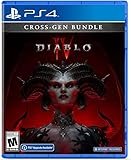
Diablo IV (Cross-Gen Bundle) - For Playstation 4 | $38.90 | Buy on Amazon |
| 5 |

|
Diablo IV (Cross-Gen Bundle) | $29.95 | Buy on Amazon |
| Update | PTR window | What the announcement adds |
|---|---|---|
| Version 3.2.0 | August 4, 2026, 10:00 a.m. PDT to August 11, 2026, 10:00 a.m. PDT | Previews features ahead of Season 15. Blizzard labels this build PC-only. |
| Version 3.1.0 | June 2 to June 9, 2026 | Covers the Battle.net installation flow and the PC Game Pass route. |
| Version 2.6.0 | February 3 to February 10, 2026 | Not stated beyond the dates in the announcement. |
For the 3.2.0 window, Blizzard’s announcement said the PTR would offer “the chance to test upcoming changes and features coming in the next season for the base game, shaking up how you play cross both Eternal and Seasonal Realms.” That chance has closed. The full announcement is here: The 3.2.0 PTR: What You Need to Know.
The earlier announcements show how Blizzard handles these tests: The 3.1 PTR: What You Need to Know and The 2.6.0 PTR: What You Need to Know. The gaps between these windows are uneven, and Blizzard does not publish a fixed schedule. Do not estimate the next PTR from the spacing between past ones.
Windows Errors? Fix Them Before They Spread
Repair common Windows errors and clear accumulated junk for a smoother, more stable PC - no reinstall needed.Free scan · no reinstallOutdated Drivers Are Slowing You Down
One free scan finds every outdated or missing driver and matches the right update for your exact hardware.Free scan · exact hardware match#1 Best Overall
How to tell when the next PTR opens
Blizzard has not announced a successor to the 3.2.0 PTR in the material reviewed for this article. When one is scheduled, expect the following:
- A dedicated post on the official Blizzard news site, titled with the update number followed by “PTR.”
- Start and end times given in PDT, with the closing time stated explicitly.
- Install instructions that match the Battle.net steps below.
How to access the Diablo IV PTR
Blizzard’s announced route runs through the Battle.net App. Use these steps when a PTR is live:
Rank #2
- LORD OF HATRED EXPANSION — Includes Diablo IV: Vessel of Hatred Standard Edition and Diablo IV: Lord of Hatred. The Diablo IV base game is required to play.
- IN-GAME EXTRAS — Get 1 Extra Stash Tab, 2 Additional Character Slots, and 3 Decor Items in World of Warcraft.
- NEW CLASSES AND REGION — Master two new classes and explore the ancient region of Skovos in the Lord of Hatred expansion.
- ACTION RPG ADVENTURE — Slay demons, master abilities, explore nightmarish dungeons, and find legendary loot in a dark open world.
- NEW CAMPAIGN AGAINST MEPHISTO — Make your stand against the Prime Evil Mephisto in a rich new story featuring new enemies, regions, and narrative twists.
- Open the Battle.net App and select Diablo IV from the Games list.
- In the game-version selector above the Play button, select Public Test Realm.
- Select Install and wait for the download to finish. The button changes to Play when the client is ready.
- Select Play, log in, and choose an available test server.
- Create a new test character. If you want to test seasonal content, create a Seasonal Character.
PC Game Pass and Game Pass Ultimate
Subscribers on PC open Battle.net through the Xbox App, then follow the same Battle.net steps listed above. The 3.2.0 announcement labels the PTR build PC-only, so console players should not expect to join it. The 3.2.0 PTR announcement contains the official install instructions.
Testing seasonal themes
Blizzard recommends creating a Seasonal Character when you want to test seasonal themes. A new test character is the default for general testing, so choose the seasonal option only when the feature you are testing belongs to a season.
Quick wins for a faster PC:
Fix the driver behind crashes, sound loss and screen glitchesFind Drivers →Clear out junk files and repair common Windows errorsFree Scan →Scan for outdated or missing drivers - takes under a minuteDriver Scan →Quick Recap
Best Value
Rank #4
- Diablo IV is the next-gen action RPG experience with endless evil to slaughter, countless abilities to master, nightmarish Dungeons, and legendary loot
- Embark on the campaign solo or with friends, meeting memorable characters through beautifully dark settings and a gripping story
- Explore an expansive end game and shared world where players can meet in towns to trade, team up to battle World Bosses, or descend into PVP zones to test their skills against other players
- No lobbies necessary - with cross-play and cross-progression on all available platforms
Rank #3
- Pre-order and receive:
- Light Bearer Mount in Diablo IV
- Only one code per customer
- Diablo IV is the next-gen action RPG experience with endless evil to slaughter, countless abilities to master, nightmarish Dungeons, and legendary loot.
- Embark on the campaign solo or with friends, meeting memorable characters through beautifully dark settings and a gripping story, or explore an expansive end game and shared world where players can meet in towns to trade, team up to battle World Bosses, or descend into PVP zones to test their skills against other players - no lobbies necessary - with cross-play and cross-progression on all available platforms.
Product prices and availability are accurate as of the date/time indicated and are subject to change. Any price and availability information displayed on Amazon at the time of purchase will apply.
Independent reader supportYour contribution helps us test, update, and keep practical guides available for everyone.



