Every amiibo is compatible with The Legend of Zelda: Breath of the Wild, including figures from outside the Zelda series. Their effects differ: Wolf Link can join Link as an ally, some Zelda amiibo can produce themed rewards or a treasure chest, and other figures may drop materials, ore, ingredients, or rare items. Scans are optional, and results can be random.
Which amiibo work with Breath of the Wild?
Nintendo’s Breath of the Wild Explorer’s Guide says all amiibo can be scanned in the game, including non-Zelda figures. That broad compatibility does not mean every figure has a unique or guaranteed reward. Nintendo’s Zelda amiibo product page also notes that amiibo compatibility and functionality vary by game.
As an Amazon Associate I earn from qualifying purchases.
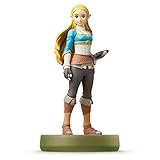
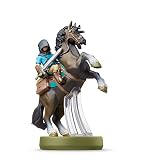
Nintendo’s official lineup gives examples of Zelda-series figures, including Zelda, Link (Archer), Link (Rider), Bokoblin, Revali, and Daruk. These are examples, not a complete list of every Zelda amiibo ever released.
Recommended Free Tools
What do different amiibo do?
| Amiibo type or example | Effect in Breath of the Wild |
|---|---|
| Wolf Link | Summons Wolf Link as an ally. He can attack enemies and help find items. |
| Breath of the Wild and Zelda 30th Anniversary amiibo | Can provide helpful items such as fish and plants, or a treasure chest. |
| Champion amiibo | May provide helpful equipment and a special item related to the Champion. The four Champions are Daruk, Mipha, Urbosa, and Revali. |
| Other amiibo, including figures outside the Zelda series | May provide ingredients, materials, ore, and possibly rare items; Nintendo does not promise an exact drop for every figure. |
Nintendo’s guide summarizes the general effect this way: “All amiibo are compatible with Breath of the Wild and can be scanned to score ingredients, materials, ore, and maybe even some rare items.” The guide’s wording describes possible rewards, not a guaranteed result for each scan.
#1 Best Overall
- Import Game - Japanese Version
- Compatible with US systems (region free)
- Japanese language (other languages may be included)
- Manual and packaging in Japanese language
How to scan an amiibo
- Unlock the amiibo rune. Nintendo says this usually happens about 45 minutes into gameplay, though the exact time can vary with progress.
- Enable amiibo use. Open the Options menu and turn on “Use amiibo.”
- Select the amiibo ability. Choose the amiibo rune and activate it with L.
- Aim the reward. Point the glowing sphere at a suitable spot where the items can land.
- Scan the figure. Hold the amiibo over the right control stick.
How often can you scan an amiibo?
Nintendo’s support guidance allows each figure to be scanned once per day per Nintendo Account. Some rewards are random, so repeatedly trying on different days does not guarantee a particular item. For example, Epona can appear as a random reward rather than being guaranteed on every scan.
Independent reader supportYour contribution helps us test, update, and keep practical guides available for everyone.What changes in Nintendo Switch 2 Edition?
Nintendo’s support instructions for Nintendo Switch 2 Edition describe additional features: app tracking and a bonus use after scanning the same compatible figure five times that day. These are specific to that edition and should not be assumed to apply to the original Nintendo Switch or Wii U versions.
Quick Recap
Rank #3
- Made for Play! Discover New Characters, Explore New Game Modes, and So Much More!
- You can use amiibo on your Wii U by tapping them to the NFC touchpoint on the Wii U GamePad.You can also use amiibo on your New Nintendo 3DS and New Nintendo 3DS XL by tapping them to the NFC area on the bottom screen. Alternatively, using the NFC Reader/Writer Accessory you can use amiibo on your Nintendo 2DS, Nintendo 3DS and Nintendo 3DS XL. amiibo are also compatible with the Nintendo Switch
- See individual games for full amiibo functionality
Rank #2

- Made for Play! Discover New Characters, Explore New Game Modes, and So Much More!
- You can use amiibo on your Wii U by tapping them to the NFC touchpoint on the Wii U GamePad.You can also use amiibo on your New Nintendo 3DS and New Nintendo 3DS XL by tapping them to the NFC area on the bottom screen. Alternatively, using the NFC Reader/Writer Accessory you can use amiibo on your Nintendo 2DS, Nintendo 3DS and Nintendo 3DS XL. amiibo are also compatible with the Nintendo Switch
- See individual games for full amiibo functionality
Product prices and availability are accurate as of the date/time indicated and are subject to change. Any price and availability information displayed on Amazon at the time of purchase will apply.




