What’s actually slowing this PC down?
Pick the symptom - the matching free tool is one click away.
If you can’t move in The Elder Scrolls V: Skyrim, first check what happened just before the controls stopped responding. Bethesda documents a specific lockup after using Show on Map to fast travel while your character is still mounting a carriage, sitting, or playing another special animation. The documented recovery is to load a save from before that trip, let the animation finish, and then fast travel. On PC, you can also reset controls to their defaults if the problem may be caused by changed bindings.
Start with the timing and the platform
Note whether the issue began after fast travel, after changing controls, or after a game update. Also check whether the game’s menus still respond: that helps distinguish a character who is stuck in the world from input that is not registering at all.
| # | Preview | Product | Price | |
|---|---|---|---|---|
| 1 |
|
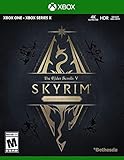
Skyrim Anniversary Edition - Xbox One | $58.00 | Buy on Amazon |
| 2 |

|
The Elder Scrolls V: Skyrim Special Edition - Xbox One (Renewed) | $20.31 | Buy on Amazon |
| 3 |

|
The Elder Scrolls V: Skyrim - Legendary Edition, XBOX 360 (Renewed) | $19.98 | Buy on Amazon |
| 4 |

|
The Elder Scrolls V: Skyrim (Renewed) | $8.99 | Buy on Amazon |
- After Show on Map fast travel during an animation: try Bethesda’s save-and-retry procedure below.
- On PC, with possible changed key bindings: restore the default controls.
- After an update, with mods or add-ons installed: treat them as a cautious diagnostic possibility, not a confirmed movement-glitch cause.
If movement stopped after Show on Map fast travel
Bethesda identifies a possible lockup when you use Show on Map to fast travel while your character is in a special animation, such as mounting a carriage or sitting in a chair. The controls may lock after the destination loads. Bethesda’s support instructions for this specific issue recommend returning to a save made before the fast travel.
- Load a save from before you used Show on Map to fast travel.
- Wait until the mounting, sitting, or other special animation has completely finished.
- Try fast traveling again only after your character is no longer in that animation.
This remedy applies to the documented sequence; it is not a general fix for every movement problem.
#1 Best Overall
- EPIC FANTASY REBORN - Skyrim reimagines and revolutionizes the open-world fantasy epic, bringing to life a complete virtual world open for you to explore any way you choose.
- LIVE ANOTHER LIFE, IN ANOTHER WORLD - Play any type of character you can imagine, and do whatever you want; the legendary freedom of choice, storytelling, and adventure of The Elder Scrolls is realized like never before.
- YOU ARE WHAT YOU PLAY - Choose from hundreds of weapons, spells, and abilities. The new character system allows you to play any way you want and define yourself through your actions.
- BATTLE DRAGONS - Battle ancient dragons like you’ve never seen. As Dragonborn, learn their secrets and harness their power for yourself.
- INCLUDED CONTENT - The Anniversary Edition includes the core game, pre-existing and new Creation Club content, plus all three official add-ons: Dawnguard, Hearthfire, and Dragonborn.
Reset controls on PC if bindings may have changed
If you are playing on PC and suspect the controls were changed or remapped, Bethesda’s documented reset path is:
- Press Esc.
- Select System, then open Controls.
- Press T to reset controls to their defaults.
These are Bethesda’s PC instructions; they do not establish an equivalent reset procedure for console controls. See Bethesda’s PC control-reset guidance.
Rank #2
- Winner of more than 200 Game of the Year Awards, Skyrim Special Edition brings the epic fantasy to life in stunning detail.
- The Special Edition includes the critically acclaimed game and add-ons with all-new features.
- All-new features include remastered art and effects, volumetric god rays, dynamic depth of field, screen-space reflections, and more.
- Entertainment Software Rating Board (ESRB) Content Description: Blood and gore, intense violence, sexual themes, use of alcohol
Consider mods carefully after an update
Bethesda warns that mods and add-ons may not work properly after a game update and may cause certain issues, including crashes, black screens, or visual UI errors. Its cited support pages do not identify mods as a confirmed cause of movement lockups. If the problem began after an update and your installation uses mods, testing without recently added or updated mods may help narrow down the cause, but it is a diagnostic step rather than a documented movement fix. Bethesda’s related guidance covers issues after updating Skyrim and PC crashes or black screens.
Independent reader supportYour contribution helps us test, update, and keep practical guides available for everyone.When the documented fixes don’t fit
If the problem persists, or it did not follow the animation-and-fast-travel sequence, the available Bethesda instructions do not establish a universal fix. Avoid deleting saves or reinstalling the game without platform-specific guidance. For a more targeted diagnosis, identify:
Rank #3
- Live Another Life, In Another World: Play any type of character you can imagine, and do whatever you want; the freedom of choice, storytelling, and adventure of The Elder Scrolls comes to life in one legendary experience from all three official add-ons.
- Dawnguard: The Vampire Lord Harkon has returned to power. By using the Elder Scrolls, he seeks to do the unthinkable - to end the sun itself. Will you join the ancient order of the Dawnguard and stop him? Or will you become a Vampire Lord?
- Hearthfire: Purchase land and build your own home from the ground up - from a simple one-room cottage to a sprawling compound complete with an armory, alchemy laboratory, and more.
- Dragonborn: Journey off the coast of Morrowind, to the vast island of Solstheim. Traverse the ash wastes and glacial valleys of this new land as you become more powerful with shouts that bend the will of your enemies and even tame dragons.
- Your platform and game edition.
- Whether menus respond while your character cannot move.
- What happened immediately before the lockup.
- Whether the installation uses mods or add-ons, and whether the problem began after an update.
Use those details when seeking current support for your platform and edition; the relevant steps can differ by setup.
Quick Recap
Rank #4
- Disc only. Original case and manual not included. Will come packaged in a generic case.
- This renewed game has been cleaned, tested, and shows minimal wear.
Product prices and availability are accurate as of the date/time indicated and are subject to change. Any price and availability information displayed on Amazon at the time of purchase will apply.




